

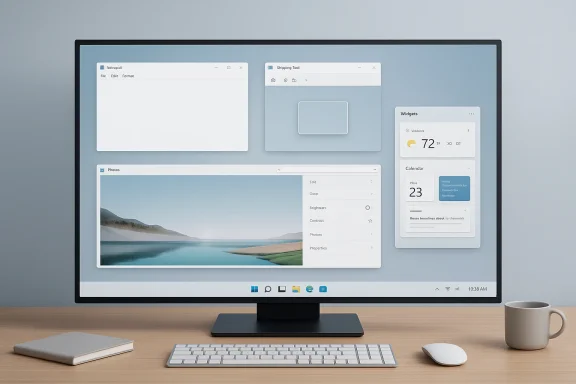
Microsoft is quietly changing one of the more visible habits of Windows 11: putting Copilot in places where many users never asked for it. The latest Insider-facing changes point to a deliberate reduction in Copilot branding and entry points inside inbox apps such as Notepad, Snipping Tool, Photos, and Widgets, even as the underlying AI features remain in play. That may sound cosmetic, but it is a meaningful shift in tone for a platform that has spent much of the past two years pushing AI as a default layer rather than an optional enhancement. The new direction suggests Microsoft is learning that ubiquity and usefulness are not the same thing, especially on the desktop.
Windows 11 has been defined by a tug-of-war between two competing instincts. On one side, Microsoft wants a more modern operating system with AI baked into everyday workflows, tighter cloud integration, and a product story that positions the PC as an intelligent companion. On the other, a large share of Windows users still expect the platform to behave like a tool first: fast, quiet, configurable, and relatively free of interruptions. The Copilot rollout pulled those instincts into direct conflict, because the company did not merely add an assistant; it placed the assistant in the middle of everyday tasks.
That tension matters because Windows is not a disposable app that can be deleted if it gets annoying. It is the desktop environment, file manager, settings hub, update engine, and default workspace for millions of users. When Microsoft adds a Copilot button to Notepad or a prompt to Snipping Tool, it changes the feel of the entire platform. The result has been a steady complaint that Windows 11 can feel busier, more opinionated, and less respectful of the user’s intent than earlier versions of Windows.
The Copilot strategy itself was never just about one assistant. It was a broader bet that AI would become the organizing principle of the Windows experience, similar to how search and cloud services once became core to Microsoft’s consumer and enterprise messaging. That vision made sense in presentation decks and keynote demos, but the real world exposed a sharper problem: a lot of Windows tasks are tiny, fast, and transactional. People open Notepad to jot something down, Snipping Tool to grab a screenshot, Photos to view or make a quick edit, and Widgets to glance at information. In those contexts, an AI invitation can feel like friction rather than help.
What makes this moment notable is that Microsoft’s own phrasing has changed. The company is now talking about being more intentional with Copilot entry points and reducing unnecessary surfaces, which is a fairly clear admission that the earlier approach was overextended. The shift does not amount to an abandonment of AI in Windows; rather, it is a correction toward restraint. That is a subtle but important distinction, because Microsoft still needs Copilot to be central to its product story without making it feel pushy.
Notepad is the clearest example. The app has historically represented speed and simplicity, so a heavy Copilot presence there always felt a little at odds with the product’s identity. Microsoft is now replacing some Copilot labeling with more neutral “Writing tools” language and shifting AI controls deeper into settings or contextual menus. That sounds small, but it reflects a bigger principle: the user should ask for intelligence, not be greeted by it at every turn.
Snipping Tool and Photos show the same pattern from a different angle. These are utility apps, not AI showcases, and users generally want them to remain lightweight. Reducing Copilot branding there makes the apps feel less like a marketing surface and more like focused tools. It also hints that Microsoft has realized the product cost of turning every utility into a stage for the same assistant.
Windows users are also unusually sensitive to interface clutter because they use the OS in dense, repeated, real-world workflows. A web app can afford a bit of visual noise; an operating system cannot. Every extra button, prompt, or suggestion compounds across hundreds of daily interactions, which is why the Copilot placement problem became so noticeable. It was not one bad decision. It was the accumulation of many small ones.
Microsoft arguably made the matter worse by pairing the Copilot push with other unpopular Windows 11 decisions, including reduced customization and a more rigid shell. That made the AI layer feel like part of a broader pattern: Microsoft was not just adding features, it was removing the user’s sense of control. Against that backdrop, Copilot stopped looking like a helpful companion and started looking like another example of the OS announcing itself too aggressively.
Enterprises also tend to be more cautious about AI surfaces because of privacy, governance, and training issues. Even if Copilot is safe and compliant in a given configuration, the perception of more AI everywhere can complicate rollout conversations. A less intrusive default makes Microsoft’s pitch easier: admins can frame Copilot as an option layered onto Windows rather than a surprise embedded into the UI.
That said, the enterprise reaction will depend on whether Microsoft goes beyond branding changes and improves control surfaces. IT shops usually want policy-based manageability, clear disable paths, and consistent behavior across update rings. If Microsoft only dims the branding but leaves the experience fragmented, administrators will still view Copilot as one more thing to police.
This matters because the most common consumer complaint about modern Windows is not that it lacks features. It is that the experience often feels overdesigned, with too many prompts, feeds, and recommendations competing for attention. Reducing Copilot’s visual footprint does not solve every complaint, but it does remove one of the most obvious sources of friction. That should help Microsoft repair some goodwill with users who simply want a clean utility experience.
There is also a practical benefit in consistency. When users learn that some apps are about tasks and others are about AI, they can make faster decisions about where to go for a given need. That is a better user experience than forcing every app to advertise the same assistant in the same way. The more Windows feels like a well-organized toolkit, the less it feels like a billboard.
That means Windows has the hardest AI job of the major platforms. It must remain flexible enough for power users, predictable enough for enterprises, familiar enough for mainstream consumers, and forward-looking enough to keep Microsoft’s AI story credible. A noisy assistant may be impressive in a demo, but at scale it risks becoming a liability. Microsoft appears to be recognizing that the desktop is not the place to win a branding contest at the expense of usability.
There is also a reputational angle here. If Microsoft can make Copilot feel available but not aggressive, it may restore some confidence that Windows 11 is maturing rather than simply accumulating features. If it fails, the platform will keep inviting the same criticism: that Windows has become a showcase for Microsoft’s ambitions instead of a clean environment for user work. That distinction matters a great deal in a market where trust is increasingly a differentiator.
Windows veterans will recognize this pattern because it has happened before with other interface decisions and ecosystem pushes. Microsoft tends to discover, sometimes belatedly, that a desktop audience values control more than rhetorical alignment with whatever the company wants to emphasize that year. The current move away from Copilot branding suggests the company has once again reached that realization.
That does not make the company’s AI strategy wrong. In fact, it may be the opposite. A successful platform AI strategy often depends on being less visible than the marketing team would like. Users do not need to be reminded of intelligence every time they open a utility. They need intelligence to appear at the right moment, in the right context, and then get out of the way.
That is why the company’s push to make Windows feel less intrusive could be strategically smarter than another round of AI-first promotion. If the OS feels faster, more dependable, and less cluttered, users may become more willing to accept AI features when they do appear. In other words, Microsoft may need to earn the right to show Copilot by improving the day-to-day feel of Windows itself.
The irony is that this could end up being the most important part of Microsoft’s AI strategy. Not the flashiest demo, not the broadest branding, but the most disciplined integration. If the company can make Windows 11 feel calmer while leaving the intelligent features intact, it may finally convert some of the skepticism into acceptance. That is a more durable outcome than simply planting Copilot logos everywhere and hoping the repetition does the work.
The most important question is whether this restraint extends beyond branding into policy, app behavior, and default configuration. Users and IT admins will want to know whether Copilot can be meaningfully controlled, whether the reduced entry points stay reduced, and whether Microsoft continues repairing the everyday rough edges that have made Windows 11 feel heavier than it should. If the company gets that balance right, it may finally turn Copilot from a source of irritation into a feature people only notice when they actually need it.
Source: TechPowerUp Microsoft Starts Removing Copilot from Notepad, Snipping Tool, and More in Windows 11 | TechPowerUp}
Source: PC Gamer Photos and Snipping Tool are the first Windows apps to remove Copilot branding
 Background
Windows 11 has been defined by a tug-of-war between two competing instincts. On one side, Microsoft wants a more modern operating system with AI baked into everyday workflows, tighter cloud integration, and a product story that positions the PC as an intelligent companion. On the other, a large share of Windows users still expect the platform to behave like a tool first: fast, quiet, configurable, and relatively free of interruptions. The Copilot rollout pulled those instincts into direct conflict, because the company did not merely add an assistant; it placed the assistant in the middle of everyday tasks.That tension matters because Windows is not a disposable app that can be deleted if it gets annoying. It is the desktop environment, file manager, settings hub, update engine, and default workspace for millions of users. When Microsoft adds a Copilot button to Notepad or a prompt to Snipping Tool, it changes the feel of the entire platform. The result has been a steady complaint that Windows 11 can feel busier, more opinionated, and less respectful of the user’s intent than earlier versions of Windows.
The Copilot strategy itself was never just about one assistant. It was a broader bet that AI would become the organizing principle of the Windows experience, similar to how search and cloud services once became core to Microsoft’s consumer and enterprise messaging. That vision made sense in presentation decks and keynote demos, but the real world exposed a sharper problem: a lot of Windows tasks are tiny, fast, and transactional. People open Notepad to jot something down, Snipping Tool to grab a screenshot, Photos to view or make a quick edit, and Widgets to glance at information. In those contexts, an AI invitation can feel like friction rather than help.
What makes this moment notable is that Microsoft’s own phrasing has changed. The company is now talking about being more intentional with Copilot entry points and reducing unnecessary surfaces, which is a fairly clear admission that the earlier approach was overextended. The shift does not amount to an abandonment of AI in Windows; rather, it is a correction toward restraint. That is a subtle but important distinction, because Microsoft still needs Copilot to be central to its product story without making it feel pushy.
What Microsoft Is Actually Changing
The most important thing to understand is that Microsoft is not ripping AI out of Windows 11. Instead, it appears to be shrinking the number of obvious prompts, buttons, and branded surfaces that tell users to interact with Copilot. In practical terms, that means the assistant becomes less visually dominant in the apps where Microsoft had previously made it hard to ignore. That is a course correction in product design, not a retreat from the underlying feature set.Notepad is the clearest example. The app has historically represented speed and simplicity, so a heavy Copilot presence there always felt a little at odds with the product’s identity. Microsoft is now replacing some Copilot labeling with more neutral “Writing tools” language and shifting AI controls deeper into settings or contextual menus. That sounds small, but it reflects a bigger principle: the user should ask for intelligence, not be greeted by it at every turn.
Snipping Tool and Photos show the same pattern from a different angle. These are utility apps, not AI showcases, and users generally want them to remain lightweight. Reducing Copilot branding there makes the apps feel less like a marketing surface and more like focused tools. It also hints that Microsoft has realized the product cost of turning every utility into a stage for the same assistant.
The key design logic
Microsoft seems to be applying a kind of triage to its in-box apps. If an AI feature directly helps the user complete the current task, it stays close to the surface. If it mainly serves as a generic invitation to engage with Copilot, it gets demoted or relabeled. That distinction is easy to say out loud, but it is much harder for a platform vendor to enforce consistently across a broad product ecosystem.- Fewer visible Copilot buttons in everyday apps.
- More contextual AI access rather than always-on branding.
- Less visual clutter in utilities that should feel immediate.
- A stronger distinction between helper features and promotional surfaces.
- More emphasis on the task itself, less on the assistant.
Why the Backlash Happened
The backlash was never just about AI skepticism. Many Windows users are not opposed to AI in principle; they are opposed to overexposure. When AI features are inserted into routine workflows, they can feel less like productivity enhancements and more like product positioning. That is especially true in a desktop operating system, where even a tiny amount of friction is experienced repeatedly throughout the day.Windows users are also unusually sensitive to interface clutter because they use the OS in dense, repeated, real-world workflows. A web app can afford a bit of visual noise; an operating system cannot. Every extra button, prompt, or suggestion compounds across hundreds of daily interactions, which is why the Copilot placement problem became so noticeable. It was not one bad decision. It was the accumulation of many small ones.
Microsoft arguably made the matter worse by pairing the Copilot push with other unpopular Windows 11 decisions, including reduced customization and a more rigid shell. That made the AI layer feel like part of a broader pattern: Microsoft was not just adding features, it was removing the user’s sense of control. Against that backdrop, Copilot stopped looking like a helpful companion and started looking like another example of the OS announcing itself too aggressively.
Perception matters as much as capability
The core problem is not whether Copilot can do useful things. The problem is that a visible assistant can become a standing reminder that Microsoft wants to sell a vision as much as solve a task. That perception is toxic when users are already feeling fatigued by Windows 11’s design churn. The company appears to understand that the reputation cost of constant prompts may now outweigh the branding value of maximal exposure.- Users noticed the assistant more than the benefit.
- Branding and utility became intertwined.
- Frequent prompts created fatigue.
- The desktop context made interruptions more painful.
- Trust became a product issue, not just a marketing one.
The Enterprise Angle
For enterprise customers, Microsoft’s decision is more than a cosmetic UI cleanup. Corporate IT teams tend to care about consistency, predictability, and user resistance to surprise behavior. If a feature appears in a workstation tool without clear business value, it can become a support burden rather than a productivity gain. Reducing Copilot clutter may therefore make Windows 11 easier to defend in managed environments.Enterprises also tend to be more cautious about AI surfaces because of privacy, governance, and training issues. Even if Copilot is safe and compliant in a given configuration, the perception of more AI everywhere can complicate rollout conversations. A less intrusive default makes Microsoft’s pitch easier: admins can frame Copilot as an option layered onto Windows rather than a surprise embedded into the UI.
That said, the enterprise reaction will depend on whether Microsoft goes beyond branding changes and improves control surfaces. IT shops usually want policy-based manageability, clear disable paths, and consistent behavior across update rings. If Microsoft only dims the branding but leaves the experience fragmented, administrators will still view Copilot as one more thing to police.
What admins will care about most
The meaningful enterprise questions are not glamorous, but they are decisive. Can organizations suppress Copilot entry points where needed? Will app behavior remain stable across Insider, preview, and general release channels? And can Microsoft make Windows 11 feel lighter without creating yet another layer of policy complexity? Those are the questions that determine whether this shift becomes a real win or just another branding adjustment.- Clearer AI policy controls.
- Fewer surprise prompts in everyday apps.
- Easier user support and training.
- Better alignment with managed-device expectations.
- More confidence in Windows 11 as a stable baseline.
The Consumer Experience
Consumers are likely to notice the change first in mood rather than in raw functionality. Apps like Notepad and Snipping Tool should feel less like they are trying to upsell the user into a Copilot interaction. That can make Windows 11 feel calmer, and on a desktop OS, calmer is not a trivial quality.This matters because the most common consumer complaint about modern Windows is not that it lacks features. It is that the experience often feels overdesigned, with too many prompts, feeds, and recommendations competing for attention. Reducing Copilot’s visual footprint does not solve every complaint, but it does remove one of the most obvious sources of friction. That should help Microsoft repair some goodwill with users who simply want a clean utility experience.
There is also a practical benefit in consistency. When users learn that some apps are about tasks and others are about AI, they can make faster decisions about where to go for a given need. That is a better user experience than forcing every app to advertise the same assistant in the same way. The more Windows feels like a well-organized toolkit, the less it feels like a billboard.
Why small UI changes matter
Small interface changes can have outsized emotional effects because people interact with them dozens of times a day. A trimmed-down button, a more neutral label, or a quieter settings path may look insignificant in isolation. Over time, though, those changes can materially alter the user’s perception of whether Windows respects their attention.- Less visual fatigue.
- Fewer accidental Copilot interactions.
- A cleaner sense of app purpose.
- More trust in Microsoft’s design judgment.
- Better fit between tool and task.
The Competitive Implications
Microsoft’s shift also has competitive implications. Apple has generally been more restrained in how it surfaces system-level intelligence, which tends to make its AI feel less intrusive even when it is tightly integrated. Google, by contrast, has spread AI broadly across services and products, but it does not face the same challenge of embedding an assistant into a general-purpose desktop shell used for everything from enterprise administration to gaming.That means Windows has the hardest AI job of the major platforms. It must remain flexible enough for power users, predictable enough for enterprises, familiar enough for mainstream consumers, and forward-looking enough to keep Microsoft’s AI story credible. A noisy assistant may be impressive in a demo, but at scale it risks becoming a liability. Microsoft appears to be recognizing that the desktop is not the place to win a branding contest at the expense of usability.
There is also a reputational angle here. If Microsoft can make Copilot feel available but not aggressive, it may restore some confidence that Windows 11 is maturing rather than simply accumulating features. If it fails, the platform will keep inviting the same criticism: that Windows has become a showcase for Microsoft’s ambitions instead of a clean environment for user work. That distinction matters a great deal in a market where trust is increasingly a differentiator.
The likely market read
Competitors will likely interpret this as Microsoft acknowledging that AI saturation has a ceiling. That does not weaken the company’s AI story; in some ways, it strengthens it by making Copilot seem more selective and therefore more credible. The danger, of course, is that any pullback can also be read as a sign that the original rollout overreached.- Apple remains the benchmark for quiet integration.
- Google is broader, but less desktop-centric.
- Microsoft needs a balance between visibility and restraint.
- Users reward utility more than slogans.
- Overexposure can turn a feature into a nuisance.
The Historical Pattern Microsoft Keeps Repeating
There is a familiar rhythm to Microsoft product strategy. First comes a bold vision, often wrapped in language about the future of computing. Then comes aggressive product placement. Then, after user resistance becomes impossible to ignore, comes the correction phase. The Copilot story fits that pattern almost perfectly, which is why the current changes feel bigger than a few renamed buttons. They look like the second act of a platform course correction.Windows veterans will recognize this pattern because it has happened before with other interface decisions and ecosystem pushes. Microsoft tends to discover, sometimes belatedly, that a desktop audience values control more than rhetorical alignment with whatever the company wants to emphasize that year. The current move away from Copilot branding suggests the company has once again reached that realization.
That does not make the company’s AI strategy wrong. In fact, it may be the opposite. A successful platform AI strategy often depends on being less visible than the marketing team would like. Users do not need to be reminded of intelligence every time they open a utility. They need intelligence to appear at the right moment, in the right context, and then get out of the way.
Lessons from the rollback
The biggest lesson is that platform ambitions must be filtered through ordinary usage patterns. Microsoft can still build a powerful Copilot ecosystem, but it has to stop assuming that more exposure equals more adoption. The desktop punishes overreach quickly because users are always present, always clicking, and always aware when the interface starts feeling crowded.- Ambition needs restraint.
- Branding should not overwhelm utility.
- User habits matter more than launch messaging.
- Corrections can strengthen a platform if they are sincere.
- The best AI is often the least annoying AI.
Product Quality, Not Just AI, Is the Real Story
It would be a mistake to treat this as a narrow Copilot story. Microsoft’s broader messaging around Windows 11 has increasingly emphasized reliability, responsiveness, and reduced friction across the shell. That context matters because users do not separate AI complaints from other Windows frustrations. For them, Copilot branding, update interruptions, taskbar rigidity, and File Explorer sluggishness all belong to the same experience.That is why the company’s push to make Windows feel less intrusive could be strategically smarter than another round of AI-first promotion. If the OS feels faster, more dependable, and less cluttered, users may become more willing to accept AI features when they do appear. In other words, Microsoft may need to earn the right to show Copilot by improving the day-to-day feel of Windows itself.
The irony is that this could end up being the most important part of Microsoft’s AI strategy. Not the flashiest demo, not the broadest branding, but the most disciplined integration. If the company can make Windows 11 feel calmer while leaving the intelligent features intact, it may finally convert some of the skepticism into acceptance. That is a more durable outcome than simply planting Copilot logos everywhere and hoping the repetition does the work.
Why quality and AI are linked
Users judge AI in the context of the system around it. If Windows is already annoying, Copilot feels like one more annoyance. If Windows gets smoother, Copilot can feel like an enhancement instead of an intrusion. That linkage is easy to miss internally, but it is obvious to anyone using the desktop every day.- Reliability shapes perception of intelligence.
- Cleanup work can improve AI adoption.
- Friction in the OS undermines new features.
- Trust is cumulative, not instantaneous.
- A calmer shell makes smarter features easier to accept.
Strengths and Opportunities
Microsoft’s decision to de-emphasize Copilot branding creates a rare opportunity to reset the conversation around Windows 11. Instead of asking users to absorb more AI everywhere, the company can show that it understands when less is more. If executed well, the change could improve usability, reduce irritation, and make Copilot feel more purposeful.- Reduces interface clutter in everyday apps.
- Improves the perceived calm of Windows 11.
- Makes AI feel more contextual and less forced.
- Helps enterprise admins justify deployment.
- Gives Microsoft a cleaner narrative about “intentional” AI.
- Could improve user trust in future Copilot features.
- Aligns product design with common desktop workflows.
Risks and Concerns
The biggest risk is that this gets interpreted as a mere rebrand rather than a meaningful correction. If users still encounter the same AI friction under slightly different labels, the goodwill benefit will evaporate quickly. Microsoft also risks creating confusion if some apps feel redesigned while others still look aggressively branded.- The underlying AI may still feel intrusive.
- Cosmetic changes could be seen as PR.
- Inconsistent app behavior can confuse users.
- Enterprises may want deeper disable controls.
- Overcorrection could make Copilot feel hidden rather than helpful.
- Microsoft could lose momentum if the message sounds defensive.
- Partial rollbacks may not satisfy skeptical power users.
Looking Ahead
The next few Insider cycles will reveal whether Microsoft is making a genuine product philosophy shift or simply trimming the most visible excesses. The company has already signaled that these changes are part of a broader effort to improve Windows quality, and that broader framing matters because it ties AI restraint to reliability, customization, and system responsiveness. If Microsoft keeps following through, the result could be a Windows 11 that feels less like a promotional platform and more like a mature operating system again.The most important question is whether this restraint extends beyond branding into policy, app behavior, and default configuration. Users and IT admins will want to know whether Copilot can be meaningfully controlled, whether the reduced entry points stay reduced, and whether Microsoft continues repairing the everyday rough edges that have made Windows 11 feel heavier than it should. If the company gets that balance right, it may finally turn Copilot from a source of irritation into a feature people only notice when they actually need it.
- Watch whether Copilot surfaces keep shrinking in inbox apps.
- Watch whether taskbar and shell flexibility continue improving.
- Watch whether Windows Update becomes less disruptive.
- Watch whether Microsoft gives admins stronger AI controls.
- Watch whether the “intentional AI” message stays consistent across releases.
Source: TechPowerUp Microsoft Starts Removing Copilot from Notepad, Snipping Tool, and More in Windows 11 | TechPowerUp}
Source: PC Gamer Photos and Snipping Tool are the first Windows apps to remove Copilot branding
Last edited:
