

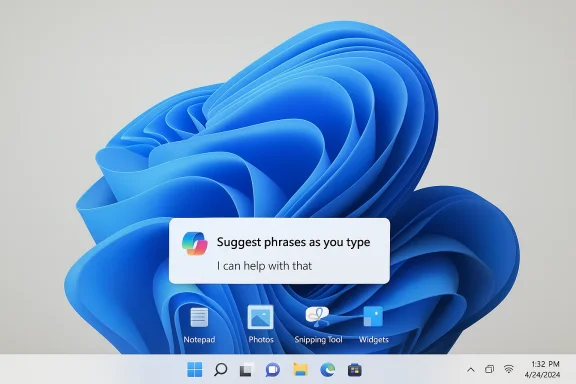
Microsoft’s quiet shift on Copilot inside Windows 11 is more than a visual cleanup. It marks a more disciplined phase in the company’s AI strategy, one that acknowledges a simple but important reality: users may tolerate Copilot when it helps, but they resist it when it feels omnipresent. The change, surfaced in recent Windows community reporting, suggests Microsoft is reducing unnecessary Copilot entry points in inbox apps such as Notepad, Photos, Snipping Tool, and Widgets while also restoring long-requested desktop flexibility and calming some of Windows 11’s more intrusive behaviors
Windows 11 has spent the past two years carrying two conflicting identities. On one side, Microsoft has tried to make the operating system look cleaner, more modern, and more intelligent, with AI woven into the shell, inbox apps, and Microsoft’s broader Copilot ecosystem. On the other, many users have wanted something far less ambitious: a stable desktop that respects muscle memory, minimizes interruptions, and does not constantly ask to be reimagined. That tension has defined nearly every major conversation about Windows 11 since the Copilot push began
The latest reporting suggests Microsoft is finally easing up on the most visible part of that push. Rather than expanding Copilot into every corner of the operating system, the company appears to be reconsidering where the assistant actually belongs. The emphasis is shifting from Copilot everywhere to Copilot where it clearly fits, a subtle change in phrasing that carries major product consequences
That distinction matters because Windows is not a disposable app. It is the desktop, the file system shell, the update layer, and the daily work surface for consumers, enterprise admins, students, and power users. A stray prompt in Notepad or a Copilot button in a utility like Snipping Tool is not just an extra feature; it is a statement about how Microsoft thinks the platform should feel. For a growing number of users, that statement had started to feel too loud
There is also a wider backdrop to this recalibration. Microsoft has increasingly emphasized reliability, customization, and fewer surprises across Windows 11. In the same wave of Insider-facing changes, the company has talked about making the platform faster, more predictable, and less memory-hungry, while also offering more control over UI layout and update behavior. That broader context suggests the Copilot pullback is not an isolated correction but part of a larger effort to rebuild trust in Windows itself
This is an important difference. If Microsoft were simply stripping AI features out of Windows, that would look like retreat. What it appears to be doing instead is removing the friction caused by overexposure. In other words, Copilot remains part of the story, but it is being pushed closer to the background where it can be discovered on demand rather than imposed by default
That is where Microsoft seems to have misread the room. A helpful AI prompt in a text editor might impress in a demo, but in day-to-day use it can feel like a small interruption layered on top of a routine task. The company now appears to be recognizing that utility software should feel utility-like, not like a sales surface for the latest platform narrative
This more selective strategy also gives Microsoft room to avoid the worst kind of AI fatigue. If Copilot only appears when it is genuinely relevant, it has a better chance of feeling like a feature instead of a slogan. If it appears everywhere, it risks becoming background noise, and background noise is where product enthusiasm goes to die
That is especially true in a desktop operating system. Windows users are not browsing a content feed or using a single-purpose mobile app; they are living inside the interface all day. Tiny irritations accumulate quickly, and a seemingly minor Copilot button can become a symbol of something larger: the feeling that the system is no longer optimised for the user, but for Microsoft’s platform agenda
Microsoft’s challenge is that the same feature can live in both categories depending on the context. Copilot may be welcome in a complex workflow or a multi-step editing task. It is much less welcome in a simple utility where the user’s intent is already obvious. That mismatch is what made the Windows 11 Copilot story feel more like branding pressure than productivity enhancement to many users
Microsoft also has a long history of learning this lesson the hard way. The company often launches with a grand platform vision, then adjusts only after users push back hard enough. Copilot in Windows 11 looks like the latest example of that familiar Microsoft pattern: broad ambition first, practical restraint second
That makes restraint valuable. Fewer Copilot entry points mean fewer edge cases to manage and fewer support calls from users who do not understand why AI suddenly appeared in a core app. It also lowers the odds that Microsoft’s AI strategy will be perceived as a forced upgrade path rather than an optional enhancement
That same logic applies to Windows 11. If Microsoft wants AI to be credible in the enterprise, it must look deliberate rather than omnipresent. The moment a feature appears to be pushing itself into workflows, it becomes a support burden and, more importantly, a trust problem
There is a strategic upside here as well. If Microsoft can prove it is listening to feedback on clutter, the company may reduce the resistance that has built up around larger Windows 11 rollouts. In enterprise settings, perception is often as important as functionality, and Copilot had started to gather negative perception baggage it did not need
That is why the removal or reduction of Copilot entry points matters. It does not eliminate AI features; it simply reduces the sense that the whole platform is trying to steer the user into them. For many consumers, especially enthusiasts and long-time Windows loyalists, that may be enough to make Windows 11 feel less intrusive and more coherent
Microsoft’s latest direction suggests it is finally rediscovering that a product can be modern without being loud. That may seem like a small shift, but in Windows, small shifts in tone often matter as much as major feature launches. A less aggressive Copilot presence can do more to improve user sentiment than another burst of AI branding ever could
That does not mean all frustration disappears. Many users still want more control over the taskbar, the update experience, and other parts of the shell. But if Microsoft sustains this direction, it could begin to undo the sense that Windows 11 is perpetually trying to nudge users somewhere else
There is also a practical reality behind the messaging. Microsoft has been juggling multiple Copilot-branded experiences, from consumer to enterprise to device-specific AI narratives. The more variants the company creates, the more complicated the overall story becomes. Simplifying where Copilot appears may be less about retreat and more about reducing confusion across the product stack
The company appears to have learned that a strong brand does not need to be everywhere to be credible. In fact, restraint can make a brand feel more premium and more trustworthy. By making Copilot less noisy, Microsoft may be trying to preserve its long-term value rather than burn it out through overuse
The lesson here is broader than Copilot. It is about how Microsoft introduces change on a desktop OS that millions of people rely on for predictable work. If the company wants users to trust future AI features, it needs to prove that it understands the difference between intelligence and intrusion
A quieter Windows 11 may actually strengthen Microsoft’s hand. If the company can show that it is willing to adjust when AI feels overbearing, it may look more mature than rivals that are still treating every surface as a place to advertise intelligence. That is especially important in a market where users are already wary of AI overreach and subscription creep
There is also a market-wide lesson here. The next stage of AI product competition may not be about who adds the most buttons, but who can make the fewest buttons feel most useful. Microsoft’s pullback suggests the company understands that the winning AI interface may be the one users barely notice until they actually need it
But the margin for error is thin. If Microsoft swings too far toward restraint, Copilot could lose momentum. If it swings back too hard toward ubiquity, the backlash may return with even more force. The company’s challenge is not just to ship AI; it is to earn permission to keep shipping it
The opportunity is to turn Copilot from a visual intrusion into a genuinely useful layer of the Windows experience. That would help Microsoft with consumers, enterprise administrators, and OEM partners who all want evidence that AI is improving the platform rather than weighing it down
There is also a danger that Microsoft’s messaging becomes muddled. If the company talks about Copilot as central to Windows while simultaneously reducing its presence in core apps, the result may be confusion rather than reassurance. That balancing act will matter even more if Microsoft continues to shift pieces of the experience across consumer and commercial channels
That will be the real test of whether Microsoft has internalized the lesson. Copilot is only one visible symptom of a deeper tension inside Windows: how to add modern capabilities without making the platform feel pushy. If Microsoft gets that balance right, it can preserve its AI ambitions and improve the everyday feel of the operating system at the same time
Source: Neowin Microsoft begins removing Copilot from Windows 11 apps
Source: Let's Data Science https://letsdatascience.com/news/microsoft-removes-copilot-from-core-windows-11-apps-a8def493/
 Overview
Windows 11 has spent the past two years carrying two conflicting identities. On one side, Microsoft has tried to make the operating system look cleaner, more modern, and more intelligent, with AI woven into the shell, inbox apps, and Microsoft’s broader Copilot ecosystem. On the other, many users have wanted something far less ambitious: a stable desktop that respects muscle memory, minimizes interruptions, and does not constantly ask to be reimagined. That tension has defined nearly every major conversation about Windows 11 since the Copilot push beganThe latest reporting suggests Microsoft is finally easing up on the most visible part of that push. Rather than expanding Copilot into every corner of the operating system, the company appears to be reconsidering where the assistant actually belongs. The emphasis is shifting from Copilot everywhere to Copilot where it clearly fits, a subtle change in phrasing that carries major product consequences
That distinction matters because Windows is not a disposable app. It is the desktop, the file system shell, the update layer, and the daily work surface for consumers, enterprise admins, students, and power users. A stray prompt in Notepad or a Copilot button in a utility like Snipping Tool is not just an extra feature; it is a statement about how Microsoft thinks the platform should feel. For a growing number of users, that statement had started to feel too loud
There is also a wider backdrop to this recalibration. Microsoft has increasingly emphasized reliability, customization, and fewer surprises across Windows 11. In the same wave of Insider-facing changes, the company has talked about making the platform faster, more predictable, and less memory-hungry, while also offering more control over UI layout and update behavior. That broader context suggests the Copilot pullback is not an isolated correction but part of a larger effort to rebuild trust in Windows itself
What Microsoft Is Changing
The headline is not that Microsoft is deleting Copilot from Windows 11. It is that the company is trying to reduce unnecessary surface area. In practical terms, that means fewer places where AI appears simply because Microsoft has decided to advertise it there, and more restraint in apps where users want speed over conversationThis is an important difference. If Microsoft were simply stripping AI features out of Windows, that would look like retreat. What it appears to be doing instead is removing the friction caused by overexposure. In other words, Copilot remains part of the story, but it is being pushed closer to the background where it can be discovered on demand rather than imposed by default
Fewer Copilot touchpoints in inbox apps
The most visible change is the reduction of Copilot entry points in apps like Notepad, Photos, Snipping Tool, and Widgets. Those apps each serve simple, fast, highly specific jobs, which is precisely why the Copilot overlay often felt out of place. When someone opens Notepad, they usually want to jot something down. When they open Snipping Tool, they want to capture something and move onThat is where Microsoft seems to have misread the room. A helpful AI prompt in a text editor might impress in a demo, but in day-to-day use it can feel like a small interruption layered on top of a routine task. The company now appears to be recognizing that utility software should feel utility-like, not like a sales surface for the latest platform narrative
A more selective AI strategy
The deeper shift is philosophical. Microsoft seems to be accepting that ubiquity is not the same thing as usefulness. That may sound obvious, but it is a meaningful correction for a company that spent much of 2024 and 2025 treating Copilot as a connective tissue across Windows, Microsoft 365, and the broader consumer stackThis more selective strategy also gives Microsoft room to avoid the worst kind of AI fatigue. If Copilot only appears when it is genuinely relevant, it has a better chance of feeling like a feature instead of a slogan. If it appears everywhere, it risks becoming background noise, and background noise is where product enthusiasm goes to die
Why the Backlash Grew So Strong
The backlash to Copilot in Windows 11 was never really about AI in the abstract. It was about placement, frequency, and tone. Users generally accept optional tools that solve real problems, but they become suspicious when those tools start showing up in spaces that used to be quiet, predictable, and free of marketing-style promptsThat is especially true in a desktop operating system. Windows users are not browsing a content feed or using a single-purpose mobile app; they are living inside the interface all day. Tiny irritations accumulate quickly, and a seemingly minor Copilot button can become a symbol of something larger: the feeling that the system is no longer optimised for the user, but for Microsoft’s platform agenda
AI clutter versus useful AI
There is an important distinction between AI clutter and useful AI. The former is when intelligence is layered onto every surface whether or not it belongs there. The latter is when AI shows up at the right moment, with the right level of friction, and genuinely speeds up a task rather than interrupting itMicrosoft’s challenge is that the same feature can live in both categories depending on the context. Copilot may be welcome in a complex workflow or a multi-step editing task. It is much less welcome in a simple utility where the user’s intent is already obvious. That mismatch is what made the Windows 11 Copilot story feel more like branding pressure than productivity enhancement to many users
Why Windows is more sensitive than other platforms
Windows is harder than consumer services because it has to satisfy many groups at once. Consumers want simplicity, gamers want performance, enterprises want control, and power users want predictability. A design choice that might be harmless in a cloud app can become controversial when it affects the desktop shell used by millions of people every dayMicrosoft also has a long history of learning this lesson the hard way. The company often launches with a grand platform vision, then adjusts only after users push back hard enough. Copilot in Windows 11 looks like the latest example of that familiar Microsoft pattern: broad ambition first, practical restraint second
- Windows is judged by daily friction, not keynote polish
- Simple apps become symbolic when they are over-instrumented
- Enterprise users dislike surprise more than novelty
- Power users notice every extra click
- Branding can backfire when it feels embedded rather than optional
The Enterprise Angle
For enterprise IT, the Copilot recalibration is arguably more important than the consumer-facing optics. Businesses do not just care whether a feature is good; they care whether it is governable. If Microsoft keeps surfacing AI in more places than necessary, administrators have to spend time evaluating policy, compliance, rollout timing, user education, and support implicationsThat makes restraint valuable. Fewer Copilot entry points mean fewer edge cases to manage and fewer support calls from users who do not understand why AI suddenly appeared in a core app. It also lowers the odds that Microsoft’s AI strategy will be perceived as a forced upgrade path rather than an optional enhancement
Control matters more than capability
In enterprise environments, the question is rarely whether a feature is clever. The question is whether it can be deployed on the organisation’s terms. Microsoft’s own support and administration posture around Copilot in Microsoft 365 has already shown that governance is not optional; it is part of the product conversation nowThat same logic applies to Windows 11. If Microsoft wants AI to be credible in the enterprise, it must look deliberate rather than omnipresent. The moment a feature appears to be pushing itself into workflows, it becomes a support burden and, more importantly, a trust problem
Less friction, fewer objections
This is where the current change could pay off. A quieter Copilot story is easier for IT departments to explain. It is also easier for change-management teams to justify to users who are already skeptical of Windows 11’s interface churn and update behaviorThere is a strategic upside here as well. If Microsoft can prove it is listening to feedback on clutter, the company may reduce the resistance that has built up around larger Windows 11 rollouts. In enterprise settings, perception is often as important as functionality, and Copilot had started to gather negative perception baggage it did not need
- Admins want predictable deployment paths
- Policy control is central to trust
- AI features must be explainable to users
- Reduced clutter lowers training and support costs
- A restrained rollout is easier to standardise across fleets
Consumer Impact
For consumers, the change is about reclaiming the feel of the desktop. Windows users have long expected common tools to be fast, obvious, and lightly touched by the operating system. When every utility starts acting like a showcase for AI, the desktop begins to feel heavier even if the underlying software has not changed muchThat is why the removal or reduction of Copilot entry points matters. It does not eliminate AI features; it simply reduces the sense that the whole platform is trying to steer the user into them. For many consumers, especially enthusiasts and long-time Windows loyalists, that may be enough to make Windows 11 feel less intrusive and more coherent
The return of quieter utilities
The strongest consumer case for the change is psychological. Notepad should feel like Notepad. Snipping Tool should feel like Snipping Tool. Widgets should feel glanceable, not promotional. Those expectations may sound old-fashioned, but they are exactly what made the Windows desktop feel dependable in the first placeMicrosoft’s latest direction suggests it is finally rediscovering that a product can be modern without being loud. That may seem like a small shift, but in Windows, small shifts in tone often matter as much as major feature launches. A less aggressive Copilot presence can do more to improve user sentiment than another burst of AI branding ever could
What ordinary users may notice first
Consumers are likely to notice the change most in the little moments. Fewer prompts in basic tools. Less visual clutter in app interfaces. More of the interface behaving like a familiar desktop and less like a rotating advertisement for Microsoft’s AI platformThat does not mean all frustration disappears. Many users still want more control over the taskbar, the update experience, and other parts of the shell. But if Microsoft sustains this direction, it could begin to undo the sense that Windows 11 is perpetually trying to nudge users somewhere else
- Less interruption in basic apps
- More familiar desktop behavior
- Lower cognitive load for casual users
- Potentially better acceptance of AI when it is actually useful
- A stronger sense that Windows is serving the user, not the brand
Why Microsoft Is Doing This Now
Timing is everything in platform strategy. Microsoft spent a long stretch making Copilot the centrepiece of its AI narrative, but at some point the company had to confront the fact that not every user wanted an AI layer on every surface. The latest move suggests that threshold has been reached, and possibly exceededThere is also a practical reality behind the messaging. Microsoft has been juggling multiple Copilot-branded experiences, from consumer to enterprise to device-specific AI narratives. The more variants the company creates, the more complicated the overall story becomes. Simplifying where Copilot appears may be less about retreat and more about reducing confusion across the product stack
A branding problem disguised as a product problem
Copilot has become more than a feature name. It is now a banner under which Microsoft is trying to unify AI across Windows, Microsoft 365, devices, and services. That creates a lot of pressure to make the brand visible, but too much visibility can produce resistance rather than excitementThe company appears to have learned that a strong brand does not need to be everywhere to be credible. In fact, restraint can make a brand feel more premium and more trustworthy. By making Copilot less noisy, Microsoft may be trying to preserve its long-term value rather than burn it out through overuse
A product lesson from user behaviour
Users often accept a tool more readily when it feels earned. That means it shows up in context, with purpose, and only when needed. The more Microsoft can align Copilot with that model, the less likely it is to trigger the reflexive annoyance that has built up around Windows 11’s AI featuresThe lesson here is broader than Copilot. It is about how Microsoft introduces change on a desktop OS that millions of people rely on for predictable work. If the company wants users to trust future AI features, it needs to prove that it understands the difference between intelligence and intrusion
- Timing suggests Microsoft heard the backlash
- Too many Copilot variants create confusion
- Brand visibility can become brand fatigue
- Contextual AI is more defensible than omnipresent AI
- Product discipline may matter more than feature count
Competitive Implications
Microsoft’s Copilot reset also has competitive implications. In the broader AI PC race, vendors are trying to prove that AI belongs at the operating-system layer, not just in standalone apps or cloud services. Microsoft has been the loudest advocate for that thesis, which means it also risks suffering the most if the execution feels clumsyA quieter Windows 11 may actually strengthen Microsoft’s hand. If the company can show that it is willing to adjust when AI feels overbearing, it may look more mature than rivals that are still treating every surface as a place to advertise intelligence. That is especially important in a market where users are already wary of AI overreach and subscription creep
How rivals may read the move
Competitors will likely see this as Microsoft learning to be selective. That could make Windows more sustainable over time, because users are more likely to accept AI when it arrives with restraint rather than as a full-screen philosophy. In a strange way, a smaller Copilot footprint could make Microsoft’s AI strategy stronger, not weakerThere is also a market-wide lesson here. The next stage of AI product competition may not be about who adds the most buttons, but who can make the fewest buttons feel most useful. Microsoft’s pullback suggests the company understands that the winning AI interface may be the one users barely notice until they actually need it
The Windows advantage, if handled well
Windows still has a structural advantage because it owns the desktop layer. If Microsoft gets the balance right, Copilot can become a hidden asset rather than a visible annoyance. That would let the company keep pushing AI without alienating the people who use Windows every day for work, play, and administrationBut the margin for error is thin. If Microsoft swings too far toward restraint, Copilot could lose momentum. If it swings back too hard toward ubiquity, the backlash may return with even more force. The company’s challenge is not just to ship AI; it is to earn permission to keep shipping it
- Selective AI can look more mature than aggressive AI
- Windows’ desktop reach remains a major strategic asset
- Competitors may copy restraint if users reward it
- Overexposure risks turning AI into a liability
- The real competition is now about trust, not just features
Strengths and Opportunities
Microsoft still has a strong hand here. Copilot is a powerful umbrella brand, Windows remains the dominant desktop platform, and the company has enough engineering depth to tune the experience instead of tearing it down. If Microsoft sticks with a more deliberate approach, it can keep the benefits of AI while shedding some of the irritation that damaged early enthusiasmThe opportunity is to turn Copilot from a visual intrusion into a genuinely useful layer of the Windows experience. That would help Microsoft with consumers, enterprise administrators, and OEM partners who all want evidence that AI is improving the platform rather than weighing it down
- Rebuild user trust through restraint
- Make Copilot feel contextual rather than promotional
- Reduce support friction for enterprise deployments
- Improve the perceived polish of Windows 11
- Strengthen the case for AI PCs without overhyping them
- Turn feedback into a product advantage
- Preserve Copilot’s usefulness by avoiding feature fatigue
Risks and Concerns
The biggest risk is that Microsoft is reading the backlash correctly but responding too late to avoid lasting damage. Users who already associate Copilot with clutter may not immediately trust a quieter version, especially if the company later re-expands the assistant in other places. Once a platform starts feeling inconsistent, it can be hard to restore confidence quicklyThere is also a danger that Microsoft’s messaging becomes muddled. If the company talks about Copilot as central to Windows while simultaneously reducing its presence in core apps, the result may be confusion rather than reassurance. That balancing act will matter even more if Microsoft continues to shift pieces of the experience across consumer and commercial channels
- Users may see the change as an admission of overreach
- Messaging could become inconsistent across products
- A later re-expansion could reignite backlash
- Too much restraint could dilute the Copilot brand
- Enterprise confidence may lag behind consumer optimism
- Windows 11 still has broader polish issues beyond AI
- Feature churn can erode trust even when individual changes are good
Looking Ahead
The most important question now is whether Microsoft treats this as a one-off correction or the beginning of a broader design philosophy. If the company is serious about making Windows 11 more intentional, the same restraint should extend to other parts of the shell, especially areas where users have complained for years about clutter, inconsistency, and hard-to-disable behaviorThat will be the real test of whether Microsoft has internalized the lesson. Copilot is only one visible symptom of a deeper tension inside Windows: how to add modern capabilities without making the platform feel pushy. If Microsoft gets that balance right, it can preserve its AI ambitions and improve the everyday feel of the operating system at the same time
- Watch whether Copilot stays limited to genuinely useful surfaces
- Watch for further UI simplification in Insider builds
- Watch how enterprise admins are given control over rollout and visibility
- Watch whether Microsoft applies the same restraint to other Windows features
- Watch for signs that user feedback is shaping product decisions more directly
Source: Neowin Microsoft begins removing Copilot from Windows 11 apps
Source: Let's Data Science https://letsdatascience.com/news/microsoft-removes-copilot-from-core-windows-11-apps-a8def493/
