

Microsoft has quietly pushed a significant Release Preview update that widens Windows 11’s cross-device continuity capabilities while delivering a raft of quality-of-life improvements and platform upgrades that will matter to power users, musicians, and organizations alike.
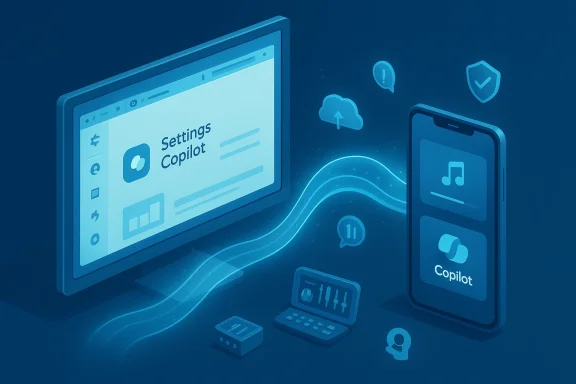
Windows Insiders in the Release Preview Channel began receiving Builds 26100.7701 and 26200.7701 under update KB5074105 on January 27, 2026. This package is a preview-stage cumulative update for Windows 11 versions 24H2 and 25H2, released as part of Microsoft’s controlled feature rollout strategy. The package is notable not because it is merely another security rollup, but because it doubles down on Microsoft’s push toward seamless device continuity with a broadened Cross‑Device Resume capability and deeper Copilot+ integration in the Settings app.
Those following Microsoft’s preview cadence will recognize this as a continuation of earlier experiments: Cross‑Device Resume was first introduced with tighter Phone Link integration and later extended using the Windows Notification Service (WNS) to make resume signals available to a wider set of apps and ecosystems. KB5074105 converts that experimentation into a broader Release Preview-level rollout and bundles several other platform improvements — from MIDI and narrational accessibility changes to Smart App Control flexibility and Windows Hello enhancements.
This design addresses two friction points:
Why this matters: a multilingual Settings agent makes AI-driven troubleshooting and device tuning less reliant on English fluency. For enterprise admins and global users, it reduces friction when interpreting recommendations and following guided fixes.
Practical impact: these changes modernize Windows’ MIDI stack, making it easier for DAWs, synths, and MIDI utilities to interoperate without bespoke drivers or awkward routing hacks. For creators using Windows as a music production platform, expect fewer compatibility headaches and more reliable MIDI routing between software instruments.
Best practices:
That said, this is still a preview-stage, controlled rollout. Organizations and cautious users should test first, back up systems, and validate enterprise controls before broad deployment. For those who do take KB5074105 for a spin, the update promises meaningful productivity wins — provided developers and OEMs continue to adopt the resume hooks and the cloud signalling model matures into a consistent, privacy-respecting experience.
Source: Windows Report https://windowsreport.com/windows-11-release-preview-update-kb5074105-expands-cross-device-resume/
 Background
Windows Insiders in the Release Preview Channel began receiving Builds 26100.7701 and 26200.7701 under update KB5074105 on January 27, 2026. This package is a preview-stage cumulative update for Windows 11 versions 24H2 and 25H2, released as part of Microsoft’s controlled feature rollout strategy. The package is notable not because it is merely another security rollup, but because it doubles down on Microsoft’s push toward seamless device continuity with a broadened Cross‑Device Resume capability and deeper Copilot+ integration in the Settings app.Those following Microsoft’s preview cadence will recognize this as a continuation of earlier experiments: Cross‑Device Resume was first introduced with tighter Phone Link integration and later extended using the Windows Notification Service (WNS) to make resume signals available to a wider set of apps and ecosystems. KB5074105 converts that experimentation into a broader Release Preview-level rollout and bundles several other platform improvements — from MIDI and narrational accessibility changes to Smart App Control flexibility and Windows Hello enhancements.
What’s included in KB5074105 (high level)
- Expanded Cross‑Device Resume so users can continue activities started on supported Android phones directly on a Windows PC: resume Spotify playback, continue editing Word/Excel/PowerPoint documents, or restore active browsing sessions.
- Broadened device and vendor support for resume scenarios (explicit callouts for HONOR, OPPO, Samsung, Vivo, Xiaomi and Vivo Browser in early notes).
- Copilot+ Settings Agent localization and language expansion to make the AI-driven Settings agent useful in more markets.
- Major upgrades to Windows MIDI Services, including broader MIDI 0 and MIDI 2.0 support and improved app-to-app routing.
- An option to toggle Smart App Control without requiring a clean OS install.
- Windows Hello Enhanced Sign-in Security (ESS) support for peripheral/external fingerprint sensors.
- Accessibility refinements to Windows Narrator, plus Voice Access and Voice Typing improvements.
- Miscellaneous fixes touching Start menu behavior, Kiosk mode, File Explorer, Secure Boot handling, and enterprise DPAPI management.
Cross‑Device Resume: what changed and why it matters
A more open resume model
Cross‑Device Resume is no longer an experiment confined to the Phone Link ecosystem. Microsoft has expanded the mechanism to use the Windows Notification Service (WNS) as a cross-app signalling channel, enabling apps on Android to post resumeable activities that surface on the Windows taskbar as actionable alerts. When a resume alert appears on the PC, the corresponding desktop app (if installed) will open to the same place you left off — or the Microsoft Store will prompt a one-click install if the app isn’t present.This design addresses two friction points:
- It removes the strict dependency on a single phone‑to‑PC bridge app and opens the door to third‑party developers implementing resume hooks.
- It enables a uniform user experience: the resume indicator appears on the PC, the app (or installer) launches automatically, and the activity continues without manual file transfers.
Early supported scenarios
In this update, Microsoft has called out several immediate resume scenarios:- Resume Spotify playback started on an Android phone and continue on the PC.
- Continue editing Microsoft 365 documents (Word, Excel, PowerPoint) you opened in the Copilot mobile app on Android, with the file opening in the corresponding desktop app when present.
- Restore active browsing sessions from compatible Android browsers; Vivo Browser is explicitly mentioned for supported Vivo phones.
How to enable and test Cross‑Device Resume (Release Preview steps)
- Join the Release Preview Channel in the Windows Insider Program and install KB5074105 (Build 26100.7701 or 26200.7701).
- Open Settings → Bluetooth & devices → Mobile devices and enable “Allow this PC to access your mobile devices”.
- Ensure your Android phone is paired/connected and that the relevant app (Spotify, Copilot mobile, or compatible browser) is signed in and permitted to send notifications.
- Start an applicable activity on the phone (e.g., play Spotify), then watch for a “Resume” alert on the Windows taskbar and click it to continue.
Limitations and caveats
- The resume capability is a gradual rollout: Microsoft uses CFR to flip features on device-by-device. Do not assume immediate availability simply after installing the update.
- The feature requires app-side support. Developers must add resume integration to their Android apps to make full use of WNS‑based resume signals.
- Offline-only content on phones will not resume. For resumed document editing, content must be reachable from the PC (cloud-stored or opened through a service that syncs the document).
- Because the resume flow can trigger automatic Microsoft Store installs, administrators in managed environments should review App Store and app-install policies.
- As with any cross-device cloud‑mediated functionality, privacy controls and consent dialogs are central. Expect options to control what information is transmitted and when the PC can access device activities.
Copilot+ and Settings Agent: wider language support
The Settings app’s AI-driven agent — a core Copilot+ PC experience — receives expanded localization in this update. New languages include German, Portuguese, Spanish, Korean, Japanese, Hindi, Italian, and Simplified Chinese. This increases the usefulness of contextual, agent-suggested settings for users outside the initial English-first rollout.Why this matters: a multilingual Settings agent makes AI-driven troubleshooting and device tuning less reliant on English fluency. For enterprise admins and global users, it reduces friction when interpreting recommendations and following guided fixes.
Windows MIDI Services: a quieter but consequential upgrade
Musicians and audio app developers will appreciate the under-the-hood improvements to Windows MIDI Services. The update enhances support for:- MIDI 0 and MIDI 2.0 compatibility with automatic translation layers,
- full WinMM and WinRT MIDI 1.0 compatibility,
- shared MIDI ports across multiple apps,
- custom port naming and loopback features,
- improved app-to-app routing for lower-latency, higher-reliability audio workflows.
Practical impact: these changes modernize Windows’ MIDI stack, making it easier for DAWs, synths, and MIDI utilities to interoperate without bespoke drivers or awkward routing hacks. For creators using Windows as a music production platform, expect fewer compatibility headaches and more reliable MIDI routing between software instruments.
Accessibility: Narrator, Voice Access, and Voice Typing
Accessibility improvements are prominent in KB5074105:- Windows Narrator gains finer control over what it announces and in what order, so screen readers better match users’ navigation patterns.
- Voice Access setup is simplified with a guided flow for downloading language models and selecting microphones.
- Voice Typing now includes a “Wait time before acting” setting to tune the delay between spoken input and system action — helping both slow and fast speakers achieve more reliable dictation.
Security, sign-in, and Smart App Control changes
KB5074105 also bundles changes that will interest security teams and admins:- You can now toggle Smart App Control (SAC) off without reinstalling Windows. Previously, SAC required a clean OS install to change certain enforcement states. This change eases the operational burden when SAC conflicts with legacy or custom apps.
- Windows Hello ESS extends support to peripheral fingerprint readers. Enterprises that deploy external biometrics (for docking stations, kiosks, or legacy devices) can now configure ESS using approved peripheral sensors from the Sign-in options page.
- Updates to DPAPI domain backup key management allow administrators greater control over key rotation cadence, reducing legacy cipher dependencies and improving cryptographic hygiene.
Enterprise and device management considerations
The update introduces fixes and improvements directed at enterprise scenarios:- Secure Boot and Boot Manager updates: KB5074105 replaces an older-signed bootmgfw.efi with a 2023-signed variant on devices that already have the Windows UEFI CA 2023 certificate installed. In rare cases, resetting the Secure Boot DB can trigger a recovery workflow.
- Start menu, Kiosk mode, and multiuser fixes reduce edge-case errors and visual glitches that appear on complex deployments.
- The addition of DPAPI backup key controls gives domain administrators a mechanism to standardize encryption key rotations across fleets.
Risks, known issues, and the bigger update landscape
Recent update reliability concerns
Microsoft’s January 2026 Patch Tuesday had high-profile regressions in other KBs (notably an earlier security update that caused application hangs and login issues for some users). That context is important: even preview ring updates can expose edge‑case problems as new code paths reach a wider set of hardware and OEM drivers.Best practices:
- Do not deploy release-preview or preview builds to production devices without testing.
- Create a backup or system restore point before installing preview channel updates.
- Use the Windows Insider Program controls to keep mission-critical systems on the stable channel.
Privacy and data residency questions
Cross‑Device Resume relies on cloud-mediated signals. That introduces questions around what gets transmitted, how long metadata is retained, and how organizations bound data residency and compliance. At present, Microsoft’s model emphasizes user consent and online-accessible content, but administrators and privacy-conscious users should audit notification and Copilot app permissions before enabling resume flows for sensitive content.App developer dependence and fragmentation
The feature’s utility depends on developers adopting resume hooks and handling resume state properly. Expect inconsistent behavior across apps during the rollout. Some vendors will ship polished resume support quickly; others may lag due to priorities, SDK maturity, or OEM fragmentation on Android builds.Unverifiable or fluid claims
Because KB5074105 is a staged release, device and region lists, the exact set of supported phone makes/models, and the timing of the rollout are all subject to change. Any published lists of supported vendors should be treated as provisional until Microsoft’s controlled rollout reaches general availability. If you rely on specific device compatibility for enterprise deployments, verify on the target hardware and with the vendor.How to test safely — a recommended checklist
- Enroll one test machine in the Release Preview Channel and confirm the target build via Winver.
- Snapshot or image the machine so you can roll back quickly.
- Pair a non-production Android device (or a phone you can reset) and enable the “Allow this PC to access your mobile devices” toggle.
- Try three core scenarios: Spotify resume, Microsoft 365 document resume from Copilot mobile, and a browser resume (if using a supported phone/browser).
- Monitor event logs and reliability reports for unexpected crashes or driver issues.
- If you’re an IT admin, test Smart App Control toggling and DPAPI key rotation in a lab domain before enabling in production.
Strategic analysis: what Microsoft is building toward
Microsoft is positioning Windows as the center of a multi-device productivity fabric rather than an isolated desktop operating system. By expanding Cross‑Device Resume and decoupling resume signalling from a single bridging app, Microsoft is enabling a more platform-level continuity experience that:- Aligns Windows with Apple’s Continuity model while taking a more open, cross-party approach.
- Lowers friction when switching devices mid-task, a capability increasingly expected by users who flow between phone and PC during the day.
- Strengthens the value proposition for Microsoft 365 and Copilot mobile services as content scaffolding that can seamlessly elevate to desktop-class applications.
Practical recommendations for different user groups
- Home users and enthusiasts: If you enjoy new features and have a spare device for trials, experiment with the Release Preview and Cross‑Device Resume to evaluate whether it fits your workflow. Expect instability; keep backups.
- Power users and creators (musicians, DAW users): The MIDI updates are worth attention. Validate your audio setup and routing in a test environment to measure latency and compatibility improvements.
- IT administrators: Treat KB5074105 as a test candidate, not a go-live update. Verify Smart App Control behavior, DPAPI rotation policies, and Secure Boot interactions in a lab. Update group policies and deployment documentation before broad rollout.
- Developers: If you build Android or Windows productivity apps, examine the WNS resume model and identify integration points so your users can benefit from cross-device continuity when it becomes widely available.
Conclusion
KB5074105 is more than a routine cumulative preview: it’s an early indicator of Microsoft’s next-phase vision for Windows as a continuity hub. The expanded Cross‑Device Resume, MIDI improvements, Copilot+ language expansion, and security usability changes all point toward a platform that is gradually becoming more conversational, more connected, and more multimedia-friendly.That said, this is still a preview-stage, controlled rollout. Organizations and cautious users should test first, back up systems, and validate enterprise controls before broad deployment. For those who do take KB5074105 for a spin, the update promises meaningful productivity wins — provided developers and OEMs continue to adopt the resume hooks and the cloud signalling model matures into a consistent, privacy-respecting experience.
Source: Windows Report https://windowsreport.com/windows-11-release-preview-update-kb5074105-expands-cross-device-resume/
