

Microsoft’s acknowledgement that Windows 11 needs repair is welcome — but the sequence of January 2026 updates that forced multiple emergency rollouts and left some systems unusable shows how fragile large-scale OS servicing can become when feature velocity outpaces validation.
Windows Update is the delivery vehicle for security patches, stability fixes, and feature work for more than a billion devices. When a routine Patch Tuesday cumulative update introduces regressions that touch core workflows — boot, sign‑in, Remote Desktop, File Explorer or mail clients — the impact multiplies across consumers, small businesses, and enterprise fleets. Microsoft’s own release cadence and public guidance for January 2026 make the sequence of events clear: the January 13 security rollup (KB5074109) was followed by at least two out‑of‑band (OOB) cumulative responses (KB5077744 on January 17 and KB5078127 on January 24), each intended to remediate newly discovered regressions. Those notices are explicit about the failures and the fixes being shipped.
Those technical bulletins are not just bureaucratic text — they document real, measurable pain: credential prompts failing for Remote Desktop and Azure Virtual Desktop customers, apps freezing when saving or opening files from cloud‑backed locations (OneDrive/Dropbox), and, in some machines, boot or hibernate anomalies. For administrators, the core choice became an impossible tradeoff: keep machines patched and risk breakage, or roll back and remain exposed to recent vulnerabilities. That exact tension is what pushed Microsoft leadership to publicly re‑prioritize reliability.
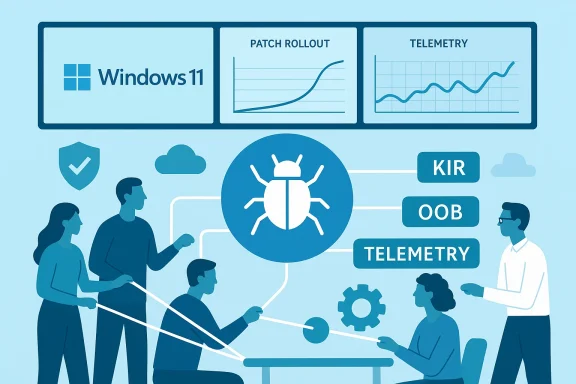
Key parts of the message are straightforward and verifiable in reporting: Microsoft will rely more heavily on Insider channels and device‑gating strategies to stage risky platform changes; it will use rapid hotfixes and Known Issue Rollback (KIR) to limit blast radius; and it has committed to clearer telemetry and feedback incorporation to prioritize the most visible pain points. Those operational notes appear across multiple reports and align with the OOB and support items Microsoft published in January.
However, the hard work is now systemic. For this pivot to be more than a PR reset, Microsoft must pair concentrated engineering squads with measurable process reforms: expanded pre‑release validation, better OEM/driver pipelines, clearer communications for security‑driven removals, and published reliability KPIs. Without those, swarming will feel reactive and temporary; with them, it can be a turning point that restores confidence in Windows Update reliability and in Windows 11 itself. Independent reporting and community analysis suggest both the promise and the peril of the plan; time and transparent metrics will be the decisive tests.
Source: Neowin https://www.neowin.net/news/microso...ing-windows-11-as-more-broken-updates-arrive/
 Background: why this matters now
Windows Update is the delivery vehicle for security patches, stability fixes, and feature work for more than a billion devices. When a routine Patch Tuesday cumulative update introduces regressions that touch core workflows — boot, sign‑in, Remote Desktop, File Explorer or mail clients — the impact multiplies across consumers, small businesses, and enterprise fleets. Microsoft’s own release cadence and public guidance for January 2026 make the sequence of events clear: the January 13 security rollup (KB5074109) was followed by at least two out‑of‑band (OOB) cumulative responses (KB5077744 on January 17 and KB5078127 on January 24), each intended to remediate newly discovered regressions. Those notices are explicit about the failures and the fixes being shipped. Those technical bulletins are not just bureaucratic text — they document real, measurable pain: credential prompts failing for Remote Desktop and Azure Virtual Desktop customers, apps freezing when saving or opening files from cloud‑backed locations (OneDrive/Dropbox), and, in some machines, boot or hibernate anomalies. For administrators, the core choice became an impossible tradeoff: keep machines patched and risk breakage, or roll back and remain exposed to recent vulnerabilities. That exact tension is what pushed Microsoft leadership to publicly re‑prioritize reliability.
What Microsoft actually said — and what that implies
A visible shift in priorities
According to internal briefings and reporting, Windows leadership — including Pavan Davuluri, President of Windows and Devices — told staff and partners the company will emphasize system reliability, performance, and everyday polish over rapid feature delivery for the near term. The operational change has been described internally and externally as a “swarming” model: small, cross‑discipline teams converge on high‑impact regressions until they’re resolved at the root. This is a tactical choice intended to shorten time‑to‑fix and reduce recurrence.Key parts of the message are straightforward and verifiable in reporting: Microsoft will rely more heavily on Insider channels and device‑gating strategies to stage risky platform changes; it will use rapid hotfixes and Known Issue Rollback (KIR) to limit blast radius; and it has committed to clearer telemetry and feedback incorporation to prioritize the most visible pain points. Those operational notes appear across multiple reports and align with the OOB and support items Microsoft published in January.
Why “swarming” isn’t a magic bullet
Swarming works when root causes are isolated and reproducible. It’s an effective incident‑response pattern for cross‑stack defects that can be located and patched quickly. However, it does not, by itself, fix systemic process problems: insufficient pre‑release hardware coverage, inadequate regression gating, or weak partner/drivers coordination. Without parallel investments in QA, partner validation pipelines, and stricter release gating, swarming risks becoming a cycle of short‑term firefighting: fixes that arrive quickly but may introduce regression elsewhere. Multiple independent analyses warn exactly this risk.The January 2026 cascade: a short, verifiable timeline
Understanding what happened — and how Microsoft responded — is necessary to judge whether the company’s commitments can realistically deliver change.- January 13, 2026 — Microsoft shipped the January security cumulative (KB5074109). Soon after, telemetry and field reports flagged several high‑impact regressions, including credential prompt failures for remote connection apps and application hangs related to cloud‑backed file operations. Microsoft published KB guidance listing the behaviors.
- January 17, 2026 — Microsoft published an out‑of‑band cumulative (KB5077744). The bulletin listed fixes (notably for Remote Desktop sign‑in) and also included new known issues (for example, apps becoming unresponsive when saving to cloud storage) while recommending mitigations via Known Issue Rollback and group policy for enterprise admins.
- January 24, 2026 — After further reports and telemetry, Microsoft released a consolidated OOB update (KB5078127) that combined prior fixes and specifically addressed cloud‑file hangs and Outlook PST scenarios saved in cloud locations. The Release Health notices and resolved‑issue pages were updated to reflect the remediation timeline.
What broke in practice: examples that mattered to users and admins
High‑impact symptoms reported and acknowledged
- Remote Desktop and Azure Virtual Desktop credential prompt failures that prevented remote sign‑ins across some builds. Mitigation and fixes tracked through the OOB updates.
- Applications — including Outlook in certain PST‑on‑OneDrive setups — freezing or hanging when opening or saving files from cloud‑synced locations. Microsoft explicitly listed this as a symptom addressed by the January 24 OOB.
- Shutdown and hibernate anomalies (particularly on systems with Secure Launch configurations) that resulted in unexpected restarts or failures to power down cleanly. These were documented in community reports and mitigation guidance.
- In certain edge cases, systems failing to boot or showing UNMOUNTABLE_BOOT_VOLUME errors after installing the January cumulative — some of which required recovery‑mode uninstalls to restore functionality. Windows Central and community guides offered step‑by‑step recovery methods.
Why these problems are more than superficial annoyances
An OS is judged by everyday expectations: boot reliably, sign in quickly, open files without hangs, and let peripherals work. When those primitives break, the cost is not just annoyance — it’s lost productivity, increased help‑desk tickets, and in some enterprise cases, halted rollouts and emergency reimaging. That user pain is precisely why Microsoft’s leadership moved to publicly re‑prioritize reliability. The public sequence of OOB fixes demonstrates the company recognized the scale and chose an operational change rather than simply issuing one‑off hotfixes.What Microsoft is doing technically to reduce repeat events
Microsoft’s approach reflects a mix of near‑term mitim process changes. Key levers include:- Known Issue Rollback (KIR): a server‑side mitigation that can disable a problematic change for targeted devices without requiring users to uninstall updates. It’s already been used in the January response window to limit exposure while engineers investigate root causes.
- Device‑gated branching: Microsoft will more carefully gate deep platform changes to narrower device audiences (reported codenames in community reporting include “Bromine” for device‑gated experimental releases and “Germanium” for broader consumer tracks). The idea is to reduce blast radius when kernel, scheduler, or firmware‑adjacent changes land. This is a trade‑off: safer deployments but more branching complexity for enterprises.
- Heavier Insider validation and telemetry: Microsoft will use targeted diagnostic collection, expanded Release Preview validation, and staged rollouts to catch regressions before they reach broad channels. This includes more reliance on telemetry signals to prioritize the most impactful problems.
- Cross‑functional “swarm” teams: kernel, driver, servicing, telemetry, QA and program managers co‑locate (virtually) to triage, reproduce across representative hardware, and produce patches validated across more extensive hardware matrices before mass rollout. The premise is speed and focus — but it must be combined with structural QA changes to prevent recurrence.
Practical steps for users and administrators today
Microsoft’s ongoing fixes will take time to materially improve day‑to‑day experience. In the meantime, practical risk‑management steps can reduce exposure.- If you manage multiple machines, establish a pilot ring (Windows Insider Beta/Release Preview or your own pilot group) to validate updates for 1–4 weeks before broad deployment.
- Keep Windows Update enabled for security but use Pause or deferred installation options on non‑pilot fleets until OOB fixes are confirmed. Pausing is not a perfect solution — you remain exposed — but it reduces immediate risk of a breaking update.
- For critical incidents (failed boot or broken shell), use WinRE to uninstall the offending LCU and pause updates while following Microsoft guidance. Windows Central and Microsoft Support documented recovery steps that are useful to bookmark.
- For enterprise environments, be prepared to apply Known Issue Rollback Group Policy and manage mitigations centrally when Microsoft recommends it. The January KB notes explicitly required group‑policy configuration for some mitigations.
- Monitor Microsoft’s Release Health pages and official support bulletins for the definitive status on resolved issues and mitigations before expanding rollouts.
- Benefits of this approach:
- Reduces blast radius for faulty updates.
- Gives your IT team time to validate third‑party drivers and firmware interactions.
- Keeps mission‑critical services running while balancing security needs.
Strengths in Microsoft’s response — real and verifiable
- Transparency through updated support articles: Microsoft documented the symptoms, workarounds, and mitigations for each OOB update. Those articles provide the authoritative timeline that administrators need to make decisions. The KBs for KB5077744 and KB5078127 are explicit and actionable.
- Faster hotpatch cadence: The fact Microsoft pushed two OOB cumulatives within two weeks signals a willingness to move quickly and to consolidate fixes rather than leaving multiple disjointed patches in the wild — a positive change in responsiveness.
- Use of back lets Microsoft limit exposure for problematic changes without requiring mass uninstalls — a pragmatic and modern mitigation tool that reduces churn for end users and admins.
- Increasing attention to telemetry‑driven prioritization: When engineers focus on the highest‑impact errors revealed by telemetry rather than the loudest forum threads, resources are spent where they will help most. That discipline is central to the “swarm” strategy.
Risks and open questions — what could still go wrong
- Swarming without process reform: If swarming remains mostly tactical (more engineers, same validation pipelines), Microsoft may reduce time‑to‑fix but not the frequency of regressions. Structural fixes — more exhaustive pre‑release hardware coverage, better OEM/driver coordination, and stricter release gating — are necessary to lower recurrence. Community reporting and analysts warn that swarming alone is insufficient.
- Complexity for enterprises: Device‑gated branches and additional staging increase operational overhead for IT. Mixed‑fleet management (some devices on Bromine, others on Germanium, many on stable) will complicate testing matrices and driver certification management. Enterprises should plan for added lifecycle complexity.
- Communication friction with niche users: The intentional removal of legacy drivers (example: modem drivers removed for security reasons) is defensible as a security choice, but when it’s quietly documented and breaks niche workflows, it erodes trust. Microsoft must pair hard security decisions with clearer advance communication and migration support. Windows Central’s coverage shows the real human impact of such choices.
- Measurement and public accountability: Microsoft’s public promise will be judged by metrics — update failure rates, mean time‑to‑fix, and the frequency of OOB patches. The company needs to make progress visible to regain trust: words without metrics will not satisfy enterprise procurement and skeptical power users. Several independent analyses insist on measurable KPIs as proof of genuine change.
A realistic timeline for “repair”
“Repairing” an OS at scale is not an overnight effort. Expect a phased outcome:- Near term (weeks to months): More frequent use of KIR and targeted OOB fixes, clearer guidance for enterprise mitigations, and stabilization of the most visible regressions that surfaced in January. Administrators will continue to see hotfixes and consolidated rollups.
- Medium term (3–9 months): Reworked release gating, more conservative monthly cumulative content, and larger reliance on device‑gated platform tracks. Some of the structural telemetry‑and‑Insider testing changes should begin to show measurable reductions in regression recurrence during this window.
- Long term (9–18 months): True process reform — deeper OEM/driver certification integrations, expanded pre‑release test matrices, and public KPIs on update reliability — would indicate the pivot was successful. This is the period where Microsoft must prove the swarming model was more than a temporary triage tactic.
Final verdict: a hopeful pivot, but not a guarantee
Microsoft’s public admission — and the subsequent operational shift toward “swarming” and more cautious release practices — is the correct, pragmatic response to a messy January 2026 servicing cycle. The company demonstrated responsiveness by publishing clear KBs, shipping OOB patches, and using mitigation tools like KIR. Those steps materially helped many affected users and show a willingness to be transparent.However, the hard work is now systemic. For this pivot to be more than a PR reset, Microsoft must pair concentrated engineering squads with measurable process reforms: expanded pre‑release validation, better OEM/driver pipelines, clearer communications for security‑driven removals, and published reliability KPIs. Without those, swarming will feel reactive and temporary; with them, it can be a turning point that restores confidence in Windows Update reliability and in Windows 11 itself. Independent reporting and community analysis suggest both the promise and the peril of the plan; time and transparent metrics will be the decisive tests.
What Windows users should do next (quick checklist)
- Pause and stage: Use pilot rings to validate updates before fleetwide deployment.
- Monitor Microsoft Release Health and KB advisories for confirmed fixes and recommended mitigations.
- Use Known Issue Rollback and Group Policy options in managed environments when Microsoft recommends them.
- Prepare recovery plans: WinRE uninstall paths, rollback scripts, and image backups will reduce downtime if an update misbehaves.
- Provide coordinated feedback via Feedback Hub and Insider channels to ensure telemetry and user reports map to the right engineering priorities.
Source: Neowin https://www.neowin.net/news/microso...ing-windows-11-as-more-broken-updates-arrive/
