

It took nearly five years, but Microsoft is finally moving to undo one of Windows 11’s most unpopular design decisions: the taskbar is being prototyped with support for alternate positions and a smaller, more flexible footprint. That matters because the taskbar is not a decorative strip; it is the control center of the Windows desktop, and the loss of placement freedom in 2021 became a symbol of how Windows 11 had prioritized simplification over control. Microsoft’s own Windows Insider blog now says it is previewing “expanded taskbar personalization options, including alternate taskbar positions and a smaller taskbar,” confirming the company’s intent to bring back a Windows 10-like level of flexibility. The broader story is even bigger than the taskbar itself, because Microsoft is pairing that change with a wider Windows 11 quality push that includes performance, reliability, and fewer annoying defaults.
Windows has always been more than an operating system. For decades, it was a customizable desktop environment where users could arrange the shell to fit their workflow, not the other way around. The taskbar sat at the heart of that promise. It could be moved to any edge of the screen, resized, and adjusted to suit different displays, habits, and accessibility needs. When Windows 11 launched in 2021, Microsoft changed that relationship dramatically by locking the taskbar to the bottom edge and trimming away a number of familiar controls.
That decision was not random. Windows 11’s taskbar was rebuilt on new shell foundations influenced by the Windows 10X project, which was designed for more constrained, touch-first scenarios. In that context, the simplified taskbar made sense as a design exercise. In practice, though, many desktop users felt the platform had traded away function for form. The backlash was steady and unusually durable because the taskbar is one of the few interface elements people use constantly without thinking about it. When it stops fitting a user’s workflow, the friction is immediate.
Microsoft now appears to be acknowledging that reality. In March 2026, Windows chief Pavan Davuluri wrote that the company would preview changes “this month and throughout April,” and specifically called out “expanded taskbar personalization options, including alternate taskbar positions and a smaller taskbar”. That is an important statement because it moves the feature from rumor territory into the category of a visible product direction. It also suggests Microsoft is treating taskbar flexibility not as a niche request, but as part of a broader effort to restore trust in the desktop experience.
The timing matters too. Windows 10 reached end of support on October 14, 2025, which means many users who preferred the older shell now have fewer reasons to stay put. Microsoft is not just trying to lure people into Windows 11 with visual polish anymore; it has to make the platform feel complete. The taskbar reversal, combined with related work on Start, File Explorer, and update behavior, looks like a recognition that Windows 11 cannot remain a half-open redesign forever.
For power users, the complaint was never just “I want a feature back.” It was “the way I work no longer fits the OS.” That distinction helps explain why the feedback stayed loud for years. The missing controls were not cosmetic luxuries; they were part of the core rhythm of desktop computing.
That realization is visible in the way Microsoft is now talking about the shell. The company is no longer presenting Windows 11 as a finished statement. Instead, it is framing the OS as something that will be refined continuously in response to feedback. That shift is subtle, but it matters, because it suggests a more pragmatic relationship between design and user demand.
At the same time, Microsoft is also revisiting taskbar sizing. In recent Insider work, the company introduced taskbar icon scaling, which lets icons shrink when the bar gets crowded, with options such as “When taskbar is full,” “Never,” and “Always”. That is not the same thing as resizing the entire taskbar, but it shows Microsoft is now willing to treat density and layout as configurable rather than fixed.
For many users, especially those on ultrawide monitors or multi-display setups, edge placement changes the entire desktop experience. A vertical taskbar can free horizontal space for timelines, spreadsheets, code, browser windows, or creative tools. The benefit is practical, not nostalgic.
Microsoft’s renewed work suggests a more complete restoration is possible. If the company delivers both position and size controls, it would meaningfully reduce the need for third-party shell hacks that many users currently rely on. That would be a real quality-of-life gain.
In other words, the rough edges in the clip are not surprising. They reflect an unfinished prototype being used by engineers, not a polished public feature. That distinction matters because it tempers expectations while still confirming that the work is real.
When the bar was locked to the bottom in 2021, the change landed as a symbol of reduced freedom. Microsoft called it simplicity; many users experienced it as a loss of control. That perception was amplified by the fact that Windows had offered movable taskbars for decades. Restoring the feature does not just fix a setting. It repairs a trust problem.
That makes the feature especially relevant in modern setups. Many people now work with ultrawide panels, stacked displays, or remote desktop sessions where the old assumptions behind a bottom-docked taskbar no longer hold. The benefit is in everyday friction reduction, not abstract customization.
In that sense, the return of taskbar mobility is not just a power-user indulgence. It is a broader usability improvement that acknowledges different bodies, different monitors, and different workflows.
Bringing it back is therefore as much about signaling humility as it is about shipping a feature. Microsoft is telling users that the company heard the complaint, accepted it, and decided to reverse course.
The company has also been talking about improving the shell behind the scenes, including better performance, cleaner behavior, and a less disruptive update experience. These are not flashy features, but they matter because they shape the daily impression of Windows much more than any single AI integration.
By focusing on quality, Microsoft is trying to solve a reputation problem. If Windows feels steadier, people may be more willing to accept the occasional major feature change. If it does not, even useful updates will feel like distractions.
That is why the current wave of changes matters. A stronger taskbar, faster Explorer behavior, and more user-controlled updates all reinforce the same message: the desktop is being tuned for everyday productivity again.
That is the harder design problem, but it is also the one that matters most for real users. A modern OS does not have to be austere. It just has to be adaptable enough to fit different work styles without making people fight the interface.
That matters because consumer trust in Windows is built on small repeated experiences. A cleaner Settings toggle or a more sensible layout can do more for goodwill than a large promotional campaign. In that sense, the taskbar is a referendum on whether Microsoft still values everyday convenience.
A more flexible taskbar can also reduce frustration for people who buy a new PC with a larger or unusual display and later discover that Windows 11’s defaults do not quite fit their setup. Once the option exists, it becomes one less reason to feel boxed in.
That is why Microsoft’s timing is interesting. The company is now trying to soften some of the rough edges precisely when migration pressure is highest. It is a smart move, but also an admission that Windows 11 needed more comfort features sooner.
That is not trivial. Enterprises often discourage unsupported shell modifications because they can break after cumulative updates. Native support removes that risk and makes it easier to standardize around approved Windows configurations.
It also reduces the pressure to explain why Windows 11 removed a feature that many employees considered basic. In workplace software, perceived friction often turns into policy resistance. Restoring familiar controls can make adoption conversations easier.
That means the real rollout story will be as much about validation as about availability. A feature can be welcome and still require careful enterprise guidance before it is broadly enabled.
Microsoft appears to be leaning into that logic by framing the change as a workflow fit issue rather than a vanity feature. That framing should help.
Microsoft has already said the first wave of changes will preview throughout April, and that means the taskbar is only one part of a broader release cadence. The more interesting question is whether the company keeps going after the first win. If it does, Windows 11 may finally begin to feel less like a corrected draft and more like a complete desktop platform.
The real significance of this change is not that icons may once again move around the screen. It is that Microsoft seems prepared to admit that the Windows desktop should adapt to the people using it. For Windows 11, that may be the most important redesign of all.
Source: Windows Latest Watch: Microsoft shows off Windows 10-like Windows 11's movable taskbar in action
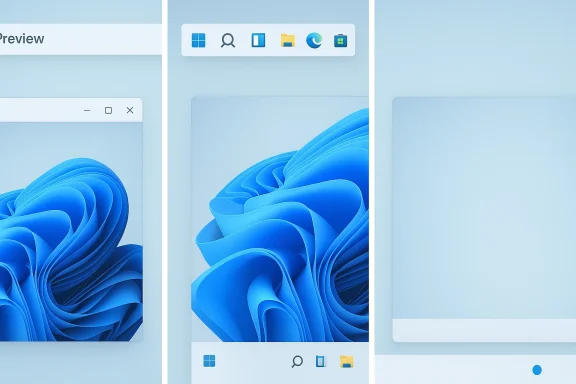 Overview
Windows has always been more than an operating system. For decades, it was a customizable desktop environment where users could arrange the shell to fit their workflow, not the other way around. The taskbar sat at the heart of that promise. It could be moved to any edge of the screen, resized, and adjusted to suit different displays, habits, and accessibility needs. When Windows 11 launched in 2021, Microsoft changed that relationship dramatically by locking the taskbar to the bottom edge and trimming away a number of familiar controls.That decision was not random. Windows 11’s taskbar was rebuilt on new shell foundations influenced by the Windows 10X project, which was designed for more constrained, touch-first scenarios. In that context, the simplified taskbar made sense as a design exercise. In practice, though, many desktop users felt the platform had traded away function for form. The backlash was steady and unusually durable because the taskbar is one of the few interface elements people use constantly without thinking about it. When it stops fitting a user’s workflow, the friction is immediate.
Microsoft now appears to be acknowledging that reality. In March 2026, Windows chief Pavan Davuluri wrote that the company would preview changes “this month and throughout April,” and specifically called out “expanded taskbar personalization options, including alternate taskbar positions and a smaller taskbar”. That is an important statement because it moves the feature from rumor territory into the category of a visible product direction. It also suggests Microsoft is treating taskbar flexibility not as a niche request, but as part of a broader effort to restore trust in the desktop experience.
The timing matters too. Windows 10 reached end of support on October 14, 2025, which means many users who preferred the older shell now have fewer reasons to stay put. Microsoft is not just trying to lure people into Windows 11 with visual polish anymore; it has to make the platform feel complete. The taskbar reversal, combined with related work on Start, File Explorer, and update behavior, looks like a recognition that Windows 11 cannot remain a half-open redesign forever.
Why the taskbar became a symbol
The taskbar’s importance is easy to underestimate if you only think of it as a place for app icons. In reality, it defines how people switch contexts, manage notifications, track time, and interact with open windows. A taskbar that matches your monitor layout can make a desktop feel efficient. A taskbar that fights your display geometry can make the whole system feel cramped.For power users, the complaint was never just “I want a feature back.” It was “the way I work no longer fits the OS.” That distinction helps explain why the feedback stayed loud for years. The missing controls were not cosmetic luxuries; they were part of the core rhythm of desktop computing.
Why Microsoft is changing course now
Microsoft has also learned that simplification is not the same thing as usability. A cleaner UI can be an improvement, but only if it still respects the habits users have built over time. In the case of the taskbar, the company seems to have concluded that the old tradeoff was too costly.That realization is visible in the way Microsoft is now talking about the shell. The company is no longer presenting Windows 11 as a finished statement. Instead, it is framing the OS as something that will be refined continuously in response to feedback. That shift is subtle, but it matters, because it suggests a more pragmatic relationship between design and user demand.
What Microsoft Is Actually Changing
The headline feature is straightforward: Microsoft is working on alternate taskbar positions, which means the bar should once again be able to live at the top or sides of the screen rather than being fixed at the bottom. That restores a long-lost Windows behavior and directly answers one of the most upvoted complaint themes in the Feedback Hub and across Windows communities.At the same time, Microsoft is also revisiting taskbar sizing. In recent Insider work, the company introduced taskbar icon scaling, which lets icons shrink when the bar gets crowded, with options such as “When taskbar is full,” “Never,” and “Always”. That is not the same thing as resizing the entire taskbar, but it shows Microsoft is now willing to treat density and layout as configurable rather than fixed.
Taskbar placement, not just icon alignment
The distinction matters. Windows 11 already lets users change how icons are aligned within the bar, but that is not the same as moving the bar itself. Microsoft support guidance still reflects that limitation, which is why the planned change is so significant. It is a restoration of structural control, not just a cosmetic option.For many users, especially those on ultrawide monitors or multi-display setups, edge placement changes the entire desktop experience. A vertical taskbar can free horizontal space for timelines, spreadsheets, code, browser windows, or creative tools. The benefit is practical, not nostalgic.
Resize controls are part of the same story
The resize angle is just as important as placement. Windows 10 users could make the taskbar taller or thinner to suit their preference and the scale of their monitor. Windows 11’s current “smaller taskbar buttons” option only affects icon size, not the taskbar’s actual dimensions.Microsoft’s renewed work suggests a more complete restoration is possible. If the company delivers both position and size controls, it would meaningfully reduce the need for third-party shell hacks that many users currently rely on. That would be a real quality-of-life gain.
- Placement control restores a long-standing Windows workflow.
- Resize options help users match the UI to different screens.
- Icon scaling reduces crowding without needing a separate overflow dance.
- Settings-based control is cleaner than hidden or debugging-only shortcuts.
- Native support lowers the risk of breakage after updates.
The debugging menu tells its own story
One detail from the Windows Latest report is especially telling: an internal right-click “move” menu appeared in a video shared by a Microsoft engineer, but Microsoft says that control is for debugging and not meant for end users. That kind of internal tooling is normal in development builds, but it is also a reminder that what people see in leaked footage is often not the actual shipping UI.In other words, the rough edges in the clip are not surprising. They reflect an unfinished prototype being used by engineers, not a polished public feature. That distinction matters because it tempers expectations while still confirming that the work is real.
Why This Matters More Than It Sounds
The taskbar debate has always been about more than pixels. It is about whether Windows is a platform that adapts to users or one that asks users to adapt to it. That is why the feature became a kind of shorthand for the broader Windows 11 argument.When the bar was locked to the bottom in 2021, the change landed as a symbol of reduced freedom. Microsoft called it simplicity; many users experienced it as a loss of control. That perception was amplified by the fact that Windows had offered movable taskbars for decades. Restoring the feature does not just fix a setting. It repairs a trust problem.
The workflow angle
For office users, developers, analysts, and creative professionals, the taskbar’s position can determine how much usable canvas remains for the real work on screen. A vertical bar can be more efficient on wide monitors because it consumes less of the horizontal band that most apps need.That makes the feature especially relevant in modern setups. Many people now work with ultrawide panels, stacked displays, or remote desktop sessions where the old assumptions behind a bottom-docked taskbar no longer hold. The benefit is in everyday friction reduction, not abstract customization.
The accessibility angle
There is also an accessibility argument that deserves more attention. Some users find side or top placements easier to scan, or easier to reach with the pointer, depending on their physical setup and display geometry. Others simply build muscle memory around a position that minimizes movement or visual fatigue.In that sense, the return of taskbar mobility is not just a power-user indulgence. It is a broader usability improvement that acknowledges different bodies, different monitors, and different workflows.
- Ultrawide users can reclaim valuable horizontal space.
- Multi-monitor setups can better match taskbar placement to primary workflows.
- Accessibility needs vary, and a fixed bar is not ideal for everyone.
- Muscle memory matters more than designers sometimes assume.
- Desktop flexibility is part of Windows’ historical identity.
The psychological part
There is also a simple emotional truth here: users remember what was taken away. A lot of Windows 11 criticism has persisted not because the OS is unusable, but because it felt more restrictive than its predecessors in places that mattered every day. The taskbar became the most visible proof of that.Bringing it back is therefore as much about signaling humility as it is about shipping a feature. Microsoft is telling users that the company heard the complaint, accepted it, and decided to reverse course.
The Bigger Windows 11 Reset
The taskbar is only one piece of a broader Windows 11 reevaluation. Microsoft’s March 2026 Windows Insider message framed the taskbar change as part of a larger effort to improve Windows quality, and the same blog post pointed to preview changes rolling out throughout April. That wider context makes the taskbar news feel less like a one-off and more like a platform reset.The company has also been talking about improving the shell behind the scenes, including better performance, cleaner behavior, and a less disruptive update experience. These are not flashy features, but they matter because they shape the daily impression of Windows much more than any single AI integration.
Windows quality as a product strategy
Microsoft’s current messaging suggests a shift from “look what Windows can do” to “look how much better Windows behaves.” That is an important change in tone. For years, many users felt the platform was accumulating surfaces, branding, and experiments without enough attention to reliability.By focusing on quality, Microsoft is trying to solve a reputation problem. If Windows feels steadier, people may be more willing to accept the occasional major feature change. If it does not, even useful updates will feel like distractions.
Start, Explorer, and updates are part of the same trust rebuild
The taskbar sits alongside other core shell components that users interact with constantly. If Microsoft improves taskbar flexibility but leaves Start, File Explorer, or update behavior awkward, the broader user experience will still feel inconsistent.That is why the current wave of changes matters. A stronger taskbar, faster Explorer behavior, and more user-controlled updates all reinforce the same message: the desktop is being tuned for everyday productivity again.
From simplification to calibration
Windows 11’s original identity leaned toward simplification. The new direction looks more like calibration. Microsoft is trying to keep the shell modern without making it rigid.That is the harder design problem, but it is also the one that matters most for real users. A modern OS does not have to be austere. It just has to be adaptable enough to fit different work styles without making people fight the interface.
Consumer Impact
For home users, the return of a movable taskbar may sound like a niche change. But consumer impact is often about perception as much as utility. When a familiar feature comes back, people feel the platform is listening again.That matters because consumer trust in Windows is built on small repeated experiences. A cleaner Settings toggle or a more sensible layout can do more for goodwill than a large promotional campaign. In that sense, the taskbar is a referendum on whether Microsoft still values everyday convenience.
What casual users gain
Most casual users will probably never move the taskbar to the top or side. But they still benefit from a system that is more customizable for those who want it. In consumer software, optionality often improves the experience for everyone, even if only a subset of users takes advantage.A more flexible taskbar can also reduce frustration for people who buy a new PC with a larger or unusual display and later discover that Windows 11’s defaults do not quite fit their setup. Once the option exists, it becomes one less reason to feel boxed in.
- Better first impressions for new Windows 11 users.
- Less frustration for people migrating from Windows 10.
- More flexibility for shared household PCs with different users.
- Improved comfort for people who prefer non-default layouts.
- A stronger sense of choice in the desktop experience.
Why Windows 10 users notice this most
The biggest consumer reaction may come from former Windows 10 users who were forced to move on after support ended in October 2025. For them, the taskbar change is not theoretical. It is a direct comparison against a workflow they already knew and used.That is why Microsoft’s timing is interesting. The company is now trying to soften some of the rough edges precisely when migration pressure is highest. It is a smart move, but also an admission that Windows 11 needed more comfort features sooner.
Enterprise Impact
Enterprise users will care about this for different reasons. In business environments, consistency and predictability matter, but so does productivity. If taskbar placement can be customized natively, IT teams may see fewer support tickets from employees who used third-party tools to restore old behavior.That is not trivial. Enterprises often discourage unsupported shell modifications because they can break after cumulative updates. Native support removes that risk and makes it easier to standardize around approved Windows configurations.
Why IT teams should care
A movable taskbar is more than a user preference when large fleets are involved. It can affect how employees use spreadsheets, monitor multiple apps, and operate on different monitor sizes in office, home, and hybrid environments.It also reduces the pressure to explain why Windows 11 removed a feature that many employees considered basic. In workplace software, perceived friction often turns into policy resistance. Restoring familiar controls can make adoption conversations easier.
Compatibility and support considerations
There is, however, a practical caution: any new shell customization introduces testing burden. Enterprises will want to know whether taskbar positioning interacts cleanly with multi-monitor policies, accessibility settings, kiosk modes, remote desktop use, and shell lockdown tools.That means the real rollout story will be as much about validation as about availability. A feature can be welcome and still require careful enterprise guidance before it is broadly enabled.
- Fewer unsupported hacks in managed environments.
- Better alignment with employee preferences.
- Lower support burden for taskbar-related complaints.
- Potential policy questions around shell standardization.
- More testing needed for remote and multi-monitor scenarios.
The productivity case is stronger than the aesthetic case
In the enterprise, “looks better” is rarely enough. The stronger argument is that the feature improves screen real estate, muscle memory, and workflow consistency. That is the language IT and procurement teams understand.Microsoft appears to be leaning into that logic by framing the change as a workflow fit issue rather than a vanity feature. That framing should help.
Strengths and Opportunities
Microsoft’s taskbar reversal has several obvious strengths, and the biggest one is simple: it restores user agency. That message is powerful in 2026 because so much of the Windows conversation has centered on whether the platform still belongs to its users.- Restores a classic Windows behavior that disappeared in Windows 11.
- Aligns with real feedback rather than abstract design theory.
- Improves productivity for wide-screen and multi-monitor users.
- Reduces third-party workaround dependence.
- Supports Microsoft’s broader quality push across Windows 11.
- May rebuild goodwill among skeptical power users.
- Creates a cleaner migration story for former Windows 10 users.
Risks and Concerns
The obvious risk is that Microsoft could underdeliver. If the taskbar feature ships with limitations, inconsistent behavior, or delayed support for some display setups, users will judge it harshly because expectations are already high.- Prototype polish may not match shipping quality.
- A partial rollout could frustrate users again.
- Edge cases on multi-monitor and touch devices may be tricky.
- Enterprise admins may need time to validate behavior.
- Leaks and internal demos can raise expectations too early.
- Microsoft could still prioritize AI polish over shell fixes.
- If execution is messy, the feature becomes a symbol of delay instead of progress.
Looking Ahead
The next few months will tell us whether this is a real course correction or just another promising Insider-era story. The key thing to watch is whether Microsoft turns the taskbar prototype into a stable, user-facing option in settings rather than a half-hidden experiment. If that happens, the change will likely become one of the defining Windows 11 fixes of 2026.Microsoft has already said the first wave of changes will preview throughout April, and that means the taskbar is only one part of a broader release cadence. The more interesting question is whether the company keeps going after the first win. If it does, Windows 11 may finally begin to feel less like a corrected draft and more like a complete desktop platform.
What to watch next
- Official Insider build notes confirming taskbar placement options.
- Whether the resize controls include the bar itself or only icon scaling.
- How the feature behaves on multi-monitor and high-DPI setups.
- Any related Start menu adjustments tied to the same UX overhaul.
- Enterprise documentation explaining policy and compatibility implications.
The real significance of this change is not that icons may once again move around the screen. It is that Microsoft seems prepared to admit that the Windows desktop should adapt to the people using it. For Windows 11, that may be the most important redesign of all.
Source: Windows Latest Watch: Microsoft shows off Windows 10-like Windows 11's movable taskbar in action
