

After installing the September 29, 2025 Windows preview update, Microsoft now warns that some security‑key sign‑ins may prompt users to create or enter a PIN, even when a PIN was not required at initial registration — a deliberate behavior change introduced to align Windows with WebAuthn/FIDO2 user‑verification semantics.
Microsoft published a support article explaining that, after the September 29, 2025 preview (referenced as KB5065789) and the subsequent November security rollup (KB5068861), Windows added the ability to set up a PIN during an authentication ceremony when a FIDO2 security key has no PIN configured and the Relying Party (RP) or Identity Provider (IdP) requests userVerification = "preferred" in the WebAuthn authentication options. The company frames this as intended behavior to remain compliant with the WebAuthn specification. This change was staged: Microsoft began a gradual rollout after the September 29 preview and completed the client‑side rollout with the November 11, 2025 security update (KB5068861) on Windows 11 clients, which added the support to ask the platform to set up a PIN during authentication flows when userVerification is preferred. Why this matters now: the default WebAuthn hint for user verification is preferred (not required), and many web sites and identity providers leave the setting at its default. That means sites that were previously allowing a simple touch/press on a security key without a PIN may now — on Windows devices updated to the preview/rollup — be prompted to create a PIN for the security key during sign‑in. This affects both consumer passkey scenarios and enterprise-managed security‑key deployments where the admin or developer did not explicitly declare a different userVerification requirement.
That said, the practical impact is non‑trivial: organizations and developers who relied on the casual semantics of preferred may see growth in helpdesk tickets, and users will encounter PIN‑creation prompts they did not see before. The right mitigation is straightforward and durable: be explicit in WebAuthn calls and update user and admin-facing documentation. Microsoft itself tells RPs that if they do not want user verification, they should set
Microsoft’s advisory is short and precise: the behavior is intentional, aligns Windows with WebAuthn expectations, and is reversible at the RP level by using explicit userVerification settings. For administrators and developers, the path forward is simple — verify your builds, make your WebAuthn intent explicit, and update user guidance so day‑to‑day sign‑in flows remain predictable and supportable.
Source: Microsoft Support Security keys might require a PIN after installing the September 2025 Windows preview update - Microsoft Support
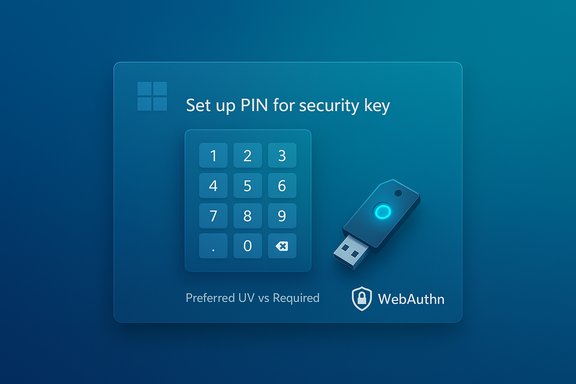 Background / Overview
Microsoft published a support article explaining that, after the September 29, 2025 preview (referenced as KB5065789) and the subsequent November security rollup (KB5068861), Windows added the ability to set up a PIN during an authentication ceremony when a FIDO2 security key has no PIN configured and the Relying Party (RP) or Identity Provider (IdP) requests userVerification = "preferred" in the WebAuthn authentication options. The company frames this as intended behavior to remain compliant with the WebAuthn specification. This change was staged: Microsoft began a gradual rollout after the September 29 preview and completed the client‑side rollout with the November 11, 2025 security update (KB5068861) on Windows 11 clients, which added the support to ask the platform to set up a PIN during authentication flows when userVerification is preferred. Why this matters now: the default WebAuthn hint for user verification is preferred (not required), and many web sites and identity providers leave the setting at its default. That means sites that were previously allowing a simple touch/press on a security key without a PIN may now — on Windows devices updated to the preview/rollup — be prompted to create a PIN for the security key during sign‑in. This affects both consumer passkey scenarios and enterprise-managed security‑key deployments where the admin or developer did not explicitly declare a different userVerification requirement. What the WebAuthn spec actually says (technical primer)
userVerification: hint vs. requirement
The Web Authentication (WebAuthn) specification exposes a parameter called userVerification that a Relying Party can set during both registration and authentication. Its intended values are:- required — user verification (PIN, biometric) must be performed; if not available the operation fails.
- preferred — the RP prefers user verification if the authenticator can do it, but will accept the credential without it.
- discouraged — the RP does not want user verification; the authenticator may still verify the user at its discretion.
How platform authenticators and roaming keys behave
Not all authenticators are created equal. The FIDO2 ecosystem divides authenticators roughly into:- Platform authenticators — built into the device (e.g., Windows Hello, built‑in biometrics).
- Roaming/hardware authenticators — removable keys (USB/NFC/Bluetooth) that may or may not implement on‑device user verification (e.g., PIN or biometric sensors).
What Microsoft changed, and why
Microsoft’s KB explains the observable behavior plainly: after installing the September 29, 2025 preview (and later security updates), Windows began supporting PIN setup for FIDO2 security keys during the authentication flow when the RP specifies userVerification = "preferred". Historically, PIN setup was primarily associated with registration flows; Microsoft aligned authentication to make PIN setup consistent between registration and authentication so that an RP asking for user verification can obtain a local UV method from the user when needed. Key points from Microsoft’s advisory:- The change is intentional and based on WebAuthn compliance.
- The behavior appears when an RP or IdP sets
userVerificationtopreferredand the security key has no PIN set. In that case Windows may require the user to create a PIN to proceed. - Support for this behavior started with the September 29, 2025 preview and completed with the November 11, 2025 security update. Administrators who track build numbers should confirm the OS build and the KBs installed on client devices.
Immediate user impact — what people will actually see
- Users with FIDO2 security keys that previously worked with a simple touch may now be prompted to create a PIN during a sign‑in flow, depending on the RP's
userVerificationvalue and the key’s current configuration. - Developers and identity providers who left
userVerificationat the default preferred value may unintentionally trigger PIN‑setup prompts for some users; explicit choices (required/discouraged) will produce more predictable behavior. - Administrators of enterprise fleets may see helpdesk calls from users asked to create or reset a security‑key PIN after a recent update; this is not evidence of compromise but of a policy/UX change. Microsoft documented the rollout and the KBs involved.
Security analysis — strengths and risks
Security upside (why this is defensible)
- Stronger local assurance: prompting a PIN or other UV method increases the assurance that a physical key’s use requires local user consent — moving sign‑ins toward two‑factor semantics when UV is requested.
- Standards compliance: aligning platform behavior with WebAuthn reduces fragmentation between browsers, OS, and authenticators. This benefits long‑term interoperability and security expectations across ecosystems.
- Cleaner semantics for RPs: Relying Parties can use the WebAuthn hints with greater confidence that platforms will attempt to satisfy UV when possible, improving the fidelity of security decisions that depend on the UV flag.
Practical and operational risks
- Surprising UX for end users: users who expect a tap‑only flow can be surprised when asked to create a PIN during authentication. That can feel like a regression, especially if the user does not understand why the prompt is appearing.
- Helpdesk escalations: enterprise administrators should expect increased support tickets until documentation and user communications clarify the change. The change is benign from a security perspective but frictional operationally.
- Compatibility fragmentation across browsers and authenticators: some browsers, platforms, or devices already vary in whether they prompt to set a PIN during registration or authentication. Sites that rely on implicit behavior should explicitly set userVerification to avoid inconsistent results. The Yubico guidance and WebAuthn docs emphasize that behavior can differ by implementation.
- Policy/backwards‑compatibility concerns: some environments intentionally deploy security keys without PINs (for simplified kiosk or low‑friction flows). The Windows change means such flows must be reviewed and the relying party’s code possibly adjusted to set
userVerificationtodiscouragedwhere appropriate.
Guidance for developers and Relying Parties
To achieve the UX and security characteristics you want, be explicit in WebAuthn options:- If you want to require user verification (UV) — for example, to ensure second‑factor properties — set
userVerification: "required". This will prevent fallback-only credentials. - If you deliberately do not want user verification (for tap‑only flows), set
userVerification: "discouraged". That signals the platform not to set up a UV method during authentication. Microsoft explicitly points to this as the correct option when an RP does not want users to create or enter a PIN. - Avoid relying on the default implicitly: the spec defaults to preferred, which is a hint and can lead to platform-driven PIN setup. Be explicit to control behavior and reduce support noise.
- Audit your WebAuthn code paths and confirm the
userVerificationvalue used in both registration and authentication. - Document expected UX for end users and update help text accordingly.
- Test sign‑in flows on updated Windows clients that have the November 11, 2025 update (or later) installed to reproduce the exact prompt behavior.
Practical steps for end users and IT administrators
For end users
- If prompted to create a PIN during security‑key sign in, follow the on‑screen guidance. Creating a secure local PIN improves protection by introducing an extra factor bound to the key. The Microsoft KB explains this will happen when
userVerificationis preferred and no PIN is set. - If you do not want PINs for a given account, contact the site or service (RP) and ask whether they can change their WebAuthn options or provide explicit guidance on their preferred sign‑in flow. Some sites may already provide alternate login options.
- Maintain a recovery path: ensure your accounts have a documented recovery method (recovery codes, backup passkeys, or a secondary security key) in case you forget a PIN or lose an authenticator.
For IT administrators
- Inventory affected devices and confirm installation status for the September preview (KB5065789) and the November security update (KB5068861) where relevant. Microsoft’s advisory lists those KBs as the rollout artifacts.
- Update helpdesk knowledge base articles to explain the new prompt and include scripted remediation steps (how to set/reset a key PIN, how to use alternative sign‑in methods).
- If your organization requires a tap‑only workflow for specific services, coordinate with application owners to evaluate setting
userVerificationtodiscouragedfor those RPs; weigh the tradeoff against security requirements. - Pilot changes in a small group before fleet‑wide deployment. The Windows update rollout was staged and preview packages may behave differently across hardware; Microsoft’s staged approach is intended to catch such device‑dependent regressions.
Recommended troubleshooting and mitigation steps
- If end users report unexpected PIN prompts:
- Confirm the Windows build and KBs installed on the affected machine.
- Reproduce the flow with developer tools or a test account to confirm whether the RP is sending
userVerification = "preferred". - If necessary, modify the RP’s settings or document the expected behavior to users to reduce confusion.
- If a user cannot finish PIN setup (hardware or OS errors):
- Have them try a different browser; some browsers vary in authoring decisions around CTAP/WebAuthn behavior.
- If a security key behaves inconsistently across platforms, reach out to the vendor for firmware guidance — some keys expose firmware or vendor‑specific UX for PIN setup.
Broader implications and final analysis
Microsoft’s change is a standards‑driven alignment that reduces the divergence between registration and authentication flows in WebAuthn, which on paper is a positive move for security and long‑term interoperability. By making Windows attempt to satisfyuserVerification: "preferred" during authentication — including offering PIN setup when none exists — the platform reduces surprising behavior where RPs expected UV but platforms did not prompt or provision it.That said, the practical impact is non‑trivial: organizations and developers who relied on the casual semantics of preferred may see growth in helpdesk tickets, and users will encounter PIN‑creation prompts they did not see before. The right mitigation is straightforward and durable: be explicit in WebAuthn calls and update user and admin-facing documentation. Microsoft itself tells RPs that if they do not want user verification, they should set
userVerification to discouraged. This change also demonstrates a general operational truth about security platform evolution: standards alignment often reduces long‑term risk but increases short‑term friction. Administrators should expect a short window of elevated support needs and should prepare communication and training to smooth the transition.Quick reference summary
- What changed: Windows now supports setting up a PIN for FIDO2 security keys during authentication when RP requests
userVerification = "preferred". - Where it ships: began with the September 29, 2025 preview and completed client rollout after November 11, 2025 security update (KB5068861).
- Developer action: explicitly set
userVerificationto"required"or"discouraged"to control behavior. - Admin action: verify KB/install status, update helpdesk docs, pilot policy changes for critical services.
Microsoft’s advisory is short and precise: the behavior is intentional, aligns Windows with WebAuthn expectations, and is reversible at the RP level by using explicit userVerification settings. For administrators and developers, the path forward is simple — verify your builds, make your WebAuthn intent explicit, and update user guidance so day‑to‑day sign‑in flows remain predictable and supportable.
Source: Microsoft Support Security keys might require a PIN after installing the September 2025 Windows preview update - Microsoft Support
