

Microsoft’s latest attempt to make widgets feel native, secure, and useful on the PC is the product of three decades of painful lessons — and it shows in the architecture, constraints, and compromises of the Windows 11 Widget Board. What arrived as a glossy overlay and a steady stream of MSN/Discover content is better behaved today: a declarative, sandboxed surface rendered with native UI primitives and guarded by tighter data-access rules. But the bigger question remains unchanged from 1997: can a desktop platform built for deep-focus work make glanceable, always‑available information genuinely useful without becoming a resource hog, a privacy headache, or a billboard for promoted content? The short answer is: Microsoft finally understands the list of things that killed widgets before; the long answer is that the Widget Board’s survival will hinge on execution, developer adoption, and whether Microsoft resists the monetization impulses that undermined every earlier attempt.
Widgets on the PC are not new; they’re an old idea revised to fit new expectations. Microsoft’s experiments stretch back to the late 1990s with Active Desktop, then evolved through a lineage that includes the Windows Sidebar and Desktop Gadgets (Vista/7), Live Tiles and Metro/Start experiences (Windows 8/10), and the modern Widgets Board in Windows 11. Each generation tried to balance always‑on information, developer flexibility, and system reliability — and each time one of those three corners failed, the effort collapsed or was scaled back.
Two historical anchor points matter for understanding the present:
Each failure nudged Microsoft toward narrower, more controlled designs: sandboxing, declarative manifests instead of arbitrary code, native rendering, stricter network rules, and optional news feeds.
Caveat: while community writeups and early explorations (including independent developers) have documented JSON manifests and template‑based rendering in Windows‑adjacent experiments, Microsoft’s public developer documentation remains the authoritative reference. Where manifest details are cited from community sources, they should be treated as documented experiments and examples rather than comprehensive official API specs.
Inside the board:
Survival will come down to product judgment. Widgets must feel useful in the contexts where PCs live: a desktop that favors focused work, intermittent glances, and deep apps. They must avoid becoming an ad channel or a maintenance headache for IT. And finally, Microsoft must give developers both the tools and the economic reasons to invest in small, specialized experiences.
Three decades of experimentation have produced a far safer, better‑performing Widget Board. The question now is whether Microsoft will use that technical second chance to prioritize utility over monetization and to solve the discoverability and developer‑ecosystem problems that have always been the real Achilles’ heel of glanceable UI on the PC. Our community threads and developer write‑ups suggest cautious optimism — but only if product decisions keep users’ attention and trust front and center.
Source: Digg Microsoft Has Killed Widgets Six Times. Here's Why They Keep Coming Back. | technology
 Background / Overview
Widgets on the PC are not new; they’re an old idea revised to fit new expectations. Microsoft’s experiments stretch back to the late 1990s with Active Desktop, then evolved through a lineage that includes the Windows Sidebar and Desktop Gadgets (Vista/7), Live Tiles and Metro/Start experiences (Windows 8/10), and the modern Widgets Board in Windows 11. Each generation tried to balance always‑on information, developer flexibility, and system reliability — and each time one of those three corners failed, the effort collapsed or was scaled back.Two historical anchor points matter for understanding the present:
- In July 2012 Microsoft publicly disabled Windows Sidebar and Desktop Gadgets after security vulnerabilities were found that could allow remote code execution. That advisory effectively ended the Gadget ecosystem as a mainstream UI surface.
- Windows 11 reintroduced widgets as a left-edge overlay that doesn’t permanently claim desktop real estate; early implementations used WebView2 (a hosted browser control) to render web-first widgets and a news feed, but Microsoft later moved the rendering to native WinUI in a rebuild tied to regulatory and performance considerations.
The six failures: a short history of what went wrong
The shorthand "Microsoft has killed widgets six times" captures a pattern: Microsoft launches a widget‑style surface, it becomes problematic, and Microsoft withdraws or drastically changes course. Categorizing exactly “six” attempts is less important than tracing the recurring failure modes — but for clarity, consider the following practical breakdown of major iterations and why they failed.1) The Active Desktop era — performance and stability
Active Desktop (late 1990s) let users put live HTML content on the desktop. It promised always‑fresh information but exposed the desktop to web complexity and instability. Rendering heavy HTML/CSS/JS on top of explorer.exe made performance and crashes more visible and painful. The lesson: native performance and isolation matter when you surface live web content on the primary workspace.2) Windows Sidebar and Desktop Gadgets (Vista / Windows 7) — extensibility turned dangerous
Vista’s Sidebar and Windows 7’s Desktop Gadgets popularized small desktop widgets (weather, clock, feeds). They were flexible and developer‑friendly but proved brittle from a security perspective: gadgets could embed executable code and make arbitrary network requests. The ecosystem’s openness became its Achilles’ heel — in 2012 Microsoft released tooling to disable the feature entirely after a remote‑code execution vulnerability was documented. That decision effectively neutered the platform.3) Live Tiles and Metro apps (Windows 8 / 10) — platform mismatch and discoverability
Windows 8’s Live Tiles tried to bring glanceable, updatable content to the Start surface and the whole immersive Metro ecosystem. The model worked on phone and tablet where home screens are constantly visible; on the PC, a tile‑centric approach collided with desktop workflows and app gaps. Developers prioritized mobile app experiences; the Start menu’s live tile surface suffered from inconsistent data, poor discoverability, and a weak developer story for PC‑only scenarios. Microsoft slowly retreated and reworked the Start/Live Tile experience.4) The “webified” widget board — resource use and branding
When Windows 11 shipped with a widgets panel that mixed a personalized news feed with interactive widgets, Microsoft used WebView2 (Edge’s embeddable Chromium engine) as the renderer. That architecture simplified porting web content but introduced performance overhead, duplicated browser processes, and gave the experience a persistent connection to Microsoft’s content ecosystem — which many users saw as a promotional surface rather than a utility. Critics argued the board felt like a billboard for MSN.5) Monetization and discoverability conflict — the experience becomes a product
Across several generations, Microsoft has tried to monetize homescreen/Discover surfaces (news, promoted content, integration with MSN/Bing). That tension — utility vs. monetization — is a recurring reason users and developers disengage: if a glanceable surface becomes a stream of promoted content, users stop valuing it and developers stop building for it. The Widgets Board has repeatedly risked falling into the same trap.6) Fragmented developer models and the app gap — too few useful widgets
Finally, every iteration suffered from a weak developer ecosystem for meaningful, productivity‑focused widgets. Whether because of platform friction, unclear APIs, or low perceived ROI, the number of truly useful third‑party widgets has remained small. Windows 11’s store shows a tiny pool of widgets relative to mobile platforms, and that app gap undermines the surface’s value proposition.Each failure nudged Microsoft toward narrower, more controlled designs: sandboxing, declarative manifests instead of arbitrary code, native rendering, stricter network rules, and optional news feeds.
Why the current design looks the way it does: constraints as defensive architecture
The Widget Board in Windows 11 today is the product of constraint engineering — the team chose limits deliberately to avoid the historic failure modes.Declarative manifests and limited runtime
Instead of letting widgets ship arbitrary executable JavaScript or native modules that run inside the host process, Microsoft and platform designers have favored a declarative manifest approach: widget metadata and data paths are expressed as JSON, and rendering templates are supplied by the system. That approach dramatically reduces the attack surface: widgets declare what they want to show rather than how to implement it, allowing the host to enforce network whitelists, rate limits, and UI sanitization. Third‑party examples and developer explorations show this pattern is common across modern widget systems because it makes permissioning and security tractable.Caveat: while community writeups and early explorations (including independent developers) have documented JSON manifests and template‑based rendering in Windows‑adjacent experiments, Microsoft’s public developer documentation remains the authoritative reference. Where manifest details are cited from community sources, they should be treated as documented experiments and examples rather than comprehensive official API specs.
Native rendering for performance and reliability
Moving widget rendering off WebView2 and into native WinUI 3 (part of the Windows App SDK) was a defensive choice driven by three forces:- Performance and memory: embedding Chromium for many small widgets duplicates heavyweight renderer processes and increases system footprint.
- Consistency: native controls yield predictable theming, scaling, and accessibility behavior across the OS.
- Regulation and choice: compliance work tied to the EU’s Digital Markets Act (DMA) created an opportunity and pressure to decouple the widget surface from a single browser/runtime and to make feed behavior respect user defaults in the EEA.
Isolation and optional feeds to reduce telemetry creep
A major user complaint over the years has been the opaque blending of news/curated content with personal widgets and the telemetry that activity implied. The modern approach splits Widgets (utility controls, weather, calendar, trackers) from Discover/Feed (news, MSN/Copilot Discover) and makes the feed optional. In the EEA the behavior was adjusted further to respect default browsers and third‑party choices, a direct result of DMA compliance work. The split keeps the utility surface lighter and gives users explicit control over whether they want an always‑on editorial feed.The Widget Board today — anatomy and developer constraints
How the board is structured
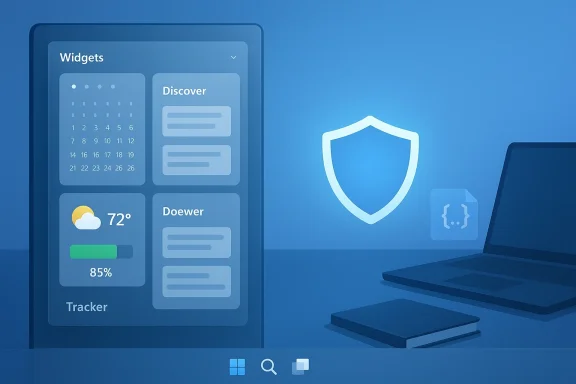
At a UI level the Widgets Board is an overlay panel that slides out from the left edge (Win+W or taskbar weather icon) and houses multiple dashboards (Widgets vs Discover). The board is designed to be ephemeral — it appears when invoked and disappears without reserving desktop real estate — addressing a classic PC requirement: the desktop must not be hijacked by always‑visible layers.Inside the board:
- Widgets Dashboard: a curated set of small interactive widgets (calendar, weather, battery, OneDrive status, package tracker, etc.) rendered with native UI controls.
- Discover / Feed Dashboard: an optional, algorithmic news feed (MSN initially, then Copilot Discover in testing) that surfaces editorial content and news cards; in regionally specific builds it respects default browser choices.
Developer model: manifest + templates + sandboxing
The current model favors a manifest-driven approach where widget metadata and permitted data sources are declared in JSON. The system supplies a renderer (native templates or Adaptive Card‑style templates) and enforces network domain whitelists and update frequency limits. That design brings three practical benefits:- Security: by preventing arbitrary code from running in the host, the platform reduces remote execution and data exfiltration risks.
- Performance: the host can enforce update cadences and batching so idle widgets don’t poll aggressively.
- Consistency: native rendering ensures widgets match system theming and accessibility expectations.
What’s improved — and why it matters
- Fewer crashes and lower memory footprint. Native WinUI rendering removes duplicated browser processes and provides predictable windowing, which reduces the visible stability and performance issues that dogged earlier generations. The migration also made the board feel visually coherent with the rest of Windows.
- Stronger security posture. The 2012 Gadget removal was a watershed: Microsoft learned that any widget runtime that allows executable code on the desktop invites exploitation. The declarative manifest approach and sandboxing meaningfully limit that attack surface.
- Regulatory alignment and user choice. Changes required by the European DMA forced Microsoft to make the feed behavior and browser choice more respectful of user defaults in the EEA — a surprising win for users who want predictable, non‑forced defaults. That regulatory pressure also catalyzed the technical work that improved performance.
Remaining problems and risks
No amount of engineering can paper over the social and product challenges that historically sank widget efforts.Discoverability and session economics
On phones, users visit a home screen dozens of times a day; on the PC, users typically land in apps or full‑screen work. Widgets depend on frequent, low‑friction encounters to deliver value. Windows 11’s overlay model reduces visual clutter, but it also raises a discoverability problem: how often will users open Win+W in the same way they glance at a phone? That mismatch of session economics remains the hardest problem to solve.The app gap — too few valuable widgets
Even with better tooling, developers need a clear incentive to build small, constrained experiences. The Microsoft Store’s widget catalog remains thin; without high‑value primitives (e.g., deep control of third‑party apps, monetization that fairly rewards developers, or SDK features that directly map to commonly desired glanceable tasks), the ecosystem will lag. Critics already note that many widgets are niche or superficial.Monetization tension — utility vs. advertising
If the platform becomes a feed for promoted content, users will tune out. If it remains purely utility‑focused with no sustainable way to reward developers or Microsoft, adoption will stall. That tension is unresolved — Microsoft’s Copilot Discover and MSN experiments point to continued pressure to monetize, but community and enterprise users push back hard when utility becomes advertising. Microsoft must strike a balance or the surface will alternate between “useful” and “annoying” in ways that repeat the past.Enterprise and privacy considerations
IT teams worry about telemetry, data leakage, and compliance. Widgets that surface Microsoft 365 or personal calendar context need clear enterprise controls (DLP, scoping, opt‑outs). The platform’s current permissioning helps, but enterprises may still choose to disable the board if policies cannot precisely limit what the widget surface exposes. Windows administrators will watch for granular controls that align with existing enterprise security tooling.What third‑party developers and IT should know
For developers:- Expect constrained primitives: prepare to deliver small, focused experiences (a glanceable card, an action button, a compact timeline).
- Use the manifest model: declare domains and data sources in JSON, and design for native rendering and accessibility from the start. Community exploratory posts show the manifest approach in practice; treat them as helpful examples but validate against official docs when available.
- Prioritize utility and low update frequency: users tolerate infrequent, meaningful updates better than constant noise.
- Treat Widgets as a policy surface. Ask whether DLP and workplace monitoring apply to widget feeds and whether the enterprise can centrally control or disable the board.
- Test for data leakage. Widgets that touch calendar, email, or OneDrive need careful scoping and auditing before they’re allowed on managed endpoints. Community threads and Insider builds indicate Microsoft is iterating on these controls, but enterprise rollouts should be cautious.
How Microsoft can actually make this stick: a short playbook
- Build a small, high‑value default set. Ship a handful of useful first‑party widgets (task lists that integrate with Outlook/To‑Do, a reliable package tracker, cross‑device clipboard status) that show tangible productivity gains.
- Reward third‑party creators. Provide low friction publication, clear monetization pathways (small subscriptions or one‑time fees), and a developer experience tailored for tiny, template‑first widgets.
- Keep the feed optional and transparent. Make editorial content opt‑in, and cleanly separate monetized discovery from utility widgets.
- Enterprise controls first. Expose DLP, telemetry opt‑out, and centralized disable options that map naturally to existing admin consoles.
- Invest in discoverability. Add contextual launch triggers (e.g., laptop lid open, lock screen quick glance cards, taskbar badges for real‑time events) to surface widgets at moments where glanceability maps to user behavior.
Conclusion
The modern Windows 11 Widget Board is not a naive re‑run of past mistakes; it is a conservatively engineered surface shaped by the memory of crashes, vulnerabilities, poor adoption, and the regulatory realities of a global platform. Microsoft’s move from WebView2 to WinUI 3, the adoption of declarative manifests, and the separation of utility widgets from news feeds are direct responses to the systemic failures that sank earlier efforts. Those are necessary changes — but they are not sufficient.Survival will come down to product judgment. Widgets must feel useful in the contexts where PCs live: a desktop that favors focused work, intermittent glances, and deep apps. They must avoid becoming an ad channel or a maintenance headache for IT. And finally, Microsoft must give developers both the tools and the economic reasons to invest in small, specialized experiences.
Three decades of experimentation have produced a far safer, better‑performing Widget Board. The question now is whether Microsoft will use that technical second chance to prioritize utility over monetization and to solve the discoverability and developer‑ecosystem problems that have always been the real Achilles’ heel of glanceable UI on the PC. Our community threads and developer write‑ups suggest cautious optimism — but only if product decisions keep users’ attention and trust front and center.
Source: Digg Microsoft Has Killed Widgets Six Times. Here's Why They Keep Coming Back. | technology
