

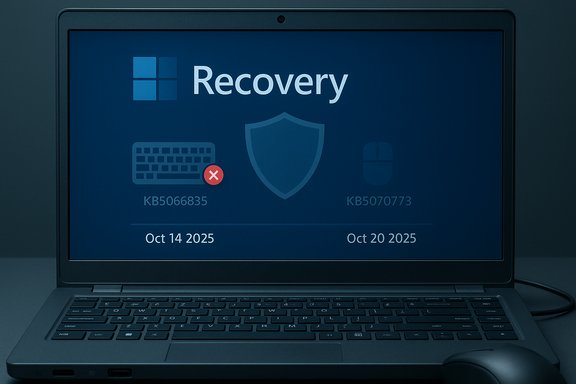
Microsoft confirmed that the October 14, 2025 cumulative update for Windows 11 (KB5066835) introduced a regression that in many cases left the Windows Recovery Environment (WinRE) unable to accept USB keyboard and mouse input — a failure that turned the platform’s on‑device safety net into an island without a bridge for affected systems.
Windows ships a compact recovery platform called the Windows Recovery Environment (WinRE) that runs outside the main OS and provides critical tools: Startup Repair, Safe Mode entry, System Restore, offline Command Prompt, and Reset this PC. WinRE runs from a slimmed‑down "Safe OS" image (typically winre.wim) which deliberately contains a minimal driver and service stack to maximize reliability during failure scenarios. That minimalism is a safety design choice — but it also makes WinRE sensitive to changes in drivers and Safe OS components.
On October 14, 2025 Microsoft released the October cumulative update for Windows 11 labeled KB5066835, which targeted client and server channels (notably Windows 11 24H2, 25H2 and Windows Server 2025). Within days, Microsoft and multiple community outlets began receiving consistent reports that USB keyboards and mice stopped responding when a machine booted into WinRE, although the same devices continued working normally in the full Windows desktop. Microsoft marked the issue as a confirmed known problem and committed to a resolution.
Community reproductions strongly pointed to the Safe OS image or driver set applied during the October servicing wave: replacing an updated winre.wim with a previously known‑good copy often restored USB input inside WinRE on many machines, which suggests the proximate vector was a WinRE/Safe OS image mismatch rather than wholesale hardware failure. Microsoft’s public advisories attribute the symptom to the October cumulative (KB5066835) and describe the remedial out‑of‑band update (KB5070773) as restoring USB functionality in WinRE. Important technical caveat: Microsoft has not published a detailed engineering root‑cause naming a single driver or code path. Any assertion that a specific kernel driver (e.g., a particular xHCI or HID driver) was the root cause remains speculative unless Microsoft’s engineering postmortem identifies it explicitly. Treat claims about a single-driver root cause as provisional until Microsoft releases an authoritative technical breakdown.
Microsoft’s fast remediation (KB5070773) and the use of Known Issue Rollback represent sound emergency response practices, but the event should catalyze broader changes: more exhaustive Safe OS testing across OEM hardware matrices, better telemetry for pre‑boot components, and a hardened validation pipeline for combined SSU+LCU packages that touch recovery images.
For administrators and power users, the takeaway is operational: treat recovery as critical infrastructure. Keep recovery media and golden images at hand, place BitLocker keys in a centralized, accessible store, pilot patches on a hardware‑diverse sample, and validate recovery paths as part of routine release acceptance testing.
The immediate risk is now mitigated for most devices that applied the OOB fix, yet the longer lesson remains — a secure system that cannot be recovered is only half a system.
Source: Dunia Games Portal Berita, Download Game dan Beli Voucher Game Terpercaya Di Indonesia
 Background
Windows ships a compact recovery platform called the Windows Recovery Environment (WinRE) that runs outside the main OS and provides critical tools: Startup Repair, Safe Mode entry, System Restore, offline Command Prompt, and Reset this PC. WinRE runs from a slimmed‑down "Safe OS" image (typically winre.wim) which deliberately contains a minimal driver and service stack to maximize reliability during failure scenarios. That minimalism is a safety design choice — but it also makes WinRE sensitive to changes in drivers and Safe OS components.On October 14, 2025 Microsoft released the October cumulative update for Windows 11 labeled KB5066835, which targeted client and server channels (notably Windows 11 24H2, 25H2 and Windows Server 2025). Within days, Microsoft and multiple community outlets began receiving consistent reports that USB keyboards and mice stopped responding when a machine booted into WinRE, although the same devices continued working normally in the full Windows desktop. Microsoft marked the issue as a confirmed known problem and committed to a resolution.
What happened — concise timeline
- October 14, 2025: Microsoft publishes KB5066835 (October cumulative) and associated Safe OS dynamic updates.
- Mid‑October 2025: Widespread community reports describe WinRE UI appearing but ignoring USB keyboard and mouse input; affected hardware spans multiple OEMs and platforms.
- October 17–18, 2025: Microsoft lists the WinRE USB input regression on the Windows Release Health / Known Issues page and flags it as Confirmed.
- October 20, 2025: Microsoft issues an out‑of‑band cumulative update (KB5070773) to remediate the WinRE USB regression; the package replaces the earlier problematic cumulative and includes the WinRE fix.
The technical picture: why WinRE was affected
WinRE runs a reduced driver set by design. That design reduces complexity and the attack surface, but when a servicing operation replaces or updates the Safe OS image (winre.wim) or injects a mismatch in expected host‑controller/HID driver variants, the recovery environment can boot without functional USB input — even though the full OS continues to enumerate and use the same peripherals.Community reproductions strongly pointed to the Safe OS image or driver set applied during the October servicing wave: replacing an updated winre.wim with a previously known‑good copy often restored USB input inside WinRE on many machines, which suggests the proximate vector was a WinRE/Safe OS image mismatch rather than wholesale hardware failure. Microsoft’s public advisories attribute the symptom to the October cumulative (KB5066835) and describe the remedial out‑of‑band update (KB5070773) as restoring USB functionality in WinRE. Important technical caveat: Microsoft has not published a detailed engineering root‑cause naming a single driver or code path. Any assertion that a specific kernel driver (e.g., a particular xHCI or HID driver) was the root cause remains speculative unless Microsoft’s engineering postmortem identifies it explicitly. Treat claims about a single-driver root cause as provisional until Microsoft releases an authoritative technical breakdown.
Who and what was affected
- Affected OS families: Windows 11 version 25H2 and 24H2, and certain Windows Server 2025 SKUs where the same servicing chain applied.
- Symptom profile: WinRE boots and displays the familiar recovery UI but does not accept USB keyboard or mouse input; the same USB devices work normally in the full Windows desktop. The failure manifests as either total non‑response or severe input lag/instability in WinRE.
- Hardware most at risk: modern machines that are USB‑only for local input (many ultrabooks, thin clients, and newer motherboards that omit PS/2 ports) because they lack legacy fallback input methods. Bluetooth peripherals are typically unavailable inside WinRE until the full OS loads, removing that alternative.
Microsoft’s response and remediation details
Microsoft treated the regression as high‑severity and released an emergency out‑of‑band (OOB) cumulative update, KB5070773, on October 20, 2025. The KB notes explicitly list the fix: “After installing the Windows security update released on October 14, 2025 (KB5066835), USB devices, such as keyboards and mice, do not function in the Windows Recovery Environment (WinRE)” and states that the OOB update resolves this condition. The update is cumulative and bundles the October security fixes plus the WinRE correction. For enterprises, Microsoft suggested Known Issue Rollback (KIR) and published Group Policy tooling to apply the rollback where appropriate, while also urging administrators to install the OOB update and validate WinRE behavior across representative hardware. The official guidance emphasizes installing updates from Windows Update or the Microsoft Update Catalog and then rebooting to ensure the Safe OS refresh completes. Independent testing and media verifications reported that KB5070773 restored WinRE USB input on the majority of tested devices, although administrators should assume heterogeneity and validate the fix across their specific fleet prior to broad deployment. Some community reports did indicate residual or device‑specific issues after the OOB update in a minority of cases.Short‑term mitigations and immediate steps for end users
If a device shows the WinRE symptom or if you want to minimize risk before an update window, follow these prioritized actions:- Check your OS build and updates: open Settings → Windows Update → Check for updates. If KB5070773 (or a later cumulative with the fix) is available, install it and reboot. Confirm the OS build number matches published fixed builds (examples shown in Microsoft notes).
- Create a bootable Windows recovery USB now (if you don’t have one): this external recovery medium often uses a different WinRE instance that can serve as a stopgap if the on‑device WinRE is broken.
- If you must access recovery immediately and WinRE is unresponsive: use a touchscreen (if available), a PS/2 keyboard/mouse (legacy port), or a previously created USB recovery drive. Avoid risky recovery‑partition manual edits unless you have reliable backups and technical expertise.
Recommendations for IT administrators and enterprises
Enterprises must balance security urgency against recoverability risk. The following operational checklist is conservative and pragmatic:- Prioritize remediation for devices that rely on WinRE for field repairs, kiosks, or devices without accessible external imaging workflows.
- Deploy the OOB update (KB5070773) to a controlled pilot ring that includes the most diverse set of USB host controllers and OEM models in your estate. Validate WinRE input on each pilot device.
- Maintain a golden copy of a known‑good winre.wim and recovery media templates; include these in your imaging library so you can restore a recovery partition image if needed.
- Ensure BitLocker recovery keys and other recovery artifacts are centrally stored and accessible before making servicing changes in mass. A broken WinRE combined with inaccessible BitLocker keys creates a high‑severity outage.
- Consider temporarily pausing automatic rollout in broad “fast” channels for recovery‑critical endpoints until the OOB fix is validated on representative hardware. Use group policy or WSUS for staged deployment where possible.
- Apply Known Issue Rollback (KIR) where appropriate and test the rollback path; Microsoft published related Group Policy/MSI tooling for KIR in this incident.
Broader analysis: why this incident matters
- Recoverability is not optional. An update that leaves the system secure but unable to self‑repair raises the operational cost of that security — sometimes dramatically. The WinRE regression demonstrated that a successful update in the running OS does not guarantee the integrity of pre‑boot or recovery assets.
- Safe OS validation needs stronger prioritization. The Safe OS (WinRE) image runs from a narrow driver set and therefore requires targeted validation on representative hardware families and host controllers. The incident shows that combined SSU+LCU servicing paths, Safe OS dynamic updates, and the complexity of OEM hardware can create failure modes not visible in regular desktop testing.
- Emergency OOB patches are effective but costly. Microsoft’s quick release of KB5070773 was the right operational move, reflecting the severity of breaking recovery. However, emergency patches increase churn and administrative overhead — and they underscore the value of staged updates and robust pilot testing.
- Heterogeneity of hardware matters. The minority of systems that reported residual issues after the OOB fix highlight how firmware variants, USB host controllers, and OEM configurations can shape update outcomes. Administrators must include diverse hardware in validation rings.
What went well — and what should worry admins and users
What Microsoft did well:- Rapid acknowledgement on the Windows Release Health / Known Issues dashboard and an explicit remediation timeline.
- Quick issuance of an out‑of‑band cumulative update (KB5070773) that restored WinRE USB input for the majority of affected devices.
- Provision of enterprise‑oriented mitigations (Group Policy for Known Issue Rollback) to allow IT to control remediation where needed.
- The fragility of the Safe OS validation process when servicing stacks and cumulative packages interact with WinRE images.
- The potential for rare hardware/firmware combinations to remain problematic even after an OOB fix, requiring deeper validation and potential OEM coordination.
- The operational risk of broad automatic deployment models that do not include recovery testing as part of pre‑production validation.
Practical, prescriptive checklist — what to do now
For home users:- Install available Windows updates (check for KB5070773 or later cumulative releases) and reboot. Then test WinRE by holding Shift + Restart → Troubleshoot → Advanced options and verifying keyboard/mouse responsiveness.
- Create a Windows recovery USB now (Control Panel → Recovery → Create a recovery drive) and store BitLocker recovery keys in a safe place.
- Inventory affected builds and identify devices that received KB5066835.
- Deploy KB5070773 to a diverse pilot ring (include older and newer host controllers).
- Validate WinRE behavior on each pilot device and verify BitLocker/TPM interactions under recovery scenarios.
- Stage broad rollout through WSUS/ConfigMgr only after pilot success and maintain rollback/runbook procedures for recovery‑partition restoration (golden winre.wim).
- Coordinate with Microsoft to confirm WinRE driver sets match OEM firmware revisions and ensure Safe OS dynamic updates are validated against representative firmware permutations before wide rollout.
Final assessment and lessons for the Windows ecosystem
This incident is a blunt reminder that an operating system’s resilience is measured not only by the security of its running kernel but by the dependability of its recovery pathways. The October 2025 servicing wave exposed a practical trade‑off: rapid cumulative servicing plus Safe OS dynamic updates can improve security posture but also introduce delicate pre‑boot regressions if Safe OS validation is insufficient for the hardware diversity in the field.Microsoft’s fast remediation (KB5070773) and the use of Known Issue Rollback represent sound emergency response practices, but the event should catalyze broader changes: more exhaustive Safe OS testing across OEM hardware matrices, better telemetry for pre‑boot components, and a hardened validation pipeline for combined SSU+LCU packages that touch recovery images.
For administrators and power users, the takeaway is operational: treat recovery as critical infrastructure. Keep recovery media and golden images at hand, place BitLocker keys in a centralized, accessible store, pilot patches on a hardware‑diverse sample, and validate recovery paths as part of routine release acceptance testing.
The immediate risk is now mitigated for most devices that applied the OOB fix, yet the longer lesson remains — a secure system that cannot be recovered is only half a system.
Closing note — practical next steps
- Verify Windows Update history and confirm the fix is installed (seek OS builds matching Microsoft’s October 20 OOB entries).
- Create or update recovery media and test a WinRE session.
- For managed environments, execute the staged pilot → validate → deploy pattern and ensure runbooks include manual winre.wim restore steps and BitLocker recovery procedures.
Source: Dunia Games Portal Berita, Download Game dan Beli Voucher Game Terpercaya Di Indonesia
