

Windows fans are tired of choosing between flash and frustration: sleek visuals, generous AI features, and an expanding pile of background services that make even fairly modern machines stutter. A recent concept push under the name Windows 12 Lite—popularized in coverage of a concept video by designer AR 4789—frames a direct answer: strip Windows back to essentials, keep the best modern ideas, and give users the ability to opt into heavier AI and service features only when they want them. The idea has caught attention because it responds to genuine grievances about resource use, upgrade friction, and feature creep while also pointing to a broader architectural shift Microsoft is rumored to be exploring.
Windows has been evolving toward richer, AI-enabled experiences for several years, and Microsoft’s feature roadmap has pushed services like Copilot, generative tools in inbox apps, and modernized inbox utilities into the OS core. Copilot itself was announced as the company’s “everyday AI companion,” integrated into the taskbar and intended to be present across the desktop experience. At the same time, Windows 11 raised the bar for what machines must provide to run the OS: Secure Boot, TPM 2.0, and certain CPU families became part of the baseline, a change Microsoft says is necessary for improved security and reliability. Those requirements have provoked criticism because they exclude millions of older PCs from an official upgrade path. Amid that context, concept artists and UI designers—most notably AR 4789—have produced visualizations of a “Lite” future for Windows that intentionally trims preinstalled services, reimagines the UI for consistency and speed, and preserves a measured set of AI tools that add value without dominating the user experience. Coverage picked up after BetaNews summarized the video and the arguments for a lighter edition of Microsoft’s next-generation OS.
The most likely near-term outcome is incremental: Microsoft will continue modularizing components, offering improved admin controls and lighter default installs for certain device classes, and gating top-end AI to hardware tiers (Copilot+ PCs). A fully separate, first-class “Lite” edition could appear if Microsoft sees clear demand and a viable way to maintain ecosystem harmony.
For users, the practical takeaway is straightforward: the concept crystallizes choices many already want—performance, privacy, and control. Whether Microsoft packages that as “Windows 12 Lite,” “Windows 12 Minimal,” or a set of configurable Windows images doesn’t matter as much as the outcome: fewer unwanted services by default and clearer options to opt into advanced features when they genuinely add value. The debate is healthy; pressure from power users and enterprises is already producing product changes (admin uninstall options for Copilot, AI feature gating), and that momentum may eventually yield the lightweight Windows many have long asked for.
Until Microsoft reveals a formal product plan, the safest assumption is incremental progress: more modular updates, better admin controls, and clearer hardware-tier feature sets. But the window of opportunity for a decisive user-centric “Lite” offering is open: if Microsoft wants to placate frustrated users and seize a segment neglected by its current strategies, the company could do so by offering a true lightweight edition and making performance and user choice a first-class value.
For now, the conversation matters because it changes expectations. Concept work like AR 4789’s video has distilled user demands into a concrete, actionable wishlist—one Microsoft can either ignore or adopt piece by piece. The best outcome is simple: fewer surprises, more speed, and real choices for how much AI the operating system brings to your desktop.
Source: BetaNews Forget bloated Windows 11, Windows 12 Lite is the Microsoft operating system we need!
 Background
Windows has been evolving toward richer, AI-enabled experiences for several years, and Microsoft’s feature roadmap has pushed services like Copilot, generative tools in inbox apps, and modernized inbox utilities into the OS core. Copilot itself was announced as the company’s “everyday AI companion,” integrated into the taskbar and intended to be present across the desktop experience. At the same time, Windows 11 raised the bar for what machines must provide to run the OS: Secure Boot, TPM 2.0, and certain CPU families became part of the baseline, a change Microsoft says is necessary for improved security and reliability. Those requirements have provoked criticism because they exclude millions of older PCs from an official upgrade path. Amid that context, concept artists and UI designers—most notably AR 4789—have produced visualizations of a “Lite” future for Windows that intentionally trims preinstalled services, reimagines the UI for consistency and speed, and preserves a measured set of AI tools that add value without dominating the user experience. Coverage picked up after BetaNews summarized the video and the arguments for a lighter edition of Microsoft’s next-generation OS.Overview: What “Windows 12 Lite” proposes
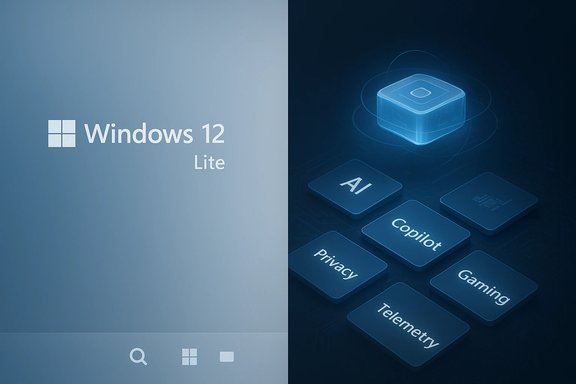
At its core, the Windows 12 Lite concept is a checklist of design goals familiar to power users and IT admins who’ve grown frustrated with default bloat:- A minimal, consistent UI with a centered (but less intrusive) taskbar, tidy system tray, and a single, unobtrusive search bar that doubles as a command launch/virtual desktop hub.
- Smaller default install with a true minimal mode that omits nonessential inbox apps, services, and telemetry by default.
- Modular feature opt‑in, where advanced capabilities (AI services, gaming extras, enterprise telemetry) are optional modules users or organizations enable as needed.
- Faster installs and updates, leveraging a modular update pipeline so patches are smaller, faster to apply, and less disruptive.
- Measured AI, keeping helpful features (quick rewriting in Notepad, image assistance in Paint) available but not forced into every app. The concept still includes Copilot, but in a less aggressive role than many users now fear.
Why the conversation matters: Real stress points Windows faces today
System requirements and upgrade fragmentation
Windows 11’s hardware bar—TPM 2.0, Secure Boot, and supported CPU lists—changed the upgrade landscape. Microsoft’s official documentation spells out the minimums, and media coverage has emphasized that the TPM rule in particular is non-negotiable from Microsoft’s perspective. That reality means many otherwise-capable machines are excluded from official Windows 11 upgrades, and by extension from future labeled versions unless Microsoft changes course.AI everywhere—useful and resource-hungry
Microsoft has pushed AI into system apps (Notepad and Paint have received generative features), into an OS-level Copilot assistant, and into cloud-and-device hybrid experiences designed to accelerate everyday tasks. The Windows Insider blog describes generative fill and advanced rewrite tools rolling out to Paint and Notepad previews, but their availability is gated by device class and regional rules—illustrating both excitement and complexity around AI in the OS.Perceived “bloat” and resource pressure
A steady chorus of guides and community posts shows users searching for “how to debloat Windows 11” to reclaim RAM, reduce background CPU spikes, and remove preinstalled applications that they don’t want. Specialist guides and forum threads document practical methods to disable or remove system components, but these approaches are workarounds rather than product-level options. The result: many users feel the OS increasingly favors integrated services over lean performance.The case for a true “Lite” Windows: benefits and use cases
A legitimately lightweight Windows variant addresses several real requirements:- Performance on modest hardware. A minimal edition would make practical sense for older laptops, small-business desktops, and low-cost devices where an SSD upgrade or extra RAM isn’t feasible.
- Longer hardware lifetimes and environmental benefit. Slower software-driven obsolescence reduces churn and e‑waste—an argument concept advocates emphasize when asking Microsoft to prioritize efficiency.
- Fewer attack surfaces. Less installed surface area means fewer background services to patch and a smaller real-time telemetry footprint to manage.
- Choice for organizations and enthusiasts. Enterprises and power users prefer deterministic images—an opt‑in model for advanced features keeps core installs manageable and predictable.
- A better VM and cloud client experience. Lightweight images are easier to host in VMs and in cloud client scenarios where resource constraints matter.
Technical reality check: is a modular, “Lite” Windows practical?
The technical blueprint that would make a Lite Windows achievable is already visible in leaks and reporting about Microsoft’s internal architecture experiments—terms like Core PC or a “modular Windows” have circulated for years. The core idea: state separation (read-only system volumes, isolated partitions for user data), smaller componentized updates, and image variations that omit legacy subsystems when not needed. Independent reporting and investigative pieces have described Core PC as a modular approach that could enable true lightweight SKUs and faster, safer updates—if Microsoft ships it. A few technical considerations matter:- Compatibility: Windows’ Win32 legacy and third-party device drivers are a major compatibility vector. Any “Lite” edition would need a compatibility layer or explicit guidance for developers to ensure apps continue to run—or accept that some legacy software will be out of scope.
- Packaging: A modular package and update system (improved beyond winget towards a system-level package manager with dependency management) would be necessary to avoid reinstalling monolithic components. Proposals and community wishlists repeatedly ask for a unified package manager akin to APT/Pacman.
- Hardware enablement: AI features that are useful on-device often rely on NPUs or hardware acceleration (the Copilot+ PC concept certifies high‑TOPS NPUs for advanced features). That means a Lite OS that avoids requiring new silicon but still offers AI would need hybrid cloud/local processing options and careful feature gating to avoid excluding low‑end devices. Microsoft’s Copilot+ PC guidance shows how hardware tiers influence what gets enabled by default.
What Microsoft is actually doing (and what’s rumor)
There’s a clear split between official product changes and community rumors:- Official: Microsoft has integrated Copilot into Windows, rolled generative features into Paint and Notepad previews, and published the documented Windows 11 hardware requirements that shape upgrade eligibility. Those moves are public and verifiable.
- Emerging/rumored: The Core PC modular architecture and a possible Windows 12 strategy aimed at modularity and AI-first features have been reported by multiple outlets and community aggregators. These are plausible given Microsoft’s prior experimentation, but they remain speculative until Microsoft publishes a formal roadmap or product announcement. Readers should treat leaked architectural details as possible directions rather than shipped functionality.
Critical analysis: strengths of the Windows 12 Lite proposition
- User choice and control. A Lite SKU gives people and administrators real choices about the services they want enabled, restoring agency that many feel Windows long ago ceded to OEM bundles and default services.
- Performance for the many, not the few. A minimal baseline benefits broader user demographics—students, small-business users, and those on budget hardware—without forcing performance compromises on the high end.
- Potential security improvements. Modular, read-only components and smaller update payloads reduce the likelihood of catastrophic update regressions and shrink the attack surface.
- Operational savings for enterprise fleets. Fewer preinstalled apps and less telemetry strain reduce support overhead and improve imaging consistency.
Risks, trade-offs, and open questions
- Ecosystem fragmentation. Offering a Lite edition that omits legacy layers risks fragmenting the Windows ecosystem. Some ISVs and hardware vendors could face new testing matrices (Lite vs. Full), increasing QA costs and complicating certification.
- Driver support and compatibility. Windows’ greatest strength is legacy compatibility. Any reduction in compatibility layers must be accompanied by robust fallback mechanisms or bridging technologies, otherwise large swaths of enterprise apps could break.
- Commercial complexity. OEMs and Microsoft monetize through bundles, services, and subscriptions. A Lite SKU—if it reduces product attachment—could hit current revenue models, making Microsoft and OEMs cautious.
- Marketing confusion. Multiple Windows editions can confuse consumers (Windows Home vs Pro vs Enterprise already does). Adding Lite increases choice but also the burden of clear messaging.
- AI policy and privacy. Lightweight users often explicitly want reduced telemetry and fewer cloud interactions; if AI features require cloud processing for best accuracy, offering those features becomes a privacy vs. capability trade-off.
Practical guidance for enthusiasts and admins today
A Windows 12 Lite concept may or may not arrive as a market product. For readers who want a lighter Windows experience immediately, here are practical, ranked steps:- Prioritize hardware: SSD + 8GB+ RAM will materially improve responsiveness for most users.
- Disable nonessential startup apps and services using Task Manager and Services.msc.
- Use curated debloating tools carefully (community tools exist but verify trust and back up before use). XDA and other outlets have step-by-step debloat guidance.
- Consider a customized install image for fleets (NTLite-style workflows) or create Windows images with only required features for IT-managed devices.
- For users willing to step outside Microsoft’s ecosystem, evaluate modern Linux distributions on older hardware—many are purpose-built to revive aging machines and prioritize privacy and performance.
A measured verdict
The Windows 12 Lite concept is not just a designer’s fantasy; it’s a direct response to repeatedly voiced user needs: better performance on cheaper hardware, fewer forced services, and a clearer separation between core OS responsibilities and optional enhancements. The technical building blocks Microsoft has explored—modularity, state separation, and Copilot-tiered hardware—make the idea plausible. But viability depends on solving three politically and technically difficult problems: preserving broad compatibility, maintaining a healthy developer and OEM ecosystem, and aligning commercial incentives.The most likely near-term outcome is incremental: Microsoft will continue modularizing components, offering improved admin controls and lighter default installs for certain device classes, and gating top-end AI to hardware tiers (Copilot+ PCs). A fully separate, first-class “Lite” edition could appear if Microsoft sees clear demand and a viable way to maintain ecosystem harmony.
For users, the practical takeaway is straightforward: the concept crystallizes choices many already want—performance, privacy, and control. Whether Microsoft packages that as “Windows 12 Lite,” “Windows 12 Minimal,” or a set of configurable Windows images doesn’t matter as much as the outcome: fewer unwanted services by default and clearer options to opt into advanced features when they genuinely add value. The debate is healthy; pressure from power users and enterprises is already producing product changes (admin uninstall options for Copilot, AI feature gating), and that momentum may eventually yield the lightweight Windows many have long asked for.
Conclusion
Windows 12 Lite is a clarifying idea in a crowded landscape. It argues for a choice-first Windows that respects both the needs of low-end hardware and the ambitions of AI-driven workflows. The soft engineering work—componentized updates, read-only system volumes, clearer feature gating—already appears on Microsoft’s radar in leaked plans and public pilot features. The missing pieces are organizational and commercial: how to ship a lightweight edition that doesn’t fracture compatibility or undermine ecosystems that depend on Windows’ ubiquity.Until Microsoft reveals a formal product plan, the safest assumption is incremental progress: more modular updates, better admin controls, and clearer hardware-tier feature sets. But the window of opportunity for a decisive user-centric “Lite” offering is open: if Microsoft wants to placate frustrated users and seize a segment neglected by its current strategies, the company could do so by offering a true lightweight edition and making performance and user choice a first-class value.
For now, the conversation matters because it changes expectations. Concept work like AR 4789’s video has distilled user demands into a concrete, actionable wishlist—one Microsoft can either ignore or adopt piece by piece. The best outcome is simple: fewer surprises, more speed, and real choices for how much AI the operating system brings to your desktop.
Source: BetaNews Forget bloated Windows 11, Windows 12 Lite is the Microsoft operating system we need!
