

Microsoft has not announced Windows 12, and the most credible public signals now point to a slow, staged evolution of the platform rather than an immediate OS reset — a strategy driven by AI-first priorities, hardware timing (NPUs), and a deliberate extension of Windows 11’s lifecycle while Microsoft builds the next generation of user experiences. eence for major Windows releases has changed since the Windows 10 era: instead of a sudden, large OS replacement every few years, we’re seeing a mix of yearly feature updates, targeted platform work, and hardware-driven feature gating. That context is essential for understanding why talk of “Windows 12” has slipped from firm dates to a fuzzy multi-year roadmap rather than a single launch event.
Several widely circulated write-ups and f have been collated in the last year make the same basic points: Windows 12 has been the subject of leaks and rumor, but Microsoft’s engineering and release planning is currently focused on folding major AI capabilities into Windows 11 and on platform-level refactoring that will support future, NPU-driven features when the hardware base is ready. In short: the company is iterating on Windows 11 while preparing the plumbing that would justify shipping a separate numbered OS.
Windows’ next chapter will be as much about silicon and AI models as it is about UI polish. Microsoft’s current path — iterating on Windows 11 while preparing the platform, security, and certification ecosystem for an AI-native future — is the pragmatic choice for a company trying to modernize the OS across billions of devices without repeating past disruption mistakes. The upgrade is coming, but don’t rush out to replace your fleet until you’ve aligned needs, budgets, and security controls with the hardware and feature set you actually plan to use.
Source: Black Star News Windows 12 Release Date: Leaks, Delay Reasons, Features
Several widely circulated write-ups and f have been collated in the last year make the same basic points: Windows 12 has been the subject of leaks and rumor, but Microsoft’s engineering and release planning is currently focused on folding major AI capabilities into Windows 11 and on platform-level refactoring that will support future, NPU-driven features when the hardware base is ready. In short: the company is iterating on Windows 11 while preparing the plumbing that would justify shipping a separate numbered OS.
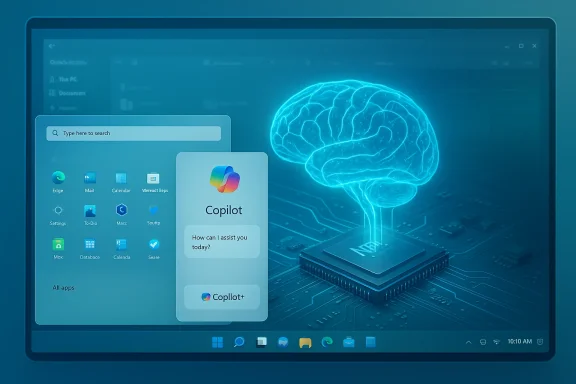 What we know now — State of play
No formal Windowificial product announcement naming “Windows 12” as of the materials gathered in the files provided. Industry reporting and rumor threads consistently emphasize that Microsoft is still delivering heavy feature work inside Windows 11 rather than switching to a separate OS release cycle immediately.
Timelines are fluid — late 2026/2027 is plausible
- Early speculation that pegged Windows 12 to a 2024een repeatedly revised. More recent industry chatter and internal roadmap leaks suggest Microsoft could delay any major “Windows 12” launch into late 2026 or even 2027 to align with the arrival of AI-specialized silicon and to avoid fragmenting the Windows user base immediately after Windows 10’s end-of-support. Multiple independent rumor compilations reflect a movement toward this later window.
Microsoft is treating Windows 11 as the delivery vehicle for AI now
- Instead of a hard break, Microsoft is shipping powerlences) inside Windows 11 and using Windows Insider channels to test deeper platform changes. This strategy both reduces churn for enterprise customers and buys time for hardware vendors to ship NPUs at scale. Industry threads repeatedly emphasize that many features once touted as “Windows 12” territory are already being introduced via Windows 11 updates.
Why the delay? The pragmatic reasons behind the timing shift
1) Build the AI stack properly (on-device and cloud)
Microsoft’s AI work has two parallel goalsires for all PCs, and (b) enable richer, private, and lower-latency on-device AI when hardware supports it. That second step — robust on-device AI — depends on a critical mass of devices shipping with neural accelerators (NPUs) and consistent software stacks. Pushing a new OS before this hardware is widely available would fragment the user experience and leave many customers behind.2) Windows 10 sunset and customer transition planning
Windows 10 reached end-of-support on October 14, 2025. That milestone created natural pressure for upgrades, but it also meant Microsoft needed to prioriturity for Windows 11 at scale. Extending Windows 11 as the primary upgrade path while rolling AI capabilities into it is an easier migration story for many organizations than forcing an immediate, hardware-gated Windows 12 upgrade.3) Platform under-the-hood changes require time
Recent internal platform work — splitting platform codebases, adding modular architecture, and validating new kernel and service boundaries — is happening in parallel with feature wmphasize “behind-the-scenes” platform changes in Insider builds that are intended to reduce regressions and ease future, modular deliveries. Shipping those reliably takes time and deliberate testing.4) Hardware readiness (NPU and memory)
Many of the most headline-grabbing AI features Microsoft talks about require substantial local compute and memory bandwidth (16GB+ RAM, fast NVMe storage, and NPUs capable of dozens of TOPS). Microsoft’s Copiloter messaging have defined strict thresholds for the full on-device experience, and OEM availability on that spec curve has been gradual. Waiting until a broad set of PCs meet those thresholds makes the upgrade story cleaner.What Windows 12 is expected to bring — the consensus leak picture
Important caveat: the features below are aggregated from leaks, insider chatter, and industry write-ups, not a Microsoft press release. Treat forward-looking specifics as probable but unconfirmed.AI & Copilot: The center of gravity
- System-wide Copilot integration: deeper contextual assistance woven through search, File Explorer, productivity apps, and OS-level automation. Many leaks describe a “Copilot+” tier that unlocks advanced features (Recall, richer image and text generation, semantic search) when on-device NPUs are present.
- Agentic workflows: more proactive AI agents that can take multi-step actions for users (compose emails, summarize meetings, triage files) and do so with greater privacy controls and local model execution where possible.
UI modernization and customization
- Dynamic Start and taskbar experiments:skbar variants, dynamic Start layouts that better adapt for touch and large-screen devices, and more extensive widget and personalization controls have been shown in leaks. Many of these are already being trialed via Insider channels — reinforcing the ill inherit a lot of the UI evolution.
- Tabbing and continuity: tabbed File Explorer, improved virtual desktop flows, and deeper cross-device continuity aimed at blending phone/tablet and PC workflows.
Performance and modularity
- Modular Core or split-platform architecture: Under-the-hood refactors intended to speed updates, reduce reboots, and enable smaller, safer feature rollouts. These are the changes that make staging AI features less risky.
- Battery and resource improvements: optimizations that prioritize NPU and low-power inference paths to reduce CPsks.
Gaming, media, and developer features
- Ongoing DirectStorage and rendering improvements: DirectStorage and GPU decompression efforts continue to evolve, improving load times and texture streaming for games. While some of these APIs started in Windows 11, they will c WSL/ARM improvements and emulation gains: better compatibility layers, Prism-style emulation improvements for Arm devices, and continued invvelopers.
Security: AI-assisted protection
- AI threat detection and hardening: expect more runtime detections powered by local and cloud models, better biometric integrations, and an emphasis on hardware-rooted security (Secure Boot, TPM/Pluton). These features are being framed as necessary to protect AI workflows and sensitive on-device indexing (Recall).
Hardware and system requirements — practical upgrade guidance
Across the rumor landscape and partner guidance, there’s a clear pats AI experience is hardware-gated. The practical checklist to be “future-ready”:- RAM: 16GB is the commonly recommended baseline for advanced Copilot+ experiences and for comfortable local model workloads; 8GB may still run the OS but will constrain concurrent AI model use.
- Storage: NVMe SSDs (fast PCIe drives) are recommended to host model cacrectStorage-style loading. Many feature sets assume SSD presence.
- NPU / AI accelerator: For the richest, on-device Copilot features, Microsoft and partner spec sheets discuss NPUs in the 40+ TOPS range as the modern threshold; Qualcomm Snapdragon X-series chips and advanced Intel Core Ultra/modern Arm silicon are examples of silicon targeting that class. If local inference is important to you (privacy, latency, offline use), an NPU-equipped CPU will be required.
- CPU/GPU: Recent-generation multi-core CPUs and GPUs that support DirectML and modern shader models will get the best results for mixed CPU/GPU/NPU workloads.
- Security hardware: TPM 2.0 / Secure Boot and modern firmware practices are expected to remain baseline requirements for enterprise-grade features.
Free upgrade: what history and leaks suggest
Microsoft historically offered free upgrades for major Windows transitions (Windows 10 → Windows 11 was free for eligible devices). The industry consensus reflected in leaks and forum analupgrade path for eligible Windows 11 systems is the most likely scenario for Windows 12*, but any upgrade remains conditional on meeting hardware and cert for Copilot+ features. Microsoft has not published an official policy for Windows 12 upgrades. Treat claims of a free universal upgrade as plausible but unconfirmed*.Risks, trade-offs, and enterprise considerations
Fragmentation risk
If Microsoft ships Windows 12 while a large portion of the installed base lacks NPUs or sufficient RAM, the company risks creating a two-tier Windows ecosystem: one for AI-optimized devices and another for legacy hardware. That split would complicate IT lifecycle planning and software compatibility. This is precisely why Microsoft appears to be delaying a hard OS break and continuing to backport important features into Windows 11.Security and privacy trade-offs
AI features that index files, conversations, and user behavior promise convenience — but they also increase the attack surface and raise privacy questions. Microsoft’s approach of allowing local NPU-based inference reduces cloud exposure for some functions, but it shifts the burden to OEMs and customers to secure devices correctly (firmware, disk encryption, secure enclave). Enterprises should be prepared to audit the configurations of Copilot+ features and manage opt-ins/outs.Cost of hardware refresh
Enterprise fleets with many older or entry-level devices will face either costly refreshes to access the full AI experiences or the need to accept a degraded experience. Budget cycles and procurement planning should account for these platform shifts when evaluating refresh timelines.Feature overlap and user fatigue
Microsoft is moving aggressively to surface AI everywhere; the risk is feature overload or confusing parity lines between cloud, local, and hybrid AI capabilities. Organizations should plan training and adoption strategies that focus on measurable productivity gains rather than chasing every new feature.Practical advice — what Windows users and IT teams should do today
- Evaluate your fleet now:
- A, and NPU presence. Identify devices that will be eligible for full Copilot+ experiences vs. ones that will remain on baseline Windows 11 feature sets.
- Prioritize upgrades by use case:
- Make AI-ready hardware a priority for roles that will actually benefit (creatives, knowledge workers, developers), while endpoints with simple browsing/office workloads.
- Keep Windows 11 current:
- Because many Windows 12 features will be previewed and even shipped inside Windows 11 updates, staying on the supported branch of Windows 11 provides early access and reduces rush in-house migration pain.
- Train privacy and security owners:
- Prepare poidance for Copilot/Recall features. Decide what stays cloud-based and what is allowed to run locally. Strengthen firmware and encryption posture ahead of any mass AI rollout.
- Use Insider channels cautiously:
- If you want early signals of the Windows roadmap, Windows Insider channels will surface platform changes first; however, these builds are not suitable for production. Test in lab environments and wait for general availability before broad deployment.
Strengths of Microsoft’s current approach
- Stability-first: Improving Wood before shipping a full OS replacement reduces the risk of destabilizing a massive installed base.
- Hardware-aligned feature gating: Tying the richest experiences to certified AI PCs (Copilot+) prevents half-baked experiences on un- Incremental rollout avenue: Delivering AI features through updates keeps enterprise IT in control and allows Microsoft to refine features based on real-world feedback.
Weaknesses and open questions
- Potential for confusion: Multie programs (Windows 11 feature updates, Copilot+ hardware tiers, potential Windows 12 branding) risk confusing consumers and IT departments.
- Equity of access: Gating advanced AI features to high-end hardware risks widening the gap between users who can afford the newest devices and thosertainty about licensing and support windows**: Microsoft’s historical approach suggests a free path for eligible users, but final policies remain unannounced and could include caveats. Enterprises should not arades without verifying Microsoft’s eventual terms.
Bottom line — what to expect and how to plan
- Expect Microsoft to continue evolving Windows 11 aggressively through 2026, with many AI-first features appearing there first. This is the practical path Microsoft prefers while waiting for a broader base of NPU-equipped hardware and completed plaA direct, consumer-visible “Windows 12” release may still happen — but timeline signals and partner documents in circulation make late 2026 or 2027 the likeliest realistic window if Microsoft chooses to brand a new OS at all. Don’t treat teease forecasts as reliable anymore; the engineering and hardware realities have pushed expectations later.
- For most users and IT teams the sensible approach is conservative: keep endpoints updated on Windows 11, prepare budgets and pilots for Copilot+ hardware only where it delivers measurable value, and track Insider builds for roadmap signals rather than chase every rumor.
Windows’ next chapter will be as much about silicon and AI models as it is about UI polish. Microsoft’s current path — iterating on Windows 11 while preparing the platform, security, and certification ecosystem for an AI-native future — is the pragmatic choice for a company trying to modernize the OS across billions of devices without repeating past disruption mistakes. The upgrade is coming, but don’t rush out to replace your fleet until you’ve aligned needs, budgets, and security controls with the hardware and feature set you actually plan to use.
Source: Black Star News Windows 12 Release Date: Leaks, Delay Reasons, Features
