

Microsoft’s next major Windows release is already being talked about like a turning point: more aggressive hardware floors, deeper AI integration, and tighter controls on where and how apps run. If you felt Windows 11 nudged users and enthusiasts toward Microsoft’s services and hardware partners, the signals now point to Windows 12 doubling down — but with a sharper tradeoff between security, reliability, and user autonomy.
The conversation about Windows 12 begins with three overlapping trends that are hard to ignore. First, Microsoft has introduced and promoted the Copilot+ PC classification — machines that pair modern CPUs with a dedicated Neural Processing Unit (NPU) capable of significant on-device AI inference. Second, the company has steadily shifted user flows in Windows 11 toward Microsoft services (Copilot, OneDrive, Microsoft 365) and a curated app ecosystem (the Microsoft Store and the Windows Package Manager). Third, public and enterprise responses to Windows 11’s aggressive feature cadence — bugs, intrusive prompts, and controversial AI features like Recall — have prompted internal pledges to refocus engineering on reliability and quality.
Taken together, those trends make a plausible roadmap for Windows 12: an AI-first, store-first OS that favors devices with local AI silicon, ships with stricter default app controls for Home users, and layers more subscription-oriented options into the upgrade path. For many users this will mean tangible improvements in safety and performance. For a vocal minority — power users, modders, certain developers, and owners of older but capable hardware — the new defaults may feel constraining.
This article digs into what those shifts mean technically and practically; weighs the benefits and the risks; and provides concrete, actionable guidance so readers can prepare their devices, organizations, and expectations.
Why this matters:
Windows 12 appears likely to use those lessons: the Home edition may run software primarily from trusted channels (Microsoft Store, official package repositories), with legacy Win32 confined to controlled sandboxes.
That said, dozens of essential utilities and specialized tools still live outside those channels. The risk for users is straightforward: the tool you rely on might not be in the Store or winget repository.
Any Windows 12 that pre-enables more AI services by default will need better, clearer, and simpler controls for users: meaningful permission dialogs, clear retention defaults, and transparent telemetry options. Without that, the company risks repeating the backlash that can erode trust.
Expectations to prepare for:
Key practical impacts:
What to do now:
Source: findarticles.com Windows 12 Set To Be Stricter Than Windows 11
 Background / Overview
The conversation about Windows 12 begins with three overlapping trends that are hard to ignore. First, Microsoft has introduced and promoted the Copilot+ PC classification — machines that pair modern CPUs with a dedicated Neural Processing Unit (NPU) capable of significant on-device AI inference. Second, the company has steadily shifted user flows in Windows 11 toward Microsoft services (Copilot, OneDrive, Microsoft 365) and a curated app ecosystem (the Microsoft Store and the Windows Package Manager). Third, public and enterprise responses to Windows 11’s aggressive feature cadence — bugs, intrusive prompts, and controversial AI features like Recall — have prompted internal pledges to refocus engineering on reliability and quality.Taken together, those trends make a plausible roadmap for Windows 12: an AI-first, store-first OS that favors devices with local AI silicon, ships with stricter default app controls for Home users, and layers more subscription-oriented options into the upgrade path. For many users this will mean tangible improvements in safety and performance. For a vocal minority — power users, modders, certain developers, and owners of older but capable hardware — the new defaults may feel constraining.
This article digs into what those shifts mean technically and practically; weighs the benefits and the risks; and provides concrete, actionable guidance so readers can prepare their devices, organizations, and expectations.
Why “Stricter” Is the Word People Use
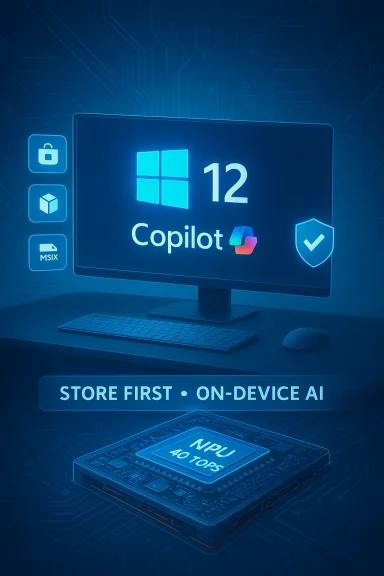
Microsoft’s recent product framing makes the phrase “stricter by default” less conjecture and more pattern recognition.- The Copilot+ branding explicitly ties premium, locally accelerated AI experiences to hardware floors: a dedicated NPU rated at or above a 40+ TOPS performance threshold is now part of the definition. That’s a measurable, non-trivial hardware bar that many existing PCs lack.
- Microsoft’s earlier experiments — Windows 10 S (store-only by design) and Windows 10X (a canceled project that aimed to sandbox or containerize legacy Win32 apps) — are well-documented precedents for restricting the set of installable software to protect reliability and security.
- Windows 11 already nudges users toward Microsoft services through out-of-the-box prompts and UI placements; the trendline suggests the next OS could bake some of those choices into default behaviors, particularly on Home SKUs.
Hardware: The Copilot+ PC Floor and the NPU Era
What Copilot+ hardware requires today
Microsoft’s Copilot+ positioning is anchored in on-device inference. The practical implication is that certain AI experiences — the fastest, lowest‑latency, most private ones — require silicon designed to execute large volumes of neural operations locally. The company’s definition for Copilot+ devices includes a dedicated NPU with a performance target of roughly 40 TOPS (trillions of operations per second) or higher, alongside modern CPU and memory baselines.Why this matters:
- On-device NPUs accelerate inference for features like local document summarization, real-time image generation, live translation, and the searchable “Recall” style histories Microsoft has prototyped.
- Devices that meet the Copilot+ spec will deliver smoother, lower-latency AI experiences even when cloud connectivity is intermittent.
- The hardware floor creates a practical segmentation: older but functionally capable PCs may be left off the “Copilot+” list even though they run Windows perfectly well today.
Which vendors are responding
Chipmakers and OEMs are already shipping silicon and systems that align with Copilot+ messaging. Qualcomm’s new premium mobile chips, modern Intel “Core Ultra” parts (with integrated NPUs), and AMD’s AI-enabled families all include AI accelerators in varying sizes. OEMs are likewise positioning Copilot+ branding on high-end notebooks and convertible devices to differentiate features and pricing.The tradeoffs in practice
- Benefits: Faster, private on-device AI; improved battery/thermal profiles for AI workloads; potential new classes of applications that use local models.
- Costs: A forced hardware refresh cycle for users who want the full set of AI features; fragmentation of the Windows experience between Copilot+ devices and legacy machines; potential pressure on OEMs to tie premium features to subscription tiers.
App Distribution: Store-First Defaults, Winget Maturation, and Packaging
Lessons from 10 S and 10X
Microsoft has tried store-restricted experiences before. Windows 10 S limited installs to the Microsoft Store to improve security and battery life; users could opt out, but the default was restrictive. Windows 10X aimed to run Win32 apps inside containers to limit impact on system stability, but the product was canceled before wide release. Those projects weren’t failures — they were experiments in reducing the attack surface and standardizing packaging.Windows 12 appears likely to use those lessons: the Home edition may run software primarily from trusted channels (Microsoft Store, official package repositories), with legacy Win32 confined to controlled sandboxes.
The current reality: Microsoft Store, Winget, and UniGetUI
The ecosystem has evolved in helpful ways since the days of anemic store catalogs. The Microsoft Store and the Windows Package Manager (winget) now host many mainstream apps, and third‑party GUIs (e.g., UniGetUI) have made discovery and bulk updates far more user-friendly. Developers can publish MSIX or Store packages to reach customers with better install/uninstall reliability and automatic updates.That said, dozens of essential utilities and specialized tools still live outside those channels. The risk for users is straightforward: the tool you rely on might not be in the Store or winget repository.
What “locked down by default” might look like
- Home installs that allow only Store/winget installs without an explicit, intentional opt-out.
- Legacy installers (traditional EXE/MSI) either blocked by default or launched within sandboxes/container runtimes.
- Pro and Enterprise SKUs that unlock broader installation options and container management tools (and possibly Windows 365 as a fallback for legacy workloads).
Security and Privacy: Gains and Flashpoints
Clear security wins
A store-first, containerized default reduces a lot of common Windows attack vectors:- Fewer unsigned installers and minimized reliance on brittle setup scripts.
- Standardized packaging (MSIX) makes uninstall and updates reliable, cutting the long tail of unused, orphaned components.
- On-device NPUs and Copilot+ silicon make sophisticated local AI features possible without full cloud roundtrips, improving privacy for many operations.
The Recall lesson
Microsoft’s “Recall” experiment — an AI feature that takes frequent snapshots to provide a searchable timeline of user activity — has already become a cautionary tale. Even when functionality is opt‑in and processing stays local, the optics of continuous indexing make privacy advocates nervous and IT teams cautious.Any Windows 12 that pre-enables more AI services by default will need better, clearer, and simpler controls for users: meaningful permission dialogs, clear retention defaults, and transparent telemetry options. Without that, the company risks repeating the backlash that can erode trust.
Subscriptions, Upsells, and the Store-as-Platform Business Model
Windows is not merely an OS; increasingly it is a distribution and monetization platform. The push toward Copilot, OneDrive, and Microsoft 365 is interconnected with a revenue model that favors bundled subscriptions and upsells.Expectations to prepare for:
- Tighter bundling of Copilot features, Copilot credits, and productivity services behind a monthly or annual subscription for consumers (a consumer Pro+ or Microsoft 365-style bundle).
- In‑OS prompts, trials, and prominent placements for Microsoft services in Start, Settings, and the system shell.
- Feature gating where certain AI-enhanced experiences or advanced management tools require a paid plan.
For Enthusiasts and Power Users: Where Freedom Meets Friction
Power users love Windows because it’s flexible. They run alternative shells, custom drivers, third‑party tools, legacy software, and experimental builds. A stricter Windows 12 risks turning many of those workflows into a game of dodge-and-configure.Key practical impacts:
- Default restrictions on sideloading will force power users to explicitly opt into broader privileges or buy a higher-tier SKU.
- Container sandboxing for Win32 apps could break low-level tools or device drivers that expect unfettered system access.
- Increased telemetry and AI-enabled features defaulting to “on” could require aggressive configuration work to regain preconfigured privacy.
For Developers and ISVs: Packaging and Distribution Choices Matter
If Windows 12 moves further toward store-first deployment, independent software vendors face a choice: modernize packaging and adopt MSIX/Store channels or accept distribution friction.- Benefits of MSIX/Store/winget: automatic updates, reliable installs, tamper resistance, and easier discovery for mainstream users.
- Tradeoffs: new submission and certification steps, potential constraints on certain low-level features, and dependency on the Store’s rules and review timelines.
- For organizations selling niche or enterprise utilities, consider offering both Store/MSIX versions and a managed, signed enterprise channel for customers that need full control.
- Audit your distribution artifacts for MSIX readiness.
- Prioritize a winget/Store package for mainstream customers.
- Provide clear documentation and an enterprise-friendly installer for IT teams that must manage edge-case workflows.
How Enterprises Should Prepare
Large organizations should treat Windows 12 as a typical platform shift: assess impact, pilot early, and update policy.- Inventory: create a prioritized list of mission-critical apps and check Store/Winget availability and MSIX compatibility.
- Pilot hardware: procure Copilot+-capable hardware for pilot groups and validate NPU-powered workloads, power, and thermal characteristics.
- Container strategy: test containerized deployments and Windows 365 fallbacks for legacy apps that resist packaging.
- Update policy: be prepared to block forced upgrades; lock down uptake until internal validation completes.
Practical Steps for Consumers, Enthusiasts, and IT — A Checklist
- If you rely on niche Win32 tools, confirm availability in the Microsoft Store or winget now.
- Encourage the vendors of critical apps to publish MSIX or Store builds; the earlier they do it, the smoother your upgrade path.
- For hobbyists and power users, keep at least one system with a flexible SKU (Pro) and muscle up on VM/container tooling.
- Backup and snapshot proactively: the moment a new OS baseline is announced, ensure you can roll back safely.
- For organizations, pilot Copilot+ hardware in controlled environments and map which apps can be containerized or moved to cloud-hosted Windows 365 instances.
Critical Analysis: Strengths, Weaknesses, and Unknowns
Strengths
- Security and reliability: Reducing the attack surface by steering users toward vetted stores and packaging yields measurable security gains for most people.
- Local AI with privacy advantages: On-device NPUs let powerful AI run without constant cloud dependence, improving latency and potential privacy outcomes.
- Cleaner base for developers and IT: Standardizing packaging and hardware baselines reduces fragmentation for developers and simplifies lifecycle management for IT.
Weaknesses and risks
- User autonomy: Power users may find the defaults constraining and the opt-out paths more complex or costly (e.g., requiring Pro SKUs).
- Hardware churn and inequality: A hardware floor rooted in NPU capability accelerates an upgrade cycle and segments users by what devices they can use for advanced features.
- Subscription creep: Feature gating behind subscriptions risks turning some OS capabilities into pay-to-play, which will frustrate customers used to a historically one-time licensing model.
- Trust and transparency: If AI features and telemetry are enabled by default without easy, understandable controls, Microsoft risks renewed backlash similar to past episodes with Recall and other intrusive features.
Unverifiable or speculative elements to flag
- Exact Windows 12 SKU policies, upgrade pathways, and precise default behaviors are not yet publicly confirmed. Much of the present narrative is consistent with Microsoft’s prior decisions and recent Copilot+ moves, but until Microsoft publishes the Windows 12 upgrade matrix and default policies, specific claims about “store-only Home” or enforced NPU-based upgrades remain probabilistic rather than definitive.
Roadmap Scenarios: What Windows 12 Could Look Like
Below are three high‑level scenarios grounded in current signals, ranked from most to least likely given present evidence.- Conservative refinement (most likely): Windows 12 keeps a broad compatibility surface but introduces clearer Copilot+ distinctions and defaults to Store/winget for novice setups. Sideloading remains possible but requires explicit actions. Pro remains the freedom tier.
- Hybrid enforced model: Home devices sold as “Windows 12 Home” are store-first by default; Pro unlocks sideloading and legacy support. Copilot+ hardware unlocks premium AI features tied to paid Copilot entitlements.
- Aggressive platform pivot (less likely but possible): Microsoft formalizes Copilot+ as a strict requirement for key OS features and enforces a store-only default on many consumer SKUs. Legacy apps must run in officially supported containers or Windows 365 sessions.
Final Recommendations: Balance Preparedness with Patience
Windows 12, as currently signaled by Microsoft and the industry, will likely be safer and smarter by design — but also less permissive by default. That’s an acceptable trade for many users and organizations. It’s anathema to others who prize control above convenience.What to do now:
- Audit: Identify mission-critical apps and their distribution status.
- Upgrade thoughtfully: Don’t rush to buy Copilot+ hardware unless you need the immediate AI benefits.
- Advocate: Ask software vendors to publish MSIX/Store builds if you rely on them.
- Plan for alternatives: Maintain a machine or VM for freedom workflows and use standardized, managed devices for daily productivity.
- Watch for official guidance: Microsoft will publish exact upgrade and SKU rules; use official documentation to finalize any large procurement or migration decisions.
Source: findarticles.com Windows 12 Set To Be Stricter Than Windows 11
