Windows 2016 EOS EOL Plan: Migrate, Cloud, or ESU Options

  • Thread Author
If your organization still runs Windows Server 2016 or Windows 10 Enterprise / IoT Enterprise 2016 LTSB, you need an urgent, concrete plan: these 2016 releases are reaching their final support milestones and will stop receiving regular security updates unless you take action before the deadlines.

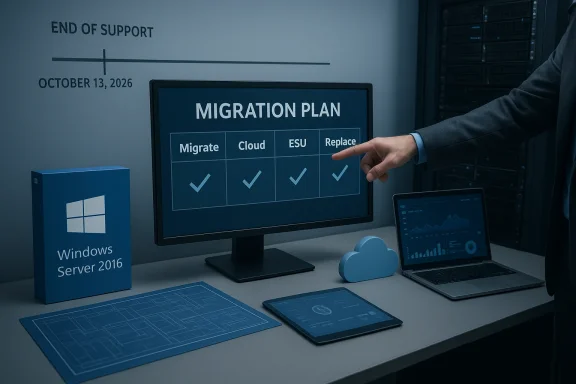
Migration plan on a monitor with check marks, beside a Windows Server 2016 box.Background​

Microsoft’s fixed-lifecycle products released in 2016 are entering the last phase of their support lifecycles. Specifically:
  • Windows 10 Enterprise 2016 LTSB and Windows 10 IoT Enterprise 2016 LTSB reach end of support on October 13, 2026.
  • Windows Server 2016 reaches end of extended support on January 12, 2027.
After those dates, devices still running those versions will no longer receive security updates, bug fixes, non-security updates, or ongoing technical content updates. That raises immediate operational, security, and compliance risks for any organization that keeps production systems on those builds.
Microsoft is offering the Extended Security Updates (ESU) program as a temporary bridge option for affected customers. ESU provides security-only updates (Critical and Important as defined by MSRC) for a limited period and does not include feature updates, general bug fixes, or full technical support. ESU is explicitly a short-term mitigation, not a migration strategy.

Why these dates matter now​

Short answer: attackers and auditors care about support dates. After the EOS/EOL (end-of-support/end-of-life) milestone:
  • Publicly disclosed vulnerabilities affecting unsupported versions will not be patched by Microsoft.
  • Third-party vendors—antivirus vendors, ISVs, and hardware suppliers—tend to drop or limit support for antiquated OSes.
  • Compliance regimes (PCI, HIPAA, NIST-based programs) often require supported and patched systems or compensating controls; relying on an unsupported OS will make passing audits harder or impossible.
  • Operational risk increases as new vulnerabilities accumulate and mitigations become harder to apply without vendor fixes.
If you manage servers, endpoints, kiosks, industrial controllers, or embedded devices still on 2016 builds, these are the dates to anchor your project timeline.

Overview of your options​

In practice, organizations have four primary paths for devices on Windows Server 2016 and Windows 10 Enterprise/IoT 2016 LTSB:
  • 1) Upgrade in-place or migrate to a supported Windows release (recommended long-term fix).
  • 2) Move workloads to Microsoft cloud services that offer migration or cloud‑hosted coverage (Azure Virtual Machines, Azure VMware Solution, Windows 365, Azure Virtual Desktop).
  • 3) Purchase Extended Security Updates (ESU) as a temporary bridge (commercial ESU for business devices; varying consumer paths exist).
  • 4) Isolate and harden affected systems, or replace hardware when migration is infeasible.
Each path has trade-offs in cost, time, complexity, and residual risk. Below I cover the technical and procurement details you need to craft a robust migration plan.

Extended Security Updates — what ESU gives you and what it doesn’t​

What ESU provides​

  • Security-only patches: only updates classified as Critical or Important by Microsoft’s Security Response Center.
  • Up to three years’ coverage for eligible business/education devices in most Windows ESU programs (subject to program specifics for each product).
  • Limited technical support: typically restricted to license activation, installation of ESU monthly updates, and troubleshooting issues caused by those updates—not general OS support.

What ESU does not provide​

  • No new features, no quality / non-security bug fixes, and no design-change requests.
  • No long-term vendor commitment — ESU is explicitly a temporary bridge.
  • For certain IoT SKUs, ESU availability and pricing are handled through OEMs (not direct Microsoft retail channels).
  • Enterprise ESU pricing is cumulative: if you enroll in Year 2, you must also cover Year 1 costs for the same device(s).

Pricing and enrollment mechanics (practical notes)​

  • Commercial ESU typically starts at a per-device list price for Year 1 and doubles each year if continued for Year 2 and Year 3 (this compounding pattern is designed to discourage extended dependence).
  • For Windows 10 commercial ESU, Year One list pricing guidance is commonly stated in Microsoft licensing documentation and volume-licensing channels (with discounts available for cloud-managed fleets).
  • Windows 10 consumer ESU offers one-year options with consumer enrollment routes that include a free or low-cost path for Microsoft-account-managed devices, or a nominal one‑time fee for other consumers.
  • For Windows IoT Enterprise 2016 LTSB, ESU licensing and pricing are typically handled via device OEMs and IoT distribution channels.
Treat ESU as a time‑boxed product procurement: calculate the cumulative cost (Year 1 + Year 2 + Year 3 if needed), compare to the cost of hardware refreshes or migration projects, and factor in the hidden operational costs of managing an unsupported or partially supported estate.

Product-specific guidance and migration templates​

Windows Server 2016 — recommended actions and technical notes​

  • Deadline: January 12, 2027 (end of extended support).
  • Recommended long-term target: move to a supported Windows Server LTSC release (for many, that will be Windows Server 2022 or a newer LTSC release where available).
  • Short-term option: purchase ESU (if available for your licensing scenario) to get security updates while you migrate.
  • Cloud option: migrate workloads to Azure (several Azure services historically provide ESU-like coverage for VMs hosted in Azure or offer migration tools and incentives).
  • Upgrade considerations:
  • For many workloads, the safest route is to deploy new servers with the target OS and migrate workloads rather than performing in-place upgrades—especially for critical roles (AD FS, CA, RDS, Exchange, SQL Server).
  • Microsoft’s guidance for role-based services often favors side-by-side migration rather than in-place upgrade, particularly for clustered services and Remote Desktop Services.
  • In-place upgrade paths exist between supported releases, but role-specific caveats apply (RDS, certificate services, Exchange hosting require special care); evaluate each server role before choosing a path.
  • Testing and validation:
  • Run application compatibility testing in a lab or pre-production environment.
  • Validate drivers and firmware for physical servers; OEM driver updates may be required.
  • Use server imaging, configuration management, and automation to reduce human error and accelerate rollback.

Windows 10 Enterprise 2016 LTSB and Windows 10 IoT Enterprise 2016 LTSB​

  • Deadline: October 13, 2026 (end of support for these 2016 LTSB/LTSC builds).
  • Recommended long-term target: upgrade to a current LTSC/LTSB release for IoT or migrate devices to a supported client OS (Windows 10 LTSC 2019/2021, or Windows 11 where hardware permits).
  • ESU details:
  • Organizations can purchase ESU for up to three years (security-only), with Year One list pricing guidance commonly noted in licensing channels. The price typically doubles each year and ESU licenses are cumulative.
  • For IoT devices, ESU is usually available through device OEMs — contact your manufacturer for pricing and availability.
  • For consumer and small business scenarios, Microsoft provided a one-year ESU pathway with several enrollment options (free if certain cloud-sync conditions are met, a Rewards-points option, or a one-time small purchase).
  • Practical constraints:
  • Many embedded and industrial devices use custom drivers and software tied to the 2016 LTSB platform. These often require vendor involvement to upgrade or replace.
  • If hardware cannot run a newer OS, assess whether the device can be isolated, network-limited, or replaced by a modern appliance.

A practical 6-step plan to manage EOS/EOL risk (for both servers and endpoints)​

  • Inventory and prioritize
  • Identify every device running Windows Server 2016 or Windows 10/IoT 2016 LTSB. Tag them by criticality, exposure (internet-facing vs isolated), and app dependencies.
  • Create a simple RAG (Red/Amber/Green) priority list tied to business impact.
  • Assess application and hardware compatibility
  • For each device, document applications, drivers, firmware, and third-party dependencies.
  • Conduct quick compatibility tests in a lab (app smoke tests, driver installs, performance checks).
  • Choose your migration path
  • For servers: prefer side-by-side migrations to a supported Windows Server LTSC or to cloud VMs. For simple file/print or domain-joined servers you might opt for in-place upgrades only when supported and low-risk.
  • For endpoints and IoT: plan OS upgrades to supported LTSC builds, Windows 11 where hardware permits, or device replacement.
  • Estimate cost and procurement windows
  • Model the cost of ESU (if considering it) across the window you need. Compare cumulative ESU cost to hardware refresh + migration cost.
  • For IoT, contact OEMs early for ESU pricing and firmware upgrade paths.
  • Mitigate interim risk
  • If any systems must remain on EOS versions temporarily, apply strict compensating controls: network segmentation, narrow firewall rules, host-based EDR controls, increased logging, and restricted administrative access.
  • Freeze unneeded services and minimize remote access.
  • Execute migration and validation
  • Run pilot migrations, validate backups and rollback procedures, and schedule production migration windows.
  • After migration, monitor telemetry and watch for regressions for at least one full business cycle.

Special considerations and gotchas​

Licensing and procurement timing​

  • ESU enrollment and purchase windows can be regionally different and may require coordination through Volume Licensing, Cloud Solution Providers (CSPs), or original device manufacturers (IoT).
  • For ESU, prices can vary by contract and region. In many cases, Year 1 price guidance exists, but the actual commercial quote should be confirmed with your reseller or Microsoft licensing contact.

Cumulative cost trap​

  • ESU costs are cumulative and typically increase dramatically in years two and three. Budget accordingly rather than assuming a static annual fee.

Role-specific upgrade complexity​

  • Roles such as Active Directory Certificate Services, Remote Desktop Services, Exchange, SQL Server, and clustered storage often require special migration choreography. Relying on simple in-place upgrades can produce hard-to-recover failures in these environments.

IoT and embedded appliances​

  • Many industrial and point-of-sale devices ship with LTSB/LTSC SKUs for stability. For these, OEM support is crucial: device manufacturers often control whether a given device image can be upgraded or requires replacement.

Cloud migration options​

  • Azure and Microsoft’s cloud services often provide incentives or pathways to ease migrations, including cases where ESU-like security coverage is provided for workloads hosted in specific Azure services. Evaluate cloud options not just for lift-and-shift, but for modernization (PaaS alternatives, containerization, desktop virtualization).

Risk assessment — what happens if you do nothing​

  • Immediate security risk: Newly discovered critical vulnerabilities will not be patched, creating exploitable windows for attackers.
  • Operational risk: Third-party apps, middleware, and drivers will increasingly be tested only on supported OS versions; regressions become more likely.
  • Compliance risk: Unsupported systems will make demonstrating compliance with many frameworks harder and can trigger audit failures.
  • Cost risk: Emergency patching, vendor custom support, or incident response after an exploit often costs far more than planned migrations.

Cost comparison framework (simple worksheet)​

Use this quick framework to compare ESU vs. migration:
  • Inputs:
  • Number of devices/servers on 2016 build (N)
  • Year-1 ESU price per device (P1) — obtain from licensing channel
  • Year-2/Year-3 multipliers (usually doubling each year)
  • Migration cost per device (M) — includes hardware refresh, labor, testing
  • Cloud migration per-VM cost (C) — includes infra and operational cost
  • Simple math:
  • ESU total (up to 3 years) = N (P1 + P2 + P3) where P2 ≈ 2P1, P3 ≈ 4*P1 (if doubling pattern applies)
  • Migration total = N M (or N(C) for cloud)
  • Decision rule:
  • If Migration total ≤ ESU total, prefer migration now.
  • If Migration total > ESU total and you need runway, use ESU as a deliberately time-limited investment to complete migration.
Run the calculation with conservative multipliers and include the cost of compensating controls for any systems you leave on EOS builds.

Executive briefing: what to tell leadership this week​

  • State the deadlines: Oct 13, 2026 (Windows 10/IoT 2016 LTSB) and Jan 12, 2027 (Windows Server 2016).
  • Explain the options: migrate, cloud-host, purchase ESU as a bridge, or replace devices.
  • Present the cost comparison (ESU cumulative vs. migration/refresh).
  • Flag at-risk categories (internet-facing servers, critical domain controllers, production IoT devices).
  • Ask for decision windows: a short authorization to purchase Year 1 ESU for the highest-priority systems where migration cannot be completed before the cutoff, and funding approval for a migration project for the bulk of the estate.

Final recommendations and checklist​

  • Start with an immediate 30/60/90-day project: inventory → prioritize → pilot migrations.
  • Do not rely on ESU as a permanent solution; use it only to gain controlled time to migrate.
  • Engage OEMs and ISVs now for IoT and specialized appliances.
  • Plan at least one side-by-side migration pilot for each major server role (AD, Exchange, SQL, file services, RDS).
  • Harden and isolate any devices that remain on EOS builds, and monitor them with elevated logging and EDR controls.
  • Calculate ESU costs and procurement timing now—get quotes from your CSP or licensing reseller so you’re not surprised by availability windows.

Conclusion​

The end-of-support dates for the Windows products released in 2016 are not far off. This is a controlled lifecycle event you can plan for: inventory, prioritize, test, and execute. ESU exists to buy time but at a rising cost and with narrow coverage — treat it as a bridge to modernization rather than a stopgap to be used indefinitely. Start your migration roadmap now, engage vendors and OEMs for special-purpose devices, and use cloud migration paths where they make technical and economic sense. The window to avoid emergency remediation is open today; closing it will cost more and increase risk.

Source: Microsoft - Message Center Plan for Windows Server 2016 and Windows 10 2016 LTSB end of support - Windows IT Pro Blog
 

Microsoft’s latest lifecycle update is a hard wake-up call: several legacy Windows platforms released in 2016 are moving into final support windows, and organizations that delay will face an accelerating mix of security, operational, and budget risk.

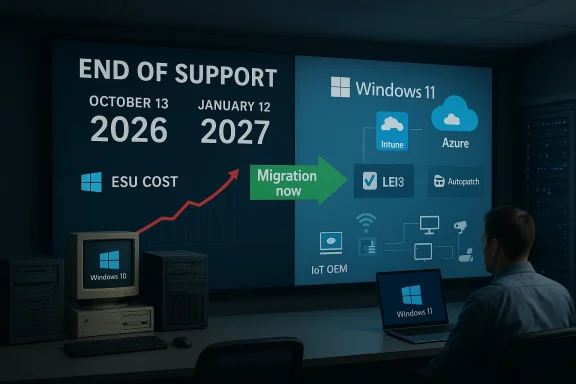
End-of-support presentation showing Windows 10 expiry and migration to Windows 11.Overview​

Microsoft announced that Windows 10 Enterprise LTSB 2016 and Windows 10 IoT Enterprise LTSB 2016 will reach their end-of-support date on October 13, 2026, and Windows Server 2016 will reach end of support on January 12, 2027. After those dates the affected builds will no longer receive routine security patches, non-security updates, bug fixes, or standard technical support. Microsoft is offering an Extended Security Updates (ESU) program as a temporary bridge, but the program is deliberately priced and structured to steer organizations toward modernization rather than long-term reliance on legacy code.
This article breaks down what the deadlines mean in practical terms, which systems and device classes are most exposed, the financial mechanics of ESU licensing, and a tactical, risk-based roadmap for IT teams that still have 2016-era systems in production. It also examines the operational traps—hidden costs, cumulative fees, IoT/OEM constraints, and compliance implications—that make “buying time” an expensive strategic choice.

Background: why these deadlines matter now​

The lifecycle context​

Microsoft’s long-term servicing releases (formerly called LTSB, now LTSC) are used heavily in special-purpose systems—medical devices, point-of-sale terminals, industrial automation controllers, kiosks, and branch appliances—because they prioritize stability and a minimal feature update cadence. But that durability also means these versions can remain in service for a decade or more, creating a concentration of outdated attack surfaces.
The 2016 releases have been supported for a long run. As they approach their published end-of-support dates, Microsoft will stop issuing the regular fixes that defend against newly discovered vulnerabilities. That doesn’t mean devices “stop working”—it means they stop being actively patched, making them progressively more dangerous to run in a production environment.

Why ESU exists—and why it’s intentionally temporary​

The Extended Security Updates (ESU) program has become Microsoft’s standard “safety valve” for organizations that cannot complete migrations before support ends. ESU provides only critical and important security updates, not new features, performance updates, or broad technical support. Microsoft and industry observers characterize ESU as a stopgap—a way to reduce acute risk while teams execute a planned upgrade rather than a long-term substitute for modernization.
That intent is visible in how ESU is priced and sold: it is more expensive than mainstream support, the pricing escalates, and certain device classes (notably IoT) require OEM involvement. Those levers push organizations to treat ESU as a short-term budget item—not a permanent maintenance contract.

What Microsoft announced (what you need to know)​

The exact lifecycle dates​

  • Windows 10 Enterprise LTSB 2016 — Final security update issued on October 13, 2026.
  • Windows 10 IoT Enterprise LTSB 2016 — Final security update issued on October 13, 2026.
  • Windows Server 2016 — Final security update issued on January 12, 2027.
These dates mean the monthly security update cadence stops on the listed day; any security patches published afterward will not be released for these versions unless organizations enroll in the ESU program.

ESU availability and purchasing mechanics​

  • Windows 10 Enterprise LTSB 2016: ESU will be available through Volume Licensing and Cloud Solution Providers. The published entry price for the first ESU year is $61 per device, with a discounted first-year rate of $45 per device for devices managed through Microsoft Intune or Windows Autopatch. The program can be purchased for up to three years after the support end date. Microsoft warns that ESU pricing doubles each consecutive year, and enrollment in a later year requires payment for previous years because the ESU charges are cumulative.
  • Windows 10 IoT Enterprise LTSB 2016: ESU is available, but only through IoT original equipment manufacturers (OEMs). Organizations should contact their device makers or OEM partners to obtain pricing and enrollment details.
  • Windows Server 2016: Microsoft recommends upgrading to Windows Server 2025. ESU coverage can be purchased for up to three years beyond the end-of-support date, but pricing and availability details have not been published at the time of Microsoft’s announcement.
These mechanics create both a time-limited safety net and an immediate planning requirement: if you want to buy ESU, you need to factor escalating costs and enrollment timing into your budget and migration plan now.

The financial calculus: ESU pricing, cumulative costs, and budget impact​

How the ESU pricing escalation works (practical example)​

Microsoft’s published structure for Windows 10 Enterprise LTSB 2016 ESU creates an escalating staircase of costs. For clarity, here’s how the published pattern translates into illustrative numbers for non‑discounted devices:
  • Year 1 ESU price: $61 per device.
  • Year 2 price: doubles to $122 per device.
  • Year 3 price: doubles again to $244 per device.
Because ESU fees are cumulative, enrolling in Year 3 after skipping earlier years would require paying the total of Year 1 + Year 2 + Year 3. In this illustrative example that would be $61 + $122 + $244 = $427 per device for three years of retrospective coverage if enrollment were deferred until the final ESU year.
For devices managed by Intune or Windows Autopatch, Microsoft published a discounted first‑year price of $45 per device, but the announcement did not fully lay out how the annual doubling applies to the discounted band in every scenario. That means organizations should treat any multi‑year cost projection involving discounts as an estimate and verify final invoicing rules with their Volume Licensing reseller or Cloud Solution Provider.
Note: These calculations are included to illustrate the compounding effect of cumulative ESU pricing. Always confirm licensing specifics with your Microsoft account team or CSP, because discounts, eligibility rules, and billing practices can vary by contract and region.

Budget implications for large fleets​

  • For organizations supporting thousands of devices, ESU quickly becomes a six- or seven-figure line item if modernization is slowed. The cumulative model multiplies the cost of delay.
  • ESU is charged per device (or per core in some server models historically), which means legacy server consolidation, virtualization, or migration to cloud-hosted instances can materially change the cost base.
  • For IoT devices that require OEM-assisted ESU enrollment, pricing is opaque and often higher; OEMs may also impose service or validation requirements that increase operational overhead.

Opportunity cost: short-term ESU vs. timely modernization​

It’s tempting to use ESU as a budget smoothing mechanism—buy time, allocate funds for upgrades over several fiscal cycles. But because ESU costs escalate and are cumulative, long delay often becomes more expensive than an accelerated migration plan. Organizations must model both direct ESU invoices and indirect costs: extended support windows require staff to maintain expertise for old platforms, continue compatibility testing, and accept higher residual risk that can trigger insurance premiums or regulatory scrutiny.

Security and compliance implications​

Security exposure increases over time​

Unsupported operating systems do not become instantly insecure the day after end of support, but the risk surface grows every month a system remains unpatched. New vulnerabilities are discovered continuously, and without updates the window for exploitation multiplies.
ESU reduces—but does not eliminate—this risk because it only covers critical and important patches. It excludes feature updates, quality improvements, and broader mitigations that can be relevant to in-depth attacks. Relying on ESU without a clear migration plan means accepting a degraded security posture.

Regulatory and contractual risk​

Many compliance frameworks and contractual obligations require that systems be supported and maintain up-to-date security patches. Running an unsupported OS can create exposure under:
  • PCI DSS — requires timely patching of systems that process payment data.
  • HIPAA — requires reasonable and appropriate safeguards for protected health information.
  • SOC 2 / ISO 27001 — auditors will question long-term use of devices that no longer receive vendor updates.
Where ESU is used, organizations must document compensating controls, risk assessments, and a clear timeline to migrate. Failure to do so can jeopardize certifications or create legal exposure in the event of a breach.

Operational realities: IoT, OEMs, and special-purpose devices​

IoT devices are uniquely constrained​

Devices built around Windows 10 IoT Enterprise LTSB 2016 are often appliance-like: locked-down configurations, bespoke drivers, and firmware that tie OS upgrades to hardware revisions. For those devices:
  • ESU is sold through OEMs, not directly through Microsoft channels. That requires coordination with device manufacturers for enrollment and patch distribution.
  • Upgrading to a newer LTSC or to Windows 11 IoT Enterprise may not be possible without hardware changes, driver updates, or firmware updates that the OEM must support.
  • Many IoT devices run in regulated environments (medical devices, industrial control systems), where certification and validation after an OS upgrade can be time-consuming and costly.

Windows Server 2016: migration pathways and cloud options​

Microsoft recommends upgrading to Windows Server 2025. For server workloads, organizations typically have several pathways:
  • In-place upgrade to supported Windows Server versions (consider application compatibility testing).
  • Replatforming to containers or modernized middleware to decouple workloads from OS-level dependencies.
  • Migration to cloud-hosted instances: historically, Microsoft has offered options where moving to Azure can change ESU economics or provide other forms of managed protection. Those options usually require validating licensing trade-offs and migration costs.
Because Microsoft had not released ESU pricing details for Windows Server 2016 at the time of the announcement, server footprint owners must prioritize discovery and vendor conversations to avoid last-minute exposure.

A pragmatic roadmap: step-by-step action plan for IT teams​

1. Inventory: know every 2016-era instance you have (48–72 hours)​

  • Identify all Windows 10 LTSB/LTSC 2016 and Windows Server 2016 devices across the estate.
  • Include physical devices, VMs, cloud-hosted instances, embedded IoT devices, and third-party appliances (e.g., vendor-supplied equipment).
  • Map device function, uptime constraints, and business impact for each system.

2. Risk triage: classify by exposure (1 week)​

  • Assign criticality tiers (A—business-critical, B—important, C—low-impact).
  • For each device, assess public accessibility, data sensitivity, and potential legal or regulatory implications.
  • Prioritize systems exposed to the Internet, handling payment or health data, or integrated with OT networks.

3. Shortlist migration options (2–6 weeks)​

  • For desktops and general servers, evaluate upgrade to Windows 11 (if hardware permits) or to a later LTSC/Server release.
  • For legacy app hosts, consider containerization, application refactoring, or OS-level virtualization to isolate risk.
  • For IoT/appliance devices, contact OEMs immediately for ESU pricing and a migration or replacement roadmap.

4. Decide on ESU vs. immediate migration (by program fiscal cutoff)​

  • If an ESU purchase is unavoidable for critical systems, calculate the cumulative cost and document the timeline for removal from ESU coverage.
  • Use a short-term ESU window only where migration cannot be performed safely before the end-of-support date.

5. Plan and execute validation/testing (4–12+ weeks)​

  • Build test labs that accurately mirror production devices, including peripherals, drivers, and endpoint security agents.
  • Run application compatibility tests, driver certification validation, and performance benchmarks.
  • For IoT devices, coordinate validation responsibilities with the OEM and compliance teams.

6. Execute migration and decommission legacy estate (phased over months)​

  • Use a phased approach: migrate Tier A, then Tier B, then Tier C.
  • Retire hardware that fails Windows 11 requirements, and consider refreshed hardware where cost-effective.
  • For devices that remain on ESU during migration, harden configurations and apply additional detection and response controls.

Hard lessons and common traps​

Trap: underestimating the cumulative ESU bill​

Many teams think of ESU as a manageable stopgap; the cumulative and doubling nature of the fees means that delaying enrollment or migration can produce sticker shock. Do the math early and model scenarios where you enroll in Year 1 vs. Year 2 vs. Year 3.

Trap: OEM-led IoT processes are slow​

If your device fleet includes vendor-supplied appliances, don’t assume the OEM can move at the same pace as your internal IT team. OEM procurement, qualification, and certification processes often introduce weeks to months of latency.

Trap: compliance teams need evidence​

Auditors will expect a documented migration plan and risk mitigation steps if you rely on ESU. Keep records of vendor communications, ESU enrollment receipts, and compensating controls to demonstrate due diligence.

Trap: management sees ESU as free breathing room​

Executives may treat ESU as a way to defer capex for another budget cycle. Make the long-term cost case clear: in many scenarios, accelerated modernization is less expensive than multi-year ESU exposure when you include the cumulative fees and indirect costs.

What good looks like: practical recommendations to reduce risk and cost​

  • Start with a short, decisive inventory sprint and a rapid triage to identify systems that absolutely must be upgraded versus those that can be migrated later.
  • Consolidate legacy workloads where possible (fewer, larger platforms) to reduce per-device ESU counts. Consider virtualization, containers, or cloud migration to change the licensing model.
  • Use modern management tools (Intune, Autopatch) where feasible—Microsoft offers a published discount for devices managed by these services, and modern management reduces operational overhead and patch lag.
  • For IoT and embedded devices, establish an OEM engagement plan that includes SLAs for ESU enrollment, firmware updates, and upgrade pathways. Include OEM delays into project timelines.
  • Treat ESU as an insurance premium, not a subscription: buy only what you need, and set a hard cutoff date for migration out of ESU coverage.

Strategic considerations for CIOs and CISOs​

Reframe migration as risk reduction, not just a technical refresh​

Upgrading from 2016-era systems is an opportunity to modernize security architecture, adopt zero-trust patterns, and reduce the attack surface. The fiscal framing should account for reduced incident risk, lower support complexity, and better integration with contemporary security tooling.

Use ESU as a controlled breathing space, not a safety net for procrastination​

C-suite decision-making should treat ESU as emergency funding to preserve operations while a well-documented migration plan is executed. The combination of escalating cost and limited coverage makes indefinite reliance on ESU a poor long-term strategy.

Consider cloud and managed options as a way to rework the economics​

For certain server workloads, migrating to cloud-managed instances or platform services may change the patching and support model in favorable ways. However, cloud migration has its own costs and operational demands—model the comparisons carefully.

Final analysis: strengths, weaknesses, and recommended posture​

Microsoft’s announcement is blunt and predictable: the company is closing the chapter on a widely used set of 2016-era Windows releases while offering a priced bridge for organizations that need extra time. Strengths of this approach include clarity of dates, a standard mechanism (ESU) for handling lagging migrations, and discounts for modern management adoption. The published figures and the requirement that ESU is cumulative are deliberate nudges toward prompt modernization.
But the announcement exposes several risks organizations must manage:
  • Opaque pricing for certain segments (for example, ESU pricing for Windows Server 2016 and IoT OEM channels) leaves fiscal uncertainty.
  • Cumulative and doubling fees can rapidly turn a tactical delay into a strategic expense.
  • IoT device constraints make some migrations technically or contractually complex: OEMs and device certs slow timelines.
  • Compliance and regulatory exposure can be material for organizations in regulated industries that must show timely patching.
Recommended posture: perform rapid discovery and prioritization, model cumulative ESU costs versus accelerated migration, engage OEM and licensing partners immediately, and treat any ESU purchase as a strictly time-boxed, auditable allowance to buy safe, measured time for migration.

Conclusion​

These end-of-support deadlines are not a distant policy item—they are a near-term operational reality that will affect budgeting, compliance, and security posture across enterprises and industries that still run 2016-era Windows platforms. ESU is available as a bridge—but its structure makes clear that Microsoft expects customers to migrate. Organizations that act early, model the true cumulative costs, and invest in modern management and migration paths will avoid the compounding risks and unexpected costs faced by teams that treat ESU as an indefinite escape hatch.
Time is the core resource here: inventory quickly, prioritize ruthlessly, and convert ESU purchases into clearly managed runway rather than an excuse for procrastination.

Source: Petri IT Knowledgebase Microsoft Warns of Legacy Windows End-of-Support Deadlines
 

Microsoft has confirmed that three high‑usage Windows releases first shipped in 2016 will reach the end of their official support lifecycles within the next year — and that organizations still running them will face a stark choice: upgrade, migrate to cloud‑hosted alternatives, or pay for time‑limited Extended Security Updates (ESU).

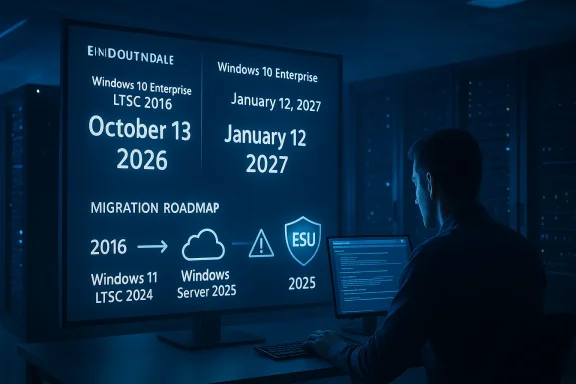
A person in a server room studies a large display detailing Windows 10 Enterprise migration timelines.Background​

By formal announcement in Microsoft's Windows IT Pro communications and Release Health channels, the affected products and their final monthly update dates are clear and non‑negotiable. Windows 10 Enterprise LTSB 2016 and Windows 10 IoT Enterprise LTSB 2016 will receive their last official security updates on October 13, 2026. Windows Server 2016 reaches its Extended Support end on January 12, 2027, which is the date of its final monthly security update from Microsoft. After those dates, Microsoft will stop delivering free security patches, quality updates, technical support, and online content updates for those specific builds.
Microsoft is offering a familiar escape valve: the Extended Security Updates (ESU) program for up to three additional years of critical and important security patches, but ESU is explicitly narrow: it covers security fixes only, excludes new features, and does not include general technical support. ESU pricing and procurement terms vary by product and delivery channel, introducing financial and operational trade‑offs that IT organizations must evaluate now.

What exactly is ending — and why it matters​

The lifecycle mechanics​

Microsoft operates a fixed product lifecycle policy: products get a defined period of mainstream support and then an extended support window that typically lasts ten years from initial release. When that Extended Support end date arrives, Microsoft stops issuing the routine security and reliability updates that close the window life‑cycle vulnerabilities.
For the 2016 releases in question:
  • Windows 10 Enterprise LTSB 2016 — final update: October 13, 2026.
  • Windows 10 IoT Enterprise LTSB 2016 — final update: October 13, 2026.
  • Windows Server 2016 — final update: January 12, 2027.
After these dates, unless systems are enrolled in an ESU program or migrated to a supported platform, they will no longer receive vendor patches for newly discovered vulnerabilities. That changes the risk model for endpoints and servers dramatically: systems can continue to run, but unpatched security flaws become an increasingly serious liability for confidentiality, integrity, and availability.

Why organizations still run 2016 builds​

There are several practical reasons enterprises and industrial operators remain on these versions:
  • Long‑term servicing channel (LTSB/LTSC) releases are intentionally conservative and widely used in regulated, industrial, and embedded contexts where change control and long validation windows are priorities.
  • Hardware lifecycle constraints — specialized appliances, medical machines, point‑of‑sale terminals, and some server arrays may not be easily upgraded or replaced.
  • Application compatibility — legacy line‑of‑business applications sometimes require older OS versions or certified driver stacks.
  • Operational risk assessment — some teams have weighed the risk of change versus the risk of staying and deferred migrations for months or years.
The end‑of‑support clock forces those deferred decisions back onto the table.

ESU program: what it buys you — and what it doesn't​

Scope and limitations​

Extended Security Updates provide only the highest‑priority updates: security fixes rated as Critical or Important. ESU does not include:
  • New features or enhancements.
  • Non‑security quality updates (general reliability or feature fixes).
  • Break/fix technical support beyond the security updates themselves.
ESU is explicitly temporary and designed as a bridge, not a long‑term retention strategy.

Pricing and availability (the practical numbers)​

Microsoft’s published plans for ESU availability and pricing are product‑specific:
  • Windows 10 Enterprise LTSB 2016
  • ESU licenses will be available through Volume Licensing and Microsoft Cloud Solution Providers starting in the second quarter of 2026.
  • List price for Year 1: $61 USD per device per year.
  • Discounted price for devices managed by Microsoft Intune or Windows Autopatch: $45 USD per device per year.
  • Escalation model: The ESU price doubles each consecutive year. Year 2 = 2× Year 1; Year 3 = 2× Year 2.
  • Cumulative obligation: ESU purchases are cumulative. If you enroll a device in Year 2, you must also pay the Year 1 charge retroactively. The same applies if you enroll in Year 3 — you become responsible for Years 1 and 2 as well.
  • Windows IoT Enterprise LTSB 2016
  • ESU for IoT LTSB 2016 is distributed exclusively through OEM partners. Pricing and availability are set by device manufacturers; Microsoft does not publish a direct list price for retail procurement.
  • Windows Server 2016
  • Microsoft has confirmed ESU will be available for Server 2016, but pricing details and procurement cadence for server ESU were still being finalized at the announcement time. Expect a separate commercial model for server licenses — historically servers have used per‑core or per‑instance pricing for comparable programs.

How the cost scaling plays out (real‑world math)​

Because the price doubles every year, per‑device cumulative ESU costs escalate fast. Example per device totals if you purchase ESU sequentially:
  • For a single Windows 10 Enterprise LTSB 2016 device (no Intune):
  • Year 1: $61
  • Year 2: $122 → Cumulative if you enroll in Year 2: $61 + $122 = $183
  • Year 3: $244 → Cumulative if you enroll in Year 3: $61 + $122 + $244 = $427
  • If the device is managed by Intune/Autopatch (discounted):
  • Year 1: $45
  • Year 2: $90 → Cumulative: $135
  • Year 3: $180 → Cumulative: $315
These sums are per‑device and don’t include other operational costs — migration labor, testing, downtime, or new hardware — but they provide a simple cost comparison to inform decisions.

Upgrade and migration options Microsoft recommends​

Microsoft highlights clear upgrade paths and preferred targets:
  • For server estates, Windows Server 2025 is promoted as the supported upgrade.
  • For desktop and IoT LTS releases, Microsoft recommends moving to Windows 11 Enterprise LTSC 2024 or Windows 11 IoT Enterprise LTSC 2024, provided hardware meets the requirements.
  • For Windows 10 Enterprise LTSB 2016 customers who cannot get to Windows 11, Windows 10 Enterprise LTSC 2021 remains a nearer‑term supported option until its own end date.
Each migration path carries technical compatibility checks — drivers, firmware, application binaries, and third‑party integration layers must be validated.

Cloud and Azure options​

Historically Microsoft has offered alternative support and migration paths via Azure:
  • Moving server workloads into Azure can, in some cases, provide extended patching via Azure‑hosted ESU coverage for specific product versions, or simplified migration steps through Azure Migrate.
  • Azure Hybrid Benefit and Azure Arc enable hybrid licensing and management that can reduce the marginal cost of cloud migration and in some cases give preferential ESU terms.
Cloud migration can be a viable alternative for organizations that prefer an operational expense (OPEX) model and want to eliminate hardware lifecycle risk, but it requires an assessment of application compatibility, latency, compliance, and data residency concerns.

Security, compliance, and operational risks of staying on unsupported builds​

Running systems without vendor security patches is more than an academic risk — it’s a practical exposure that affects insurers, auditors, and compliance officers.
  • Regulatory compliance: Frameworks like PCI‑DSS, HIPAA, SOC 2, and some national standards generally require maintained patching and supported software. Post‑EOL systems may fail compliance without compensating controls or documented exceptions.
  • Threat exposure: Unpatched kernels, drivers, and platform components are attractive to attackers. Once a widely used product reaches EOL, criminal actors often increase scanning and exploit development for endemic vulnerabilities.
  • Supply chain and vendor support: Third‑party vendors may refuse to support integrations on unsupported OS versions, particularly for critical software like databases, middleware, and security agents.
  • Insurance and liability: Some cyber insurance policies include language that requires supported software and prompt patching; EOL systems may trigger coverage exclusions or higher premiums.
  • Operational drift and technical debt: The longer you delay, the larger the migration becomes — apps rot, documentation ages, tribal knowledge leaves with staff changes, and the eventual migration becomes more costly.
These are practical considerations when comparing ESU economics to migration costs.

Practical migration planning: an actionable checklist​

Every migration program should start with inventory, risk triage, and a phased plan. The following numbered checklist provides a pragmatic roadmap:
  • Inventory and categorize
  • Build an authoritative inventory of all devices and servers still running 2016 builds.
  • Tag devices by role, application dependency, physical location, uptime window, and regulatory classification.
  • Risk triage
  • Classify systems as high, medium, or low risk based on exposure (internet‑facing services, privileged data, compliance scope).
  • Prioritize high‑risk systems for immediate remediation or migration.
  • Validate application compatibility
  • Identify applications and drivers that must be tested on the target OS.
  • Engage ISVs and hardware vendors for compatibility statements and certified drivers.
  • Hardware assessment
  • Check device firmware, TPM, CPU feature set, and OEM support for Windows 11 LTSC or Windows Server 2025.
  • For constrained hardware (medical devices, kiosks), coordinate with OEMs for firmware or replacement options.
  • Pilot and test
  • Build a pilot cohort that mirrors production diversity.
  • Execute functional testing, performance benchmarking, and security validation.
  • Choose your upgrade path
  • For desktops: consider in‑place upgrade vs. image rebuild vs. hardware replacement.
  • For servers: consider in‑place upgrade where supported, lift‑and‑shift to Azure, or rebuild with modern images.
  • Budget ESU as a contingency only
  • Use ESU purchases to buy controlled time for high‑risk, hard‑to‑migrate systems.
  • Make ESU a clearly time‑boxed contingency, not a permanent plan.
  • Automate and control
  • Use Intune, Autopatch, SCCM/MECM, or other tools to manage deployments.
  • If possible, enroll devices under Intune/Autopatch to receive ESU discount where available.
  • Compliance and exceptions
  • For systems that must remain on 2016 beyond the migration window, document compensating controls and obtain formal risk exceptions, including log monitoring, network segmentation, and application whitelisting.
  • Execute and iterate
  • Roll out in waves, learn from each phase, and keep business stakeholders informed of residual risk and timelines.

Cost comparison: ESU versus migration (high‑level)​

ESU can be inexpensive for a small set of devices in Year 1, but the doubling model and cumulative payments change the calculus quickly. Consider these simplified scenarios:
  • Small, controlled fleet (e.g., 100 devices) that are expensive to migrate (specialized equipment): ESU Year‑1 cost at $61/device = $6,100. Compared to a migration involving new hardware and retraining, ESU may be economically sensible to buy a year for a measured migration.
  • Large server estate (hundreds of servers): Server ESU pricing is not published yet and historically can be many times higher per instance or per core. For typical server farms, investing in an upgrade or a re‑architect to modern OS and cloud often has better long‑term ROI, especially when factoring in reduced management overhead and modern security features.
  • Regulatory environments: If compliance costs of running unsupported software are high (audit fines, remediation expectations), migration will typically dominate as the only sustainable solution.
Always model direct ESU costs, migration labor, hardware replacement, testing windows, downtime impact, and opportunity costs to make a defensible decision.

Special considerations for Windows IoT and OEM‑delivered devices​

Windows IoT Enterprise LTSB 2016 devices are treated differently:
  • ESU availability is through device OEMs only. That means procurement, pricing, and support agreements are handled by the device manufacturer rather than Microsoft directly.
  • If you have embedded or specialized devices (industrial control systems, medical devices, retail POS), contact OEMs immediately. OEM timelines, inventory constraints, and firmware compatibility windows can be decisive.
  • In some cases, device replacement may be the only realistic long‑term strategy because the OEM may not provide ESU or upgrade paths for old hardware.
Document your OEM communications and secure written statements of ESU availability or lack thereof for audit purposes.

Vendor relationship and negotiation tactics​

When you begin discussions with Microsoft or OEM partners, consider these negotiation tips:
  • Demand written commercial terms for ESU and confirmation of cumulative payment mechanics.
  • Ask explicitly whether Azure migration options or hybrid licensing programs can reduce ESU charges or provide alternative coverage.
  • For large volumes, negotiate Enterprise Agreement addenda or discounts; the published per‑device list price is rarely the final price for enterprise customers.
  • Confirm the procurement channel (Volume Licensing vs. CSP vs. OEM) and the administrative steps needed to enroll devices retroactively, since enrollment windows and retroactive payment policies differ.
Document all pricing, enrollment windows, and evidence of vendor representations to avoid billing surprises later.

Timeline and recommended deadlines for IT leaders​

The calendar is unforgiving. Use these working deadlines:
  • Immediately (today): Inventory, triage high‑risk systems, and contact OEMs for IoT device clarity.
  • Within 30 days: Finalize migration strategy and procure any required pilot hardware or cloud capacity.
  • Within 3 months: Begin pilot migrations and vendor testing for critical applications.
  • Six months to a year before the OS end date: Complete migration of high‑risk and internet‑facing systems.
  • Final quarter before end date: Enroll remaining systems in ESU only as a last‑resort contingency and finalize long‑term retirement plans.
For Windows Server 2016 (final update January 12, 2027), this means servers that are hard to migrate should already be in late planning or pilot phases now. Waiting until the last week compresses testing windows and raises operational risk.

Critical analysis: strengths, weaknesses, and strategic risks​

Notable strengths of Microsoft’s approach​

  • Clear timelines: Microsoft’s announcement provides definite dates, allowing organizations to plan.
  • Bridge option (ESU): ESU offers a pragmatic short‑term safety net for highly constrained systems.
  • Modern targets: Windows Server 2025 and Windows 11 LTSC releases provide long‑term supported platforms with improved security features and lifecycle predictability.

Risks and weaknesses in the policy and market effect​

  • Cost escalation by design: The doubling price model and cumulative requirement make ESU an intentionally expensive, short‑term stopgap. This pressures organizations to migrate quickly but can also create budget spikes.
  • IoT procurement fragmentation: Delegating IoT ESU to OEMs introduces inconsistent availability and pricing, leaving critical infrastructure owners with uncertain choices.
  • Operational complexity: The need to validate hundreds or thousands of application and driver combinations on newer OS releases creates a non‑trivial migration burden.
  • Potential for vendor lock‑in or cloud pressure: Azure‑centric alternatives may appear attractive, but they shift operational models and highlight platform lock‑in trade‑offs that organizations must consider carefully.
  • Regulatory and insurance exposure: Organizations that delay are exposed to compliance and insurance risks that may not be covered by ESU purchases alone.
Taken together, these features create a tight window in which migration planning, budgeting, and execution must be coordinated across procurement, security, and application owners.

Final recommendations​

  • Treat ESU exclusively as a tactical, time‑boxed bridge used only where migration is infeasible in the available timeframe.
  • Prioritize migration of internet‑facing and compliance‑scoped systems first; these present the most urgent risk.
  • Use the vendor discount where eligible: manage devices with Intune or Windows Autopatch where feasible to reduce Year‑1 ESU costs.
  • Reach out to OEMs now for IoT device ESU terms or upgrade paths. Do not assume OEMs will support old hardware indefinitely.
  • Build a clear cost model comparing cumulative ESU payments against migration TCO, including non‑financial costs like business disruption.
  • Consider cloud migration as a parallel strategy for servers that can be rehosted or replatformed, but validate application compatibility and compliance before committing.

Microsoft’s announcement creates a hard deadline for old LTSB/LTSC and Server releases that many organizations have long expected. The ESU program is a familiar tool — useful, but deliberately priced and scoped to push organizations toward modern, supported platforms. For IT leaders, the decision is now largely about risk engineering: buy time with ESU where absolutely necessary, but prioritize migration and modernization as the sustainable, long‑term strategy.

Source: heise online Microsoft ends support for 2016 Windows versions
 

Back
Top