

If your organization still runs Windows Server 2016 or Windows 10 Enterprise / IoT Enterprise 2016 LTSB, you need an urgent, concrete plan: these 2016 releases are reaching their final support milestones and will stop receiving regular security updates unless you take action before the deadlines.
Microsoft’s fixed-lifecycle products released in 2016 are entering the last phase of their support lifecycles. Specifically:
Microsoft is offering the Extended Security Updates (ESU) program as a temporary bridge option for affected customers. ESU provides security-only updates (Critical and Important as defined by MSRC) for a limited period and does not include feature updates, general bug fixes, or full technical support. ESU is explicitly a short-term mitigation, not a migration strategy.
Source: Microsoft - Message Center Plan for Windows Server 2016 and Windows 10 2016 LTSB end of support - Windows IT Pro Blog
 Background
Microsoft’s fixed-lifecycle products released in 2016 are entering the last phase of their support lifecycles. Specifically:- Windows 10 Enterprise 2016 LTSB and Windows 10 IoT Enterprise 2016 LTSB reach end of support on October 13, 2026.
- Windows Server 2016 reaches end of extended support on January 12, 2027.
Microsoft is offering the Extended Security Updates (ESU) program as a temporary bridge option for affected customers. ESU provides security-only updates (Critical and Important as defined by MSRC) for a limited period and does not include feature updates, general bug fixes, or full technical support. ESU is explicitly a short-term mitigation, not a migration strategy.
Why these dates matter now
Short answer: attackers and auditors care about support dates. After the EOS/EOL (end-of-support/end-of-life) milestone:- Publicly disclosed vulnerabilities affecting unsupported versions will not be patched by Microsoft.
- Third-party vendors—antivirus vendors, ISVs, and hardware suppliers—tend to drop or limit support for antiquated OSes.
- Compliance regimes (PCI, HIPAA, NIST-based programs) often require supported and patched systems or compensating controls; relying on an unsupported OS will make passing audits harder or impossible.
- Operational risk increases as new vulnerabilities accumulate and mitigations become harder to apply without vendor fixes.
Overview of your options
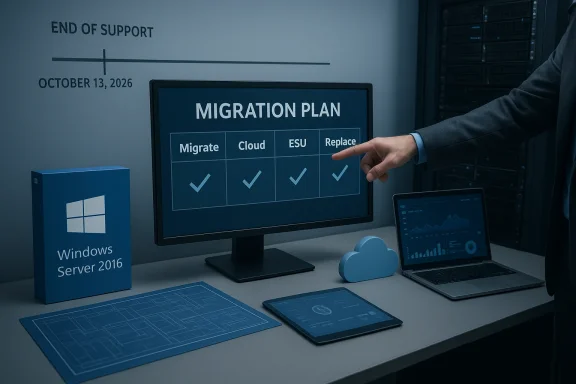
In practice, organizations have four primary paths for devices on Windows Server 2016 and Windows 10 Enterprise/IoT 2016 LTSB:- 1) Upgrade in-place or migrate to a supported Windows release (recommended long-term fix).
- 2) Move workloads to Microsoft cloud services that offer migration or cloud‑hosted coverage (Azure Virtual Machines, Azure VMware Solution, Windows 365, Azure Virtual Desktop).
- 3) Purchase Extended Security Updates (ESU) as a temporary bridge (commercial ESU for business devices; varying consumer paths exist).
- 4) Isolate and harden affected systems, or replace hardware when migration is infeasible.
Extended Security Updates — what ESU gives you and what it doesn’t
What ESU provides
- Security-only patches: only updates classified as Critical or Important by Microsoft’s Security Response Center.
- Up to three years’ coverage for eligible business/education devices in most Windows ESU programs (subject to program specifics for each product).
- Limited technical support: typically restricted to license activation, installation of ESU monthly updates, and troubleshooting issues caused by those updates—not general OS support.
What ESU does not provide
- No new features, no quality / non-security bug fixes, and no design-change requests.
- No long-term vendor commitment — ESU is explicitly a temporary bridge.
- For certain IoT SKUs, ESU availability and pricing are handled through OEMs (not direct Microsoft retail channels).
- Enterprise ESU pricing is cumulative: if you enroll in Year 2, you must also cover Year 1 costs for the same device(s).
Pricing and enrollment mechanics (practical notes)
- Commercial ESU typically starts at a per-device list price for Year 1 and doubles each year if continued for Year 2 and Year 3 (this compounding pattern is designed to discourage extended dependence).
- For Windows 10 commercial ESU, Year One list pricing guidance is commonly stated in Microsoft licensing documentation and volume-licensing channels (with discounts available for cloud-managed fleets).
- Windows 10 consumer ESU offers one-year options with consumer enrollment routes that include a free or low-cost path for Microsoft-account-managed devices, or a nominal one‑time fee for other consumers.
- For Windows IoT Enterprise 2016 LTSB, ESU licensing and pricing are typically handled via device OEMs and IoT distribution channels.
Product-specific guidance and migration templates
Windows Server 2016 — recommended actions and technical notes
- Deadline: January 12, 2027 (end of extended support).
- Recommended long-term target: move to a supported Windows Server LTSC release (for many, that will be Windows Server 2022 or a newer LTSC release where available).
- Short-term option: purchase ESU (if available for your licensing scenario) to get security updates while you migrate.
- Cloud option: migrate workloads to Azure (several Azure services historically provide ESU-like coverage for VMs hosted in Azure or offer migration tools and incentives).
- Upgrade considerations:
- For many workloads, the safest route is to deploy new servers with the target OS and migrate workloads rather than performing in-place upgrades—especially for critical roles (AD FS, CA, RDS, Exchange, SQL Server).
- Microsoft’s guidance for role-based services often favors side-by-side migration rather than in-place upgrade, particularly for clustered services and Remote Desktop Services.
- In-place upgrade paths exist between supported releases, but role-specific caveats apply (RDS, certificate services, Exchange hosting require special care); evaluate each server role before choosing a path.
- Testing and validation:
- Run application compatibility testing in a lab or pre-production environment.
- Validate drivers and firmware for physical servers; OEM driver updates may be required.
- Use server imaging, configuration management, and automation to reduce human error and accelerate rollback.
Windows 10 Enterprise 2016 LTSB and Windows 10 IoT Enterprise 2016 LTSB
- Deadline: October 13, 2026 (end of support for these 2016 LTSB/LTSC builds).
- Recommended long-term target: upgrade to a current LTSC/LTSB release for IoT or migrate devices to a supported client OS (Windows 10 LTSC 2019/2021, or Windows 11 where hardware permits).
- ESU details:
- Organizations can purchase ESU for up to three years (security-only), with Year One list pricing guidance commonly noted in licensing channels. The price typically doubles each year and ESU licenses are cumulative.
- For IoT devices, ESU is usually available through device OEMs — contact your manufacturer for pricing and availability.
- For consumer and small business scenarios, Microsoft provided a one-year ESU pathway with several enrollment options (free if certain cloud-sync conditions are met, a Rewards-points option, or a one-time small purchase).
- Practical constraints:
- Many embedded and industrial devices use custom drivers and software tied to the 2016 LTSB platform. These often require vendor involvement to upgrade or replace.
- If hardware cannot run a newer OS, assess whether the device can be isolated, network-limited, or replaced by a modern appliance.
A practical 6-step plan to manage EOS/EOL risk (for both servers and endpoints)
- Inventory and prioritize
- Identify every device running Windows Server 2016 or Windows 10/IoT 2016 LTSB. Tag them by criticality, exposure (internet-facing vs isolated), and app dependencies.
- Create a simple RAG (Red/Amber/Green) priority list tied to business impact.
- Assess application and hardware compatibility
- For each device, document applications, drivers, firmware, and third-party dependencies.
- Conduct quick compatibility tests in a lab (app smoke tests, driver installs, performance checks).
- Choose your migration path
- For servers: prefer side-by-side migrations to a supported Windows Server LTSC or to cloud VMs. For simple file/print or domain-joined servers you might opt for in-place upgrades only when supported and low-risk.
- For endpoints and IoT: plan OS upgrades to supported LTSC builds, Windows 11 where hardware permits, or device replacement.
- Estimate cost and procurement windows
- Model the cost of ESU (if considering it) across the window you need. Compare cumulative ESU cost to hardware refresh + migration cost.
- For IoT, contact OEMs early for ESU pricing and firmware upgrade paths.
- Mitigate interim risk
- If any systems must remain on EOS versions temporarily, apply strict compensating controls: network segmentation, narrow firewall rules, host-based EDR controls, increased logging, and restricted administrative access.
- Freeze unneeded services and minimize remote access.
- Execute migration and validation
- Run pilot migrations, validate backups and rollback procedures, and schedule production migration windows.
- After migration, monitor telemetry and watch for regressions for at least one full business cycle.
Special considerations and gotchas
Licensing and procurement timing
- ESU enrollment and purchase windows can be regionally different and may require coordination through Volume Licensing, Cloud Solution Providers (CSPs), or original device manufacturers (IoT).
- For ESU, prices can vary by contract and region. In many cases, Year 1 price guidance exists, but the actual commercial quote should be confirmed with your reseller or Microsoft licensing contact.
Cumulative cost trap
- ESU costs are cumulative and typically increase dramatically in years two and three. Budget accordingly rather than assuming a static annual fee.
Role-specific upgrade complexity
- Roles such as Active Directory Certificate Services, Remote Desktop Services, Exchange, SQL Server, and clustered storage often require special migration choreography. Relying on simple in-place upgrades can produce hard-to-recover failures in these environments.
IoT and embedded appliances
- Many industrial and point-of-sale devices ship with LTSB/LTSC SKUs for stability. For these, OEM support is crucial: device manufacturers often control whether a given device image can be upgraded or requires replacement.
Cloud migration options
- Azure and Microsoft’s cloud services often provide incentives or pathways to ease migrations, including cases where ESU-like security coverage is provided for workloads hosted in specific Azure services. Evaluate cloud options not just for lift-and-shift, but for modernization (PaaS alternatives, containerization, desktop virtualization).
Risk assessment — what happens if you do nothing
- Immediate security risk: Newly discovered critical vulnerabilities will not be patched, creating exploitable windows for attackers.
- Operational risk: Third-party apps, middleware, and drivers will increasingly be tested only on supported OS versions; regressions become more likely.
- Compliance risk: Unsupported systems will make demonstrating compliance with many frameworks harder and can trigger audit failures.
- Cost risk: Emergency patching, vendor custom support, or incident response after an exploit often costs far more than planned migrations.
Cost comparison framework (simple worksheet)
Use this quick framework to compare ESU vs. migration:- Inputs:
- Number of devices/servers on 2016 build (N)
- Year-1 ESU price per device (P1) — obtain from licensing channel
- Year-2/Year-3 multipliers (usually doubling each year)
- Migration cost per device (M) — includes hardware refresh, labor, testing
- Cloud migration per-VM cost (C) — includes infra and operational cost
- Simple math:
- ESU total (up to 3 years) = N (P1 + P2 + P3) where P2 ≈ 2P1, P3 ≈ 4*P1 (if doubling pattern applies)
- Migration total = N M (or N(C) for cloud)
- Decision rule:
- If Migration total ≤ ESU total, prefer migration now.
- If Migration total > ESU total and you need runway, use ESU as a deliberately time-limited investment to complete migration.
Executive briefing: what to tell leadership this week
- State the deadlines: Oct 13, 2026 (Windows 10/IoT 2016 LTSB) and Jan 12, 2027 (Windows Server 2016).
- Explain the options: migrate, cloud-host, purchase ESU as a bridge, or replace devices.
- Present the cost comparison (ESU cumulative vs. migration/refresh).
- Flag at-risk categories (internet-facing servers, critical domain controllers, production IoT devices).
- Ask for decision windows: a short authorization to purchase Year 1 ESU for the highest-priority systems where migration cannot be completed before the cutoff, and funding approval for a migration project for the bulk of the estate.
Final recommendations and checklist
- Start with an immediate 30/60/90-day project: inventory → prioritize → pilot migrations.
- Do not rely on ESU as a permanent solution; use it only to gain controlled time to migrate.
- Engage OEMs and ISVs now for IoT and specialized appliances.
- Plan at least one side-by-side migration pilot for each major server role (AD, Exchange, SQL, file services, RDS).
- Harden and isolate any devices that remain on EOS builds, and monitor them with elevated logging and EDR controls.
- Calculate ESU costs and procurement timing now—get quotes from your CSP or licensing reseller so you’re not surprised by availability windows.
Conclusion
The end-of-support dates for the Windows products released in 2016 are not far off. This is a controlled lifecycle event you can plan for: inventory, prioritize, test, and execute. ESU exists to buy time but at a rising cost and with narrow coverage — treat it as a bridge to modernization rather than a stopgap to be used indefinitely. Start your migration roadmap now, engage vendors and OEMs for special-purpose devices, and use cloud migration paths where they make technical and economic sense. The window to avoid emergency remediation is open today; closing it will cost more and increase risk.Source: Microsoft - Message Center Plan for Windows Server 2016 and Windows 10 2016 LTSB end of support - Windows IT Pro Blog
