

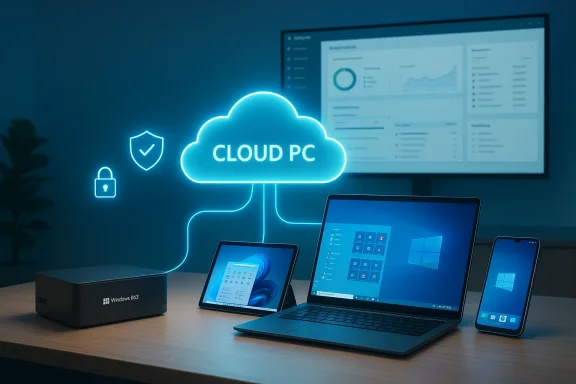
Microsoft's latest push with Windows 365 — anchored by the new Windows 365 Link thin client and a continuing expansion of Cloud PC options — marks a deliberate pivot back toward the "dumb terminal" model: centralized compute in the cloud, lightweight endpoints for access, and IT-managed desktops delivered as a subscription. This isn't nostalgia-driven reinvention; it's a pragmatic retooling of enterprise desktop delivery shaped by modern cloud-scale security, licensing flexibility, and an appetite for simplified endpoint management.
Background: Cloud PCs, thin clients and why the idea is back in business
The concept of a central server delivering desktop sessions to thin clients has been around for decades. What’s changed is the execution: ubiquitous broadband, massive Azure compute footprint, modern virtualization security, and subscription economics make it feasible to stream an entire personal Windows desktop — complete with apps, user settings, and persistent storage — to any device. Microsoft packaged that capability as Windows 365 and coined the phrase Cloud PC to describe a one-to-one, always-available, personalized Windows instance hosted in Azure and assigned to a named user. Microsoft introduced Windows 365 in 2021 as a new category intended to let organizations stream a full Windows experience to any device.Cloud PCs are not the same as remote sessions on shared hosts; Windows 365 emphasizes a 1:1 mapping between user and Cloud PC for consistent performance and predictable management. That decision trades some consolidation efficiency for a simpler licensing, management, and compliance model that enterprises prefer when workers need persistent profiles and dedicated resource guarantees.
In parallel, Microsoft has been extending endpoint options — from mobile and desktop apps to a purpose-built Windows 365 Link device — that are optimized purely for streaming access. The marketing language may lean heavily into "Cloud PC" as the product, but underneath it you’ll find a stack built on established remote-display technologies, identity plumbing with Microsoft Entra, and Intune-driven device policies.
What’s new now: the Windows 365 Link and the return of the thin client
Microsoft recently signaled a renewed focus on lightweight endpoints with the Windows 365 Link device: a small, fanless mini-PC sold as a secure, locked-down platform whose only job is to connect to a Cloud PC. The device is positioned for scenarios like hot desks, frontline workers, and organizations that prefer zero-touch endpoints with minimal management overhead. Early reporting puts the device as compact, port-rich, and optimized for quick boot-to-Cloud-PC scenarios — and priced in the ballpark of consumer-grade thin clients.Why does this matter? Because the Windows 365 Link is an explicit admission that many organizations want endpoints that aren’t general-purpose PCs. For IT teams, the appeal is straightforward:
- Simplicity: A managed, locked-down device reduces imaging, patching, and help desk complexity.
- Security: No user data stored locally by default and tight control over peripherals reduces data-exfiltration risk.
- Predictability: Every endpoint behaves the same, which simplifies troubleshooting and compliance.
Technical anatomy: how Cloud PCs are provisioned and how users connect
A Windows 365 Cloud PC is essentially a virtual machine running Windows 10 or Windows 11 in Azure, created and managed by the Windows 365 service. Organizations assign licenses to users; Windows 365 automatically provisions the Cloud PC based on the selected size (vCPU, memory, and storage). Connections are session-oriented streams of the remote desktop; Microsoft supplies client apps across Windows, macOS, iOS, Android, and browsers so the Cloud PC can be used from nearly any device.Key technical points to understand:
- Cloud PCs are provisioned automatically from the Windows 365 service when a licensed user is assigned; admins don’t create VMs manually in most common Business scenarios. This simplifies ops but constrains highly custom provisioning flows.
- Access methods include the browser web portal, Microsoft’s Remote Desktop/Windows apps, and vendor integrations that bring Cloud PCs into digital workspace products. Those clients rely on Microsoft’s remote-display technologies and session orchestration; the user experience aims for low-latency, high-fidelity desktop interaction.
- The Cloud PC model supports both personal (dedicated) Cloud PCs and shared/Frontline modes where organizations optimize concurrency for shift workers, giving admins options depending on workforce patterns.
Security changes and “secure by default” defaults in 2025
Microsoft has doubled down on a “secure by default” posture for Cloud PCs. Starting in 2025, new and reprovisioned Windows 365 Cloud PCs running a Windows 11 gallery image have a series of protections enabled by default: Virtualization-Based Security (VBS), Credential Guard, and Hypervisor-Protected Code Integrity (HVCI). These features create hardware-isolated enclaves for sensitive processes, protect credentials from common local theft techniques, and ensure kernel-level integrity. Microsoft’s rationale is pragmatic: enable defenses that raise the difficulty of advanced attacks without requiring admin configuration.Microsoft also changed default redirection policies: clipboard, drive, USB (low-level), and printer redirections are disabled by default for newly created Cloud PCs, reducing straightforward data exfiltration channels. Administrators can re-enable these capabilities in Intune or via Group Policy when business requirements demand them, but the default setting reflects a conservative security stance.
What this means in practice:
- Organizations will see fewer “surprise” data leaks through simple means such as copy/paste or mapped drives unless they explicitly allow those features.
- Legacy apps that require low-level device passthrough (specialized USB tools, dongles, or printing setups) may break until IT updates provisioning policies.
- The security posture now aligns Cloud PCs with modern compliance expectations for regulated data workloads — an advantage for industries like finance, healthcare, and government.
Cost, licensing and economics: who gains and who pays?
Windows 365 sells Cloud PCs as a per-user, per-month subscription — a different commercial model than traditional Windows perpetual licenses or per-VM IaaS bills. Early pricing conveyed by Microsoft and reported by industry outlets showed broad ranges depending on the selected spec, and Microsoft’s public pricing offers a range of Cloud PC sizes targeting different job roles and workloads. For organizations, the economics are a mix of hardware replacement cost savings, ongoing subscription fees, and variable Azure compute/storage behind the scenes.Economic considerations to evaluate:
- For organizations replacing full Windows desktops every 3–5 years, thin endpoints plus Cloud PC subscriptions can reduce capital spend and centralize refresh cycles.
- For high-scale VDI-like consolidation, Azure Virtual Desktop (AVD) can still be more cost-effective, because AVD supports multi-user host pools and more direct control over infrastructure costs. Windows 365 emphasizes simplicity and predictable per-user pricing, often at a premium for that convenience.
- Peripheral costs: network upgrades to support stable, low-latency connections and potential egress/storage charges for heavy cloud workloads should be modeled. The price of the Windows 365 Link device or comparable thin clients is a one-time hardware line item that still requires lifecycle planning.
User experience: where Cloud PCs excel — and where they fall short
Windows 365 aims to deliver a seamless Windows experience that “feels” like a local PC. In many knowledge-work scenarios — email, browser-based productivity suites, line-of-business apps, document collaboration — that promise is realized: settings, installed apps, and user profiles follow the user across devices. The Windows app family and browser-based access make this portability tangible.Strengths:
- Continuity: Users can pick up where they left off on a different device because the Cloud PC is persistent.
- Device flexibility: Personal laptops, tablets, and managed thin clients can all access the same Cloud PC instance.
- Centralized IT control: Imaging, patching, and compliance are centralized, reducing end-user friction for updates.
- Network dependency: A responsive experience requires consistent latency and bandwidth. Remote or highly mobile workers on flaky networks will notice degraded performance.
- Peripheral and device passthrough: Specialized USB devices, printers, and hardware dongles can be problematic due to defaults that restrict low-level redirection for security. Admins may need to permit specific device classes or use endpoint solutions that support secure high-level redirection.
- Graphics and high-performance workloads: GPU-accelerated scenarios are improving — Microsoft supports GPU-enabled Cloud PCs and third-party integrations like HP Anyware for higher-fidelity display protocols — but heavy rendering and local hardware-bound workflows still favor local or dedicated remote GPU hosts.
Operational realities: management, provisioning, and the role of Intune
One of Windows 365’s strongest selling points is simplified lifecycle management. Cloud PCs are provisioned, managed, and reprovisioned from the Windows 365 and Microsoft Intune admin consoles. This model reduces the need for deep virtualization expertise on the IT team while centralizing policy application and compliance enforcement.Operational benefits:
- Automatic provisioning: When a license is assigned, the Cloud PC can be auto-created based on a provisioning policy and gallery image.
- Policy-driven device security: Intune governs device configuration, app deployment, and can enforce the enhanced security defaults.
- Reprovisioning as remediation: Recreating a Cloud PC is a feasible remediation strategy for intractable endpoint problems, reducing repair times versus physical device swaps.
- Image management: Organizations that require highly customized images may need processes to create and maintain those images for Cloud PC provisioning.
- Network planning: Ensuring sufficient WAN capacity and low-latency paths from user locations to appropriate Azure regions is nontrivial at scale.
- Change management: Security default changes (for example, disabled redirections) require stakeholder alignment to avoid blocking core workflows.
Competitors, alternatives and where Windows 365 fits the market
Windows 365 occupies a space between unmanaged local PCs and heavily customized VDI. Key alternatives include:- Azure Virtual Desktop (AVD): AVD gives admins greater control over host pools, multi-user densities, and infrastructure cost optimization. It’s more flexible for bespoke virtualization architectures but requires more management skills. Windows 365 emphasizes simplicity and per-user predictability at the expense of some raw efficiency.
- Traditional thin clients and third-party appliance vendors: Companies like Citrix and VMware continue to offer full-featured remote-work stacks with advanced display protocols and enterprise integrations. Microsoft’s Windows 365 Link and Cloud PC ecosystem make the thin-client approach first-party for Microsoft-centric environments.
- Local PCs with endpoint management: For organizations that must run heavy local workloads or require offline-first workflows, managing physical endpoints remains the best option.
Risks and limitations to consider before a broad Windows 365 rollout
Deploying Cloud PCs enterprise-wide is not a zero-risk decision. The most important issues to weigh are:- Network resilience and egress costs: Cloud PCs require reliable network connectivity. Poor network design can introduce latency and user frustration. Additionally, heavy cloud-hosted processing can increase outbound data costs and require attention to Azure billing patterns.
- Legacy hardware and specialized peripherals: Devices that require low-level USB access, specific drivers, or local GPU power may not function under conservative default Cloud PC settings without policy changes. Plan testing and remediation paths for these edge cases.
- Vendor lock-in and commercial tradeoffs: Windows 365’s per-user subscription model is attractive for simplicity, but organizations must calculate long-term TCO versus AVD or hybrid strategies that blend managed services with self-run Azure hosts.
- Operational skill shifts: Moving from device-centric support to cloud-and-policy centric operations requires retraining and new monitoring tools. Although Windows 365 reduces virtualization complexity, it transfers work into Intune, Azure governance, and networking disciplines.
- Privacy and compliance considerations: Even with data retained in the cloud, organizations must validate Azure region residency, backup policies, and legal access controls to meet regulatory obligations.
Where this trend leads: implications for IT, end users and the PC ecosystem
If Windows 365 and devices like Windows 365 Link find broad traction, expect several ripple effects across the enterprise IT ecosystem:- Endpoint commoditization: Devices optimized for streaming (thin clients, locked-down mini-PCs) will proliferate, pushing PC OEMs to offer lower-cost, highly-managed endpoint SKUs tailored for Cloud PC use. Microsoft’s own Link device is a reference for that shift.
- Shifts in desktop support models: Help desks will evolve toward cloud-first troubleshooting, focusing on provisioning policies and image management rather than physically swapping hardware for many issues.
- Security posture normalization: Default-on virtualization-based protections and conservative redirection policies, if adopted broadly, could raise baseline enterprise security — but also drive changes in how legacy apps are supported.
- Hybrid architectures become the norm: Organizations will likely adopt a blended model where knowledge workers get Cloud PCs, while specialists retain local high‑power machines or dedicated GPU hosts. This blended approach enables cost optimization while matching workload requirements.
Practical guidance: a checklist for IT leaders evaluating Windows 365 and thin-client endpoints
- Define user personas: Catalog which roles are suitable for Cloud PCs (knowledge workers, frontline staff) versus those needing local power (designers, engineers).
- Pilot with real workflows: Use a 30–90 day pilot that validates app compatibility, peripheral passthrough, and perceived latency on target networks.
- Test security defaults: Validate VBS/HVCI compatibility and test reprovisioning flows in a staging tenant before mass adoption.
- Model total cost: Include Cloud PC subscription fees, thin-client device procurement, network upgrades, and potential Azure egress/storage charges.
- Prepare Intune policies: Map out device configuration, allowed redirections, and compliance checks; create clear exception workflows for necessary peripheral access.
- Train support staff: Shift training from physical repair to cloud diagnostics, image lifecycle, and Azure billing monitoring.
- Define an exit or hybrid plan: Ensure you can pivot workloads back to AVD or local endpoints if cost or performance thresholds are exceeded.
Final assessment: an evolutionary return, not a revolution
Microsoft’s renewed emphasis on thin-client-style endpoints and its ongoing refinement of Windows 365 represent an evolutionary rather than revolutionary step in enterprise computing. The company has assembled the elements that make the dumb-terminal model practical again: cloud-first provisioning, centralized management with Intune, first-party apps across platforms, and secure-by-default settings that reflect enterprise appetite for controls.The strengths are tangible: simpler device fleets, centralized control, predictable costs, and enhanced baseline security for newly provisioned Cloud PCs. The tradeoffs are equally real: network dependence, potential compatibility friction with legacy hardware, and the commercial calculus of subscription-based Windows experiences.
For organizations with stable, modern networks and workflows that align to knowledge-worker patterns, Cloud PCs plus thin clients like the Windows 365 Link are an attractive proposition. For teams that rely on local GPUs, specialized devices, or offline-first workflows, a hybrid approach that blends Cloud PCs with local compute will remain the pragmatic path.
As Microsoft and partners continue to harden streaming protocols, expand GPU options, and tune management toolchains, the dumb terminal will not so much return as reimagine itself — this time as a cloud-native, policy-managed endpoint that reflects 2020s realities. For IT leaders, the question is not whether this model will exist, but whether it fits your users, budgets, and compliance posture — and how quickly you want to make the shift.
Conclusion: Windows 365 and thin-client endpoints make a strong case for re-centralizing desktop computing in the cloud, but the move still requires careful planning. The dumb terminal is back — smarter, securer, and more cloud-integrated than before — and organizations that treat it as a strategic platform rather than a one-size-fits-all replacement will get the most value from it.
Source: TechPowerUp Microsoft Brings Back the Dumb Terminal with Windows 365 Cloud PCs
