

Microsoft’s new Windows 365 Link mini PC changes the calculus of endpoint computing: it’s a purpose-built, fanless “cloud-only” device that does almost nothing locally on its own except connect securely and quickly to a Windows 365 Cloud PC, and Microsoft is positioning it as a thin, managed, and sustainable alternative for enterprise and frontline deployments rather than a general-purpose desktop replacement.
Microsoft introduced the Windows 365 Link during its Ignite announcements as the company’s first purpose-built hardware device optimized exclusively for Windows 365 Cloud PCs. The device is not a conventional PC: it runs a locked-down, minimal OS that largely removes local app execution and local storage, creating a gateway focused on secure, managed cloud sessions. Microsoft has framed this as a device for organizations that want simplified management, faster deployment to hot-desking or frontline workers, and stronger data protection because data stays in the cloud rather than on local drives.
Microsoft’s official messaging emphasizes three themes: security by design, simplified IT management through Intune and Windows 365 workflows, and sustainability—Windows 365 Link is fanless, ENERGY STAR certified, and built using recycled materials. The company announced preview availability and a general availability launch window in April 2025 with an entry price of $349 in the U.S.; availability started in select markets and is expanding over time.
The device boots quickly, wakes instantly from sleep, and signs users directly into their Cloud PC profiles. For organizations using Windows 365 at scale, the Link can simplify onboarding: ship devices directly to workers, apply Intune policies, and manage Cloud PC images centrally rather than imaging local SSDs. That matters in regulated or distributed enterprises that want centralized control over images, patches, and data residency.
That said, security is a system property: the Link reduces certain endpoint risks but inherits network and cloud-side risk. If connectivity is compromised, or if a Cloud PC instance is misconfigured, user workflows can fail or data can still be leaked. Moreover, reliance on a proprietary Microsoft-managed client and Windows 365 subscriptions introduces a vendor-bound security posture IT teams must audit continuously.
Compared to small-form desktops like Apple’s Mac mini or Intel/AMD NUCs, the Link is deliberately limited: it’s cheaper up-front than many high-end mini PCs but it’s not intended to replace them for power users, creatives, or on-device compute workloads. Microsoft’s framing is “cloud-first enterprise endpoint,” not general-purpose computing.
Strengths are real: simplified provisioning, reduced local data exposure, and a predictable, sustainable endpoint option are meaningful advantages for many organizations. Early communications indicate Microsoft has heard IT concerns and is iterating features (image recovery, expanded display controls, NFC sign-in) based on preview feedback.
But the Link is not without strategic risk. Microsoft’s initial lack of transparency on core hardware left enterprises asking the right questions about longevity, repairability, and the potential for hidden lifecycle costs. The company’s move also increases platform lock-in: a fleet of Windows 365 Link devices combined with Cloud PC subscriptions ties both compute and client hardware choices to Microsoft’s roadmap. Organizations should weigh that lock-in against the operational simplicity the Link promises.
Finally, the economics are nuanced. A $349 sticker price is attention-grabbing, but the real cost includes Windows 365 subscription tiers and Azure compute/storage. For organizations that already have significant on-prem investments or that run specialized workflows, the Link may be a costly detour. For others, especially those wrestling with device sprawl and support overhead, the Link’s operational savings might outweigh subscription costs. IT leaders must model both sides carefully.
For IT leaders, the sensible approach is pragmatic: run a pilot in representative, connectivity-friendly scenarios (hot-desking, frontline, branch offices), measure productivity and support savings, and insist on clear vendor terms and hardware specifications before scaling. If those pilots deliver predictable operational improvements, Windows 365 Link can be a valuable tool in a modern endpoint toolkit. If not, treat it as a strategic experiment in the broader shift toward cloud-first desktops.
Microsoft has offered a new way to think about the endpoint: minimal hardware, centralized control, and the promise of simpler management. The real test will be whether enterprises accept the trade-offs—and whether Microsoft and its partners can deliver the transparency and resiliency that large-scale, mission-critical deployments require.
Source: Neowin Microsoft announces new “mini PCs” for Windows 365
 Background
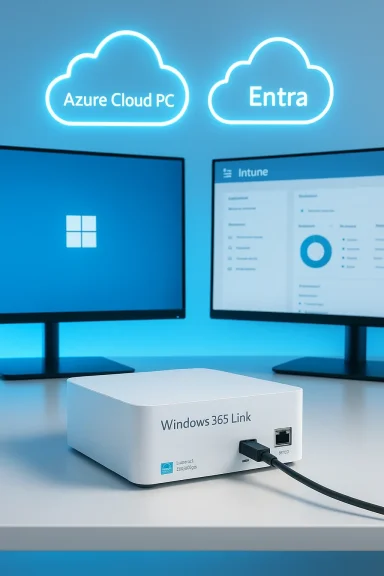
Microsoft introduced the Windows 365 Link during its Ignite announcements as the company’s first purpose-built hardware device optimized exclusively for Windows 365 Cloud PCs. The device is not a conventional PC: it runs a locked-down, minimal OS that largely removes local app execution and local storage, creating a gateway focused on secure, managed cloud sessions. Microsoft has framed this as a device for organizations that want simplified management, faster deployment to hot-desking or frontline workers, and stronger data protection because data stays in the cloud rather than on local drives.Microsoft’s official messaging emphasizes three themes: security by design, simplified IT management through Intune and Windows 365 workflows, and sustainability—Windows 365 Link is fanless, ENERGY STAR certified, and built using recycled materials. The company announced preview availability and a general availability launch window in April 2025 with an entry price of $349 in the U.S.; availability started in select markets and is expanding over time.
What Microsoft actually announced
The device and the pitch
- Product concept: A compact, fanless endpoint designed exclusively to connect to Windows 365 Cloud PCs; it is optimized as a dedicated cloud client rather than a standalone Windows workstation.
- Positioning: Sold and marketed primarily to enterprises and volume buyers for scenarios like hot-desking, frontline workers, branch offices, and other standard corporate deployments. Microsoft highlights ease of shipping, zero-touch provisioning, and centralized wipe/management as central benefits.
- Price and timing: General availability planned for April 2025 (preview earlier) with a U.S. price point of $349; Microsoft initially opened preview access in a set of countries and has expanded availability since launch.
Technical snapshot — what we know (and what remains unclear)
Microsoft has published fairly specific claims about connectivity and supported workflows, while intentionally keeping some hardware details opaque.Confirmed features
- Dual 4K monitor support — Windows 365 Link is advertised to drive two 4K displays, which suits standard productivity setups and conference-room use.
- Connectivity: Wi‑Fi 6E, Bluetooth 5.3 (some reports later listed Bluetooth 5.3 or similar), Gigabit Ethernet, multiple USB ports, and video outputs including DisplayPort Alt Mode (USB‑C), HDMI, and DisplayPort. This selection aims to support peripherals, webcams, and common dock scenarios.
- Security-first sign-in: Passwordless options and Entra-backed authentication (Microsoft Authenticator, passkeys, FIDO2 methods) are highlighted as part of the secure boot-and-join experience. The device restricts local admin privileges and ships with certain security baselines enabled by default.
- No local user apps or data by design: The operating system is locked down so that users cannot run arbitrary local Win32 apps; the Link is intended as a portal into a cloud-hosted Windows environment where apps and data reside. Microsoft said it can process some real-time media tasks locally (for example, optimized video conferencing), but core compute and storage live in the cloud.
Unclear or inconsistently reported items
- Processor and hardware internals: Microsoft’s communications initially did not disclose exact processor SKU, upgradeability, or upgradability strategy. Some outlets reported that the device contains an Intel chip with 8GB RAM and a small local storage footprint (often cited as 64GB for device firmware and system needs), while other coverage emphasized that Microsoft was intentionally silent about many internal details. This mixed messaging created ambiguity about performance characteristics. IT and procurement teams should treat such claims cautiously until formal hardware specs are published.
- Local acceleration and AI: Microsoft mentioned “hardware-accelerated” video processing for better conferencing and a cloud-centric strategy for AI features, but there’s no public inventory of any local NPU or specific acceleration blocks inside the Link. Expect many AI-centric tasks to remain cloud-based or to rely on future Copilot+ integrations delivered via Windows 365 updates.
How it works in practice: management, security, and end-user experience
IT management and deployment
Microsoft pitched Windows 365 Link as an endpoint that integrates with Intune and existing Windows 365 workflows for streamlined provisioning, automated updates, security baselines enforced by default, and the ability to remotely wipe and redeploy devices. That lowers the operational burden compared with traditional fleet management in many small-to-medium scenarios.The device boots quickly, wakes instantly from sleep, and signs users directly into their Cloud PC profiles. For organizations using Windows 365 at scale, the Link can simplify onboarding: ship devices directly to workers, apply Intune policies, and manage Cloud PC images centrally rather than imaging local SSDs. That matters in regulated or distributed enterprises that want centralized control over images, patches, and data residency.
Security model
The Link’s security model centers on preventing data from living on the endpoint. Microsoft enforces security baselines, disables local admin rights, and promotes passwordless sign-in options to lower credential theft risk. For many organizations, this is attractive: physical device loss no longer equates to local data exposure.That said, security is a system property: the Link reduces certain endpoint risks but inherits network and cloud-side risk. If connectivity is compromised, or if a Cloud PC instance is misconfigured, user workflows can fail or data can still be leaked. Moreover, reliance on a proprietary Microsoft-managed client and Windows 365 subscriptions introduces a vendor-bound security posture IT teams must audit continuously.
Market context: where Windows 365 Link fits and who it competes with
Thin clients, Chromeboxes, and small-form desktops
Windows 365 Link sits at the intersection of thin clients and mini PCs. Historically, thin clients (from vendors such as Dell, HP, and specialized thin-client vendors) have been used for VDI and RDS environments. Chromeboxes and ChromeOS devices have also targeted cloud-first use cases. Microsoft’s difference is native, curated integration with Windows 365 and the promise of rapid provisioning and security baselines baked into the device’s workflow.Compared to small-form desktops like Apple’s Mac mini or Intel/AMD NUCs, the Link is deliberately limited: it’s cheaper up-front than many high-end mini PCs but it’s not intended to replace them for power users, creatives, or on-device compute workloads. Microsoft’s framing is “cloud-first enterprise endpoint,” not general-purpose computing.
OEM ecosystem and expansion
Microsoft indicated it would allow other manufacturers to build similar devices starting in 2025, which opens the door for broader OEM participation and potential variations (different ports, optional modules, or enterprise-focused manageability features). Over time, OEM entries could widen hardware choices, and some vendors might deliver more configurable models aimed at particular verticals. Early market coverage and follow-up posts from Microsoft show the company is actively expanding markets and adding management features based on early adopter feedback.Strengths: why this could matter to IT organizations
- Lower endpoint complexity: The Link reduces the need to manage local apps and storage, enabling IT to focus on Cloud PC images and Azure-side policies rather than local imaging and devices. This simplifies provisioning in hot-desk and frontline contexts.
- Security advantages for data-in-cloud models: By design, the Link minimizes local attack surfaces and supports modern passwordless authentication methods, which helps organizations raising the bar on credential security.
- Predictable hardware price and lifecycle: A single price and a managed update path make budget planning simpler if Windows 365 subscriptions are already in place. Microsoft also markets the device as sustainable and ENERGY STAR certified.
- Streamlined user experience for distributed hubs: For retail, call centers, clinics, and other environments that use shared workstations, a cloud-first endpoint that boots into a personalized desktop immediately is operationally compelling.
Risks and limitations — the trade-offs IT must weigh
- Network dependency and availability risk: The Link’s model presumes reliable, sufficiently fast connectivity. Outages, saturated links, or high-latency WAN links can grind productivity to a halt. Organizations must evaluate local network redundancy, capacity, and QoS for latency-sensitive apps like Teams or real-time collaboration.
- Subscription and total cost of ownership (TCO): The device price does not include Windows 365 Cloud PC subscription costs. When combined with Cloud PC compute tiers, storage, and networking, the effective per-user cost can materially exceed a single-premise PC over some horizons. Procurement teams should run TCO models that include Cloud PC licensing, expected cloud compute spend, and storage.
- Vendor lock-in and platform dependence: Using a Microsoft-managed, purpose-built client deepens dependence on Microsoft’s ecosystem. For organizations that require heterogeneous OS fleets or multi-cloud/edge strategies, the Link may complicate flexibility.
- Opacity in hardware details and lifecycle: Microsoft’s initial reticence on CPU and internal details created skepticism: buyers want to know whether the device will be serviceable, repairable, or future-proof enough to last through contract cycles. Lack of clarity on upgrade paths is a practical procurement concern.
- Not a fit for power users or offline work: Creative professionals, developers, and users who need high local compute, GPUs, or frequent offline operation are not targets for this device. It’s explicitly optimized around the cloud-first productivity worker.
Practical guidance for IT leaders: deciding whether to pilot Windows 365 Link
- Evaluate use cases: prioritize frontline staff, hot-desk environments, kiosks, and branch-office scenarios where centralized images and wipe/restore are high value.
- Run network readiness tests: measure latency, jitter, and bandwidth across user locations; simulate Teams and Azure-hosted workloads to verify performance under peak conditions.
- Model TCO: include Link purchase price, Windows 365 subscription tiers per user (vCPU/memory/storage), Azure network egress, and expected support savings. Compare against traditional PC refresh cycles.
- Request strict hardware disclosures: insist on formal device specifications, repairability and warranty terms, and an OEM roadmap if you’re considering scale purchases. If the vendor is opaque, push for pilot terms that allow returns.
- Pilot and measure: deploy a small pilot with representative users for 6–12 weeks, capturing uptime, user satisfaction, helpdesk tickets, and cost metrics to inform scale decisions.
Ecosystem outlook: OEMs, Copilot+, and the future of cloud-first endpoints
Microsoft signaled that other manufacturers could produce similar devices, and the company has iterated on Windows 365 Link’s firmware and features after initial previews. Expect several follow-up trends:- OEM variations that add specialized ports, modularity, or integrated peripherals for vertical markets (healthcare, retail, industrial).
- Tighter Copilot+ integrations through Windows updates and Cloud PC services, particularly as Microsoft pushes AI features that are partially cloud-accelerated and partially endpoint-assisted. Early Copilot+ certifications and Copilot buttons on mini PC hardware from OEMs indicate a broader ecosystem move to combine local conveniences with cloud smarts.
- Expansion of regional availability and incremental features (NFC reader support, captive-portal auth fixes, multi-Cloud PC connection center) as Microsoft responds to enterprise feedback and the realities of global deployments.
Critical analysis — strengths, doubts, and the strategic bet
Microsoft’s strategic bet with Windows 365 Link is straightforward: if enterprises accept cloud-hosted desktops, why not offer a first-party device that streamlines management, enforces security, and lowers per-seat hardware complexity? That logic is compelling in scenarios where centralized image control, rapid provisioning, and secure sign-in matter more than raw local compute.Strengths are real: simplified provisioning, reduced local data exposure, and a predictable, sustainable endpoint option are meaningful advantages for many organizations. Early communications indicate Microsoft has heard IT concerns and is iterating features (image recovery, expanded display controls, NFC sign-in) based on preview feedback.
But the Link is not without strategic risk. Microsoft’s initial lack of transparency on core hardware left enterprises asking the right questions about longevity, repairability, and the potential for hidden lifecycle costs. The company’s move also increases platform lock-in: a fleet of Windows 365 Link devices combined with Cloud PC subscriptions ties both compute and client hardware choices to Microsoft’s roadmap. Organizations should weigh that lock-in against the operational simplicity the Link promises.
Finally, the economics are nuanced. A $349 sticker price is attention-grabbing, but the real cost includes Windows 365 subscription tiers and Azure compute/storage. For organizations that already have significant on-prem investments or that run specialized workflows, the Link may be a costly detour. For others, especially those wrestling with device sprawl and support overhead, the Link’s operational savings might outweigh subscription costs. IT leaders must model both sides carefully.
The community perspective and early chatter
Community threads and early-adopter discussion reflect healthy skepticism combined with cautious interest. Forum conversations and preview reports described the Link as a return to thin-client concepts but updated for 2025 cloud realities: some embrace the operational simplicity, while others criticize the lack of local flexibility and hardware clarity. Those discussions mirror mainstream coverage: reviewers applaud the security posture and provisioning model but warn about network and subscription implications.Conclusion
Windows 365 Link is a deliberate, targeted device: not a Mac mini competitor for creative pros or a benchmark-chasing mini PC, but a purpose-built cloud endpoint that simplifies provisioning and hardens endpoint security for organizations committed to Windows 365. Its success depends on three variables: network reliability in the target environment, clarity on total cost (device plus Cloud PC subscription), and Microsoft’s willingness to be transparent about hardware and lifecycle details.For IT leaders, the sensible approach is pragmatic: run a pilot in representative, connectivity-friendly scenarios (hot-desking, frontline, branch offices), measure productivity and support savings, and insist on clear vendor terms and hardware specifications before scaling. If those pilots deliver predictable operational improvements, Windows 365 Link can be a valuable tool in a modern endpoint toolkit. If not, treat it as a strategic experiment in the broader shift toward cloud-first desktops.
Microsoft has offered a new way to think about the endpoint: minimal hardware, centralized control, and the promise of simpler management. The real test will be whether enterprises accept the trade-offs—and whether Microsoft and its partners can deliver the transparency and resiliency that large-scale, mission-critical deployments require.
Source: Neowin Microsoft announces new “mini PCs” for Windows 365
