

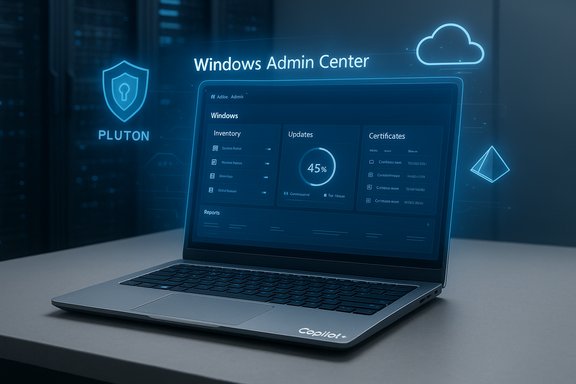
Microsoft’s management playbook for Arm-based PCs may be shifting — a recent report says Windows Admin Center (WAC) is now being made available on Arm‑based Copilot+ PCs, a move that would close a longstanding gap between Windows on Arm hardware and the enterprise management ecosystem. If accurate, the change would ease lifecycle management for Qualcomm‑powered and other Arm machines that ship with Copilot+ features, reduce reliance on x86/x64 gateways, and reshape how small and midsize IT teams approach Arm deployments. At the same time, the announcement raises practical questions about compatibility, extension support, and security posture that organizations must evaluate before treating Arm devices as first‑class managed endpoints.
Key technical points in Microsoft’s Copilot+ and Windows management messaging — such as the broader push for Arm‑native apps, Prism emulation improvements, and WAC’s ongoing modernization — do align with the idea that Microsoft would move to support more management scenarios on Arm. However, the absence of a clear Microsoft release note at the time of this writing means the industry should view the change as announced by press outlets and community chatter but pending formal Microsoft documentation and guidance.
However, the change also surfaces important operational questions: extension compatibility, performance under emulation, authentication and certificate workflows with Pluton, and clear Microsoft support guidance. Until Microsoft publishes definitive release documentation and explicit support matrices, organizations should approach the news as promising but not yet a green light for wide production rollouts. Practical pilot testing and validation remain essential to ensure that the benefits of local WAC on Copilot+ PCs outweigh the risks for any given environment.
Source: Neowin https://www.neowin.net/news/microsoft-brings-windows-admin-center-support-to-arm-based-copilot-pcs/
 Background and context
What are Copilot+ PCs and why Arm matters
Copilot+ PCs are the family of Windows devices Microsoft positions as optimized for on‑device AI, long battery life, and modern security primitives such as Microsoft Pluton. Microsoft’s initial Copilot+ PC messaging emphasized Arm silicon — notably Qualcomm — and an expanding Arm‑native app ecosystem plus a new Prism emulation layer to improve x86 compatibility for apps that haven’t been ported to Arm64. The Copilot+ initiative positioned Arm hardware as a legitimate alternative for mainstream productivity and enterprise scenarios. Arm’s momentum in the PC market matters to IT because it changes the composition of endpoint fleets (CPU architecture, drivers, firmware diversity), the availability of management tooling (native vs emulated tooling), and software lifecycle planning. Admins accustomed to x64‑oriented tooling have faced friction with Arm, notably when installers or management consoles are compiled only for x64 and reject Arm64 hosts.Windows Admin Center — a quick primer
Windows Admin Center (WAC) is Microsoft’s browser‑based management portal for on‑premises and hybrid Windows infrastructure. It is widely used to manage servers, clusters, Hyper‑V hosts, and desktops from a single web UI and supports an extensible plugin model for additional tools and integrations. Traditionally WAC is shipped as an x64 installer intended to run on x64 server or gateway hosts; clients connect with a modern browser and use the management tools exposed by WAC. Recent releases have pushed Azure integrations and improved gateway capabilities.The historical problem: WAC on Arm was not supported
Historically, attempting to run the WAC installer directly on a Windows 11 Arm64 client failed because the installer expected an x64 CPU and did not run under emulation. Community threads and Microsoft community responses documented that the supported pattern for Arm devices was to run WAC on a separate x64 gateway or server and access it remotely from Arm browsers — in other words, use WAC as a remote management service rather than a locally installed console on the Arm device itself. That constraint has been a core pain point for admins wanting to consolidate tooling on Arm endpoints.The new claim: WAC support for Arm‑based Copilot+ PCs
What was reported
Technology outlets recently reported that Microsoft has extended Windows Admin Center support to Arm‑based Copilot+ PCs. The coverage frames this as Microsoft shipping either an Arm64 build or otherwise enabling the WAC gateway or client experiences to run natively (or via supported emulation) on Copilot+ hardware. If the claim is accurate, IT administrators would be able to install and run WAC locally on Arm64 Copilot+ endpoints rather than depending on a separate x64 gateway, simplifying some administrative scenarios.Verification status and caution
At the time of writing, Microsoft’s official product and release channels do not contain an unequivocal, easily discoverable public statement announcing a global release of an Arm64 WAC installer or a formal support statement explicitly naming Copilot+ PCs as supported hosts for a native WAC gateway. Microsoft’s community and product blogs document recent WAC releases and Copilot+ messaging, and community threads continue to reference historical limitations, but a single authoritative release note confirming the precise packaging, system requirements, and supported scenarios for WAC on Copilot+ Arm64 hosts is not yet clearly surfaced in official documentation accessible via public channels. Readers should treat the initial news report as plausible and important, but subject to confirmation from Microsoft’s official release notes or a product blog post before large‑scale rollouts are planned.Key technical points in Microsoft’s Copilot+ and Windows management messaging — such as the broader push for Arm‑native apps, Prism emulation improvements, and WAC’s ongoing modernization — do align with the idea that Microsoft would move to support more management scenarios on Arm. However, the absence of a clear Microsoft release note at the time of this writing means the industry should view the change as announced by press outlets and community chatter but pending formal Microsoft documentation and guidance.
Why this matters to IT: opportunities and benefits
1) Simpler local management on Copilot+ endpoints
If Windows Admin Center can run natively on Arm‑based Copilot+ PCs, administrators will be able to host a WAC gateway locally on those devices for quick, low‑latency management operations without routing everything through a central x64 server. This can be especially useful for smaller branch offices, kiosks, or lab environments where deploying additional infrastructure is costly or unnecessary.- Faster troubleshooting and direct WAC tool access on the device.
- Reduced need to maintain a separate x64 gateway solely for browser‑based management.
- Potential to run specific WAC extensions locally (if extension binaries are available for Arm64).
2) Better parity with remote management tooling
An Arm‑native WAC would close a tooling parity gap that has hampered Windows on Arm adoption in enterprise scenarios. Admins could use consistent workflows across x64 and Arm machines: inventory, update management, certificate and firewall tools, LAPS integrations and more — all from the same WAC interface.3) Leverage Microsoft’s Prism emulation and expanding Arm ecosystem
Microsoft’s Prism emulation work has steadily improved compatibility for x86/x64 apps on Arm64 Windows, broadening the set of available management agents and utilities that might be needed alongside WAC. That progress reduces the friction of running some x64 management components on Arm devices while native ports continue to arrive. If WAC or WAC extensions rely on .NET or other cross‑platform runtimes with Arm64 builds, the path to a supported local WAC on Arm becomes technically tractable.Technical analysis: what Microsoft would have had to change
Installer and runtime architecture
WAC’s installer historically enforced an x64 requirement. Enabling WAC on Arm requires one of the following technical approaches:- Ship a native Arm64 installer and binaries for the gateway and any extension modules.
- Provide an officially supported emulation pathway where the x64 WAC installer runs under x64 emulation on Arm64 with documented caveats.
- Offer a containerized or Linux‑based gateway option that’s supported on Arm64 hosts.
- A native Arm64 build is the cleanest long‑term solution but requires recompiling and validating all WAC extensions and dependencies for Arm64.
- Emulation may be quicker but can introduce performance penalties and unpredictable extension behavior.
- Containerization opens flexible deployment models but shifts management assumptions and adds orchestration considerations.
Extension compatibility and the plugin ecosystem
WAC’s value is extended through third‑party and Microsoft extensions. Even if the core WAC gateway runs on Arm64, the ecosystem must follow:- Extensions must be compiled and validated for Arm64 or be proven to work reliably under emulation.
- Native agents that WAC manages (PowerShell scripts, performance counters, binary helpers) must be tested for architecture parity.
- Extension authors who rely on native x64 components need migration guidance.
Authentication, certificates, and Azure integration
WAC supports Azure AD and certificate‑based authentication flows that are sensitive to environment configuration. On Arm‑based devices:- TPM and Pluton usage is common on Copilot+ devices; WAC’s certificate handling, LAPS integration, and secure boot interactions must be validated with Pluton and platform security features.
- Azure AD integrated scenarios must continue to honor RBAC and MFA flows across architectures without introducing token or credential mismatches.
Operational guidance for IT teams (practical checklist)
Assuming Microsoft confirms Arm support for WAC on Copilot+ PCs, here’s a pragmatic rollout checklist to evaluate and operationalize that capability safely.- Validate the announcement and download the official Arm‑targeted WAC package or guidance from Microsoft.
- Test in a lab: install WAC locally on a representative Copilot+ device and run through common admin tasks (update servicing, LAPS, remote PowerShell, disk/driver management).
- Inventory WAC extensions in use and validate each for Arm64 compatibility:
- Confirm extension binaries or .NET assemblies are Arm64-aware.
- Run extension test flows and verify no degraded behaviors.
- Check managed agents and scripts:
- Ensure any local agents or third‑party management software required by WAC are compatible or properly emulated.
- Convert or replace legacy x64 scripts with architecture‑agnostic or Arm64 builds where possible.
- Validate authentication and security:
- Test Azure AD sign‑in, certificate enrollment flows, and LAPS integrations.
- Ensure Pluton and TPM workflows do not block WAC’s certificate operations.
- Update documentation and runbooks:
- Capture architecture‑specific notes (performance caveats, extension constraints).
- Train helpdesk staff for Arm‑specific troubleshooting steps.
- Pilot and measure:
- Run a small pilot, monitor reliability, extension errors, and performance.
- Measure any emulation overhead and user impact.
Risks and unresolved questions
Extension and ecosystem gaps
WAC’s power comes from extensions. If extensions lag in Arm64 availability, the WAC experience on Arm will be degraded compared with x64 deployments. Extension authors and some Microsoft extensions may require additional validation cycles.Performance and emulation caveats
Emulated x64 workloads on Arm64 — even with Prism improvements — may carry CPU and memory overhead that impacts responsiveness, especially under heavy tooling operations like live migrations, Hyper‑V host management, or large‑scale inventory scans. Prism’s progress reduces but does not eliminate these concerns; admins should test workload‑specific scenarios.Supportability and lifecycle
Enterprises need clarity on support matrices: which WAC versions will be supported on Arm, what the servicing cadence is, and how Microsoft will handle security patches and extension updates across architectures. Historically Microsoft’s support pages and community posts have clarified these boundaries; a formal support statement is essential before broad production usage.Security posture
Local management consoles change the attack surface. Running WAC locally on endpoints requires ensuring the host is properly secured, patched rapidly, and protected with endpoint controls. Copilot+ devices have Pluton by default and new security defaults, but local WAC installations must still follow hardened deployment guidance to avoid elevating risk.How this fits into Microsoft’s broader management strategy
Microsoft’s messaging around Copilot, the Copilot Control System for IT, and expanded admin experiences shows a clear emphasis on embedding AI and management capabilities across Microsoft 365 and Windows management products. Copilot experiences for Microsoft 365 admin centers and investments in endpoint resilience and recovery underscore Microsoft’s broader direction: make management smarter and more integrated. In that context, enabling WAC on Copilot+ Arm hardware fits neatly as a tactical step to align classic management tooling with new endpoint form factors. At the same time, Microsoft continues to push cloud‑first management (Intune, Security Copilot integration, Windows 365 Cloud PC), so WAC on Arm likely complements rather than displaces cloud‑centric management for many organizations. Hybrid environments will continue to require a combination of cloud and local management tools.Recommendations for decision makers
- Treat early reports as a signal to plan, not an invitation to immediate mass rollout. Wait for Microsoft’s official release notes and platform support documentation before updating deployment standards.
- Start validation efforts in controlled pilots: test WAC on a small set of Copilot+ Arm devices for extension and authentication compatibility, then expand if results are positive.
- Continue investing in cloud management capabilities (Intune, Autopatch) as the primary long‑term management plane; WAC on Arm is an important tactical capability but not a substitute for robust, cloud‑powered lifecycle management.
- Document architecure constraints and update procurement guidelines so that helpdesk and systems teams know which endpoints are managed directly versus via remote gateway.
Conclusion
The reported arrival of Windows Admin Center support for Arm‑based Copilot+ PCs, if confirmed by Microsoft, would mark a practical milestone for mainstream Windows on Arm adoption. It would simplify management scenarios for IT teams, reduce dependency on ancillary x64 infrastructure for local console access, and reflect Microsoft’s broader investment in Arm‑native experiences and emulation improvements.However, the change also surfaces important operational questions: extension compatibility, performance under emulation, authentication and certificate workflows with Pluton, and clear Microsoft support guidance. Until Microsoft publishes definitive release documentation and explicit support matrices, organizations should approach the news as promising but not yet a green light for wide production rollouts. Practical pilot testing and validation remain essential to ensure that the benefits of local WAC on Copilot+ PCs outweigh the risks for any given environment.
Source: Neowin https://www.neowin.net/news/microsoft-brings-windows-admin-center-support-to-arm-based-copilot-pcs/
