

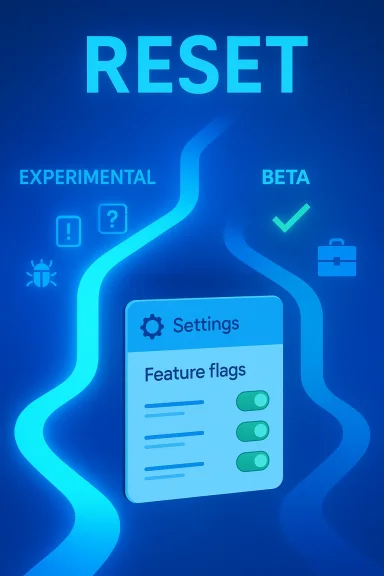
Microsoft is preparing one of the most meaningful resets in the history of the Windows Insider Program, and it is doing so at a moment when preview fatigue has been very real for enthusiasts and IT pros alike. The new model, announced on April 10, 2026, replaces the old Dev/Canary/Beta maze with two primary tracks: Experimental and Beta. Just as important, Microsoft is ending gradual rollout behavior in Beta and adding user-facing feature flags in Experimental, making the preview experience more predictable for some users and more deliberately unstable for others.
For years, the Windows Insider Program has been both a testing lab and a source of confusion. Users signed up expecting early access to Windows features, but many discovered that preview builds often delivered different experiences on different devices, with feature visibility controlled by gradual rollout rather than the channel name alone. That friction is exactly what Microsoft is now trying to reduce. The company’s new approach is not just a cosmetic rename; it is a structural attempt to make preview participation more understandable, more useful, and more honest about risk.
This shift also reflects a broader change in Microsoft’s Windows strategy. In recent months, the company has been refining how it stages updates, how it exposes features, and how it uses Insider builds to validate not only code but also rollout behavior. The Beta Channel has increasingly become a proving ground for Controlled Feature Rollout, while the Dev and Canary branches have served as faster-moving experimental paths. Microsoft’s April 10 announcement consolidates that evolution into a simpler framework rather than allowing channel sprawl to continue growing.
The timing matters because Microsoft had already been nudging the program in this direction. In January 2026, the company told Dev Channel users there was a limited window to switch to Beta before Dev moved forward to a higher build number, effectively closing the easy path between tracks. That change signaled that Microsoft wanted clearer branch separation. The April reboot takes the next logical step by redefining what those branches are for and by reducing the randomness that had frustrated many testers.
There is also a hardware and servicing angle to this story. Microsoft says the new structure will preserve the user’s Windows version while moving most Insiders into the new channels, and it explicitly notes that commercial customers in the Windows Insider Program for Business will see the same changes, while Windows Server remains unchanged. That is a strong clue that Microsoft sees the redesign as an ecosystem-wide operating model, not just a consumer-facing cleanup.
There is a deeper problem underneath the naming issue. The Insider Program was supposed to be about previewing the future of Windows, yet feature gating often made it feel like a lottery. If a feature was announced in a build but only turned on for some users, the preview experience became harder to trust. Microsoft is now trying to change that by making Beta more deterministic and by moving feature experimentation into Experimental, where change, delay, and removal are all explicitly part of the deal.
The other big pressure point is feedback quality. A preview program only works if the people using it understand what they are seeing. When the same build produces different outcomes across devices, feedback becomes noisier and harder to interpret. The new channel model, paired with a redesigned settings page and feature flags, is Microsoft’s attempt to turn the Insider experience into something closer to a structured lab and less like a scavenger hunt.
The redesign also suggests Microsoft has recognized that its own experimentation tools were becoming too fragmented. In recent Insider flights, the company has been polishing Feedback Hub, improving update controls, and exposing more behavior directly in Settings. The channel reboot fits neatly into that pattern. It is not a one-off change; it is part of a broader effort to make Windows experimentation more legible.
The distinction is meaningful because Beta is changing in ways that should make it more reliable. Microsoft says it is ending gradual feature rollouts in Beta. That means if a feature is announced in a Beta update and you install that update, you get the feature. Small variations may still occur during testing, but the feature itself should no longer be hidden behind a rollout lottery.
Experimental, by contrast, is where Microsoft is embracing uncertainty. The company says this channel is for early access to features under active development, with the explicit understanding that features may change, pause, or never ship. That framing is important because it makes Experimental a more honest label than the old channel structure sometimes implied. It is essentially Microsoft saying: if you want the earliest look, you are also signing up for the most volatility.
This also suggests a strategic shift in how Microsoft thinks about release engineering. Instead of using Beta to expose an uneven subset of features, the company is making Beta a more stable representation of what shipping Windows will look like. That should improve documentation, reduce confusion in forums and IT departments, and make the channel more useful for real-world validation.
This matters because it changes who the Insider Program is for. It is still a program for enthusiasts, but it is becoming more useful for methodical testers as well. If Microsoft gives users a cleaner way to isolate features, they can provide better feedback about individual changes rather than broad impressions about a whole build. That should make the signal from Experimental far more valuable to Microsoft’s engineering teams.
The feature-flag idea also brings Windows closer to the way modern software platforms are tested elsewhere. Cloud services and web apps have long used feature toggles to separate code deployment from feature exposure. Windows has traditionally been slower and more opaque about that separation, but the new Settings-based control suggests Microsoft wants the OS to behave more like a modern service without losing its desktop roots.
Still, the design seems smart. Experimental users are already the most tolerant of instability, so giving them more direct control is a logical reward. It also reduces the incentive to use unofficial tools or guesswork to manipulate features, which should make the whole test environment cleaner and more supportable.
Microsoft says Dev Channel users will move to Experimental, and Canary users will also move to Experimental based on specific build families. The company identifies two branches in this transition: Canary builds in the 29500 series will map to Experimental for Future Platforms, while Canary builds in the 28000 series will map to Experimental for 26H1. That is a strong sign that Microsoft wants to preserve technical branch identity even as it simplifies the public-facing channel model.
That nuance matters because the word “Experimental” could otherwise sound too broad. In reality, Microsoft is still managing multiple platform directions underneath it. The change is not a collapse of engineering diversity; it is a simplification of the entry point. For advanced users, that should make the program easier to navigate without completely flattening the underlying development map.
By absorbing both into Experimental, Microsoft is betting that a cleaner user model is more valuable than preserving old brand names. That is probably the right move. The old labels were useful to power users, but they also encouraged assumptions that the company no longer wanted to maintain.
The faster settings experience fits the company’s larger effort to make Windows feel less fragmented. Recent Insider builds have included Feedback Hub changes, accessibility refinements, and interface polish in places where users interact with the operating system repeatedly. The Insider Program page is one of those places, and making it more responsive sends a useful message: the testing program itself is now being treated as product surface, not just admin plumbing.
This is also a subtle acknowledgment that the enrollment and switching experience has historically been clunky. If the path into the Insider Program is slow or confusing, fewer people will participate, and fewer of the right people will stick around. Microsoft appears to be reducing that friction as part of the reboot, which should help both adoption and retention.
That is why this is more than a facelift. Microsoft is improving the control center of the Insider Program at the same time it is changing the channel architecture. That combination suggests the company wants the program to feel newly coherent from the moment a user enters it.
It also reduces the weird frustration that came from seeing a feature mentioned in a blog post but not appearing on a user’s machine. That kind of mismatch is a subtle trust killer. Microsoft’s decision to end gradual feature rollout in Beta should make the consumer experience feel more honest and less like a guessing game.
There is still a caveat, of course. Experimental remains experimental, and Microsoft is clear that features there can change or disappear. That means consumers who enroll for curiosity alone need to be comfortable with volatility, especially if they rely on their PC for daily work, school, or content creation.
The change also benefits hobbyists who like to track Windows evolution closely. A more predictable Beta means less time chasing hidden rollout states and more time actually evaluating features. That is a real quality-of-life improvement for people who enjoy testing but do not want to become part-time troubleshooters.
The new structure should help organizations align their testing around the right branch. Beta becomes the sensible place for documentation updates, app compatibility checks, and help desk validation tied to upcoming releases. Experimental, meanwhile, can be reserved for teams willing to live with more volatility in exchange for earlier visibility into platform directions.
Microsoft’s own guidance around preview behavior has already emphasized the importance of controlled rollout and policy management. That makes this reboot even more relevant for enterprise governance, because it gives admins a better conceptual model to map onto rings, policies, and validation workflows. A simpler public structure should not remove complexity from IT, but it should make that complexity easier to manage.
There is also a governance advantage. Administrators can make smarter decisions when channel semantics line up more closely with real behavior. The new Insider model should reduce the chance that a business assumes a feature is universally available when it is not.
It also reflects a competitive reality: Microsoft cannot afford for Windows to feel chaotic. Linux distributions, ChromeOS, and macOS each offer their own update philosophies, but Windows has to support an enormous hardware and enterprise footprint at the same time. A clearer Insider ladder helps Microsoft show that it can keep innovating without making the platform feel unstable or opaque.
There is an internal strategic angle as well. Microsoft has been experimenting with more cloud-like delivery behavior in Windows for some time, from feature rollouts to staged updates to UI tweaks in preview builds. The new channel model suggests the company believes the future of Windows lies less in grand one-time releases and more in continuous, managed evolution. That is a significant philosophical shift.
At the same time, the new model raises the bar for execution. A cleaner structure will only help if Microsoft keeps the content of the channels coherent. If users still encounter inconsistent behavior, the branding change will feel superficial. The opportunity is real, but so is the accountability.
The opportunity is broader than the Insider Program itself. A more understandable preview ecosystem can improve the quality of feedback Microsoft receives, reduce wasted testing effort, and make Windows development feel more transparent. That is important for a platform that still has to satisfy power users, IT admins, and mainstream consumers at the same time.
Another concern is consistency. Beta is supposed to be more predictable now, so any future drift back toward partial rollouts or hidden states would undercut the entire reboot. Microsoft is raising expectations, and that means the company has to stick to them. A preview program that promises clarity must deliver clarity.
There is also the usual risk that early experimental users will encounter rough edges in places that matter. The more control Microsoft exposes, the more opportunities there are for misconfiguration, support noise, and user misunderstanding. That is not a reason to avoid the change, but it is a reason to document it carefully.
It will also be important to see how Microsoft handles feedback around the new feature-flag system. If the flags are intuitive and well documented, they could become one of the most useful parts of the reboot. If they are hidden, poorly explained, or too granular, they may simply shift the confusion to a different layer of the program.
For enterprise teams, the practical question is whether this new structure makes preview planning easier. If the answer is yes, Microsoft will have created a model that better supports everything from app testing to help-desk readiness. If the answer is no, the company may need another iteration sooner rather than later. Either way, the reboot is a sign that Microsoft is treating the Insider Program as a strategic asset, not a side project.
Source: thewincentral.com Windows Insider Program Reboot: New Channels & Features - WinCentral
Source: Windows Report https://windowsreport.com/windows-i...ew-experimental-channel-replacing-dev-canary/
 Overview
For years, the Windows Insider Program has been both a testing lab and a source of confusion. Users signed up expecting early access to Windows features, but many discovered that preview builds often delivered different experiences on different devices, with feature visibility controlled by gradual rollout rather than the channel name alone. That friction is exactly what Microsoft is now trying to reduce. The company’s new approach is not just a cosmetic rename; it is a structural attempt to make preview participation more understandable, more useful, and more honest about risk.This shift also reflects a broader change in Microsoft’s Windows strategy. In recent months, the company has been refining how it stages updates, how it exposes features, and how it uses Insider builds to validate not only code but also rollout behavior. The Beta Channel has increasingly become a proving ground for Controlled Feature Rollout, while the Dev and Canary branches have served as faster-moving experimental paths. Microsoft’s April 10 announcement consolidates that evolution into a simpler framework rather than allowing channel sprawl to continue growing.
The timing matters because Microsoft had already been nudging the program in this direction. In January 2026, the company told Dev Channel users there was a limited window to switch to Beta before Dev moved forward to a higher build number, effectively closing the easy path between tracks. That change signaled that Microsoft wanted clearer branch separation. The April reboot takes the next logical step by redefining what those branches are for and by reducing the randomness that had frustrated many testers.
There is also a hardware and servicing angle to this story. Microsoft says the new structure will preserve the user’s Windows version while moving most Insiders into the new channels, and it explicitly notes that commercial customers in the Windows Insider Program for Business will see the same changes, while Windows Server remains unchanged. That is a strong clue that Microsoft sees the redesign as an ecosystem-wide operating model, not just a consumer-facing cleanup.
Why Microsoft Rebooted the Program
The simplest answer is that the old structure had become too hard to explain. Dev, Canary, Beta, and Release Preview each had distinct meanings on paper, but in practice the boundary between them was blurry, especially once gradual rollout meant that two users on the same build could see different feature sets. Microsoft’s own April post acknowledges this pain point and says the new design is meant to improve clarity.There is a deeper problem underneath the naming issue. The Insider Program was supposed to be about previewing the future of Windows, yet feature gating often made it feel like a lottery. If a feature was announced in a build but only turned on for some users, the preview experience became harder to trust. Microsoft is now trying to change that by making Beta more deterministic and by moving feature experimentation into Experimental, where change, delay, and removal are all explicitly part of the deal.
The other big pressure point is feedback quality. A preview program only works if the people using it understand what they are seeing. When the same build produces different outcomes across devices, feedback becomes noisier and harder to interpret. The new channel model, paired with a redesigned settings page and feature flags, is Microsoft’s attempt to turn the Insider experience into something closer to a structured lab and less like a scavenger hunt.
The real issue: trust
At a technical level, this is about distribution mechanics. At a user level, it is about trust. Insiders need to know whether they are testing the build itself, testing a feature rollout, or testing both at once. Microsoft’s reboot tries to separate those layers so the program feels more coherent. That is especially important for power users who install preview builds on primary machines and need a clearer sense of what they are agreeing to.The redesign also suggests Microsoft has recognized that its own experimentation tools were becoming too fragmented. In recent Insider flights, the company has been polishing Feedback Hub, improving update controls, and exposing more behavior directly in Settings. The channel reboot fits neatly into that pattern. It is not a one-off change; it is part of a broader effort to make Windows experimentation more legible.
- Channel names alone were no longer enough to describe what users were actually testing.
- Gradual rollout added hidden variability inside what was supposed to be a shared preview experience.
- Feedback quality suffered when users could not tell if a feature was missing or merely not enabled yet.
- Microsoft wanted a cleaner path for both enthusiasts and enterprise testers.
What Changes in the New Channel Model
The headline change is straightforward: Microsoft says the Windows Insider Program will move to two primary channels, Experimental and Beta. Experimental replaces what used to be Dev and Canary, while Beta becomes the place for previewing what Microsoft plans to ship in the coming weeks. In other words, Microsoft is drawing a sharper line between raw experimentation and near-term release validation.The distinction is meaningful because Beta is changing in ways that should make it more reliable. Microsoft says it is ending gradual feature rollouts in Beta. That means if a feature is announced in a Beta update and you install that update, you get the feature. Small variations may still occur during testing, but the feature itself should no longer be hidden behind a rollout lottery.
Experimental, by contrast, is where Microsoft is embracing uncertainty. The company says this channel is for early access to features under active development, with the explicit understanding that features may change, pause, or never ship. That framing is important because it makes Experimental a more honest label than the old channel structure sometimes implied. It is essentially Microsoft saying: if you want the earliest look, you are also signing up for the most volatility.
Why Beta matters more now
Beta has often been the least glamorous Insider track, but it may become the most important one for many users. By removing the feature lottery, Microsoft is making Beta feel like a true preview of the next release rather than a partial exposure layer. That is particularly useful for users who want to test compatibility, check enterprise behavior, or validate workflows without dealing with too many moving parts.This also suggests a strategic shift in how Microsoft thinks about release engineering. Instead of using Beta to expose an uneven subset of features, the company is making Beta a more stable representation of what shipping Windows will look like. That should improve documentation, reduce confusion in forums and IT departments, and make the channel more useful for real-world validation.
- Experimental absorbs the old Dev and Canary roles.
- Beta becomes a more consistent preview of near-term Windows releases.
- Gradual feature rollout ends in Beta, reducing hidden variability.
- Feature instability is pushed into Experimental, where it is easier to expect and explain.
Feature Flags in Experimental
One of the most interesting parts of the announcement is Microsoft’s new Feature flags page in the Windows Insider Program settings. That page gives users in Experimental the ability to enable or disable specific features, which is a major usability shift. In the old model, advanced users often relied on external tools or awkward workarounds to test feature states; now Microsoft is bringing some of that control inside Windows itself.This matters because it changes who the Insider Program is for. It is still a program for enthusiasts, but it is becoming more useful for methodical testers as well. If Microsoft gives users a cleaner way to isolate features, they can provide better feedback about individual changes rather than broad impressions about a whole build. That should make the signal from Experimental far more valuable to Microsoft’s engineering teams.
The feature-flag idea also brings Windows closer to the way modern software platforms are tested elsewhere. Cloud services and web apps have long used feature toggles to separate code deployment from feature exposure. Windows has traditionally been slower and more opaque about that separation, but the new Settings-based control suggests Microsoft wants the OS to behave more like a modern service without losing its desktop roots.
More control, more responsibility
That extra control is not free. The more toggles Microsoft exposes, the more users will expect deterministic behavior and the more pressure the company will feel to document what each flag actually does. If the system becomes too complex, it could recreate the very confusion Microsoft is trying to eliminate. The difference is that now the complexity would be visible rather than hidden.Still, the design seems smart. Experimental users are already the most tolerant of instability, so giving them more direct control is a logical reward. It also reduces the incentive to use unofficial tools or guesswork to manipulate features, which should make the whole test environment cleaner and more supportable.
- Feature flags move control into Settings, where average testers can use them.
- Microsoft reduces dependence on unofficial tweaking tools and hidden behavior.
- Testing becomes more precise, which should improve feedback quality.
- The complexity of the program becomes visible, so documentation will matter more than ever.
What Happens to Dev and Canary
The most obvious question is what happens to the old Dev and Canary labels, since many enthusiasts have spent years treating them as distinct risk tiers. Microsoft’s answer is that both are effectively folded into Experimental, though with Advanced options that let users choose specific Windows core versions. That means the old labels may disappear from the user-facing structure, but the underlying build distinctions are not being erased.Microsoft says Dev Channel users will move to Experimental, and Canary users will also move to Experimental based on specific build families. The company identifies two branches in this transition: Canary builds in the 29500 series will map to Experimental for Future Platforms, while Canary builds in the 28000 series will map to Experimental for 26H1. That is a strong sign that Microsoft wants to preserve technical branch identity even as it simplifies the public-facing channel model.
That nuance matters because the word “Experimental” could otherwise sound too broad. In reality, Microsoft is still managing multiple platform directions underneath it. The change is not a collapse of engineering diversity; it is a simplification of the entry point. For advanced users, that should make the program easier to navigate without completely flattening the underlying development map.
Why the old split mattered less than it used to
In theory, Dev used to mean “closer to shipping” and Canary used to mean “earliest and riskiest.” In practice, those meanings blurred whenever Microsoft advanced one branch faster than the others or when a feature appeared out of order. The result was a lot of self-education for users and a lot of ambiguity for anyone trying to explain the program to new testers.By absorbing both into Experimental, Microsoft is betting that a cleaner user model is more valuable than preserving old brand names. That is probably the right move. The old labels were useful to power users, but they also encouraged assumptions that the company no longer wanted to maintain.
- Dev and Canary are no longer separate public-facing destinations.
- Experimental becomes the new home for early platform work.
- Specific build families still matter under the hood.
- Microsoft is simplifying the user experience without abandoning engineering segmentation.
The New Insider Settings Experience
Microsoft is also redesigning the Windows Insider Program settings page itself, and that change should not be overlooked. The company says the page loads significantly faster and uses a cleaner layout with fewer reboots and fewer extra steps. That kind of polish may seem minor, but for an audience that lives in Settings, it is an important quality-of-life improvement.The faster settings experience fits the company’s larger effort to make Windows feel less fragmented. Recent Insider builds have included Feedback Hub changes, accessibility refinements, and interface polish in places where users interact with the operating system repeatedly. The Insider Program page is one of those places, and making it more responsive sends a useful message: the testing program itself is now being treated as product surface, not just admin plumbing.
This is also a subtle acknowledgment that the enrollment and switching experience has historically been clunky. If the path into the Insider Program is slow or confusing, fewer people will participate, and fewer of the right people will stick around. Microsoft appears to be reducing that friction as part of the reboot, which should help both adoption and retention.
Why small UX fixes matter
The settings page is where policy meets identity. It tells users what channel they are in, what they should expect, and how much risk they are taking on. If that page is clear and fast, the entire program feels more deliberate. If it is slow and vague, the whole thing feels like a chore.That is why this is more than a facelift. Microsoft is improving the control center of the Insider Program at the same time it is changing the channel architecture. That combination suggests the company wants the program to feel newly coherent from the moment a user enters it.
- The Insider settings page is faster and cleaner.
- Fewer reboots and fewer extra steps should make enrollment and channel changes easier.
- The control surface now matches the new program logic, which is a good sign for usability.
- Microsoft is treating preview management as a first-class UX problem.
Consumer Impact
For everyday Windows users, the biggest benefit of the reboot is simplicity. If you want a preview that is close to release, Beta should now behave more like a dependable preview track. If you want the wild frontier, Experimental is the place where early work lives and where instability is part of the deal. That makes the choice easier to understand and easier to explain to less technical users.It also reduces the weird frustration that came from seeing a feature mentioned in a blog post but not appearing on a user’s machine. That kind of mismatch is a subtle trust killer. Microsoft’s decision to end gradual feature rollout in Beta should make the consumer experience feel more honest and less like a guessing game.
There is still a caveat, of course. Experimental remains experimental, and Microsoft is clear that features there can change or disappear. That means consumers who enroll for curiosity alone need to be comfortable with volatility, especially if they rely on their PC for daily work, school, or content creation.
What consumers gain
The consumer upside is not only about earlier access; it is about clearer expectations. Preview programs work best when people know what kind of uncertainty they are signing up for. Microsoft is now making that boundary more explicit, which should reduce disappointment and improve the quality of discussions in the Windows community.The change also benefits hobbyists who like to track Windows evolution closely. A more predictable Beta means less time chasing hidden rollout states and more time actually evaluating features. That is a real quality-of-life improvement for people who enjoy testing but do not want to become part-time troubleshooters.
- Beta should feel more dependable for casual testers and enthusiasts.
- Experimental will be the home for riskier feature work.
- Users should spend less time wondering why a feature is missing.
- The overall Insider experience should be easier to understand.
Enterprise Impact
Enterprises are likely to care about this reboot even more than enthusiasts do, because preview predictability matters a lot when you are testing at scale. Microsoft says commercial customers enrolled in the Windows Insider Program for Business will see the same changes and improvements. That means IT teams should get a clearer line between near-term release validation and deeper experimental work.The new structure should help organizations align their testing around the right branch. Beta becomes the sensible place for documentation updates, app compatibility checks, and help desk validation tied to upcoming releases. Experimental, meanwhile, can be reserved for teams willing to live with more volatility in exchange for earlier visibility into platform directions.
Microsoft’s own guidance around preview behavior has already emphasized the importance of controlled rollout and policy management. That makes this reboot even more relevant for enterprise governance, because it gives admins a better conceptual model to map onto rings, policies, and validation workflows. A simpler public structure should not remove complexity from IT, but it should make that complexity easier to manage.
The business value of predictability
IT departments do not just want new features; they want stable target states. If Beta no longer hides features behind rollout variation, it becomes easier to write support materials and stage internal pilots. That is especially valuable in large environments where different departments need to know exactly what a given build includes.There is also a governance advantage. Administrators can make smarter decisions when channel semantics line up more closely with real behavior. The new Insider model should reduce the chance that a business assumes a feature is universally available when it is not.
- Beta is better suited to enterprise validation.
- Experimental can absorb earlier risk without contaminating release planning.
- Policy-based management should become easier to explain.
- Documentation teams gain a cleaner target for support content.
- Pilot programs should face fewer feature-availability surprises.
Competitive and Strategic Implications
The Windows Insider reboot has implications beyond Windows itself. By making preview delivery more structured, Microsoft is trying to make Windows feel more modern in the way it evolves, not just in the features it ships. That matters in a market where users increasingly compare operating systems not only on capability but on how gracefully they update over time.It also reflects a competitive reality: Microsoft cannot afford for Windows to feel chaotic. Linux distributions, ChromeOS, and macOS each offer their own update philosophies, but Windows has to support an enormous hardware and enterprise footprint at the same time. A clearer Insider ladder helps Microsoft show that it can keep innovating without making the platform feel unstable or opaque.
There is an internal strategic angle as well. Microsoft has been experimenting with more cloud-like delivery behavior in Windows for some time, from feature rollouts to staged updates to UI tweaks in preview builds. The new channel model suggests the company believes the future of Windows lies less in grand one-time releases and more in continuous, managed evolution. That is a significant philosophical shift.
How rivals should read the move
Rivals should not read this as Microsoft merely simplifying labels. They should read it as Microsoft standardizing how it turns preview feedback into product decisions. If the company gets this right, it strengthens the argument that Windows can be both massive and agile. That is a difficult combination to beat.At the same time, the new model raises the bar for execution. A cleaner structure will only help if Microsoft keeps the content of the channels coherent. If users still encounter inconsistent behavior, the branding change will feel superficial. The opportunity is real, but so is the accountability.
- Microsoft is trying to make Windows feel more continuously improved.
- The reboot strengthens the platform’s release narrative.
- Better channel clarity improves Microsoft’s competitive story.
- Execution quality will matter more than channel names.
Strengths and Opportunities
Microsoft’s overhaul has a lot going for it, especially if the company can execute consistently over the next few Insider cycles. The clearest strength is that the new structure directly addresses confusion that has been building for years. It also gives Microsoft a better way to separate raw experimentation from near-release validation, which should help both enthusiasts and enterprise users.The opportunity is broader than the Insider Program itself. A more understandable preview ecosystem can improve the quality of feedback Microsoft receives, reduce wasted testing effort, and make Windows development feel more transparent. That is important for a platform that still has to satisfy power users, IT admins, and mainstream consumers at the same time.
- Clearer channel definitions should reduce onboarding friction.
- Beta becomes a more dependable preview target.
- Experimental becomes a more honest sandbox.
- Feature flags make testing more precise.
- Faster settings performance improves the user experience.
- Enterprise validation should become easier to align.
- Microsoft can collect better-quality feedback from more intentional testers.
Risks and Concerns
The biggest risk is that Microsoft could create a new kind of confusion even as it removes the old one. Two channels sound simpler than four, but if the internal build families, Advanced options, and feature flags are not explained well, the program may still feel complicated to less technical users. Simplicity has to be more than a branding exercise.Another concern is consistency. Beta is supposed to be more predictable now, so any future drift back toward partial rollouts or hidden states would undercut the entire reboot. Microsoft is raising expectations, and that means the company has to stick to them. A preview program that promises clarity must deliver clarity.
There is also the usual risk that early experimental users will encounter rough edges in places that matter. The more control Microsoft exposes, the more opportunities there are for misconfiguration, support noise, and user misunderstanding. That is not a reason to avoid the change, but it is a reason to document it carefully.
- The new structure could still feel complex to newcomers.
- Beta consistency must hold or the trust gains evaporate.
- Experimental may expose too much volatility for some primary-device users.
- Feature flags could add documentation burden.
- Advanced options may confuse users if poorly explained.
- Enterprise admins will need time to realign internal guidance.
- Any inconsistent rollout behavior would be more visible than before.
Looking Ahead
The next few weeks will show whether Microsoft is truly changing the Insider experience or just renaming it. The key things to watch are how quickly the new channels roll out, how cleanly existing users are moved, and whether Beta really does become a predictable preview of shipping Windows. The company has set a very specific expectation now, and the community will notice quickly if the behavior does not match the language.It will also be important to see how Microsoft handles feedback around the new feature-flag system. If the flags are intuitive and well documented, they could become one of the most useful parts of the reboot. If they are hidden, poorly explained, or too granular, they may simply shift the confusion to a different layer of the program.
For enterprise teams, the practical question is whether this new structure makes preview planning easier. If the answer is yes, Microsoft will have created a model that better supports everything from app testing to help-desk readiness. If the answer is no, the company may need another iteration sooner rather than later. Either way, the reboot is a sign that Microsoft is treating the Insider Program as a strategic asset, not a side project.
- Watch how quickly the channel migration happens.
- Watch whether Beta truly becomes rollout-consistent.
- Watch how useful the new Feature flags page proves to be.
- Watch enterprise guidance for signs of policy changes.
- Watch for follow-up posts that clarify build-family mapping.
Source: thewincentral.com Windows Insider Program Reboot: New Channels & Features - WinCentral
Source: Windows Report https://windowsreport.com/windows-i...ew-experimental-channel-replacing-dev-canary/
