

Microsoft’s reported Windows K2 initiative arrives at a defining moment for Windows 11, not because it promises a flashy new version number, but because it appears to target the things users actually feel every day: speed, reliability, consistency, and trust. After years of complaints about hardware requirements, unfinished interface changes, Copilot overload, and performance regressions, Microsoft seems to be rediscovering a lesson it learned painfully during the Vista era. If Windows drags down Microsoft’s reputation, no amount of cloud growth, AI branding, or enterprise licensing can fully compensate.
Windows has always been more than a product line for Microsoft. It is the company’s public face, the layer through which hundreds of millions of people experience Microsoft software, third-party apps, PC hardware, gaming, productivity, and increasingly AI services.
That is why Windows 11’s uneven reception matters. Microsoft shipped the operating system in October 2021 with a cleaner visual language, centered taskbar, tighter security defaults, and a new baseline for modern hardware, but it also removed long-standing features that power users expected to remain. For many users, the pitch sounded like modernization, while the lived experience sometimes felt like constraint.
The pressure increased as Windows 10 support ended on October 14, 2025, pushing more consumers and businesses toward Windows 11 whether they were enthusiastic or not. That transition helped Windows 11’s market share, but adoption driven by lifecycle deadlines is not the same as adoption driven by affection.
The Windows K2 reporting suggests Microsoft understands the difference. Rather than rushing to make Windows 12 the answer to every complaint, the company appears to be treating Windows 11 itself as the repair job, the proving ground, and the next big brand reset.
That kind of frustration is dangerous because it changes user expectations. If people assume every Windows update will add clutter, move settings, or introduce new prompts, they begin treating the operating system as an obstacle instead of a platform.
The Windows brand also carries emotional weight. For enthusiasts, admins, gamers, developers, and everyday users, Windows is not just something installed on a PC; it is the daily environment in which work and leisure happen.
Key brand pressures now include:
The publicly described pillars line up around performance, reliability, and craft. Windows Central’s reporting adds a fourth theme: community, meaning Microsoft wants to rebuild the feedback loop with Windows Insiders, enthusiasts, and real-world users.
If executed seriously, K2 could change how Windows is built rather than merely what Windows contains. That is more important than a new Start menu mockup or another Copilot icon.
The initiative appears focused on several practical goals:
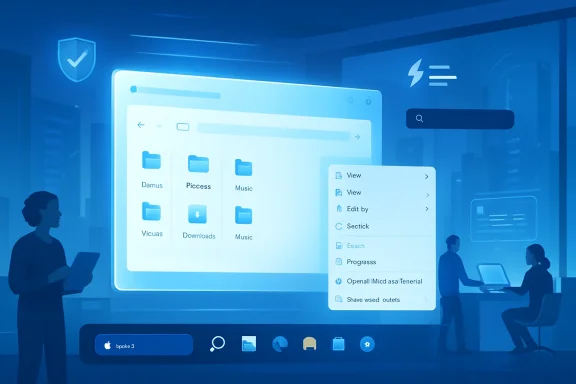
Microsoft’s stated focus on File Explorer fundamentals is therefore strategically smart. Improving launch speed, search latency, navigation, large file copy behavior, and context-menu responsiveness would address pain that users experience dozens of times per day.
The more interesting part is the broader performance philosophy. If K2 reduces memory overhead and improves responsiveness under load, it can make Windows 11 feel better on both premium PCs and lower-cost devices.
Performance reform should prioritize:
The K2 framing around better validation and broader real-world testing is important because Windows runs on an enormous hardware ecosystem. Microsoft cannot control every driver, BIOS, peripheral, VPN client, security agent, printer utility, dock, and display adapter, but it can improve the systems that detect trouble before broad release.
A stronger reliability model would benefit enterprises first, but consumers would feel it too. If Windows becomes boringly dependable, Microsoft earns room to innovate elsewhere.
A practical Windows reliability agenda should include:
When a company removes power-user features in the name of simplicity, it sends a message. When it restores them after sustained feedback, it sends another. The reported return of movable and resizable taskbar options matters because it suggests Microsoft may be willing to admit that simpler does not always mean better.
Craft also includes the discipline to remove things. A cleaner Start menu, less intrusive widgets experience, fewer promotional surfaces, and more coherent Settings design would do more for Windows 11 than another wave of semi-finished features.
Areas where craft can rebuild goodwill include:
The mistake is treating AI presence as proof of innovation. If Notepad, Paint, Snipping Tool, Search, Settings, Microsoft 365, Edge, and the taskbar all shout for attention, users stop judging the quality of the intelligence and start judging the arrogance of the placement.
Windows K2 could help Microsoft separate AI utility from AI branding. A writing tool in Notepad may be useful for some people, but it should not make a lightweight app feel like a cloud service wrapper.
Microsoft’s AI reset should follow several principles:
The old Windows Insider era worked partly because it felt human. Microsoft employees appeared in public, explained decisions, reacted to complaints, celebrated experiments, and made users feel that participation mattered. Over time, that culture faded as Windows became more service-like and less communal.
A revived Insider program must be more than branding. It needs visible accountability, clearer channels, better feature availability controls, and a feedback system that shows users how their reports influence priorities.
A stronger community model should include:
Windows 11 still has the installed base, servicing structure, app compatibility story, and security foundation Microsoft wants. If K2 can meaningfully improve the experience, Microsoft gets the benefits of a relaunch without the disruption of a new OS identity.
The Windows 7 comparison is tempting but imperfect. Windows 7 was a distinct successor to Vista, while K2 appears to be a rehabilitation strategy inside Windows 11. In 2026, that may be the smarter play because operating systems now evolve continuously rather than arriving as isolated retail events.
A Windows 11-first strategy offers several advantages:
That matters because Windows has often won by being universal. Yet universality can become a liability if the OS feels bloated on smaller, battery-sensitive, gaming-oriented devices.
For Microsoft, the answer is not to imitate SteamOS wholesale. It is to make Windows flexible enough that OEMs can build cleaner, faster, purpose-driven experiences without fighting the platform.
Competitive implications include:
Promoted content, web-heavy search, rigid taskbar behavior, and persistent Microsoft account nudges can make users feel as though their own PC belongs partly to someone else. That emotional reaction is hard to quantify, but it is visible across forums, comment sections, and social media.
K2 can improve consumer perception if Microsoft makes choice obvious and reversible. Users do not need every advanced toggle exposed during setup, but they do need confidence that unwanted experiences can be disabled.
Consumer-facing improvements that would matter most include:
Microsoft’s focus on reliability, driver quality, WSL improvements, and update predictability could be especially meaningful in enterprise settings. A small reduction in update failures or support tickets can translate into real operational savings at scale.
AI introduces a sharper governance challenge. Businesses may welcome Copilot and local AI features, but only if data handling, identity boundaries, auditability, and policy controls are clear.
Enterprise priorities should include:
Microsoft should be evaluated in sequence. First, does it ship measurable performance and reliability improvements? Second, does it remove or reduce irritating defaults? Third, does it maintain discipline when the next wave of AI features is ready?
Watch for these milestones:
Windows K2 could redefine Microsoft’s future precisely because it is not trying to dazzle users with a new name. It is a bet that Windows can win back trust by becoming faster, quieter, more reliable, and more respectful of the people who live inside it every day. If Microsoft follows through, Windows 11 may be remembered not as a troubled transition between Windows 10 and Windows 12, but as the version that forced Microsoft to rediscover what made Windows indispensable in the first place.
Source: Windows Central https://www.windowscentral.com/micr...inally-deliver-the-experience-users-expected/
 Overview
Windows has always been more than a product line for Microsoft. It is the company’s public face, the layer through which hundreds of millions of people experience Microsoft software, third-party apps, PC hardware, gaming, productivity, and increasingly AI services.That is why Windows 11’s uneven reception matters. Microsoft shipped the operating system in October 2021 with a cleaner visual language, centered taskbar, tighter security defaults, and a new baseline for modern hardware, but it also removed long-standing features that power users expected to remain. For many users, the pitch sounded like modernization, while the lived experience sometimes felt like constraint.
The pressure increased as Windows 10 support ended on October 14, 2025, pushing more consumers and businesses toward Windows 11 whether they were enthusiastic or not. That transition helped Windows 11’s market share, but adoption driven by lifecycle deadlines is not the same as adoption driven by affection.
The Windows K2 reporting suggests Microsoft understands the difference. Rather than rushing to make Windows 12 the answer to every complaint, the company appears to be treating Windows 11 itself as the repair job, the proving ground, and the next big brand reset.
The Windows Brand Problem Microsoft Cannot Ignore
Windows has survived product missteps before, but each recovery required more than marketing. Windows XP restored confidence after Windows Me, Windows 7 repaired the damage from Vista, and Windows 10 corrected the consumer confusion created by Windows 8’s tablet-first design philosophy.Why Windows 11 Feels Different
Windows 11’s challenge is subtler than Vista’s driver chaos or Windows 8’s Start screen shock. It is not usually one catastrophic failure, but a long accumulation of small frustrations: slower context menus, inconsistent design surfaces, feature removals, cloud prompts, taskbar limitations, and AI features appearing in places where users did not ask for them.That kind of frustration is dangerous because it changes user expectations. If people assume every Windows update will add clutter, move settings, or introduce new prompts, they begin treating the operating system as an obstacle instead of a platform.
The Windows brand also carries emotional weight. For enthusiasts, admins, gamers, developers, and everyday users, Windows is not just something installed on a PC; it is the daily environment in which work and leisure happen.
Key brand pressures now include:
- User trust after years of inconsistent interface decisions.
- Performance perception compared with Windows 10 and lighter alternatives.
- AI fatigue from Copilot branding appearing across core apps.
- Enterprise hesitation around disruptive updates and policy complexity.
- Gaming competition from SteamOS-style handheld experiences.
- Community frustration over feedback that seemed to disappear into a void.
What Windows K2 Appears to Be
Windows K2 is reportedly not a new operating system release, not a secret Windows 12 build, and not a single feature update. It appears to be an internal quality initiative focused on making Windows 11 faster, more reliable, more coherent, and more carefully validated before changes reach broad audiences.A Quality Program, Not a Version Number
That distinction matters. Microsoft has spent much of the modern Windows era oscillating between grand platform resets and incremental servicing, but K2 looks more like a cultural correction inside the Windows organization.The publicly described pillars line up around performance, reliability, and craft. Windows Central’s reporting adds a fourth theme: community, meaning Microsoft wants to rebuild the feedback loop with Windows Insiders, enthusiasts, and real-world users.
If executed seriously, K2 could change how Windows is built rather than merely what Windows contains. That is more important than a new Start menu mockup or another Copilot icon.
The initiative appears focused on several practical goals:
- Reduce Windows resource usage and baseline memory consumption.
- Improve File Explorer launch times, navigation, search, and context menus.
- Make Start, taskbar, and system UI surfaces more responsive.
- Raise internal quality gates before preview builds ship.
- Test more deeply across real-world hardware.
- Reduce unnecessary Copilot entry points and branding clutter.
- Make updates more predictable and less disruptive.
- Rebuild direct communication with the Windows Insider community.
Performance Is the First Trust Signal
Performance complaints have followed Windows 11 from its early days. Some users appreciate the modern design, but even sympathetic fans have questioned why basic shell interactions, File Explorer operations, and context menus can feel heavier than they did on Windows 10.File Explorer and the Everyday Friction Tax
File Explorer is central to Windows because it is where users feel the OS most directly. When it opens slowly, searches unpredictably, or pauses while rendering menus, the entire machine feels worse, even if benchmarks say the CPU is fast.Microsoft’s stated focus on File Explorer fundamentals is therefore strategically smart. Improving launch speed, search latency, navigation, large file copy behavior, and context-menu responsiveness would address pain that users experience dozens of times per day.
The more interesting part is the broader performance philosophy. If K2 reduces memory overhead and improves responsiveness under load, it can make Windows 11 feel better on both premium PCs and lower-cost devices.
Performance reform should prioritize:
- Lower idle memory usage so more RAM remains available for apps.
- Faster File Explorer search that clearly separates local and web results.
- More responsive context menus with fewer delays and legacy handoffs.
- Smoother Start and taskbar behavior during heavy multitasking.
- Better WSL performance for developers moving between Linux and Windows workflows.
- Improved gaming consistency across laptops, desktops, and handhelds.
Reliability Is the Enterprise Battleground
For consumers, reliability means the PC wakes, connects, updates, prints, and plays audio without drama. For enterprises, reliability means something larger: fewer help desk tickets, fewer failed deployments, fewer broken drivers, fewer urgent rollbacks, and fewer productivity interruptions across thousands of devices.Updates Must Become Less Disruptive
Windows Update remains one of Microsoft’s most visible trust problems. Even when updates are necessary for security, users often experience them as interruptions that arrive at inconvenient moments, demand restarts, or create uncertainty about what changed.The K2 framing around better validation and broader real-world testing is important because Windows runs on an enormous hardware ecosystem. Microsoft cannot control every driver, BIOS, peripheral, VPN client, security agent, printer utility, dock, and display adapter, but it can improve the systems that detect trouble before broad release.
A stronger reliability model would benefit enterprises first, but consumers would feel it too. If Windows becomes boringly dependable, Microsoft earns room to innovate elsewhere.
A practical Windows reliability agenda should include:
- Higher quality gates before features reach Insider builds.
- Clearer channel expectations for testers who want stability versus experimentation.
- Better driver validation across audio, Bluetooth, USB, camera, and graphics stacks.
- More transparent known-issue communication for admins and consumers.
- Less disruptive update timing with clearer restart expectations.
- Improved rollback paths when a bad update reaches production systems.
Craft Means More Than Pretty Icons
Microsoft’s use of craft is revealing because Windows 11’s problem has never been only performance. It is also about how the system feels: whether controls behave consistently, whether settings are discoverable, whether old dialogs clash with new surfaces, and whether customization options respect user habits.The Taskbar Symbolism
The Windows 11 taskbar became a symbol of the operating system’s troubled relationship with its most loyal users. Centered icons were not the issue by themselves; the bigger problem was that Microsoft removed long-standing behaviors, including more flexible positioning and customization, then took years to bring some of them back.When a company removes power-user features in the name of simplicity, it sends a message. When it restores them after sustained feedback, it sends another. The reported return of movable and resizable taskbar options matters because it suggests Microsoft may be willing to admit that simpler does not always mean better.
Craft also includes the discipline to remove things. A cleaner Start menu, less intrusive widgets experience, fewer promotional surfaces, and more coherent Settings design would do more for Windows 11 than another wave of semi-finished features.
Areas where craft can rebuild goodwill include:
- Taskbar flexibility for top, side, and more personalized layouts.
- Start menu customization that lets users hide unwanted sections.
- Consistent dark mode across modern and legacy dialogs.
- Reduced notification noise for a calmer default experience.
- Clear separation between local PC search and web suggestions.
- Fewer promotional placements in core operating system surfaces.
AI Needs to Become Useful, Optional, and Quiet
Microsoft’s AI strategy has been bold, but boldness is not the same as elegance. Copilot became a brand, a button, an app, a Microsoft 365 feature, a Windows feature, and a marketing umbrella so quickly that many users began to see it less as assistance and more as intrusion.The Copilot Course Correction
The reported effort to reduce unnecessary Copilot entry points is a welcome sign. AI in Windows is not inherently bad; in fact, local summarization, accessibility enhancements, settings assistance, image editing, voice features, and workflow automation could all become genuinely useful.The mistake is treating AI presence as proof of innovation. If Notepad, Paint, Snipping Tool, Search, Settings, Microsoft 365, Edge, and the taskbar all shout for attention, users stop judging the quality of the intelligence and start judging the arrogance of the placement.
Windows K2 could help Microsoft separate AI utility from AI branding. A writing tool in Notepad may be useful for some people, but it should not make a lightweight app feel like a cloud service wrapper.
Microsoft’s AI reset should follow several principles:
- Opt-in where possible, especially for consumer-facing AI features.
- Local processing where practical, particularly for privacy-sensitive tasks.
- Plain-language controls that explain what data is used and where it goes.
- No AI branding overload in apps that users open for simple tasks.
- Enterprise policy controls that let admins govern AI behavior centrally.
- Performance discipline so AI features do not slow basic OS interactions.
Community Could Be the Hidden Fourth Pillar
The revival of Windows Insider meetups and stronger community engagement may sound like nostalgia, but it could be one of K2’s most important moves. Windows enthusiasts are not just fans; they are an early-warning system for regressions, inconsistency, poor defaults, and design decisions that irritate real users.From Telemetry to Conversation
Telemetry tells Microsoft what happened, but it often cannot explain why users are angry. A spike in settings changes, app uninstalls, or feedback submissions gives a signal, but direct community contact adds texture.The old Windows Insider era worked partly because it felt human. Microsoft employees appeared in public, explained decisions, reacted to complaints, celebrated experiments, and made users feel that participation mattered. Over time, that culture faded as Windows became more service-like and less communal.
A revived Insider program must be more than branding. It needs visible accountability, clearer channels, better feature availability controls, and a feedback system that shows users how their reports influence priorities.
A stronger community model should include:
- Simpler Insider channels with clear risk levels and expectations.
- Feature flags that let testers choose what they are actually testing.
- Named ownership for major areas such as taskbar, File Explorer, widgets, and updates.
- Better Feedback Hub visibility so reports do not feel ignored.
- Regular public explanations when Microsoft reverses or delays a decision.
- More real-world hardware testing beyond idealized lab devices.
Windows 12 Can Wait If Windows 11 Gets Fixed
Speculation around Windows 12 has persisted for years because many users assume Microsoft needs a new brand to escape Windows 11’s baggage. That argument is understandable, but it may be strategically wrong.The Case Against a Panic Rebrand
A new version number can create excitement, but it can also create fragmentation, compatibility anxiety, and upgrade fatigue. Microsoft already pushed users through a major transition from Windows 10 to Windows 11, and asking the market to prepare for another reset too soon could deepen distrust.Windows 11 still has the installed base, servicing structure, app compatibility story, and security foundation Microsoft wants. If K2 can meaningfully improve the experience, Microsoft gets the benefits of a relaunch without the disruption of a new OS identity.
The Windows 7 comparison is tempting but imperfect. Windows 7 was a distinct successor to Vista, while K2 appears to be a rehabilitation strategy inside Windows 11. In 2026, that may be the smarter play because operating systems now evolve continuously rather than arriving as isolated retail events.
A Windows 11-first strategy offers several advantages:
- Less disruption for enterprises still completing migration projects.
- More continuity for developers targeting existing Windows 11 APIs.
- Faster delivery through monthly and annual update channels.
- Lower marketing risk than promising a magical Windows 12 reset.
- More credibility if Microsoft proves it can fix the current product.
- Better alignment with Copilot+ PC and modern hardware investments.
Competitive Pressure Is Coming From Unexpected Places
Windows still dominates traditional PC gaming and productivity, but the competitive map has changed. Microsoft is no longer only defending against macOS on premium laptops or ChromeOS in education; it is also defending against specialized platforms that make Windows look heavy.SteamOS and the Handheld Wake-Up Call
SteamOS has become a powerful comparison point because it shows what a focused operating system can do on gaming handhelds. It is not a full Windows replacement for every user, but on a device like a handheld PC, streamlined performance, console-like suspend behavior, and controller-first UI can matter more than decades of legacy compatibility.That matters because Windows has often won by being universal. Yet universality can become a liability if the OS feels bloated on smaller, battery-sensitive, gaming-oriented devices.
For Microsoft, the answer is not to imitate SteamOS wholesale. It is to make Windows flexible enough that OEMs can build cleaner, faster, purpose-driven experiences without fighting the platform.
Competitive implications include:
- Gaming handhelds need lighter shells, faster wake behavior, and better controller navigation.
- Mac laptops continue to set expectations for battery life, coherence, and silent reliability.
- ChromeOS devices pressure Windows on simplicity, manageability, and low-cost performance.
- Linux desktops gain attention when Windows users grow tired of forced accounts or clutter.
- Cloud PCs challenge the assumption that the local Windows install is always the center of work.
Consumer Impact: Less Annoyance, More Ownership
For home users, Windows K2 will succeed only if the operating system feels calmer. Most consumers do not care about internal code quality gates or WinUI architecture, but they immediately notice when the Start menu is cleaner, File Explorer is faster, and the PC stops nagging them.The Emotional Side of PC Ownership
A personal computer should feel personal. Windows 11 sometimes undermined that feeling by making defaults feel commercially optimized rather than user-optimized.Promoted content, web-heavy search, rigid taskbar behavior, and persistent Microsoft account nudges can make users feel as though their own PC belongs partly to someone else. That emotional reaction is hard to quantify, but it is visible across forums, comment sections, and social media.
K2 can improve consumer perception if Microsoft makes choice obvious and reversible. Users do not need every advanced toggle exposed during setup, but they do need confidence that unwanted experiences can be disabled.
Consumer-facing improvements that would matter most include:
- A faster File Explorer for photos, downloads, documents, and external drives.
- Cleaner Start defaults with fewer recommendations and promotions.
- Taskbar freedom for users who built muscle memory over decades.
- Simpler AI controls for those who want Copilot and those who do not.
- Quieter notifications that reduce background noise.
- Better performance on older eligible PCs as Windows 10-era hardware ages.
Enterprise Impact: Predictability Beats Novelty
Business customers evaluate Windows differently from enthusiasts. They care about security, management, app compatibility, deployment control, support timelines, and the cost of change across fleets of devices.Why K2 Matters to IT Departments
For IT admins, Windows 11’s best future is not flashy. It is a platform that patches cleanly, supports policies consistently, avoids surprise UI changes, and gives organizations a controlled path for adopting AI features.Microsoft’s focus on reliability, driver quality, WSL improvements, and update predictability could be especially meaningful in enterprise settings. A small reduction in update failures or support tickets can translate into real operational savings at scale.
AI introduces a sharper governance challenge. Businesses may welcome Copilot and local AI features, but only if data handling, identity boundaries, auditability, and policy controls are clear.
Enterprise priorities should include:
- Stable update rings with stronger release health signals.
- Granular AI policy controls across Windows, Edge, and Microsoft 365.
- Predictable UI changes that do not disrupt training or support documentation.
- Improved driver reliability for docks, printers, cameras, and conferencing hardware.
- Better WSL management for developer workstations.
- Clear lifecycle communication for Windows 11 versions and hardware-optimized releases.
Strengths and Opportunities
Windows K2 gives Microsoft a rare chance to turn criticism into a product strategy. If the company treats performance, reliability, craft, and community as durable operating principles rather than temporary talking points, Windows 11 could become stronger in its maturity than it was at launch.- Windows 11 can improve without forcing another disruptive OS migration.
- Microsoft can rebuild enthusiast trust by restoring missing customization options.
- Performance work can benefit low-end PCs, premium laptops, and gaming handhelds alike.
- Cleaner AI integration can turn Copilot from a distraction into a useful assistant.
- A better Insider program can catch regressions earlier and make testing feel meaningful.
- Enterprise reliability improvements can reduce support costs and accelerate deployments.
- A renewed focus on craft can make Windows feel coherent rather than assembled from eras.
Risks and Concerns
The danger is that Windows K2 becomes another internal slogan rather than a lasting change in incentives. Microsoft has promised quality before, and users will judge this effort by shipped behavior, not by blog posts, meetups, or carefully framed language.- AI pressure from Microsoft’s broader strategy could overpower the promise of restraint.
- Advertising and promotional surfaces may return if revenue incentives remain unchanged.
- Legacy compatibility may slow attempts to modernize core UI and system components.
- Insider improvements could fail if feedback still appears to vanish into bureaucracy.
- Performance gains may be uneven across hardware, especially older eligible systems.
- Enterprise customers may resist rapid feature changes even when quality improves.
- A delayed Windows 12 strategy could backfire if Windows 11’s reputation does not recover.
What to Watch Next
The next year will reveal whether Windows K2 is a genuine operating philosophy or simply a repair campaign. The clearest signals will come not from announcements, but from everyday user reports: whether File Explorer opens faster, whether taskbar customization returns cleanly, whether Start becomes less cluttered, and whether updates create fewer problems.Microsoft should be evaluated in sequence. First, does it ship measurable performance and reliability improvements? Second, does it remove or reduce irritating defaults? Third, does it maintain discipline when the next wave of AI features is ready?
Watch for these milestones:
- Preview build quality improving across Insider channels without constant feature confusion.
- Taskbar and Start menu changes arriving with real customization rather than half-measures.
- File Explorer performance gains that users can feel without benchmark tools.
- Copilot and AI controls becoming clearer, quieter, and more respectful of user choice.
- Enterprise release health showing fewer disruptive known issues and stronger remediation paths.
Windows K2 could redefine Microsoft’s future precisely because it is not trying to dazzle users with a new name. It is a bet that Windows can win back trust by becoming faster, quieter, more reliable, and more respectful of the people who live inside it every day. If Microsoft follows through, Windows 11 may be remembered not as a troubled transition between Windows 10 and Windows 12, but as the version that forced Microsoft to rediscover what made Windows indispensable in the first place.
Source: Windows Central https://www.windowscentral.com/micr...inally-deliver-the-experience-users-expected/
