

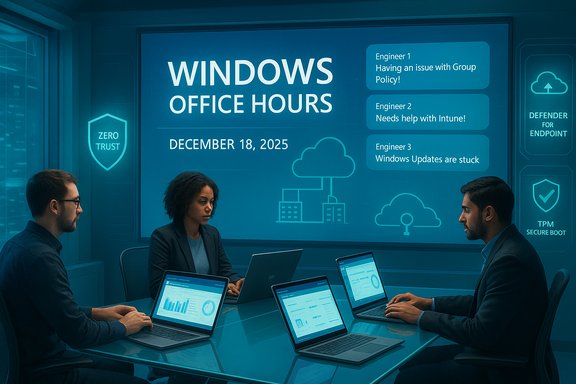
Microsoft is bringing another practical, chat-first session of Windows Office Hours on December 18, 2025 — a 60‑minute, text‑based Q&A where Microsoft product teams will answer operational questions about adopting Windows 11, managing device estates with Intune and Configuration Manager, implementing Zero Trust on endpoints, and moving workloads to cloud-native and hybrid models. The session is explicitly chat-only (no video), and Microsoft encourages posting precise questions in the event comments early so product experts can prepare actionable replies.
Windows Office Hours is a recurring Microsoft Tech Community event aimed at IT professionals who need tactical, field‑tested advice rather than only slideware. The December 18, 2025 edition gathers teams across Windows servicing, Microsoft Intune, Configuration Manager (ConfigMgr), Windows Autopilot, Windows 365, Defender/endpoint security, FastTrack, and public sector specialists — intentionally designed to support cross‑product questions that occur in real migrations and lifecycle operations. The chat format makes it easier for busy admins to get focused, practical replies without formal demos or tenant‑specific troubleshooting (those are still handled by support cases or FastTrack engagements). Why this session matters now
Source: Microsoft - Message Center Windows Office Hours: December 18, 2025 | Microsoft Community Hub
 Background
Windows Office Hours is a recurring Microsoft Tech Community event aimed at IT professionals who need tactical, field‑tested advice rather than only slideware. The December 18, 2025 edition gathers teams across Windows servicing, Microsoft Intune, Configuration Manager (ConfigMgr), Windows Autopilot, Windows 365, Defender/endpoint security, FastTrack, and public sector specialists — intentionally designed to support cross‑product questions that occur in real migrations and lifecycle operations. The chat format makes it easier for busy admins to get focused, practical replies without formal demos or tenant‑specific troubleshooting (those are still handled by support cases or FastTrack engagements). Why this session matters now- Organizations are actively modernizing device management and rollout practices to reduce attack surface and meet compliance targets, so hands‑on advice from product teams is highly valuable.
- New update models like Hotpatch and services such as Windows Autopatch are changing how organizations think about restarts and compliance windows.
- Zero Trust has moved from strategy to operations; product signals (device health, conditional access) are now the leverage points that drive real enforcement for conditional access and least‑privilege programs.
What Microsoft will and won’t do in the chat
What to expect
- Real‑time, text answers from engineers and servicing experts who work on Windows, Intune, ConfigMgr, Autopatch, Autopilot, and Windows 365.
- Practical guidance about migration approaches, update orchestration, device attestation and conditional access signals, Autopilot provisioning flows, and co‑management patterns.
- Quick, non‑tenant‑specific recommendations. For deep, log‑level troubleshooting, Microsoft will still recommend support tickets or FastTrack engagements.
What they won’t do
- Access your tenant data or perform detailed diagnostics that require logs and privileged access.
- Conduct long demos or live meetings — it is a one‑hour chat-only engagement.
Key themes to prepare for (and the verified facts you should know)
Below are the major technical areas Office Hours will address and the verified facts you should bring into the conversation.Windows Update cadence and Hotpatch basics
- Hotpatch is a smaller update channel that can install security fixes without forcing a restart; it is available for eligible Windows 11 SKUs and requires Microsoft Intune‑managed quality update policies (or Windows Autopatch) and baseline prerequisites such as running a supported baseline build. Microsoft documents the hotpatch calendar (four baseline months, eight hotpatch months per year) and prerequisites. Bring your baseline version, build numbers, and enrollment state when discussing hotpatch adoption.
- Hotpatch eligibility and configuration (license and baseline) must be validated before wide rollout; Microsoft Intune and Windows Autopatch provide specific enrollment and reporting paths.
Update orchestration options (Intune, Autopatch, WSUS/ConfigMgr)
- Modern management scenarios recommend using Windows Update for Business (WUfB) through Intune for cloud‑first devices and Autopatch for fully automated servicing, while ConfigMgr remains the supported path for many on‑prem or special‑case workloads. Expect product owners to explain tradeoffs between direct Windows Update, Intune rings/quality policies, Autopatch, and traditional WSUS/ConfigMgr channels.
- If you operate a mixed estate, be ready to describe which devices are Azure AD‑joined, hybrid joined, or purely on‑prem — that materially affects what options and timeline product teams recommend.
Zero Trust — device signals and conditional access
- Microsoft frames Zero Trust as an operational program mapped to identity, devices, networks, applications, and data. The Microsoft guidance on mapping cloud services to the CISA Zero Trust Maturity Model (ZTMM) is explicitly designed to help organizations operationalize the model. Practical conversations will center on device attestation (secure boot/TPM), Defender for Endpoint health signals, and Entra conditional access enforcement. Cite your existing conditional access policies and which signals you use (MFA, device compliance, Defender ATP health) for faster answers.
Autopilot, co‑management and provisioning caveats
- Autopilot simplifies modern provisioning but has well‑documented caveats for hybrid join, pre‑provisioning flows, and some co‑management workloads. Product teams can explain which Autopilot profile and co‑management toggles minimize provisioning timeouts and reduce ESP complexity. Bring sample failure codes and counts to get prescriptive steps.
Tactical playbook: how to prepare questions that get actionable answers
The quality of the advice you’ll receive directly correlates with how specific your question is. Here’s a rapid intake playbook to prepare before posting in the chat:- Inventory snapshot
- OS build and branch (e.g., Windows 11 24H2 Build XYZ), percentage of devices in each join state (Entra/Azure AD joined, hybrid, domain‑joined).
- Management authority split (Intune vs ConfigMgr vs unmanaged).
- Autopatch/Autopilot enrollment counts and sample failure codes.
- Define priority objectives
- Are you prioritizing zero friction updates, least‑privilege enforcement, or fast provisioning for new hires?
- Which constraints are immovable (regulated data residency, hardware limits, air‑gapped environments)?
- Bring telemetry
- Update failure counts and top failure codes.
- Device health score distribution from Defender for Endpoint.
- Conditional access deny logs for the last 30 days.
- Prioritized questions (post early)
- “Given X% hybrid‑joined and Y% Entra‑joined devices, which Autopilot co‑management settings minimize provisioning timeouts for new devices?”
- “For devices that cannot be upgraded immediately, what compensating controls should we implement for a critical kernel/GDI vulnerability?”
- “Which Intune reports and Defender response signals should I standardize to show Zero Trust progress to auditors?”
Deep dive: Update orchestration strategies that reduce risk
Modern update orchestration is no longer just “deploy and pray.” Use this practical sequence to reduce friction, and bring the results into Office Hours for tuning.1. Baseline and ring strategy
- Create three core rings: Pilot (representative devices), Targeted (high‑risk systems), Broad (production rollout).
- Confirm Servicing Stack Updates (SSUs) and any prerequisite KBs per Microsoft’s release notes before mass deployments; missing these can produce inconsistent patch behavior. Product teams will validate prerequisites in the chat.
2. Hotpatch where eligible
- If you meet hotpatch prerequisites (Windows 11 Enterprise SKUs, Intune management, baseline build), enabling hotpatch can dramatically reduce reboots for security updates. Use hotpatch for high‑availability endpoints after a small pilot and rely on full baseline months for feature and cumulative updates. Verify eligibility with Intune’s Windows quality update policy settings.
3. Use Autopatch for scale and reporting
- Windows Autopatch provides managed rings and integrated reporting — useful where you want Microsoft to automate much of the update orchestration. Autopatch also integrates Hotpatch scheduling for eligible devices. Understand the data collection policy requirements and ensure your diagnostic settings align with Autopatch expectations.
4. Co‑management where needed
- Keep ConfigMgr for on‑prem heavy lifts (driver and imaging workflows) and use co‑management to offload policy and update controls to Intune gradually. Expect Microsoft to advise on toggles and workloads to migrate first (e.g., compliance and Windows Update for Business) during the chat.
Zero Trust: practical steps you can implement before the chat
Zero Trust is a journey, not a single checkbox. If you want operational, tactical help from product owners, implement the following baseline steps first and then ask for refinement during Office Hours.- Enforce MFA and conditional access basics for all privileged access.
- Ensure device hardware attestation: TPM 2.0, Secure Boot, BitLocker state, and measured boot telemetry are collected in Intune. Microsoft maps device posture and telemetry directly to the CISA ZTMM device pillar — bring your posture metrics for targeted advice.
- Integrate Defender for Endpoint to feed device health signals into conditional access policies.
- Start microsegmentation for the most sensitive assets using network controls and host‑based isolation; use Microsoft guidance and CISA maturity models to prioritize assets.
Autopilot & provisioning: common pitfalls and how to surface them in chat
Autopilot is a powerful provisioning path but has some recurring trouble spots. When asking about Autopilot flows, include:- Which Autopilot profile type you use (user‑driven, pre‑provisioning), and whether devices are hybrid‑joined or Entra‑joined.
- Failure timelines and ESP (Enrollment Status Page) timeouts with counts and sample logs.
- Any network/proxy constraints and whether PXE or offline imaging is in use for some lines of business.
Risks, limitations and red flags to watch for
Microsoft’s Office Hours can be enormously helpful, but it’s important to understand the session’s boundaries and operational risks:- Chat format limits deep tenant troubleshooting. If your issue requires log ingestion or tenant access, experts will triage but instruct you to open a support case or engage FastTrack. Be ready to escalate complex remediation outside the chat.
- Patch identifiers and KB dependencies change monthly. Never assume a KB ID from last month applies unchanged — always confirm prerequisites on Windows Release Health or Microsoft Security Response Center before pushing updates. Microsoft product owners will often remind you to validate KBs against current release notes.
- Autopilot/co‑management edge cases: mixing pre‑provisioning, hybrid join and certain PKI flows can create provisioning failures. Validate supported scenarios before a broad rollout.
- Configuration Manager cadence: if your environment relies heavily on ConfigMgr, be aware of Microsoft’s shift toward fewer, annual baselines for on‑prem releases — cloud innovation arrives faster in Intune, so there is natural migration pressure. Plan accordingly.
Suggested questions to post early in the comment thread
Posting well‑formed, measurable questions before the one‑hour event gives product teams the best chance to provide prescriptive guidance. Here are sample prompts you can paste and adapt:- “We have 18,000 endpoints: 55% Entra‑joined, 30% hybrid‑joined, 15% unmanaged. Autopatch pilot has 4,200 devices. What are the recommended Intune quality update rings to minimize reboots while achieving 95% patch compliance in 45 days? (I’ll paste our device counts and top 10 failure codes in the next comment.”
- “Our top‑tier call centers run legacy LOB apps on Win11 Pro devices that fail the TPM check. What compensating controls do you recommend to maintain conditional access for these users until hardware mitigation?”
- “Autopilot pre‑provisioning to hybrid‑joined profiles times out for ~12% of new hires. We use ConfigMgr for imaging and co‑management. Which co‑management workload toggles minimize ESP timeouts for hybrid join during Autopilot flows?”
- “We’d like to get to a measurable Zero Trust 'devices' maturity within 12 months. Which Intune + Defender health signals do you recommend we standardize as gating checks for conditional access enforcement?”
Post‑session next steps: turning chat advice into deliverables
After Office Hours, convert the guidance into a short, auditable plan:- Capture the chat answers and tag them by priority (Immediate, 30‑60 days, 90+ days).
- Map advice to a specific owner and a success metric (e.g., “reduce ESP timeouts from 12% to <2% in pilot group of 200 devices”).
- Validate patches and KB prerequisites in Windows Release Health before scheduling mass deployments.
- Run a small pilot for new update behaviors (hotpatch-enabled policy, Autopatch group) and capture telemetry for a follow-up support case if issues occur.
Final assessment: strengths and practical limitations of Office Hours
Strengths- Direct product expertise: Having Windows, Intune, ConfigMgr, Autopilot and servicing staff in the chat reduces friction for cross‑product operational questions.
- Operational focus: The event deliberately emphasizes tactical execution — migration paths, update orchestration, and Zero Trust signals — rather than marketing.
- Low overhead: The chat format suits busy teams that need specific, actionable answers without committing to webinars or long workshops.
- Depth vs breadth: Chat answers are necessarily higher level when deep tenant logs or privileged access would be required. Expect to open support cases for root cause analysis of specific failures.
- Rapidly shifting operational facts: Update KBs, patch prerequisites, and servicing baselines change frequently; always verify the exact KB and prerequisite list before mass deployment. Microsoft product owners will likely reiterate this during the chat.
Conclusion
Windows Office Hours on December 18, 2025 is a high‑value, low‑friction opportunity for IT teams to get focused, cross‑product guidance from Microsoft engineers on Windows 11 adoption, update orchestration (including Hotpatch/Autopatch), Autopilot and co‑management quirks, and operational Zero Trust implementation. Prepare by collecting precise telemetry, inventory snapshots, and prioritized questions — post them early in the comment thread — and use the chat’s practical recommendations to build short, measurable pilots that convert guidance into repeatable operational improvements.Source: Microsoft - Message Center Windows Office Hours: December 18, 2025 | Microsoft Community Hub
