

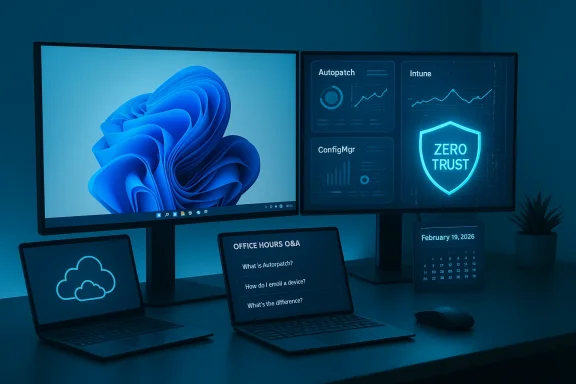
This February’s Windows Office Hours on February 19, 2026, is more than a scheduled Q&A — it’s a targeted opportunity for IT teams to get direct, product-level clarity on the hard choices and operational trade-offs that define modern Windows management: migrating to Windows 11, keeping fleets patched without fracturing productivity, applying Zero Trust principles across identity and devices, and deciding how far to move workloads into cloud-first services like Windows 365, Windows Autopatch, and Microsoft Intune. The event is chat-first, staffed by product and servicing experts from Windows, Intune, Configuration Manager (ConfigMgr), Windows 365, Autopilot, FastTrack, and security — a format designed to surface concrete guidance and practical answers rather than vendor marketing.
The Windows Office Hours series runs monthly on the Microsoft Tech Community as a chat-based session where engineers and product managers field live questions in the Comments. It’s explicitly positioned for IT pros who need tactical help — from how to design an Autopatch ring to when to move a workload from ConfigMgr to Intune — and is intentionally light on structured presentations. That makes good preparation essential: well-scoped, data-backed questions get the most useful responses.
Why this matters now
A pragmatic Zero Trust checklist to share during the chat
Key co-management risks to raise in the chat
Questions worth asking about Windows 365
Source: Microsoft - Message Center Windows Office Hours: February 2026 - Microsoft Tech Community
 Background / Overview
The Windows Office Hours series runs monthly on the Microsoft Tech Community as a chat-based session where engineers and product managers field live questions in the Comments. It’s explicitly positioned for IT pros who need tactical help — from how to design an Autopatch ring to when to move a workload from ConfigMgr to Intune — and is intentionally light on structured presentations. That makes good preparation essential: well-scoped, data-backed questions get the most useful responses.Why this matters now
- Windows 10 mainstream support has ended and organizations are consolidating around Windows 11 servicing, cloud management, and hybrid identity. That shift touches device provisioning (Autopilot), update operations (Autopatch, Windows Update for Business, hotpatch), and identity-driven access (Microsoft Entra / Azure AD + Conditional Access).
- Security and reliability expectations are higher: Zero Trust is the baseline design principle being promoted across Microsoft guidance, and hotpatch/hot-update techniques are changing what “acceptable downtime” means for endpoints and servers.
What to expect on February 19, 2026
Format and who will answer
- The event is chat-based only (no video or livestream); questions and answers appear in the Comments. Experts from Windows servicing, Intune, ConfigMgr, Windows 365, Autopatch, Autopilot, security, and FastTrack are available to reply. If you want product-level details — licensing, APIs, known issues — this is the environment to ask.
Practical topics likely to surface
- Adopting Windows 11: migration paths, testing strategies for feature updates (e.g., 24H2 → 25H2 rollout tactics), and how to use Autopatch or Windows Update for Business to automate servicing.
- Patching and uptime: hotpatch capability, Autopatch orchestration, and how to balance security vs. reboots for users and servers.
- Zero Trust implementation: device posture, conditional access gating, and telemetry or signals to feed risk-based decisions.
- Cloud-native vs hybrid workloads: Windows 365 adoption (Cloud PCs), which workloads to migrate, and when to keep on-premises resources in place.
- Management stacks convergence: Intune, ConfigMgr co-management and tenant attach scenarios; strategies to avoid policy conflicts and blind spots.
- Graph/API gaps: programmatic access to update metadata, KB→UBR mapping, and how Intune determines “latest update” status (a recurring community question).
Key technical realities to verify before you ask questions
Below are the most material facts you should confirm and bring to the chat — a prepared environment yields precise answers.- Exact Windows builds and UBR values. Microsoft’s release notes show the build numbers and KB identifiers for each monthly cumulative update; you’ll get the most targeted help if you can list the OS version (for example, Windows 11, 24H2, build 26100.x) and the device-reported UBR/KB. If you rely on a device inventory CSV or Graph export, attach the exact device IDs and reported build numbers.
- Enrollment and join state: Azure AD (Microsoft Entra) joined vs hybrid-joined, Intune-managed vs ConfigMgr client, and Autopatch enrollment status. Those differences determine what update channels and remote actions are available.
- Update telemetry and compliance data you already collect: Update Compliance / Windows Update for Business Reports and Endpoint Analytics outputs will be invaluable when you ask about compliance counts or unusual failure modes. Microsoft’s Windows Update reporting tools have evolved; confirm which you’re using and be ready to share sample metrics.
Deep dive: Patching strategies — options, trade-offs, and what to ask
Patching is now a strategic capability, not just a monthly IT chore. Three operational models dominate enterprise practice:- Autopatch (Microsoft-managed, ring-based, automated)
- Windows Update for Business / Intune quality update policies (self-managed, cloud orchestration)
- Configuration Manager (on-premises or co-managed) with WUfB/Autopatch for cloud features
- Autopatch automates Windows and Microsoft 365 Apps updates using Microsoft-defined rings, automated testing, and progressive rollouts. It’s available for eligible enterprise licenses and is promoted as reducing operational time and improving update success rates. If you ask about Autopatch at Office Hours, be explicit about your license type and the scale of devices you want to enroll.
- Hotpatch is a capability that allows eligible quality updates to be applied without immediate reboots for supported Windows 11 clients and, separately, for Windows Server with specific licensing and Azure Arc requirements.
- For servers, hotpatch became a subscription-capable offering (announced changes for Windows Server hotpatch options and pricing), and the client hotpatch experience is integrated with Autopatch/quality update policies in Intune. That means hotpatch can materially reduce end-user disruption, but it introduces licensing and platform eligibility notes you must confirm for servers vs clients. Ask Office Hours for exact eligibility and whether your environment’s mix of hardware and firmware is supported.
- Choose Autopatch if you want Microsoft to own the ring orchestration, rollback triggers, and progressive deployments — and you have the compatible licensing. It’s a low-touch model that works well when you accept Microsoft’s staging and mitigation decisions.
- Choose Intune + Windows Update for Business when you need fine-grained policy controls (deadlines, update deferrals, quality update policies) or must keep the update logic inside your organization for compliance reasons.
- If you manage many on-premises or disconnected devices, ConfigMgr (co-managed or tenant attach) remains relevant — but you should plan an incremental transition (pilot workloads in Intune while keeping ConfigMgr for complex or legacy workloads). Be ready to discuss pilot audiences and workload switching in the chat.
- What exact telemetry should I export to show “UBR mismatch” when I compare Graph-managedDevices to Microsoft update catalogs?
- If I enable hotpatch, how will my restart cadence change for endpoint and server populations?
- What Autopatch signals trigger an automatic rollback, and can I override them?
- How should we test feature updates (24H2 → 25H2) in Autopatch vs. Intune staged rings before broad deployment?
Zero Trust: what to expect and practical next steps
Zero Trust isn’t an app you install — it’s an architecture and a set of disciplines. Microsoft frames Zero Trust around three core principles: verify explicitly, use least privilege, and assume breach; these guide the design of conditional access, device posture checks, and least-privilege admin models. For Office Hours, be ready with the following to get the most out of the Zero Trust experts: your identity architecture (Entra plan and MFA posture), device compliance signals (BitLocker, Secure Boot, Defender status), and the conditional access policies you’re already enforcing.A pragmatic Zero Trust checklist to share during the chat
- Inventory identities and devices: counts by join state (Entra-only, hybrid), by OS version, and by management stack (Intune, ConfigMgr).
- Define just-in-time admin processes and confirm your Privileged Identity Management (PIM) usage.
- Validate device hygiene signals: BitLocker encryption enabled, Secure Boot status, Defender for Endpoint onboarding, and compliance evaluation cadence.
- Map data flows to least-privilege access controls and vet your segmentation strategy.
- “We want to gate access to internal HR apps to only fully compliant devices. What minimum device compliance signals should we require to align with Zero Trust best practice?”
- “We’re using co-management; which compliance checks are reliably visible to Conditional Access when the device is still ConfigMgr-managed?”
Co-management and tenant attach: the reality for hybrid fleets
ConfigMgr remains widely used in enterprises that need on-prem capabilities, but Microsoft’s co-management/tenant attach options let you incrementally adopt Intune capabilities without ripping out existing investment. Co-management lets you choose which workloads (e.g., compliance, Windows Update policies, endpoint protection) are moved to Intune, and you can pilot workloads by collection first. Tenant attach provides visibility in Intune without switching management authority. If you have devices that must remain on-prem for compliance, co-management is the bridge — but it requires careful policy orchestration to avoid duplicated controls and enforcement conflicts.Key co-management risks to raise in the chat
- Duplicate policy application causing unexpected device behavior
- Unclean device objects in Microsoft Entra causing enrollment failures
- Mis-taken workload switches that leave devices in inconsistent states
Cloud PCs (Windows 365) and cloud-native workload guidance
Windows 365 Cloud PCs are a good fit when you want a predictable, managed virtual desktop per user — particularly for hybrid and remote teams, contractors, or specialized scenarios like BYOPC. Cloud Apps (streamed app capability) can be a lower-cost stepping stone if you’re not ready to deliver full Cloud PC desktops. If your question concerns image management, app compatibility, or network egress, bring representative app lists and license types (Business vs. Enterprise) to the chat.Questions worth asking about Windows 365
- Which roles return the best ROI for Cloud PCs vs. physical PCs?
- How do Cloud PCs integrate with Intune and ConfigMgr co-managed images?
- What are the recommended approaches for app testing and driver compatibility on Cloud PCs?
Known risks and recent incidents to flag (bring these to the chat)
- Secure Boot certificate rotation and urgent device impact
- Microsoft has started a phased rollout to refresh Secure Boot certificates because a set of 2011 CA certificates is approaching expiration in mid‑2026. The January 2026 cumulative update (KB5074109) included logic to target devices that are safe to receive the new certificates; Microsoft recommends confirming device eligibility and update posture to avoid gaps. The Office Hours chat is an excellent place to ask product teams about any exceptions for specialized hardware or the impact on Windows 10 devices that rely on Extended Security Updates (ESU).
- Patch-side regressions and mitigation playbooks
- The January 2026 update (KB5074109) had a small set of reports of boot failures and driver removals (deliberate removal of legacy modem drivers). These real-world issues underscore the need for conservative pilot rings and rapid rollback plans. Ask the servicing experts during Office Hours for their recommended canary populations and their rollback timelines for the most recent cumulative updates.
- Hotpatch licensing and server economics
- Hotpatch promises lower downtime, but server hotpatching may require specific subscriptions or use of Azure Arc-enabled management, so check the expected cost model for server workloads before committing. If you’re considering hotpatch for servers, bring core counts and cloud management posture to the chat; the product team can explain the operational trade-offs and pricing implications.
How to use Tech Community Office Hours to get maximum value — a tactical plan
- Before the event: export a small packet of data (sample device IDs, OS version/build, Entra join state, management authority, and current update status). Save a one-page summary of your environment and the exact question you want answered.
- Frame your question as a specific hypothesis: e.g., “If we enable Autopatch for 1,000 devices split across Sales and Engineering, what staging ring and rollback strategies do you recommend based on current Autopatch thresholding?” Concrete numbers get concrete answers.
- Use short, numbered follow-ups. The chat format favors quick clarifications rather than long threads.
- If an answer requires deeper investigation, request the Microsoft contact or next-step resource and ask whether the product team can continue the conversation privately (FastTrack/Support/partner contact).
Sample pre-event checklist to bring to the chat (copy and use)
- Export: managedDevices list from Graph with columns: deviceName, operatingSystem, osVersion, osBuild, userPrincipalName, enrollmentType, managementAgent.
- List of pilot AAD groups and device collections you can use for ring testing.
- Current Conditional Access policies and the criteria they use for device compliance.
- A short inventory of mission-critical legacy apps and any known driver dependencies (for example, legacy modem drivers or specialized imaging tools).
- A one-line summary of your licensing (Windows E3/E5, Intune, Microsoft 365 plan, Autopatch eligibility).
Suggested questions to post in the Comments (examples you can copy)
- “We run 20k devices: 70% Azure AD joined + Intune, 30% hybrid+ConfigMgr. What’s the recommended device staging plan for migrating Windows Update authority to Autopatch without disrupting users?”
- “We need a programmatic mapping from KB → UBR for our compliance pipeline (monthly, second Wednesday). Does the Graph API expose authoritative expected UBR per OS build, or is scraping Update Catalog still the only reliable method?”
- “If we enroll Windows Server 2025 into hotpatch, what are the supported scenarios for on-prem VMs vs Azure VMs, and what subscription fees apply?”
- “Which Update Compliance/Windows Update reporting tools should we use to reconcile device-reported builds with tenant-level compliance?”
Post-event actions: how to turn answers into outcomes
- Document any product-team recommendations immediately and create short-lived pilots (1–2% of fleet) to test the guidance.
- If a suggested API or Graph call is given, validate it against your test tenant and ask for the sample query or body in the chat so you can reproduce later.
- Track follow-up items that require Microsoft engineering review — get a contact for a support escalation or FastTrack engagement if the issue is business-critical.
Strengths and limitations of relying on Office Hours
Strengths- Direct access to product engineers reduces guesswork and accelerates remediation plans.
- The chat format is fast and favors pragmatic answers rather than long-term marketing claims.
- The product teams can sometimes confirm roadmap signals, eligibility changes, and precise API behavior.
- The chat is best for short, tactical queries; complex diagnostics may require scheduled support cases.
- Answers may be constrained by non-disclosure or in-progress roadmaps; if you need contractual or SLAs, open a formal support request.
- Some policy or pricing clarifications (for example, server hotpatch subscription terms or licensing boundaries) will often require a follow-up with licensing/sales teams for binding guidance. Always confirm critical financial or compliance decisions with licensing specialists.
Final recommendations — a practical roadmap for the next 90 days
- Run a fast inventory (14 days): export device join type, build/UBR, enrollment type, and critical app list. Use Graph exports or your inventory tool to produce a CSV.
- Pilot Autopatch/hotpatch on a representative subset (4–8 weeks): choose a non-critical business unit and measure update success, user restart metrics, and ticket volume.
- Harden pre-boot and firmware posture (30 days): verify Secure Boot certificate readiness and test the KB5074109 behavior on representative hardware images. Create rollback steps for devices that hit compatibility regressions.
- Define co-management policy plan (60–90 days): identify 1–3 workloads to switch to Intune and document pilot groups; schedule tenant attach for broader visibility first.
- Implement Zero Trust milestones (continuous): require MFA, enforce device compliance baselines, and pilot conditional access policies that tie access to device health signals.
Conclusion
Windows Office Hours on February 19, 2026, is a practical, high-value event for IT teams facing real-world decisions about Windows 11 adoption, device servicing, Zero Trust, and hybrid-cloud operations. Go in with a concise dataset, clear hypotheses, and prioritized questions — you’ll get much more than generic advice. Expect the chat to deliver concrete, product-level answers on Autopatch, hotpatch, Intune/ConfigMgr co-management, Graph APIs for updates, and Windows 365 integration — and be ready to turn those answers into short pilots and follow‑up support cases. Book the time, prepare the data packet, and plan to translate the chat’s guidance into a documented, testable plan for your organization.Source: Microsoft - Message Center Windows Office Hours: February 2026 - Microsoft Tech Community
