

Microsoft quietly closed the book on another long‑running Windows codebase this week — the Vista‑era Server 2008 line reached the absolute end of vendor updates after 18 years — even as a handful of high‑profile patches, rollbacks and component updates kept administrators busy: Microsoft shipped fixes for game‑crashing audio bugs and upgrade race conditions (KB5014668), pulled problematic firmware‑adjacent fixes such as KB4524244 after breakages, and released an update to the winsqlite3 DLL that had been producing false‑positive vulnerability alerts for months.
The recent flurry of Windows lifecycle and patching headlines is the intersection of two trends: long tail legacy support (paid and free) finally winding down for older codebases, and the increasing complexity of platform updates that touch firmware, kernel‑adjacent services, or bundled open‑source libraries. Microsoft’s lifecycle machinery has three levers — mainstream/extended support, Extended Security Updates (ESU), and the narrow Premium Assurance contracts — and the last paid Premium Assurance guarantees for Windows Server 2008 expired in mid‑January 2026, creating a clean vendor cut‑off for the Vista/NT 6.0 lineage. At the same time, quality control and compatibility remain difficult across a huge ecosystem of OEM firmware, third‑party security tools, and application libraries. The KB4524244 episode (removed after causing UEFI/Secure Boot and Reset failures on a subset of devices) is a prime example of how a targeted security fix that modifies pre‑OS trust state can create outsized operational risk if not exhaustively validated across vendor firmware. Meanwhile, winsqlite3.dll was flagged by vulnerability scanners as exposing CVE‑2025‑6965; Microsoft’s update and guidance in January 2026 addressed scanners and false positives while the company continues to incorporate upstream fixes in its cumulative update cadence. This article synthesizes the latest developments, verifies the technical facts, and provides practical, prioritized guidance for administrators and power users who must decide whether to patch, pause, replace, or isolate affected systems.
For administrators the path is pragmatic: inventory, isolate, test, and migrate on a prioritized schedule. Short lived bridges like KIR and ESU can buy breathing room, but they are not long‑term substitutes for moving to supported platforms. Mapping network drives, staging migrations carefully, and tuning your vulnerability scanning to recognize vendor backports will make that migration less disruptive and more defensible.
The safe, defensible posture for 2026 is straightforward: treat any remaining Server 2008 systems as legacy assets (isolate and plan migration), pilot patches that touch firmware in representative hardware rings, and insist on clear rollback and recovery plans before broad deployment — because once a patch breaks your recovery tools, the clock to restore systems becomes a mission‑critical race rather than a routine maintenance task.
Source: How-To Geek https://www.howtogeek.com/after-18-....com/2026/01/14/microsoft_calls_time_on_the/]
 Background / Overview
The recent flurry of Windows lifecycle and patching headlines is the intersection of two trends: long tail legacy support (paid and free) finally winding down for older codebases, and the increasing complexity of platform updates that touch firmware, kernel‑adjacent services, or bundled open‑source libraries. Microsoft’s lifecycle machinery has three levers — mainstream/extended support, Extended Security Updates (ESU), and the narrow Premium Assurance contracts — and the last paid Premium Assurance guarantees for Windows Server 2008 expired in mid‑January 2026, creating a clean vendor cut‑off for the Vista/NT 6.0 lineage. At the same time, quality control and compatibility remain difficult across a huge ecosystem of OEM firmware, third‑party security tools, and application libraries. The KB4524244 episode (removed after causing UEFI/Secure Boot and Reset failures on a subset of devices) is a prime example of how a targeted security fix that modifies pre‑OS trust state can create outsized operational risk if not exhaustively validated across vendor firmware. Meanwhile, winsqlite3.dll was flagged by vulnerability scanners as exposing CVE‑2025‑6965; Microsoft’s update and guidance in January 2026 addressed scanners and false positives while the company continues to incorporate upstream fixes in its cumulative update cadence. This article synthesizes the latest developments, verifies the technical facts, and provides practical, prioritized guidance for administrators and power users who must decide whether to patch, pause, replace, or isolate affected systems.What changed this week: the headlines, verified
Windows Server 2008 / Vista codebase: final vendor updates ended
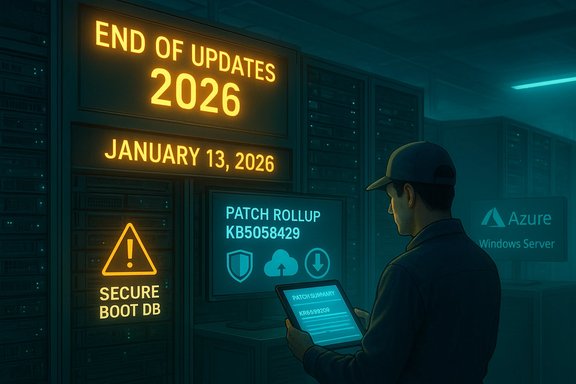
- Microsoft’s paid Premium Assurance program for Windows Server 2008 reached its contractual end on January 13, 2026, removing the last vendor‑supplied update pathway for the Vista/Windows Server 2008 codeline. That leaves organizations without any further official security updates for on‑premises installations of Server 2008.
- Important verification: Microsoft’s own support notices and product lifecycle pages call out the Premium Assurance end date and recommend migration to a later Windows Server version or moving workloads to Azure, where different transition incentives applied earlier. Administrators should treat January 13, 2026 as the final vendor safety net expiration for any remaining Server 2008 instances.
KB5014668 (Windows 11): game crash fixes, upgrade race‑condition patch — then rollback guidance
- KB5014668 is a cumulative/preview update that historically addressed a range of issues: a race condition that could cause Windows 11 in‑place upgrades to fail, fixes for DirectX/XAudio2 game crashes, and assorted reliability improvements (Bluetooth reconnect, Wi‑Fi hotspot, etc.. Microsoft and reporting outlets documented those fixes when the update first appeared.
- However, telemetry and user reports later showed KB5014668 (or subsequent builds in its servicing path) could produce a Start menu hang on a small number of devices. Microsoft deployed a Known Issue Rollback (KIR) and recommended restarts; enterprise customers were given a Group Policy remediation path while consumer devices received the KIR automatically over time. That mix of fixes + mitigation underscores the tension between urgent reliability patches and their real‑world rollout risk.
KB4524244 (Windows 10 era): a cautionary firmware/secure‑boot lesson
- KB4524244 — a past security update that attempted to modify Secure Boot db/dbx entries to block a problematic third‑party UEFI boot manager — had to be removed from distribution after reports that it could hang on install, break “Reset this PC,” or otherwise corrupt recovery paths on some systems. Microsoft’s decision to pull the standalone package and provide an uninstall procedure is an operational case study in the risks of firmware‑adjacent updates.
winsqlite3.dll and CVE‑2025‑6965: Microsoft updated the DLL and clarified scanner false positives
- Security tools were reporting winsqlite3.dll as vulnerable to CVE‑2025‑6965. Microsoft’s service alert and follow‑up updates (rolled into cumulative updates and refreshed January 13, 2026 and later) resolved the most visible scanner false positives and adjusted the packaged winsqlite3 implementation to reduce noisy detections. Microsoft also explained that winsqlite3.dll is a Windows‑packaged component distinct from upstream sqlite3.dll and is updated as part of the OS servicing process, not by replacing binaries manually.
Why these items matter: security, operational risk, and migration cost
The security reality of end‑of‑vendor support
When a product reaches its final update date, the common consequences are:- No more OS‑level security patches for newly discovered kernel or platform vulnerabilities.
- Higher exploitability risk as attackers focus on unpatched, widely deployed code.
- Regulatory and compliance headaches for industries that require vendor‑supported platforms.
Firmware‑level changes require cross‑ecosystem validation
Updates that alter Secure Boot DB entries, or otherwise adjust pre‑OS trust decisions, literally change the earliest layer of platform integrity. The KB4524244 lessons are:- Test firmware‑adjacent patches across a representative hardware matrix (OEM firmware versions, vendor security tools).
- Treat pre‑OS changes as high‑risk: pilot them in a controlled environment, and ensure offline recovery media and documented rollback procedures exist.
- Coordinate with OEMs and major security vendors for compatibility confirmations before broad deployment.
False positives and open‑source components in system stacks
The winsqlite3.dll CVE situation highlights how version‑checking scanners can flag backported fixes as vulnerable. Microsoft often backports security fixes into their maintained internal versions rather than vendoring a new upstream binary, leaving file version heuristics to scream "vulnerable" even when patches are applied. The operational implications:- Don’t blindly rely on version‑based scanner output; cross‑check vendor security advisories and cumulative update KBs.
- If scans persist after installing Microsoft updates, treat the finding as a potential false positive and follow vendor guidance to re‑run checks or accept exceptions until the next cumulative clarifier KB is shipped.
Practical guidance — prioritized actions for IT admins and power users
The following checklist is arranged from immediate triage to medium‑term remediation. It focuses on hard facts verified from vendor notices and technical coverage.Immediate (0–72 hours)
- Inventory and classify exposed systems.
- Identify any Windows Server 2008 machines and determine whether they were covered by Premium Assurance. If so, note that support ended January 13, 2026, and treat those systems as unsupported going forward.
- Pause risky automatic rollouts.
- If you manage updates via WSUS, SCCM/ConfigMgr, or another central tool, pause any deployment rings that would push firmware‑adjacent patches (Secure Boot DB changes) until compatibility is confirmed on pilot devices. The KB4524244 history proves this is necessary.
- For winsqlite3.dll scanner hits:
- Ensure the latest cumulative updates (January 13, 2026 and later, where available) are installed on affected hosts.
- If scanners still flag winsqlite3.dll, validate against Microsoft’s Security Update Guide and mark the finding as potentially a false positive — but do not manually replace protected system DLLs.
Short term (1–4 weeks)
- Deploy a staged patching plan:
- Pilot OS updates (especially those altering pre‑OS state) on representative hardware and with various anti‑malware stacks installed. Document results.
- Use Known Issue Rollback (KIR) and Microsoft’s published Group Policy remediations where available for consumer/enterprise issues (as seen with KB5014668’s Start menu problem).
- Strengthen recovery plans:
- Verify offline boot/recovery media, test “Reset this PC” and image restoration flows in lab environments before mass deployments.
- Ensure secure backups and documented firmware/UEFI recovery steps are available for your OEM hardware fleet.
Medium term (1–6 months)
- Migrate or modernize Server 2008 workloads:
- Options include upgrading to Windows Server 2019/2022/2025 where supported, replatforming to cloud (Azure VMs offer extended options during migration), containerizing workloads, or refactoring into PaaS services.
- For low‑risk or air‑gapped appliances that cannot be migrated immediately, apply strict network segmentation, enhanced endpoint controls, and monitoring. Treat them as legacy assets and avoid connecting them to critical networks.
- Reassess vendor scanner configuration:
- Work with vulnerability scanning vendors to move away from simplistic version checks for backported libraries. Where possible, configure CVE‑oriented checks that cross‑reference vendor KBs and patch‑level resolution flags.
A short technical explainer: why winsqlite3.dll tripped scanners (and what Microsoft did)
- winsqlite3.dll is Microsoft’s Windows‑supplied SQLite engine wrapper. When a CVE disclosed a vulnerability in upstream SQLite (requiring version 3.50.2+), scanners that only inspect file version metadata flagged systems where the OS still had an older packaged winsqlite3. Microsoft’s remediation path: backport the security fix into the existing packaged DLL and ship it via cumulative updates, rather than swap in the full upstream binary — a safer compatibility choice for OS stability. After the January 13, 2026 servicing, Microsoft confirmed resolution for many affected customers and advised installing the latest updates rather than attempting manual DLL replacements.
Practical how‑to (short): map a network drive — a reliable admin task during migrations
When migrating or segmenting file‑sharing services during an upgrade, mapped drives remain a simple productivity technique. The steps below match the up‑to‑date Petri how‑to and are safe to follow on Windows 10/11:- GUI method (quick):
- Open File Explorer and select This PC.
- Click the three‑dot menu (“…”) and choose Map network drive.
- Choose an available drive letter and enter the UNC path (\servername\sharename).
- Check Reconnect at sign‑in if you want persistence, and Connect using different credentials if needed. Click Finish.
- Command line (scriptable):
- Open an elevated Command Prompt or Terminal.
- Use the net use command:
- net use Z: \fileserver\shared /persistent:yes
- To remove: net use Z: /delete
- PowerShell (for automation):
- New‑PSDrive -Name "Z" -PSProvider FileSystem -Root "\fileserver\shared" -Persist
Strengths, weaknesses, and the risk calculus — a critical assessment
Strengths in Microsoft’s approach
- Microsoft provides multiple upgrade bridges (ESU, Azure incentives, limited Premium Assurance) that give customers options beyond an abrupt cutoff; these tools were used repeatedly to manage tricky migrations. When a patch causes instability (KB4524244), Microsoft’s ability to pull the update and publish uninstall/rollback instructions is the correct short‑term response.
- The Known Issue Rollback (KIR) mechanism and the use of Group Policy for urgent fixes show practical operational maturity: problems can be remediated remotely without waiting for a full replacement package.
Weaknesses and risks
- Cross‑ecosystem testing gaps remain. A single update touching Secure Boot DB entries can cascade into unbootable devices if OEM firmware and vendor tools were not included in testing matrices. The KB4524244 episode demonstrates the systemic fragility when multiple vendors interact at the firmware boundary.
- Communications and scanner behavior create operational ambiguity. When vendors backport fixes without changing file version numbers, automated vulnerability scanners can generate false positives that trigger unnecessary incident responses unless IT teams cross‑verify the vendor KB and cumulative update status. This mismatch increases triage load and risk of bad decisions.
What to watch next (open, unverifiable items flagged)
- Exact exploitability and public‑proof‑of‑concept availability for CVE lists can change quickly; treat counts and severity as fluid until Microsoft’s Security Update Guide lists the CVE as resolved for your exact build. If a scanner reports a vulnerability for winsqlite3.dll after you’ve applied the January 2026 cumulative updates, escalate to vendor support and mark it as a likely false positive pending confirmation.
Checklist for admins — concise playbook
- Inventory:
- Find all Windows Server 2008 instances (date of last vendor update: Jan 13, 2026).
- Identify devices that might have applied the problem Secure Boot change (look for KB4524244 history).
- Protect:
- Isolate legacy Server 2008 hosts on segmented VLANs / firewalls.
- Enforce multi‑factor authentication and network controls for administration paths to legacy hosts.
- Keep backups and tested offline recovery for firmware/UEFI recovery.
- Patch and test:
- Apply the latest cumulative updates for winsqlite3.dll fixes; re‑scan and validate.
- Stage firmware‑adjacent patches on pilots; verify Reset and recovery behaviors.
- Migrate:
- Create a migration timeline for Server 2008 workloads (upgrade, rehost, or refactor).
- Where hardware prevents Windows 11 or modern server installs, evaluate cloud alternatives / Azure migration plans.
Conclusion
This week’s headlines are a reminder that legacy IT is not nostalgia — it’s technical and security debt that eventually demands payment. Microsoft’s closing of the Premium Assurance chapter for Windows Server 2008 is the clearest signal yet that the Vista‑era codebase is finally out of vendor maintenance. Simultaneously, the winsqlite3.dll updates and the KB‑rollback stories highlight the operational reality: vendor patches are necessary but not risk‑free, and firmware‑adjacent updates especially require careful coordination across OEMs, security vendors, and IT teams.For administrators the path is pragmatic: inventory, isolate, test, and migrate on a prioritized schedule. Short lived bridges like KIR and ESU can buy breathing room, but they are not long‑term substitutes for moving to supported platforms. Mapping network drives, staging migrations carefully, and tuning your vulnerability scanning to recognize vendor backports will make that migration less disruptive and more defensible.
The safe, defensible posture for 2026 is straightforward: treat any remaining Server 2008 systems as legacy assets (isolate and plan migration), pilot patches that touch firmware in representative hardware rings, and insist on clear rollback and recovery plans before broad deployment — because once a patch breaks your recovery tools, the clock to restore systems becomes a mission‑critical race rather than a routine maintenance task.
Source: How-To Geek https://www.howtogeek.com/after-18-....com/2026/01/14/microsoft_calls_time_on_the/]
