

Microsoft has quietly drawn a line under one of the longest-serving pieces of Windows code in production: Windows Server 2008 — the server sibling of the Vista codebase — has reached the absolute end of its paid, extended-update lifecycle, and Microsoft’s January 2026 Patch Tuesday also removed several legacy modem drivers from supported Windows images.
Windows Server 2008 — codenamed Longhorn Server and built on the Windows Vista lineage — was released to manufacturing in early 2008 and became generally available shortly thereafter. Its ancestry ties directly to the Windows Vista codebase, which first reached business customers in late 2006 and consumer users in early 2007. The platform enjoyed a long service life thanks to standard Microsoft lifecycle policies, periodic Extended Security Updates (ESU) programs, and a short-lived paid option called Premium Assurance that extended critical and important security update coverage for years beyond the usual timelines. The final chapter of that extended coverage closed in mid-January 2026. Microsoft’s lifecycle machinery offered multiple, time-boxed bridges for older operating systems: the standard 10-year mainstream + extended support lifecycle, a paid ESU program sold per year, an extra Azure-only ESU year for customers migrating workloads into Microsoft’s cloud, and — for a narrow set of enterprise customers who bought the add-on — the now-defunct Premium Assurance option that effectively stretched updates even further. Over the last several years these extra-paid options were phased into more straightforward ESU programs and cloud incentives, but Microsoft committed to honoring Premium Assurance purchases that had already been made, meaning the final expiration of that contract now marks the last vendor-supplied security updates tied to the Windows Vista/NT 6.0 family. At the same time, Microsoft’s January 13, 2026 cumulative update for Windows 10 ESU builds included a blunt security decision: the removal of several legacy modem drivers (agrsm64.sys, agrsm.sys, smserl64.sys, smserial.sys) that have been flagged as vulnerable or obsolete. That change will break functionality for modem hardware that relies on those drivers, but it also eliminates a lingering attack surface that has been exploited in recent years.
The practical consequences include:
From a security posture perspective, Microsoft’s January 2026 decisions — ending the final Premium Assurance entitlements and surgically removing obsolete drivers — reflect a practical trade-off: keep patching a decades-old codebase at significant maintenance and risk cost, or accept functional pain for some legacy hardware while permanently eliminating exploitable code. The latter is increasingly common in security-first product stewardship: remove unpatchable, rarely used components rather than perpetually carrying their risk. Independent security reporting and Microsoft’s KB entries both make that calculus explicit.
The time for inventory, prioritization and decisive action is now. Administrators must identify affected systems, decide whether to modernize, isolate, or replace, and then execute that plan with test-driven rollouts and robust compensating controls. The alternative — continued reliance on old code without vendor patches — is not a sustainable or defensible long-term strategy in a threat landscape where attackers exploit known, unpatched differences at scale.
The technical facts are straightforward and verified in Microsoft’s lifecycle documentation and January 2026 update notes: Premium Assurance entitlements for Windows Server 2008 expired in mid-January 2026, Extended Security Updates had already wound down for on-premises and Azure-only scenarios in prior years, and Microsoft’s KB5073724 removed legacy modem drivers from supported Windows images to eliminate exploitable code. Administrators should treat those dates as final triggers for migration and mitigation planning.
Source: The Register Microsoft finally ends extended updates for ancient Windows
 Background / Overview
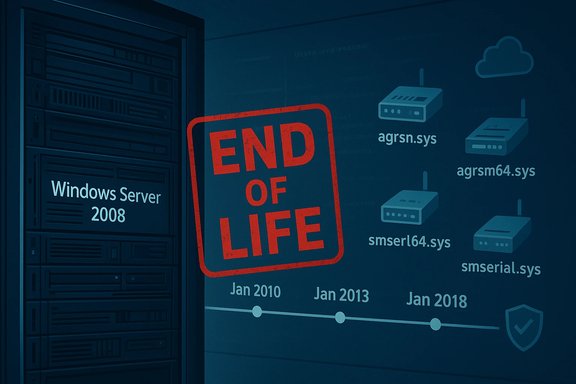
Windows Server 2008 — codenamed Longhorn Server and built on the Windows Vista lineage — was released to manufacturing in early 2008 and became generally available shortly thereafter. Its ancestry ties directly to the Windows Vista codebase, which first reached business customers in late 2006 and consumer users in early 2007. The platform enjoyed a long service life thanks to standard Microsoft lifecycle policies, periodic Extended Security Updates (ESU) programs, and a short-lived paid option called Premium Assurance that extended critical and important security update coverage for years beyond the usual timelines. The final chapter of that extended coverage closed in mid-January 2026. Microsoft’s lifecycle machinery offered multiple, time-boxed bridges for older operating systems: the standard 10-year mainstream + extended support lifecycle, a paid ESU program sold per year, an extra Azure-only ESU year for customers migrating workloads into Microsoft’s cloud, and — for a narrow set of enterprise customers who bought the add-on — the now-defunct Premium Assurance option that effectively stretched updates even further. Over the last several years these extra-paid options were phased into more straightforward ESU programs and cloud incentives, but Microsoft committed to honoring Premium Assurance purchases that had already been made, meaning the final expiration of that contract now marks the last vendor-supplied security updates tied to the Windows Vista/NT 6.0 family. At the same time, Microsoft’s January 13, 2026 cumulative update for Windows 10 ESU builds included a blunt security decision: the removal of several legacy modem drivers (agrsm64.sys, agrsm.sys, smserl64.sys, smserial.sys) that have been flagged as vulnerable or obsolete. That change will break functionality for modem hardware that relies on those drivers, but it also eliminates a lingering attack surface that has been exploited in recent years. What ended and when
Windows Server 2008: lifecycle milestones
- Mainstream support for Windows Server 2008 ended years ago under the normal lifecycle schedule, and extended support formally concluded on January 14, 2020.
- Microsoft offered paid Extended Security Updates (ESU) for customers who needed more time; for on-premises installs the ESU program provided three paid years that expired on January 10, 2023.
- Microsoft provided one additional ESU year for workloads migrated to Azure; that Azure-only fourth year ran through January 9, 2024.
- A small cohort of customers who purchased Microsoft’s Premium Assurance add-on were guaranteed a final, longer-term update runway; Microsoft honored that contract through January 13, 2026 — and that date now represents the final end of vendor-supplied security patches tied to the Vista/NT 6.0 server codeline for those customers.
Legacy modem drivers removed from Windows 10 ESU builds
On January 13, 2026 Microsoft published KB5073724 for Windows 10 ESU customers (OS builds 19045.6809 and 19044.6809). That update includes a short but consequential entry: four modem drivers were removed from supported Windows images — agrsm64.sys and agrsm.sys (Agere soft-modem family), and smserl64.sys and smserial.sys (Motorola-style serial modem drivers). The company warned that any modem hardware dependent on those specific drivers will no longer function on the updated OS image. Microsoft also noted that these drivers have been associated with privilege-escalation vulnerabilities and are, in practice, EOL. Removing them prevents future exploitation at the cost of breaking legacy modem hardware.Why this matters: practical and security impacts
For organizations running Windows Server 2008
Running production workloads on an OS that has reached end of vendor-supplied security updates is a materially different risk posture than operating on a supported OS. Without monthly security patches, newly discovered kernel, driver and platform-level vulnerabilities remain unpatched. Attackers routinely weaponize differences between patched and unpatched systems — a process known as patch-diffing — to create exploits that cascade into privilege escalation, lateral movement, ransomware deployment and data exfiltration.The practical consequences include:
- Compliance and audit exposure: regulated industries (finance, healthcare, government) often require actively supported platforms for certain certifications; unsupported OS versions can raise immediate compliance flags.
- Operational fragility: third-party vendors and ISVs gradually stop testing or certifying software on end-of-life platforms, increasing risk of interoperability failures.
- Rising remediation costs: as more compensating controls are layered (network segmentation, EDR, application allowlisting), operational complexity and cost increase — often surpassing the cost of modernizing the platform.
- Insurance and liability: running unsupported software can complicate cyber-insurance claims and increase exposure to legal liability after an incident.
For customers with premium or paid “bridge” plans
Paid bridge plans like Premium Assurance and ESU were explicitly designed as migration runways, not indefinite lifelines. Vendors price these offerings to encourage migration: annual costs tend to scale up, and entitlements frequently require that customers maintain coverage continuously (if you buy in year two you may need to purchase the prior year retroactively). Those commercial dynamics were evident in the Premium Assurance marketing and subsequent ESU pricing models; Microsoft publicly stated it would stop selling Premium Assurance and instead promote ESU and cloud migration while honoring existing Premium Assurance purchases. Organizations that budgeted around a final extended expiry now need concrete migration plans because the purchase no longer buys future benevolence.For endpoint owners affected by modem driver removal
The January 2026 Windows 10 ESU update’s driver removals will mostly affect a shrinking class of devices: legacy analog soft-modems and serial modem hardware commonly used in niche industrial or point-of-sale systems. However, the impact can be immediate and operationally painful in certain environments:- Telephony and legacy dial-up hardware: systems that depend on those chipset drivers for remote connectivity, telemetry, or vendor-specific functions will stop working after installing the update.
- Embedded and bespoke devices: older kiosks, medical equipment or industrial controllers that shipped with Windows and rely on these drivers could lose communications or critical functionality.
- Security trade-off: Microsoft’s decision reflects an assessment that the security benefit of removing actively exploited or unpatchable drivers outweighs the functionality loss for obsolete hardware.
Technical verification and cross-checks
Multiple authoritative Microsoft support articles and update KBs confirm the lifecycle dates and the January 2026 driver removals. Microsoft’s ESU procedural KBs and Azure migration guidance document the ESU years, and Microsoft’s KB entries for Windows 10 ESU cumulative updates explicitly list the removed modem drivers and associated Secure Boot certificate update mechanisms. Independent reporting from security-focused outlets corroborates the technical details and the security rationale behind driver removals and the ESU wind-down. These independent corroborations align on the key facts: ESUs ended for on-premises in January 2023, Azure-only ESU expired in January 2024, Premium Assurance entitlements terminated in January 2026, and KB5073724 removed legacy modem drivers in January 2026. Caveat: public telemetry on the exact number of servers and endpoints still running Windows Server 2008 or the number of devices that will be affected by the modem driver removal is not published by Microsoft. Estimates circulating in the press are based on third-party telemetry and surveys and should be treated as indicative, not authoritative. Any claim about the absolute installed base remaining should be flagged as uncertain unless it cites vendor telemetry or an organization’s own inventory. Treat usage numbers as estimates unless you have direct inventory data.Actionable guidance: a short, prioritized checklist for admins
- Inventory and identify
- Conduct an immediate inventory of all servers and endpoints to locate Windows Server 2008 installations and any devices relying on the removed modem drivers (agrsm64.sys, agrsm.sys, smserl64.sys, smserial.sys).
- Tag systems by business criticality and exposure (internet-facing, DMZ, high-privilege workloads).
- Prioritize migration and remediation
- For business-critical servers: plan lift-and-shift to supported Windows Server versions (2019, 2022, or Azure-hosted alternatives) or containerize/re-platform workloads where possible.
- Consider Azure migration for short timelines; Azure offered free ESU in the past to ease migration and still provides tooling to help modernize workloads.
- Replace or isolate legacy hardware
- For devices using the removed modem drivers: contact hardware vendors for updated drivers or firmware; if none exist, plan hardware replacement.
- Where replacement is infeasible in the immediate term, isolate affected devices on segmented networks, restrict access, and apply compensating controls (strict firewall rules, application-layer monitoring, and EDR with strict policy enforcement).
- Harden and monitor
- Deploy or validate robust endpoint detection and response (EDR), centralized logging, and intrusion detection.
- Harden accounts and enforce least-privilege — with privilege elevation vectors no longer covered by vendor patches, minimizing local admin footprints matters more than ever.
- Update policies and documentation
- Update procurement policies to avoid purchasing devices tied to EOL drivers or OS images.
- Document migration plans and ensure procurement and application teams factor modernization into release roadmaps.
- Test updates in controlled environments
- Before broad deployment of KB5073724-style updates, test in a lab or staging environment to surface legacy driver or hardware breakage and proceed with a measured rollout plan.
- Budget and timeline
- Treat this as a near-term capital and operational planning item. Multi-year bridge programs were temporary by design; use remaining time to modernize rather than extend risk exposure.
The strategic calculus: Microsoft’s approach and vendor dynamics
Microsoft’s lifecycle and commercial programs have always balanced customer migration incentives against the operational friction of platform churn. Premium Assurance was a high-cost, enterprise-targeted solution that allowed some customers to postpone modernization for a limited period. However, the broader ESU approach and Azure incentives were designed to nudge organizations either to buy migration time or move workloads to the cloud where Microsoft can extend limited protections more easily.From a security posture perspective, Microsoft’s January 2026 decisions — ending the final Premium Assurance entitlements and surgically removing obsolete drivers — reflect a practical trade-off: keep patching a decades-old codebase at significant maintenance and risk cost, or accept functional pain for some legacy hardware while permanently eliminating exploitable code. The latter is increasingly common in security-first product stewardship: remove unpatchable, rarely used components rather than perpetually carrying their risk. Independent security reporting and Microsoft’s KB entries both make that calculus explicit.
Risks, edge cases and unverifiable claims
- Unverifiable counts: public sources do not publish definitive, globally aggregated counts of servers still running Windows Server 2008 or the exact number of devices that depend on the removed modem drivers. Any published figure from third-party telemetry should be treated as an estimate unless accompanied by vendor- or operator-supplied inventory data. Treat population-size claims cautiously.
- Operational fragility: certain verticals (industrial control, medical devices, remote legacy telemetry) sometimes run unsupported stacks because of certification constraints on device software. In those edge cases, replacement can mean lengthy recertification; compensating controls and vendor engagement are therefore essential.
- Migration complexity: moving complex, stateful workloads (legacy SQL installs, domain controllers, or bespoke applications tied to NT 6.0-era APIs) may require refactoring, compatibility layers, or vendor-assisted migration. The presence of costly migration projects was precisely why products like Premium Assurance existed; those projects are now unavoidable if keeping vendor-supplied security is a requirement.
Conclusion
The closing of Premium Assurance entitlements for Windows Server 2008 and the driver removals in the January 2026 Windows 10 ESU update mark the end of a long arc for the Windows Vista/NT 6.x family. For most organizations and users the practical message is unchanged but sharpened: vendor updates are finite, paid bridges are temporary, and legacy platform risk compounds over time.The time for inventory, prioritization and decisive action is now. Administrators must identify affected systems, decide whether to modernize, isolate, or replace, and then execute that plan with test-driven rollouts and robust compensating controls. The alternative — continued reliance on old code without vendor patches — is not a sustainable or defensible long-term strategy in a threat landscape where attackers exploit known, unpatched differences at scale.
The technical facts are straightforward and verified in Microsoft’s lifecycle documentation and January 2026 update notes: Premium Assurance entitlements for Windows Server 2008 expired in mid-January 2026, Extended Security Updates had already wound down for on-premises and Azure-only scenarios in prior years, and Microsoft’s KB5073724 removed legacy modem drivers from supported Windows images to eliminate exploitable code. Administrators should treat those dates as final triggers for migration and mitigation planning.
Source: The Register Microsoft finally ends extended updates for ancient Windows
