

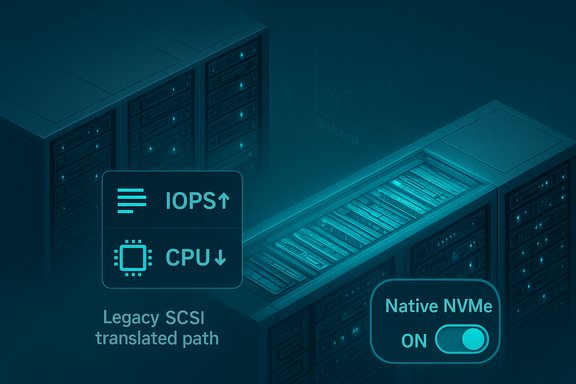
Microsoft has quietly flipped a fundamental switch in its server storage architecture: Windows Server 2025 now ships with an opt‑in Native NVMe storage path that removes the legacy SCSI translation layer, promising substantial IOPS uplifts and measurable CPU savings for modern NVMe SSDs — but the change also raises important compatibility, testing, and rollout questions that every datacenter operator should treat as mandatory checkpoints before wide deployment.
For decades Windows exposed block storage through abstractions inspired by SCSI — a design that preserved compatibility with spinning disks and early SSDs but did not map efficiently to NVMe’s massively parallel, multi‑queue architecture. NVMe devices are designed for thousands of queues and tens of thousands of outstanding commands; forcing NVMe through a SCSI-oriented kernel path introduces translation, locking and serialization that limit throughput and increase per‑IO CPU cost. Windows Server 2025’s Native NVMe initiative rewrites that narrative by offering an NVMe-aware I/O path that eliminates unnecessary translation, better uses multi‑queue semantics, and rebalances kernel work across cores for flash‑native performance. Microsoft delivered the functionality as part of its servicing cadence — notably the October cumulative update identified by KB5066835 — and ships the feature disabled by default. Administrators must enable Native NVMe after applying the update. Microsoft’s lab numbers claim up to ~80% higher IOPS in selected 4K random read microbenchmarks and roughly ~45% reduction in CPU cycles per I/O versus Windows Server 2022 in the cited tests. Those tests were published with the DiskSpd command line and hardware details to allow reproduction.
But the practical path forward is conservative and engineering‑led: update firmware, validate drivers, reproduce Microsoft’s microbenchmarks, exercise cluster recovery paths, and roll out in stages. The feature is opt‑in and delivered inside a large cumulative update — conditions that demand discipline. Treat the improvements as opportunities to raise storage performance ceilings, not as a one‑button, no‑risk upgrade. The storage revolution Microsoft is advertising is real in principle; its value in any particular datacenter will be decided by firmware, drivers, workloads and the rigor of your validation procedures.
Source: VideoCardz.com https://videocardz.com/newz/windows...upport-as-microsoft-touts-storage-revolution/
 Background / Overview
For decades Windows exposed block storage through abstractions inspired by SCSI — a design that preserved compatibility with spinning disks and early SSDs but did not map efficiently to NVMe’s massively parallel, multi‑queue architecture. NVMe devices are designed for thousands of queues and tens of thousands of outstanding commands; forcing NVMe through a SCSI-oriented kernel path introduces translation, locking and serialization that limit throughput and increase per‑IO CPU cost. Windows Server 2025’s Native NVMe initiative rewrites that narrative by offering an NVMe-aware I/O path that eliminates unnecessary translation, better uses multi‑queue semantics, and rebalances kernel work across cores for flash‑native performance. Microsoft delivered the functionality as part of its servicing cadence — notably the October cumulative update identified by KB5066835 — and ships the feature disabled by default. Administrators must enable Native NVMe after applying the update. Microsoft’s lab numbers claim up to ~80% higher IOPS in selected 4K random read microbenchmarks and roughly ~45% reduction in CPU cycles per I/O versus Windows Server 2022 in the cited tests. Those tests were published with the DiskSpd command line and hardware details to allow reproduction. Why this matters: the technical case for Native NVMe
NVMe was built for flash: high parallelism, deep queueing, and low latency. The old SCSI‑centric model binds all block devices into a single, largely serialized path through the kernel. Native NVMe addresses three core technical shortcomings:- Queue model alignment: exposing NVMe’s native multi‑queue design rather than forcing single‑queue or SCSI translation semantics improves concurrency and reduces contention.
- Reduced per‑IO CPU cost: by removing translation and lock-heavy code paths, the kernel spends fewer cycles per I/O, freeing CPU for application work.
- Lower latency and improved tail behavior: fewer context switches and synchronization points reduce average latency and, crucially, tail latency — often the dominant factor for user‑facing systems like OLTP and VDI.
What Microsoft published and how the tests were done
Microsoft published a dedicated Tech Community post describing Native NVMe and included the microbenchmark methodology and the exact DiskSpd command used to generate the headline numbers. The test hardware cited included a dual‑socket server (208 logical processors) and a Solidigm SB5PH27X038T enterprise NVMe device; the workload was a 4K random read pattern produced with DiskSpd and an NTFS volume. Microsoft’s published DiskSpd invocation is intended to let administrators reproduce the synthetic test. Key vendor‑facing claims Microsoft made (lab conditions explicitly noted):- Up to ~80% higher IOPS on specific 4K random read microbenchmarks vs. Windows Server 2022.
- Roughly ~45% reduction in CPU cycles per I/O on selected workloads and configurations.
- Most gains are observed when using the in‑box Windows NVMe driver (StorNVMe.sys); vendor proprietary drivers may already implement similar optimizations or behave differently.
Strengths: tangible, platform‑level modernization
- Architectural alignment: This is a substantive modernization of Windows’ storage stack rather than a point tweak. Aligning the OS I/O path to NVMe semantics unlocks the hardware’s parallelism in a general, platform‑level way.
- Measurable performance & efficiency gains: Microsoft’s documented microbenchmarks show large uplifts in synthetic IOPS and CPU efficiency, and independent outlets have reproduced similar trends at smaller or comparable scales. These improvements can materially increase VM density, lower transaction latency and reduce CPU contention in storage‑heavy workloads.
- Long‑term extensibility: A native NVMe path sets the foundation to expose advanced NVMe features (multi‑namespace, direct submission, vendor extensions) in future Windows releases and integrations.
Risks, caveats and why staged validation is mandatory
Despite the promise, the release contains several important caveats:- Opt‑in and disabled by default: Microsoft intentionally ships the feature disabled in the LCU; admins must enable it deliberately after testing. This indicates Microsoft’s caution about compatibility and stability.
- Servicing complexity and collateral regressions: The feature was delivered in a large cumulative update (KB5066835) that also included other fixes and, in the broader Windows ecosystem, has been associated with unrelated side‑effects (e.g., WinRE USB input issues and HTTP.sys anomalies reported across Windows 11 updates and tracked by Microsoft release health). Those incidents are a reminder that large LCUs can affect multiple subsystems. Validate the entire update, not only the NVMe behavior.
- Driver and firmware dependency: Vendor drivers, firmware behavior, HBAs, and NVMe‑of fabric adapters can change outcomes dramatically. Some vendors already supply NVMe drivers with their own optimizations; results using the Microsoft in‑box driver may not match vendor driver behavior. Test both scenarios.
- Cluster and S2D interactions: For Storage Spaces Direct (S2D), NVMe‑oF and clustered roles, interactions with replication, resync, repair and failover must be validated under stress. New I/O paths can alter rebuild windows and recovery behavior.
- Unverified third‑party tweaks: Community‑circulated registry hacks or undocumented toggles should be treated as unverified until Microsoft publishes official guidance. Apply only the documented enablement steps from Microsoft’s Tech Community post.
How to enable, test and validate safely (practical playbook)
Follow a staged, risk‑aware process rather than flipping the switch in production.- Inventory and baseline
- Record NVMe model, firmware version, driver (Microsoft vs vendor), OS build and current workloads.
- Capture baseline metrics: IOPS, average latency, p99/p999 latency, host CPU utilization, Disk Transfers/sec and application metrics.
- Update firmware & drivers
- Bring NVMe firmware and vendor drivers to the latest supported release. If you rely on vendor drivers in production, include those in testing because results differ between drivers.
- Apply servicing to lab nodes
- Install the cumulative update (e.g., KB5066835 or later servicing that includes Native NVMe) on isolated lab hardware.
- Enable Native NVMe (documented method)
- Use the Microsoft‑published registry or Group Policy method to opt in after the update. Microsoft’s Tech Community post includes a PowerShell command to add the required FeatureManagement override. Example (as Microsoft published):
reg add HKEY_LOCAL_MACHINE\SYSTEM\CurrentControlSet\Policies\Microsoft\FeatureManagement\Overrides /v 1176759950 /t REG_DWORD /d 1 /f- Prefer Microsoft’s documented command and GPO artifacts; avoid undocumented registry values circulating in forums.
- Reproduce Microsoft’s microbenchmark
- Run the DiskSpd command Microsoft provided to reproduce the synthetic 4K random read test, but also run fio and application‑level tests. Compare before/after and validate p99/p999 tail behavior.
- Validate real workloads and cluster behavior
- For S2D and clustered deployments, run failure and recovery scenarios: node loss, resync, live migration, Storage Replica replication, and rebuild stress tests.
- Staged rollout
- Canary a small set of servers, monitor telemetry and customer‑facing SLAs, then ring out progressively with clear rollback windows and backups.
- Ongoing monitoring
- Add counters for Physical Disk>Disk Transfers/sec, NVMe SMART attributes, and OS queue depth metrics in Performance Monitor and Windows Admin Center. Track CPU per‑I/O trends and tail latencies.
Interaction with Storage Spaces Direct, NVMe‑over‑Fabrics and SANs
Native NVMe improves local NVMe device handling, but modern datacenters use a variety of topologies:- Direct‑attached NVMe (local DAS): Largest and most predictable gains when using in‑box NVMe driver.
- Storage Spaces Direct (S2D): S2D already optimizes local pooling and resiliency; Native NVMe can improve underlying device efficiency but administrators must validate rebuild behavior and cluster resync under the new stack.
- NVMe‑over‑Fabrics (NVMe‑oF): Disaggregated fabrics can achieve massive throughput; ensure fabric adapters, RDMA stacks and target firmware are validated with the new host NVMe path.
- SAN/iSCSI co‑existence: Microsoft continues to support mixed topologies, but S2D remains DAS‑only. Mixed SAN + S2D deployments should preserve strict domain separation and be validated accordingly.
Client SKUs and the wider Windows ecosystem
At the time of Microsoft’s announcement the native NVMe stack was packaged and supported for Windows Server 2025. Microsoft has not committed to a client‑SKU timeline to bring the same native NVMe path to Windows 11 or consumer SKUs; any client release would likely follow server stabilization and vetting. Desktop users and gamers should not assume immediate parity — but the architectural work in Server 2025 makes future client adoption plausible.Security, stability and release‑health considerations
Delivering Native NVMe inside a large cumulative update underscores a practical reality of Windows servicing: a single LCU can touch many subsystems. The October servicing wave that included KB5066835 was also associated with other issues tracked in Microsoft’s release‑health and support pages (for example, temporary WinRE USB input problems and reported HTTP.sys issues in related Windows 11 updates). These items have been tracked and, where applicable, fixed — but they highlight that major LCUs demand full validation beyond the single feature. Treat the entire update like a functional change, not just a performance patch.Where independent reporting and community testing add context
Independent outlets and community threads broadly corroborate Microsoft’s central claims (significant IOPS and CPU reductions on targeted microbenchmarks) while reporting a spectrum of uplift ranging from the mid‑50% to ~80% depending on test setups. Press coverage reproduces the opt‑in nature and emphasizes the need for firmware/driver testing. Community posts also flagged examples of third‑party guidance that suggested undocumented registry toggles; those community-sourced toggles could not be corroborated against Microsoft’s primary KB/Tech Community documentation and should be treated as unverified. Use Microsoft’s published enablement steps where possible.Practical checklist for Windows Server administrators (quick reference)
- Inventory NVMe devices, firmware and driver stacks across the fleet.
- Patch lab systems with KB5066835 (or later servicing) and reproduce Microsoft’s DiskSpd test.
- Compare both Microsoft in‑box NVMe driver (StorNVMe.sys) and vendor drivers.
- Validate S2D/NVMe‑oF cluster behaviors: resync, failover, replication and live migration under load.
- Use staged rollouts with telemetry and rollback windows.
- Avoid undocumented registry changes and follow vendor guidance for firmware and drivers.
Conclusion — measured optimism, not a flip of the switch
Windows Server 2025’s Native NVMe is an important and overdue modernization: it aligns the OS with flash‑native hardware and delivers measurable performance and CPU efficiency benefits in Microsoft’s and others’ lab tests. For workloads where storage I/O is the limiting factor — databases, virtualization farms, AI scratch and high‑performance file services — these changes can translate into higher density, lower operational cost and better responsiveness.But the practical path forward is conservative and engineering‑led: update firmware, validate drivers, reproduce Microsoft’s microbenchmarks, exercise cluster recovery paths, and roll out in stages. The feature is opt‑in and delivered inside a large cumulative update — conditions that demand discipline. Treat the improvements as opportunities to raise storage performance ceilings, not as a one‑button, no‑risk upgrade. The storage revolution Microsoft is advertising is real in principle; its value in any particular datacenter will be decided by firmware, drivers, workloads and the rigor of your validation procedures.
Source: VideoCardz.com https://videocardz.com/newz/windows...upport-as-microsoft-touts-storage-revolution/
