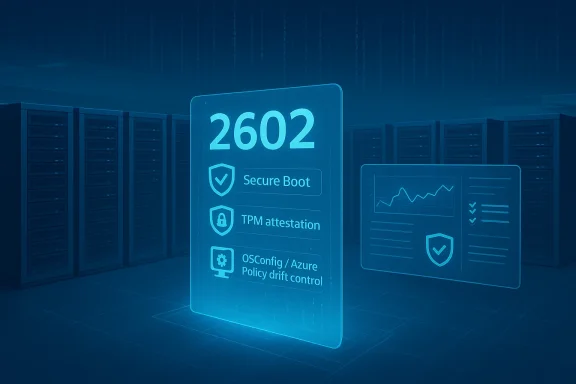
Microsoft has quietly shifted how it delivers server hardening guidance: on June 25, 2025 Microsoft published a refreshed security baseline package for Windows Server 2025 (v2506), signaling both a shorter update cadence and several practical changes to default posture recommendations that will matter to every enterprise deploying Server 2025. ([techcommunity.micrchcommunity.microsoft.com/blog/microsoft-security-baselines/security-baseline-for-windows-server-2025-version-2506/4426431)
Microsoft security baselines are collections of recommended Group Policy and configuration settings intended to help administrators deploy consistent, hardened Windows environments. Historically these baselines were updated infrequently; with the v2506 release Microsoft explicitly states it will update the Windows Server baseline more often to keep pace with emerging threats, platform changes, and community feedback. That shift in cadence is as important as the individual setting changes — it changes how administrators plan testing, change windows, and automation around configuration drift and compliance.
The v2506 package is available through the Microsoft Security Compliance Toolkit and is intended to be consumed, tested, and customized by organizations; it is not a mandate but a vetted starting point. For organizations using Azure Arc, OSConfig, or Intune for baseline application the baseline experience and enforcement model has matured into a managed-policy model that can be automated at scale — but that automation also raises new operational risks that administrators must understand.
However, capturing command lines is not free: the security log volume grows, and command-line arguments can contain sensitive information (passwords, tokens, PII). Microsoft and ADMX documentation explicitly warn that any user with permission to read the security log will see those arguments, so organizations need to ensure access control to logs and retention policies are carefully managed.
If you use Intune or the Microsoft Security Baseline family through Endpoint Manager, be cautious: community reporting has surfaced casates interfere with customizations. Back up your profiles and test updates in a controlled pilot before wide deployment.
Microsoft’s v2506 baseline is a pragmatic recalibration: it leans into modern telemetry and removes outdated policy noise, while asking organizations to raise their operational game. For security teams and server administrators, the practical work now is less about changing a checkbox and more about governance — making sure that richer data is collected, protected, and put to work without breaking operations. Microsoft’s release notes and baseline package provide the specific guidance for adoption; treat them as living documentation and integrate them into your change management pipelines.
Conclusion: v2506 is not a dramatic reroute — it is a necessary, iterative course correction for server security in 2025. Implement it thoughtfully, prioritize telemetry hygiene and access controls, and plan for the new cadence of baseline updates that Microsoft now promises.
Source: Neowin Microsoft updates security baseline package for Windows Server 2025
 Background
Microsoft security baselines are collections of recommended Group Policy and configuration settings intended to help administrators deploy consistent, hardened Windows environments. Historically these baselines were updated infrequently; with the v2506 release Microsoft explicitly states it will update the Windows Server baseline more often to keep pace with emerging threats, platform changes, and community feedback. That shift in cadence is as important as the individual setting changes — it changes how administrators plan testing, change windows, and automation around configuration drift and compliance.The v2506 package is available through the Microsoft Security Compliance Toolkit and is intended to be consumed, tested, and customized by organizations; it is not a mandate but a vetted starting point. For organizations using Azure Arc, OSConfig, or Intune for baseline application the baseline experience and enforcement model has matured into a managed-policy model that can be automated at scale — but that automation also raises new operational risks that administrators must understand.
What changed in v2506 — the headline items
Microsoft’s announcement and subsequent reporting list a compact set of changes that shift detection, reduce legacy controls, and tidy server-focused policy. The most notable items in the v2506 release are:- Deny log on through Remote Desktop Services: adjusted to allow remote logon for non-administrative local accounts on member servers, and explicitly adds BUILTIN\Guests to the denial list for both Domain Controllers (DC) and Member Servers (MS). This is intended to tighten unauthenticated access while allowing some operational local-account scenarios on member servers.
- WDigest Authentication: removed from the baseline because it is deprecated on modern server builds; the baseline no longer recommends enforcing the legacy WDigest setting. This reflects platform improvements that no longer rely on the old mechanism.
- Include command line in process creation events: set to enabled in both DC and MS profiles to capture process command-lines in process-creation audit events — a detection-first change intended to greatly improve forensic visibility.
- Control whether exclusions are visible to local users: moved to Not Configured because its behavior is already governed by the parent setting; removing redundant entries reduces configuration noise.
- Minor cleanups such as removing Allow Windows Ink Workspace from server profiles and enabling more focused authorization policy change auditing (set to Success) to improve tracking of security-policy modifications.
Why these changes matter: security and detection tradeoffs
Better telemetry — a win for defenders
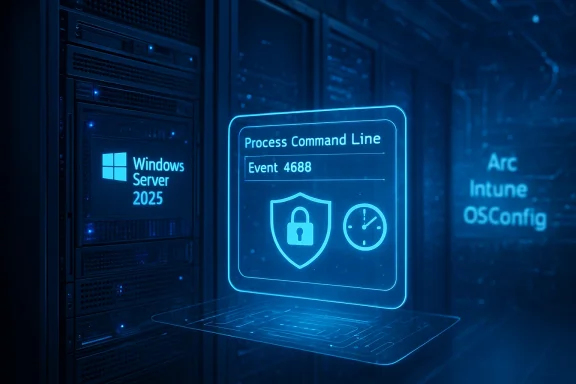
Enabling Include command line in process creation events is the single biggest day‑to‑day improvement for defenders. When enabled, the Windows Security event 4688 (Process Creation) includes the full process command line, giving analysts direct context about what was executed and with what arguments — information that dramatically reduces the time to triage and increases the fidelity of detections for scripting abuse, living-off-the-land attacks, and lateral-movement tooling. Microsoft’s baseline enables this by default in v2506 for both DC and MS roles, reflecting the priority shift toward observability.However, capturing command lines is not free: the security log volume grows, and command-line arguments can contain sensitive information (passwords, tokens, PII). Microsoft and ADMX documentation explicitly warn that any user with permission to read the security log will see those arguments, so organizations need to ensure access control to logs and retention policies are carefully managed.
Removing legacy configuration: WDigest and policy drift
Dropping WDigest from the server baseline is an acknowledgement that modern Windows builds protect credentials differently and no longer require this old mitigation. Removing it reduces unnecessary configuration overhead and possible group policy conflicts. That said, administrators must not assume the feature is harmless in mixed or legacy environments—if you have older systems or apps that rely on legacy behavior, removal of WDigest gating in your policy could expose compatibility issues. Microsoft’s announcement clarifies the baseline change but also makes clear the baseline is a starting point to be tested and tailored.RDP denial changes: convenience vs risk
The modification to Deny log on through Remote Desktop Services — permitting non-admin local accounts to remotely log on to member servers while adding BUILTIN\Guests to deny lists for DCs and MSs — is nuanced. It attempts to balance operational scenarios (some automation or vendor tools still use local accounts) while hardening default denial on critical systems like domain controllers. But this adjustment increases the chance of accidental lockouts, particularly in environments that use local accounts sparingly or have automation that assumes old rights. CIS/STIG guidance historically places Guests into the deny list for RDP access; Microsoft’s baseline now codifies a nuanced, role-based expectation that must be tested prior to deployment.Deep dive: the “Include command line in process creation events” change
What it does technically
When the Group Policy setting Include command line in process creation events is enabled, Windows populates the Process Command Line field in Event ID 4688, providing:- full command-line arguments for executables,
- the parent and creator fields that help build a process tree,
- improved detection signals for suspicious command patterns and living-off-the-land abuse.
Operational implications
- Volume: Event 4688 is logged for every process creation. Enabling the command-line field inflates each event with additional text. Expect meaningful increases in security l costs if you push logs to SIEM/XDR.
- Privacy & leakage: Command lines are plaintext. Scripts, installers, or legacy tools sometimes pass credentials or secrets in arguments. Logs must be treated as sensitive artifacts.
- Log access control: Ensure RBAC on event collectors, SIEM consoles, and endpoint log stores; implement log masking or redaction where supported.
- Collection & parsing: SIEM parsers and detection rules need to be adapted to use the new fields (or will miss new signals). Test rule performance to avoid a flood of false positives.
Operational risks and real-world surprises
The baseline update intentionally nudges admins toward tighter defaults, but the real world is messy. Here are key risks observed in the field and echoed by community reporting:- Policy enforcement surprises: Cloud or platform management agents (Azure VM agents, configuration services, Intune) can and do overwrite local policies. There are public reports of Azure VMs where local security policy changes to RDP deny rights get immediately reverted by system services, which can create hard-to-diagnose lockouts or automation failures. Test baseline changes on representative VMs (including Azure Marketplace and image-optimized instances).
- Baseline updates vs. customizations: Administrators who customize baselines through Intune or other tools sometimes find those customizations do not persist across baseline updates. Community threads flagged that Intune baseline handling of custom tweaks can be fragile, and Microsoft has acknowledged edge cases where baseline updates reset or ignore some custom settings — an operational headache for orgs that rely on layered policies. Backup GPOs and have scripted remediation to reapply critical exceptions.
- Audit log explosion & cost: Organizations forwarding all security logs to cloud SIEMs or XDR products must model the increased ingestion and retention costs before enabling command-line auditing broadly. Without filtering or short retention windows for high-volume hosts, visibility gains can come with a price. Vendor guidance and internal P&L need to agree prior to mass rollout.
- Compatibility in mixed environments: Removing legacy settings such as WDigest from the baseline assumes modern server builds. If you manage mixed OS generations or third-party dependencies, blind application can break older tools or management workflows. Test, and maintain exception lists where necessary.
How to approach deployment: a practical, step-by-step plan
Below is a recommended, pragmatic sequence for teams preparing to adopt the v2506 baseline. Follow it as an operational blueprint.- Inventory and classification
- Catalog all Windows Server 2025 instances, separating Domain Controllers, Member Servers, and Workgroup machines.
- Note any servers running vendor-supplied images or with local-account-dependent automation. This will highlight where the RDP deny change could matter.
- Lab validation
- Deploy the v2506 baseline into a non-production lab that mirrors production (including Azure Arc or Intune-managed VMs).
- Validate the group policies, watch for immediate reversion behavior from management agents, and confirm log size impacts.
- Audit collection planning
- Determine which hosts will have command-line auditing enabled. Consider tiered enablement: start with critical investigation hosts and domain controllers, then expand once SIEM preparedness is confirmed.
- Access controls nt RBAC for security logs and SIEM views. Ensure that only necessary roles have access to raw security event contents.
- Phased rollout
- Roll out to one environment slice (e.g., staging or a single business unit) for 1–2 weeks.
- Monitor for authentication errors, automation failures, and RDP access issues.
- Detection rule updates
- Update SIEM/XDR parsing rules to use the Process Command Line field and adjust baselines for normal process arguments to reduce false positives.
- Exceptions & rollback
- Maintain an exceptions inventory for servers requiring custom settings and script a safe rollback plan (including GPO backups and registry-level restores).
- Documentation & change control
- Record the baseline version (v2506), the date of application, and the exact customizations applied. This is critical when Microsoft issues further baseline revisions.
Mapping the v2506 baseline to compliance frameworks
Enterprises commonly map Microsoft baselines to external frameworks (CIS Benchmarks, STIGs, NIST). The v2506 changes generally increase alignment with detection and hardening frameworks — for example, adding command-line visibility and auditing authorization policy changes supports forensic and compliance needs. But some CIS/benchmarks have historically recommended different values for command-line logging (CIS recommendations have oscillated), so verify per-framework guidance before asserting compliance. Use the baseline as a technical control and pair it with process controls for auditability.Tools, automation, and enforcement: OSConfig, Azure Arc, and Intune notes
Microsoft’s baseline experience is increasingly tied to managed enforcement mechanisms like OSConfig and Azure Policy guest configurations, which allow baselines to be applied, monitored, and automatically remediated. For Azure Arc-connected machines, the baseline can be assigned and will be protected from drift, but changing a machine’s role requires reapplying assignments. These capabilities are powerful for scale but require orchestration and documentation to avoid surprises.If you use Intune or the Microsoft Security Baseline family through Endpoint Manager, be cautious: community reporting has surfaced casates interfere with customizations. Back up your profiles and test updates in a controlled pilot before wide deployment.
Recommended policy exceptions and red flags to watch
- Red flag: sudden loss of RDP access on multiple member servers after baseline enforcement — likely tied to the Deny log on through Remote Desktop Services change. Investigate local-account usage and service accounts immediately.
- Exception candidate: servers running vendor appliances or older backup agents that rely on legacy authentication or pass credentials on command lines — these may need tailored baselines or compensating controls.
- Red flag: SIEM ingestion spike and unmanageable storage costs after enabling command-line capture across all servers. Remediate with selective enablement and log sampling.
- Exception candidate: administration jump boxes or bastion hosts — these are high-value collectors that may safely have command-line auditing enabled with stricter log access controls.
Critical checklist for Windows Server teams (quick reference)
- Confirm baseline version: v2506 and record the release date (June 25, 2025).
- Test the Deny log on through Remote Desktop Services changes in a staging environment before deployment.
- If enabling command-line recording:
- Ensure Audit Process Creation is enabled.
- Confirm registry/ADMX policy ProcessCreationIncludeCmdLine_Enabled is deployed.
- Validate that baseline management agents (Azure agent, Intune) do not overwrite critical exceptions unexpectedly.
- Update SIEM parsers and detection rules to leverage the Process Command Line field.
- Keep a documented rollback plan and GPO backups before applying the baseline widely.
Strengths, limits, and journalistic assessment
Microsoft’s v2506 baseline demonstrates three clear strengths:- Detection-first posture: enabling command-line capture is a practical acknowledgment that defenders need richer telemetry to hunt and investigate modern attacks.
- Cleaner, role-aware defaults: removing legacy settings (WDigest) and pruning irrelevant policies (Windows Ink on servers) reduces GPO noise and speeds application.
- Faster cadence: committing to more frequent baseline updates aligns security guidance with rapid platform and threat changes.
- Operational friction: changes like RDP-deny adjustments and richer auditing can cause immediate operational impacts if not staged carefully.
- Management agent interactions: cloud and endpoint management tooling may not always behave predictably when baselines change; community reports show edge cases where settings are reverted or customizations lost.
- Cost and privacy tradeoffs: richer logs are valuable but increase ingestion costs and expand the set of sensitive artifacts requiring stronger access controls.
Final recommendations for administrators
- Treat v2506 as a recommended starting point, not a one-click enforcement across your estate. Test first, automate second.
- Roll out Include command line selectively and pair it with strict log-access controls and retention policies to manage cost and privacy.
- Before changing RDP-deny settings, inventory local-account usage and vendor tooling; communicate changes to platform owners to avoid critical lockouts.
- Maintain versioned backups of GPOs and automation scripts. If you use Intune, Endpoint Manager, or Azure Arc, validate how those platforms implement baseline updates and protect customizations.
- Update detection engineering to take advantage of new event fields (Process Command Line) and budget for increased telemetry ingestion.
Microsoft’s v2506 baseline is a pragmatic recalibration: it leans into modern telemetry and removes outdated policy noise, while asking organizations to raise their operational game. For security teams and server administrators, the practical work now is less about changing a checkbox and more about governance — making sure that richer data is collected, protected, and put to work without breaking operations. Microsoft’s release notes and baseline package provide the specific guidance for adoption; treat them as living documentation and integrate them into your change management pipelines.
Conclusion: v2506 is not a dramatic reroute — it is a necessary, iterative course correction for server security in 2025. Implement it thoughtfully, prioritize telemetry hygiene and access controls, and plan for the new cadence of baseline updates that Microsoft now promises.
Source: Neowin Microsoft updates security baseline package for Windows Server 2025