

Microsoft’s update pipeline has tripped over itself again: a servicing change in January’s cumulative rollup left a narrow but meaningful set of Windows 11 machines restarting when users expected them to shut down or hibernate, while the long-running “Update and shut down” mismatch that plagued users for years was only partially addressed in an earlier preview package—creating a complicated patch-and-workaround landscape that administrators and power users must now navigate carefully.
For most people, the power menu item “Update and shut down” is a tiny convenience: install updates, walk away, and return to a patched, powered-off computer. For several years, however, some Windows installations behaved differently—updates would be applied but the machine would not power off, sometimes returning to the lock screen or rebooting instead of shutting down. That intermittent mismatch produced real-world problems: drained laptop batteries, broken maintenance windows, and lost trust in a simple user expectation. Microsoft staged a servicing-level fix into preview channels in late 2025 but follow-on regressions tied to January’s security rollup reintroduced operational headaches for a subset of systems.
Critical points to consider:
The immediate engineering priority is straightforward: deliver a permanent fix that preserves shutdown and hibernation semantics for devices with Secure Launch enabled without introducing new regressions, and fold the Update-and-shutdown servicing improvements into the mainstream cumulative update channel once validated. Operationally, the prudent course for most organizations is to inventory exposure, pilot fixes conservatively, and maintain clear communications with end users to prevent avoidable data loss or battery drain.
For users who dislike on-device AI features, third-party removal tools will continue to proliferate—but they are a blunt instrument and must be approached with caution. The safer path for enterprises is to use policy controls, feature management, and tested configuration baselines to restrict unwanted functionality, preserving updateability and supportability.
Ultimately, the promise at stake is simple and important: when Windows says it will “Update and shut down,” users must be able to rely on that compact, predictable behavior. The engineering work Microsoft has done so far is a necessary step toward that promise, but the January regression is a reminder that servicing changes at the platform level must be validated across the full diversity of real-world configurations before they reach production fleets.
Source: filmogaz.com https://www.filmogaz.com/103428] [B...utting-down-here-is-microsofts-temporary-fix]
 Background
For most people, the power menu item “Update and shut down” is a tiny convenience: install updates, walk away, and return to a patched, powered-off computer. For several years, however, some Windows installations behaved differently—updates would be applied but the machine would not power off, sometimes returning to the lock screen or rebooting instead of shutting down. That intermittent mismatch produced real-world problems: drained laptop batteries, broken maintenance windows, and lost trust in a simple user expectation. Microsoft staged a servicing-level fix into preview channels in late 2025 but follow-on regressions tied to January’s security rollup reintroduced operational headaches for a subset of systems.What went wrong — high level
Windows servicing is multi-phase and touches firmware, virtualization, the servicing stack, and the power manager. When an update requires offline commits during shutdown or boot, the OS must preserve the user’s final power intent (shutdown, restart, or hibernate) across those phases. Changes to sequencing, servicing orchestration, or interactions with virtualization-based protections can flip what should be a shutdown into a restart. That brittle intersection—between servicing orchestration and security hardening features like System Guard Secure Launch—is the technical root for the most recent regression.The timeline of fixes and regressions
October 28, 2025: KB5067036 (optional preview)
Microsoft rolled a preview cumulative package (KB5067036) that bundled a targeted servicing correction intended to preserve the shutdown semantics for the Update and shut down flow. The preview also contained a Servicing Stack Update (SSU) and packages for Windows 11 24H2 and 25H2 builds. That fix came after months of Insider validation and was intended to restore the basic promise of the UI for affected devices. Early testers reported the behavior improved, but preview packages carried the usual caution: mixed fixes and feature bits packaged together can carry regressions.January 13, 2026: KB5073455 and related Patch Tuesday rollups
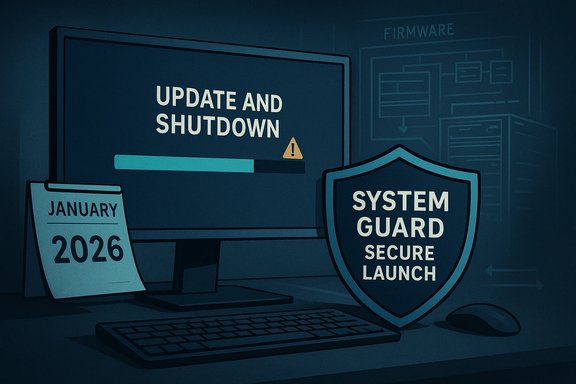
January’s Patch Tuesday shipped cumulative rollups across Windows 11 branches. One of those packages—documented for Windows 11, version 23H2 as KB5073455—introduced a configuration-dependent regression where systems with System Guard Secure Launch enabled could restart instead of shutting down or hibernating after the update was applied. Microsoft documented an immediate workaround: use an explicit command-line shutdown (shutdown /s /t 0) to force power-off until a permanent fix ships. Independent reporting and community telemetry corroborated Microsoft’s advisory.Technical anatomy — why shutdown becomes restart
Understanding why a shutdown sometimes turns into a restart requires a brief tour of modern Windows servicing:- Many cumulative updates perform staging while Windows runs, then require one or more offline commit passes during shutdown or on next boot.
- The servicing stack must carry forward a persistent “final power intent” flag so that offline commits honor the user’s choice (shutdown vs. restart).
- Virtualization-based security like System Guard Secure Launch introduces additional early-boot measurements and virtualization boundaries that alter timing and control flow through the boot and servicing pipeline.
- If orchestration logic or SSU/LCU sequencing is changed in a way that misinterprets or fails to preserve that final intent, the system may select a restart path as part of completing servicing operations.
What Microsoft has acknowledged and recommended
Microsoft’s published guidance and KB notes delivered three practical points:- The behavior is configuration-dependent—System Guard Secure Launch must be enabled for the January shutdown regression to appear, concentrating the impact on Enterprise and IoT SKUs where Secure Launch is commonly enforced. Consumer Home/Pro devices are far less likely to be affected.
- The immediate, vendor-documented workaround to force a shutdown is to open an elevated Command Prompt and run: shutdown /s /t 0. Microsoft explicitly noted there was currently no workaround for hibernation in affected configurations.
- The October 2025 optional preview package (KB5067036) did include a remediation that improved the Update-and-shutdown semantics, and Microsoft followed the usual staged rollout model (Insider → optional preview → mainstream). Users seeking the fix early were told to pilot the preview on non-critical devices.
Practical impact — who should care and why
- Laptop users who rely on hibernate or expect a laptop to be powered down overnight are exposed to the worst real-world impact: overnight battery drain and possible unsaved work loss if a restart occurs instead of a shutdown.
- Administrators with imaging labs, deployment automation, or scripted maintenance windows rely on deterministic shutdown behavior; intermittent restarts can break automation and imaging flows.
- Organizations enforcing Secure Launch for firmware/boot hardening must weigh the operational risk: security posture vs. deterministic availability.
- For consumers and small businesses that do not enable Secure Launch and that rely on standard Windows Update channels, the risk is lower—but still non-zero if the device configuration or OEM firmware interacts in an unexpected way.
Recommended mitigation and rollout guidance
For individual users
- Check whether the machine is actually affected:
- If you didn’t enable Secure Launch and your device is Home/Pro, you are unlikely to be affected.
- If you see a restart instead of shutdown after installing the January updates, use the immediate workaround: open Command Prompt as admin and run shutdown /s /t 0.
- Save work frequently and avoid relying on hibernate until Microsoft releases a confirmed fix.
- If comfortable with preview packages and you have a spare device, consider piloting KB5067036 (October 28, 2025 preview) to test whether the Update-and-shutdown improvement addresses your earlier problems—do not install previews on critical hardware without testing.
For IT administrators
- Inventory systems for Secure Launch enablement; catalog exposure by SKU (Enterprise/IoT) and by device class (laptop vs. desktop).
- Add explicit Update+Shutdown and Hibernate verification tests to the acceptance suite for any patch validation cycle.
- Pilot any preview or early-fix rollouts on a controlled ring of devices; collect telemetry specifically around shutdown semantics and hibernation success.
- Use Known Issue Rollback (KIR) mechanisms and SSU/LCU sequencing best practices rather than blunt uninstalls when possible.
- Communicate the emergency shutdown command and driver/workflow changes to helpdesk and users to avoid battery drain incidents overnight.
Why this incident matters beyond convenience
Fixing the Update-and-shutdown mismatch seems trivial on the surface, but it’s a window into larger reliability and lifecycle challenges:- User trust is a fragile commodity. When UI affordances no longer match behavior, users develop workarounds (e.g., always using Update and restart), which undermines update compliance and security hygiene.
- Servicing complexity is growing. Cumulative updates must now bridge hardware, firmware, virtualization boundaries, and a sprawling device ecosystem. Each additional hardening measure (like Secure Launch) increases the surface area for fragile interactions.
- Operational cost is not just theoretical. Maintenance windows, imaging, and scripted automation can take real time to repair when one element of the platform behaves inconsistently.
The on-device AI angle and third‑party removal tools
January’s servicing wave and the October preview package intersect with a separate thread of controversy: on-device AI features in Windows 11 and user pushback. Microsoft’s preview updates have included accessibility and on-device AI enhancements, which some users welcome, while others distrust or dislike integrated AI features. Coverage of third-party tools that claim to “remove” or “disable” Windows AI components has grown, and at least one high-profile outlet highlighted a tool that promises to strip AI elements from Windows 11.Critical points to consider:
- Third-party tools that modify or remove bundled OS components can carry significant risk: they may break intended dependencies, void vendor support, or trigger unexpected behavior in future updates.
- Many “AI removal” utilities operate by disabling services, uninstalling packages, or altering telemetry/configuration options; the effects can be irreversible without a clean reinstall.
- Microsoft frequently ships “server-gated” features (capabilities that are enabled server-side even when binaries are present). Stripping local binaries may not entirely prevent server-gated features from reappearing or from affecting user experience.
Balanced analysis — strengths and risks in Microsoft’s approach
Notable strengths
- Microsoft’s staged approach (Insider → optional preview → mainstream) is the right mechanism to field test deep servicing changes before broad rollout, and the October preview did contain a legitimate orchestration fix for a long-standing problem. This indicates Microsoft is addressing subtle servicing issues at the correct layer.
- Publishing clear KB advisories and immediate workarounds (the explicit shutdown command) helps administrators triage and mitigate short-term risk while engineering works on a permanent correction.
- The servicing architecture includes mechanisms (SSUs, KIRs) that permit surgical mitigations when necessary, which is preferable to naked uninstalls or other blunt workarounds.
Material risks and downsides
- Bundling reliability fixes with previewed UI or AI enhancements in the same KB package increases the chance of side effects and complicates causal analysis for regressions.
- Configuration-dependent regressions (like the Secure Launch shutdown issue) disproportionately affect organizations that adopt stronger security postures—creating a trade-off between hardening firmware/boot paths and maintaining deterministic availability.
- Third-party “AI removal” tools, while appealing to privacy-conscious users, risk breaking updateability and supportability. Removing or disabling components outside vendor-sanctioned flows can cause future cumulative updates to fail or produce new regressions.
Concrete next steps for readers
- Verify exposure: confirm whether your devices have System Guard Secure Launch enabled and whether the January update KB5073455 (or your branch’s equivalent) was installed. If in doubt, pilot and test.
- Use the emergency command-line shutdown (shutdown /s /t 0) to avoid overnight battery drain for affected machines until Microsoft ships a fix.
- Administrators should add Update+Shutdown flows to their patch validation checklist and preserve rollback/restore plans when testing previews or cumulative updates.
- Be cautious with third-party utilities that claim to remove AI components: validate on isolated hardware, keep recovery media, and prefer vendor-supported controls where possible.
Final assessment
This episode is a textbook case of how modern operating-system servicing has become both essential and brittle: the need to ship extensive security updates monthly collides with a complex device ecosystem and new security hardening features, producing edge-case interactions that can have outsized operational impact. Microsoft has followed sensible staging and advisory practices—putting a remediation into preview, documenting a narrow regression in January’s rollup, and offering a clear emergency workaround—yet the situation still imposes practical burdens on administrators and cautious users.The immediate engineering priority is straightforward: deliver a permanent fix that preserves shutdown and hibernation semantics for devices with Secure Launch enabled without introducing new regressions, and fold the Update-and-shutdown servicing improvements into the mainstream cumulative update channel once validated. Operationally, the prudent course for most organizations is to inventory exposure, pilot fixes conservatively, and maintain clear communications with end users to prevent avoidable data loss or battery drain.
For users who dislike on-device AI features, third-party removal tools will continue to proliferate—but they are a blunt instrument and must be approached with caution. The safer path for enterprises is to use policy controls, feature management, and tested configuration baselines to restrict unwanted functionality, preserving updateability and supportability.
Ultimately, the promise at stake is simple and important: when Windows says it will “Update and shut down,” users must be able to rely on that compact, predictable behavior. The engineering work Microsoft has done so far is a necessary step toward that promise, but the January regression is a reminder that servicing changes at the platform level must be validated across the full diversity of real-world configurations before they reach production fleets.
Source: filmogaz.com https://www.filmogaz.com/103428] [B...utting-down-here-is-microsofts-temporary-fix]
