

Microsoft's Windows update cycle opened the year with a dense mix of Insider previews, one high‑profile stability regression, a security‑heavy Patch Tuesday and a cautious but persistent conversation about when — or whether — a successor called “Windows 12” will actually arrive.
Microsoft continues to deliver Windows 11 as a living platform: frequent cumulative updates, targeted enablement packages for 25H2, and staged Controlled Feature Rollouts (CFR) that let the company gate features by hardware, entitlement and telemetry. This approach produces frequent small builds across the Canary, Dev, Beta and Release Preview channels and sometimes results in the same binary being offered to multiple channels while features are switched on server‑side. The recent wave of Insider previews — notably the 26220 family for the 25H2 track — demonstrates that pattern and explains why Dev and Beta temporarily shared identical 25H2‑based packages, giving Dev Insiders a short window to switch to Beta without a clean reinstall.
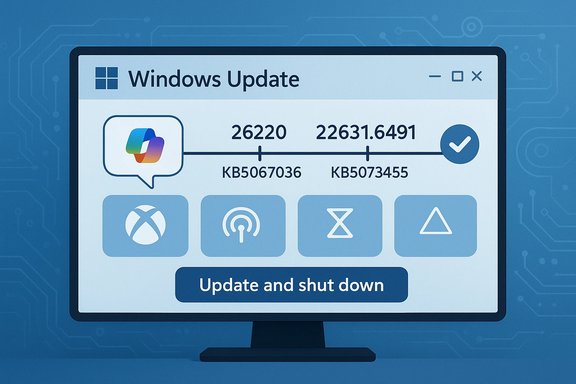
At the same time, January’s Patch Tuesday updates included important security and platform hardening work (including a significant 23H2 cumulative, KB5073455) that carries operational consequences for IT teams — from driver removals to Secure Boot certificate lifecycle actions. Those changes are legitimate security steps that nevertheless increase the need for inventories, compatibility testing and phased rollouts.
Conclusion
This update cycle is a useful microcosm of Windows’ current trajectory: faster, more iterative releases that bake AI into the platform while using staged rollouts to reduce risk. That model produces clear advantages — quicker fixes, richer on‑device experiences, and tighter hardware pairing for AI features — but it also raises operational complexity for administrators who must manage gating, firmware dependencies and preview regressions. The “Update and shut down” fix demonstrates that even the smallest UX promises matter, and January’s KB5073455 underscores that security hardening sometimes forces difficult inventory and firmware coordination choices. Finally, talk of Windows 12 remains a projection rooted in product signals and lifecycle math — useful for long‑range planning but not yet a confirmed roadmap item. Organizations and power users should plan pragmatically: pilot, inventory, test, and let mainstream cumulative releases and OEM firmware updates drive broad deployments.
Source: Thurrott.com https://www.thurrott.com/windows/wi...-of-windows-12-release-predicted?language=ee]
 Background / Overview
Microsoft continues to deliver Windows 11 as a living platform: frequent cumulative updates, targeted enablement packages for 25H2, and staged Controlled Feature Rollouts (CFR) that let the company gate features by hardware, entitlement and telemetry. This approach produces frequent small builds across the Canary, Dev, Beta and Release Preview channels and sometimes results in the same binary being offered to multiple channels while features are switched on server‑side. The recent wave of Insider previews — notably the 26220 family for the 25H2 track — demonstrates that pattern and explains why Dev and Beta temporarily shared identical 25H2‑based packages, giving Dev Insiders a short window to switch to Beta without a clean reinstall.At the same time, January’s Patch Tuesday updates included important security and platform hardening work (including a significant 23H2 cumulative, KB5073455) that carries operational consequences for IT teams — from driver removals to Secure Boot certificate lifecycle actions. Those changes are legitimate security steps that nevertheless increase the need for inventories, compatibility testing and phased rollouts.
Beta channel and the 25H2 preview: what changed and why it matters
The Dev → Beta parity window
Microsoft’s recent Insider packaging again illustrated the enablement‑package model: small cumulative packages can be distributed to multiple channels while features are gated by server‑side flags. The practical upshot was that a 25H2‑based enablement preview (26220‑family builds) was recommended into Beta as an optional install, temporarily aligning Dev and Beta binaries and allowing a short migration window for testers who prefer Beta’s relative stability. That limited window matters because once Dev advances to a higher build family, switching channels without reinstalling becomes complicated.Key visible items in recent 25H2 previews
- Ask Copilot in the taskbar — an opt‑in pill that surfaces Copilot chat, voice and vision plus local search results; enablement lives in Settings → Personalization → Taskbar.
- Xbox Full‑Screen Experience (FSE) — a console‑style fullscreen layer previously tuned to handhelds and now previewing on more PC form factors.
- Shared audio (LE Audio / Auracast preview) — a Bluetooth LE audio sharing tile in Quick Settings for Copilot+ devices.
- Prism (Windows on Arm) improvements — emulator updates to better expose CPU features enabling more x64 app compatibility on Arm platforms.
Practical guidance for Insiders and IT
- For enthusiasts who want early exposure: join the Windows Insider program and enable “Get the latest updates as they are available” in Settings → Windows Update.
- For IT and enterprise pilots: run representative hardware pilots, validate imaging and recovery flows (WinRE/QMR), and record winver/KB identifiers before scaling.
- If you prefer maximum predictability: stay on Beta or Release Preview for formal validation and wait for mainstream cumulative inclusion.
The shutdown regression and how it was addressed
The symptom and why it mattered
A long‑running Windows annoyance — where the Start menu action labeled “Update and shut down” sometimes installed updates but left systems powered on or returned to the sign‑in screen — was finally tackled by Microsoft. The root issue was orchestration complexity in the offline servicing pipeline: multi‑phase updates, Fast Startup hybrid semantics, driver replacements that require reboots, and sign‑in/finish workflows could cause the final power‑state decision to be lost or overridden. That mismatch produced drained laptop batteries, broken maintenance windows and automation failures for administrators.The fix and the rollout path
Microsoft implemented an orchestration‑level fix, validated it in Insider flights and packaged it into an optional preview cumulative update (KB5067036) published October 28, 2025 — producing preview OS builds such as 26200.7019 (25H2) and 26100.7019 (24H2). Independent testing and Microsoft’s notes indicate the “Update and shut down” option now behaves as labeled on many previously affected systems after installing the preview package; the company planned to fold the correction into the following mainstream Patch Tuesday once telemetry validated stability. However, preview builds can carry regressions (for example, reported Task Manager duplication issues), so pilot testing is essential before wide deployment.Recommendations
- Home users who want the fix now: install KB5067036 on a non‑critical device and verify “Update and shut down.”
- Administrators: create a pilot ring, collect telemetry and be prepared to roll back; expect mainstream inclusion in the regular cumulative update cycle after preview validation.
Patch Tuesday: KB5073455 (Build 22631.6491) and operational implications
What the January cumulative did
January’s Patch Tuesday delivered cross‑branch fixes and an operationally significant package for 23H2: KB5073455 (OS Build 22631.6491). This update combined security hardening with platform work intended to reduce future boot and update fragility — notably a controlled mechanism to replace expiring Secure Boot trust anchors and the removal of legacy, high‑risk kernel modem drivers from the in‑box image. Those two actions are security‑first but can produce compatibility issues for older hardware, so they require inventory and coordination with OEM firmware updates.Notable technical changes and risks
- Secure Boot certificate lifecycle management — updated trust anchors to avoid mass failures when older firmware certificates expire; this reduces long‑term risk but depends on OEM cooperation.
- Legacy driver removal — kernel modem/serial drivers deemed high‑risk were removed from the in‑box image, which can break legacy hardware that lacks vendor updates.
- Standard security and reliability fixes across kernel, networking, SMB, and graphics subsystems.
Mitigation checklist for admins
- Run hardware and driver inventories before deploying KB5073455 broadly.
- Validate Secure Boot/firmware compatibility in a pilot ring with a variety of OEMs and firmware versions.
- Preserve logs (WindowsUpdate, CBS) and be ready to escalate if devices fail to boot or lose functionality.
UX refinements: modernized dialogs and shell polish in the 26220 family
What the previews changed
Recent 25H2 preview builds in the 26220 family continued incremental visual and interaction polish: modernized dialogs, refined Quick Settings, File Explorer improvements (context menus, preload experiments) and accessibility expansions such as on‑device HD voices for Narrator. These are iterative updates rather than sweeping redesigns, but they add tangible everyday polish across many workflows. Expect the visible impact to vary due to CFR gating.Strengths and trade‑offs
- Strengths: small ergonomics gains add up — fewer micro‑frictions in dialogs, improved accessibility, and targeted recovery/diagnostic improvements.
- Trade‑offs: staged feature gating creates uneven device behavior; enterprises must test per‑SKU and per‑firmware version to confirm acceptability.
Windows 12: prediction, projection, and planning (flagged as speculative)
What the pundits say
The “Windows 12” conversation is mostly analyst projection and rumor at this stage. Signals include Microsoft’s Copilot+ hardware push, the Prism emulator work for Arm parity, and lifecycle timing (Windows 11 25H2 support dates). Industry analysis often places a plausible window for a numbered successor between 2026–2028 — many settle around 2027 as a sensible alignment with OEM refresh cycles and Copilot+ silicon maturity — but Microsoft has not announced a product named Windows 12. Treat release dates as forecasts, not confirmations.Likely themes (if and when Microsoft rebrands)
- AI as a platform — Copilot evolving from a feature into system‑level interactions and agents tied to on‑device NPUs (Copilot+).
- Hardware gating — richer local AI features tied to NPU performance thresholds, which could affect upgrade calculus.
- Modular/CorePC architecture — ongoing work toward componentized Windows that permits more surgical updates and smaller surface area changes.
All of these are visible bets in the ecosystem, but none of them constitute an official release plan. Organizations should plan for the possibility of new hardware requirements and for selective refresh cycles focused on AI‑critical endpoints.
Planning advice (practical, not speculative)
- Treat Windows 11 feature updates and Copilot+ hardware launches as the immediate migration vectors — prioritize AI‑ready hardware where local model performance matters.
- Continue to follow Microsoft lifecycle dates; do not restructure procurement solely around an unannounced OS number.
- Pilot new Copilot+ scenarios in a subset of users before broad procurements; validate privacy and compliance controls for agentic AI features.
Critical analysis — strengths, risks and what to watch next
Strengths in Microsoft’s current approach
- Controlled Feature Rollouts (CFR) reduce blast radius for risky features and let Microsoft gather telemetry before wider exposure.
- On‑device AI investments (Copilot+, NPUs, Prism emulator) address latency, privacy and offline capability concerns for advanced AI scenarios.
- Faster servicing path via small enablement packages allows Microsoft to ship fixes and staged features more rapidly than historical multi‑year cycles.
Risks and operational friction
- Gated, inconsistent experiences frustrate end users and complicate enterprise validation because identical binaries can surface different features server‑side.
- Preview regressions (for example, Task Manager or sleep/shutdown anomalies) are real and can disrupt production if optional previews are deployed without precaution.
- Security hardening vs compatibility: driver removals and Secure Boot certificate transitions in KB5073455 are correct but require inventory and OEM coordination or risk device breakage.
What to watch in the coming months
- Mainstream inclusion of the Update‑and‑Shutdown fix in monthly cumulative rollups (the confirmed next cycle after preview validation).
- OEM firmware updates and guidance for the Secure Boot trust anchor changes associated with KB5073455.
- Behavioral telemetry and community reports from the 26220 family as Microsoft continues to preview dialogs, recovery UX and Copilot integrations.
Practical checklist — what Windows users and IT teams should do now
- Confirm your current OS baseline (winver) and track the exact KB/build IDs in your update history.
- Pilot optional previews on representative hardware only; capture logs (WindowsUpdate, CBS, event logs) before scaling.
- Inventory legacy drivers and firmware for devices targeted by KB5073455; coordinate OEM firmware updates if needed.
- For Copilot/Copilot+ pilots: evaluate privacy, telemetry and model update behavior; require vendor disclosure on local model telemetry handling.
- Keep an eye on Insider release notes and Microsoft Support KB pages for authoritative build and remediation details before blanket deployment.
Conclusion
This update cycle is a useful microcosm of Windows’ current trajectory: faster, more iterative releases that bake AI into the platform while using staged rollouts to reduce risk. That model produces clear advantages — quicker fixes, richer on‑device experiences, and tighter hardware pairing for AI features — but it also raises operational complexity for administrators who must manage gating, firmware dependencies and preview regressions. The “Update and shut down” fix demonstrates that even the smallest UX promises matter, and January’s KB5073455 underscores that security hardening sometimes forces difficult inventory and firmware coordination choices. Finally, talk of Windows 12 remains a projection rooted in product signals and lifecycle math — useful for long‑range planning but not yet a confirmed roadmap item. Organizations and power users should plan pragmatically: pilot, inventory, test, and let mainstream cumulative releases and OEM firmware updates drive broad deployments.
Source: Thurrott.com https://www.thurrott.com/windows/wi...-of-windows-12-release-predicted?language=ee]
