

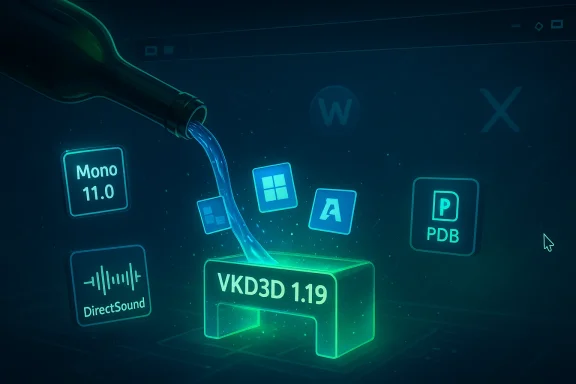
Wine 11.3 is the latest maintenance update in the 11.x stable stream, arriving with a targeted set of component upgrades and real-world fixes designed to make running Windows applications and games on Linux and other Unix-like platforms more reliable. The headline changes are an integrated Wine Mono 11.0 engine, an upgraded VKD3D 1.19 runtime for Direct3D 12 translation over Vulkan, improvements to DirectSound audio fidelity, and numerous application-specific fixes that address crashes and rendering problems across a range of popular titles and productivity tools. For anyone using Wine for gaming, development, or legacy Windows software, 11.3 is a pragmatic update that smooths critical compatibility edges while signaling the project’s continued focus on modern graphics stacks and .NET compatibility.
Wine is a compatibility layer that reimplements Windows APIs to allow Windows applications to run on non‑Windows platforms without a VM. Over recent years the project has accelerated work on graphics translation (notably Direct3D 12 → Vulkan via VKD3D), .NET compatibility (through the Wine-distributed Mono engine), and platform integration for Wayland and PipeWire. The 11.x series represents the current stable development baseline, with periodic maintenance releases that fold in upstream library updates, security and correctness fixes, and targeted game/application workarounds.
This release cycle continues that pattern: rather than a sweeping rewrite, Wine 11.3 focuses on crucial component refreshes and fixes that unblock common scenarios—especially modern Direct3D 12 games and .NET-based applications that previously relied on older bundled runtimes.
Follow these practical steps before you switch a critical environment to Wine 11.3:
That said, the usual caveats apply: test before you upgrade a production setup, expect behavior to remain dependent on the host GPU drivers and compositor stack, and maintain a conservative deployment strategy for critical systems. Wine continues to evolve incrementally—11.3 is not a revolution, but it is a meaningful step in the continuing effort to make running Windows software on Linux smoother, faster, and more predictable.
Source: Linuxiac Wine 11.3 Released with Mono 11 and VKD3D 1.19 Upgrade
 Background
Wine is a compatibility layer that reimplements Windows APIs to allow Windows applications to run on non‑Windows platforms without a VM. Over recent years the project has accelerated work on graphics translation (notably Direct3D 12 → Vulkan via VKD3D), .NET compatibility (through the Wine-distributed Mono engine), and platform integration for Wayland and PipeWire. The 11.x series represents the current stable development baseline, with periodic maintenance releases that fold in upstream library updates, security and correctness fixes, and targeted game/application workarounds.This release cycle continues that pattern: rather than a sweeping rewrite, Wine 11.3 focuses on crucial component refreshes and fixes that unblock common scenarios—especially modern Direct3D 12 games and .NET-based applications that previously relied on older bundled runtimes.
What’s new in Wine 11.3 — the headline changes
Mono 11.0 integrated
- Wine ships an integrated version of Mono (the open-source .NET-compatible runtime) for applications that expect .NET without requiring Microsoft’s runtime.
- The bundled Mono engine has been updated to 11.0.0, bringing refreshed runtime behavior, library updates, and bug fixes that target .NET 4.x and earlier compatibility paths that many Windows applications still rely on.
- The practical effect: fewer runtime-related crashes and better behavior for installers and applications written in .NET, particularly ones that relied on idiosyncratic Mono behavior in previous Wine releases.
VKD3D 1.19 bundled
- The Vulkan-based Direct3D 12 translation stack, VKD3D, bundled with Wine has been advanced to 1.19.
- This improves the fidelity and performance of Direct3D 12 workloads executed on Vulkan drivers, which is a major factor for running modern Windows games on Linux.
- Expect fewer rendering regressions and improved compatibility with titles that use advanced D3D12 features—though behavior remains dependent on the host Vulkan driver maturity.
DirectSound FIR filter and audio refinements
- The DirectSound implementation received an improved FIR (finite impulse response) filter aimed at more accurate audio processing.
- This change reduces artifacts and improves timing for apps that still rely on legacy Windows audio APIs, which can be important for DAW-like applications or older games with sensitive audio behavior.
PDB loading optimizations
- Developers introduced optimizations to PDB (program debug database) loading to reduce overhead when loading symbol information.
- This speeds up debugging tasks and lowers runtime overhead for applications or installers that ship large PDBs or rely heavily on symbol data.
UI rename: Light → Aero
- A cosmetic but compatibility-minded change: the built-in Light theme was renamed to Aero to better match expectations from Windows environments and reduce theme-mismatch workarounds that some installers or apps perform.
Real-world compatibility fixes (notable apps and games)
Wine 11.3 bundles a long list of practicality-focused bug fixes. Highlights include:- Guild Wars 2: Resolved crashes that occurred under Wayland/“Winewayland” modes and in some DXVK configurations, improving stability for a widely played MMO.
- War Thunder Launcher: Fixed rendering issues in the launcher UI so the client now displays correctly.
- Flight Simulator 2000: Reduced flickering and improved performance when running in windowed mode.
- Adobe Audition 2020: Fixed startup crashes tied to Direct2D implementation decisions.
- QuarkXPress 2024: Addressed launch failures that impeded modern desktop publishing workflows.
- Installer and utility fixes: Sysinternals TCPView, Rainmeter, and Amazon Chime installers received targeted fixes so they launch and install correctly.
- Classic/older software: Legacy fixes for things like Westwood’s Monopoly help system and assorted installer component behaviors.
Deep dive: Why the component upgrades matter
Why Mono 11.0 is significant
The Mono engine is Wine’s built-in approach to supporting .NET applications without requiring users to install Microsoft’s .NET runtimes. Updating to Mono 11.0 is significant for several reasons:- .NET API surface and behavior evolve; some applications use more modern features or rely on runtime behaviors that older Mono versions did not implement correctly.
- A newer Mono can reduce the number of times users must manually install or configure third-party frameworks inside a Wine prefix to get an application running.
- For developers, Mono updates often bring improved JIT performance, garbage collector improvements, and bug fixes that can reduce subtle runtime crashes.
VKD3D 1.19 and Direct3D 12 translation
VKD3D’s role is central to modern Windows gaming on Linux: it translates Direct3D 12 calls into Vulkan calls, allowing native Vulkan drivers to render D3D12 games. Upgrading VKD3D to 1.19 typically brings:- Better shader translation and bug fixes that restore rendering correctness for edge-case D3D12 features.
- Performance improvements in critical rendering paths.
- Compatibility with newer D3D12-based engines and titles that rely on recent API additions or subtle driver interactions.
Audio: DirectSound FIR filter explained
DirectSound historically exposes low-level audio path characteristics Windows games and old audio programs expect. Implementing an improved FIR filter in Wine’s DirectSound path helps:- Provide more accurate resampling and impulse response behavior.
- Reduce audible artifacts when sample rates don’t match the hardware or when multiple resamplers are chained.
- Improve synchronization for rhythm-sensitive applications.
PDB loading optimizations
Large applications and installers can ship with huge PDB files. Faster and more selective PDB loading reduces latency during:- Debug sessions when tools attempt to read symbols.
- Startup of installers or self-extracting packages that attempt to parse symbol sections.
- Runtime when Wine leverages symbol information for stack traces or diagnostics.
Strengths in Wine 11.3
- Focused, pragmatic updates: 11.3 advances the components where they bring the most benefit—graphics translation and .NET support—rather than adding risky, large-scale features.
- Improvement to widely used subsystems: VKD3D and Mono updates affect a broad swath of users, from gamers to enterprise app users, yielding high payoff for relatively small changes.
- Real-world bug fixes: attention to specific game and application problems (Guild Wars 2, War Thunder, Adobe Audition) shows Wine’s continued emphasis on user-facing compatibility.
- Developer ergonomics: PDB optimizations and correctness fixes make debugging and development smoother for those building or running Windows-centric toolchains under Wine.
Risks, caveats, and open questions
- Regression risk: every update that touches low-level translation layers (VKD3D, DirectSound) or runtime internals (Mono) carries regression risk. Users relying on production-critical apps should test new Wine versions in isolated prefixes before migrating.
- Driver and kernel dependency: VKD3D improvements are necessary but not sufficient—behavior will remain sensitive to GPU vendors’ Vulkan drivers and kernel graphics subsystems. Older or vendor-buggy drivers may still exhibit glitches.
- Mono vs Microsoft .NET: while Mono 11.0 improves compatibility, it is not a guarantee that all .NET apps will behave exactly as under Microsoft’s CLR. Applications targeting newer .NET Core/ .NET 5+ APIs will still need special handling.
- Packaging lag: even when source and tags are available, binary packages for distributions (Debian/Ubuntu/Arch/Fedora, etc.) may appear later, introducing a delay for users who rely on distro repositories.
- Wayland/X11 differences: Wine’s runtime behavior can differ significantly between X11 and Wayland back-ends. Some fixes address Wayland-specific crashes, but user environments are heterogeneous.
- Verification of numbers: coverage of fixes and the exact count of closed bugs varies between reports. Users should consult the official Wine changelog for authoritative counts and the full list of closed issues.
- Security posture: while Wine does not provide a full sandbox, changes to runtime components and symbol handling can alter attack surfaces subtly. Systems running Wine should maintain standard security hygiene and avoid running untrusted binaries.
Practical guidance — who should upgrade and how to test
If you rely on Wine for everyday productivity or production workloads, treat this update as a worthwhile but non-trivial change. For gamers, the VKD3D and DirectSound changes are promising, but testing is essential.Follow these practical steps before you switch a critical environment to Wine 11.3:
- Back up your wineprefix:
- Copy your existing prefix directory to a safe location so you can revert quickly.
- Create a fresh test prefix:
- Use a new WINEPREFIX to test the new Wine build to avoid unpredictable interactions with older runtime components.
- Install the new Wine in parallel:
- Prefer installing the release in parallel (a second prefix or a separate installation path) rather than replacing your system package immediately.
- Test a representative workload:
- Run your target applications and games, exercising the specific features you rely on (audio/video playback, drag-and-drop, clipboard, installers).
- Compare behavior between back-ends:
- If you use Wayland, test both Winewayland and a fallback to XWayland/X11, as behavior can differ notably.
- Check GPU driver versions:
- If you encounter rendering issues, try a different Vulkan driver or driver version—sometimes the best result uses a newer or even older vendor driver.
- Revert if needed:
- If regressions appear, revert to the previous Wine version using your backup prefix and file a detailed bug report.
Developer and packager notes
- Distribution packagers should pick up the source tag, rebuild with upstream VKD3D and the included Wine Mono 11.0, and run distro-wide regression testing (especially on graphics stacks).
- Game-focused runtime projects (Proton, Bottles, Lutris) will want to evaluate how VKD3D 1.19 interacts with their DXVK/VKD3D-Proton stacks and whether their runtime packaging should override the bundled VKD3D.
- Developers shipping Windows-targeted installers that embed symbol data should test whether the new PDB loading optimizations alter installer performance or debugging workflows.
- Continuous integration: projects that rely on Wine for cross‑platform testing should add Wine 11.3 to their matrix to detect regressions early.
How this fits into the broader Linux gaming and app compatibility landscape
Wine’s incremental approach—updating Mono, VKD3D, and audio paths—mirrors the broader ecosystem’s priorities: accurate translation of modern graphics APIs, robust .NET support, and compatibility with both legacy and modern Windows apps.- For the Linux gaming ecosystem, VKD3D improvements help reduce the gap between Linux-native and translated Windows experiences, enabling more D3D12 titles to be playable without native ports.
- Projects downstream (Proton, VKD3D‑Proton, gaming runtimes) routinely pull from Wine and VKD3D, so improvements here often propagate into the broader playability story for Linux gamers.
- For enterprise and professional users, Mono updates reduce friction in running Windows-only productivity apps under Wine, though organizations should still validate required runtimes against Microsoft’s offerings.
Reporting, troubleshooting, and when to file bugs
If you encounter regressions or hard crashes after upgrading to Wine 11.3:- Reproduce the issue in a fresh WINEPREFIX to ensure the problem isn’t due to prefix corruption or leftover native DLLs.
- Collect logs:
- Run Wine with WINEDEBUG and capture stdout/stderr for the failing scenario.
- Note the graphics backend (VKD3D vs DXVK vs OpenGL), driver versions, kernel, compositor (Wayland/X11), and GPU model.
- Check the official changelog and issue tracker for similar reports; the bug may already be addressed in a pending commit.
- File a clear report with reproduction steps and the logs. Where the problem is graphics-related, include repro steps that demonstrate the rendering failure and indicate whether the issue appears on multiple vendors’ drivers.
Conclusion
Wine 11.3 is a practical, compatibility-first maintenance update that advances two of Wine’s most consequential subsystems—Mono and VKD3D—while delivering user-facing fixes for a range of games and applications. For gamers and users of .NET apps, the release reduces friction and addresses long-standing edge cases; for developers and packagers, the PDB optimizations and correctness fixes improve tooling and stability.That said, the usual caveats apply: test before you upgrade a production setup, expect behavior to remain dependent on the host GPU drivers and compositor stack, and maintain a conservative deployment strategy for critical systems. Wine continues to evolve incrementally—11.3 is not a revolution, but it is a meaningful step in the continuing effort to make running Windows software on Linux smoother, faster, and more predictable.
Source: Linuxiac Wine 11.3 Released with Mono 11 and VKD3D 1.19 Upgrade
