

Wintoys’ latest updates sharpen a familiar Windows utility into an even more pragmatic toolkit for power users and technicians, but the small, careful changes in v2.4.12.0 underscore the project’s focus: compatibility, reliability, and sensible UX fixes rather than flashy “one‑click” promises.
Wintoys is a free Windows maintenance and tweaking utility that consolidates a wide range of system tools — app management, cleanup, startup and services control, basic repair triggers (SFC/DISM/CHKDSK), and a handful of performance and privacy toggles — into a single WinUI-based interface. It has built an audience among Windows enthusiasts and technicians because it reduces the need to juggle multiple native consoles, PowerShell commands, and opaque third‑party “optimizers.” The developer maintains a clear changelog and distributes the app via mainstream store channels as well as community mirrors.
Two threads run through recent Wintoys work: keep pace with Windows servicing and modern runtime APIs, and incrementally eliminate the friction points that frustrate daily maintenance. That pragmatic posture explains why recent releases emphasize compatibility with Windows servicing updates, runtime upgrades (for example, .NET and Windows App SDK moves in prior releases), and a stream of small but meaningful bug fixes rather than headline-grabbing new features. Independent listings and download portals reflect these updates and the versioning that accompanies them.
Best practices for safe usage:
Two broader lessons for the Windows tooling ecosystem:
Wintoys remains best thought of as a tidy, centralized toolbox for legitimate maintenance tasks — not a magic optimizer. Treat it as a capable assistant that reduces tedium and surface area for common repairs, but always respect backup discipline and software provenance when making system-level changes.
Source: Readly | All magazines - one magazine app subscription Wintoys 2.4.12.0 - 5 Nov 2025 - Computeractive Magazine - Readly
 Background
Wintoys is a free Windows maintenance and tweaking utility that consolidates a wide range of system tools — app management, cleanup, startup and services control, basic repair triggers (SFC/DISM/CHKDSK), and a handful of performance and privacy toggles — into a single WinUI-based interface. It has built an audience among Windows enthusiasts and technicians because it reduces the need to juggle multiple native consoles, PowerShell commands, and opaque third‑party “optimizers.” The developer maintains a clear changelog and distributes the app via mainstream store channels as well as community mirrors.Two threads run through recent Wintoys work: keep pace with Windows servicing and modern runtime APIs, and incrementally eliminate the friction points that frustrate daily maintenance. That pragmatic posture explains why recent releases emphasize compatibility with Windows servicing updates, runtime upgrades (for example, .NET and Windows App SDK moves in prior releases), and a stream of small but meaningful bug fixes rather than headline-grabbing new features. Independent listings and download portals reflect these updates and the versioning that accompanies them.
What the new release is and why it matters
Snapshot: Wintoys 2.4.12.0 (developer changelog)
According to the developer’s published changelog, Wintoys 2.4.12.0 — recorded on October 5, 2025 in the official changelog — focuses on small but operationally important fixes and one user‑facing convenience: an app execution alias that allows launching Wintoys directly from the command line. The changelog lists several stability fixes that address edge cases encountered in real‑world environments, such as problems caused by legacy MSI installers, missing registry region settings, localization resource errors when stopping services with dependents, and a module load problem for a UCPD option. Two points to stress up front:- The release date shown in the developer changelog (Oct 5, 2025) predates some later magazine coverage and third‑party mirrors that published the item in November; this is common — magazines and aggregators often run a story days or weeks after a developer’s changelog post. When exact build-time facts matter, the developer’s changelog and Microsoft Store metadata are the authoritative sources.
- The update is evolutionary: it improves developer tooling parity, hardens edge-case behaviors, and adds a convenience for command‑line users, reflecting the project’s conservative, reliability-first approach.
Key highlights (user-facing)
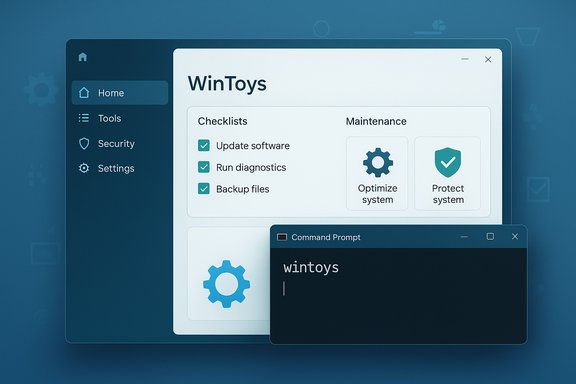
- App execution alias — type wintoys in Terminal or cmd to launch the app (also used to create a desktop shortcut). This is the most visible convenience added in 2.4.12.0 and reflects a small but useful accessibility improvement for power users and script authors.
- Registry resilience fixes — fixes addressing unhandled value types added by legacy MSI installers and missing device setup region entries reduce crash scenarios when enumerating installed apps or performing compatibility checks. These changes help Wintoys behave better on upgraded or heavily customized images.
- Service management reliability — resolved an exception when checking for a service’s active dependents due to missing localization resources, which prevents failed stop attempts and confusing error dialogs. This improves the stability of service control operations.
- Module/UI load fixes — patched a case where the UCPD option would not load because the expected service did not exist; this sort of defensive programming reduces the chance of partial UI states or misleading options on machines with restricted or specialized configurations.
Cross‑reference verification
The official changelog entry for v2.4.12.0 is available from the developer’s changelog and is corroborated by multiple mainstream download portals that list Wintoys 2.4.12.0 as the current build (Softpedia, Uptodown and third‑party mirrors). Those listings confirm the version string and the October 2025 publication window. Use the developer changelog and store metadata to confirm exact build numbers and digital signatures before deploying the binary in production.Deep dive: what changed and the practical implications
1) Command‑line alias: small change, outsized usefulness
Adding an app execution alias (so users can launch Wintoys by typing wintoys at a command prompt) is a neat, practical improvement. For technicians who script workflows, open a terminal in recovery contexts, or simply prefer keyboard-driven navigation, being able to call the app directly improves speed and repeatability. It also makes it simpler to create launch shortcuts and automation wrappers that expect a known executable alias rather than a variable Store package path. Practical advice:- Test the alias in both PowerShell and Command Prompt after installation.
- When scripting, prefer the alias only if you confirm the package was installed through official channels (Microsoft Store) to avoid conflicts with rehosted or renamed binaries.
2) Hardening against legacy installer artifacts
Old MSI installers sometimes write registry values with type or formatting expectations that newer tooling doesn’t anticipate. Wintoys 2.4.12.0 adds checks and tolerant parsing to avoid exceptions when encountering those legacy artifacts. The practical effect is fewer crashes or broken lists in the app’s Apps and Health pages on upgraded or legacy-imaged devices. This is particularly valuable for technicians dealing with corporate images and mixed‑age estates.3) Service‑control localization and dependents check
Stopping or changing the startup type of a service requires checking for dependents and presenting a localized dialog. An exception in that path could leave the user with an unfinished operation or an uninformative error. Fixing the missing localization resource that caused that exception reduces failed service operations and builds confidence for technicians who rely on Wintoys to manage services across multilingual or non‑standard PCs.4) Defensive handling for optional services and UI modules
Some UI features should be hidden or disabled if an expected service is absent. The UCPD loading fix is an example of defensive UI programming — the app now gracefully handles missing platform components instead of leaving a nonfunctional option in the interface. That’s the type of reliability improvement that prevents confusing user experiences on locked-down or niche SKUs.Platform and distribution context
Wintoys has been actively evolving alongside Windows runtime tooling. Earlier releases (for example, v2.4.6.0) explicitly emphasized Windows 11 25H2 readiness and migrated the app to modern runtime stacks in order to avoid elevation and runtime issues on newer servicing baselines. Those moves included upgrading the runtime to modern .NET releases and aligning with the Windows App SDK to reduce layout and DPI glitches. While 2.4.12.0 is smaller in scope, it sits on top of that work — the app’s stability benefits are cumulative. Distribution notes:- Prefer the Microsoft Store package when possible: it retains official signing and automatic updates and is less likely to be tampered with on mirrors.
- Third‑party portals (Uptodown, Softpedia) commonly mirror the Store package or the developer’s MSIX; they are useful for historical versions but should be verified against the developer’s changelog and publisher signature.
Security, AV detection, and provenance
A recurring community thread for any widely used, privileged Windows utility is AV detection and occasional false positives. Community discussions have flagged that some security products have flagged recent Wintoys builds in the past; typically these reports are resolved by updating AV definitions or whitelisting the Store-signed binary. That pattern is typical with small developer tools that exercise system APIs — their behavior (uninstalling system apps, touching services, modifying registry entries) can trigger heuristics in aggressive scanners. Treat such reports as investigatory alerts, not automatic evidence of malicious activity.Best practices for safe usage:
- Download from the Microsoft Store when possible and check the publisher signature.
- Inspect the developer changelog for the exact version string and confirm the Store package metadata matches the changelog.
- If an AV flags the Store package: update definitions, verify the publisher signature, and consult the developer changelog. If you installed a rehosted binary, remove it and reinstall via the Store.
Who benefits most from this release
- Home power users and enthusiasts — The command‑line alias and reliability improvements make Wintoys a little less fussy across varied upgrade scenarios. Storage cleanup and service management workflows become predictably safer on mixed or older PCs.
- Support technicians and field engineers — Fixes that prevent crashes from legacy MSI registry entries and localization issues reduce the number of “works on my machine” headaches during triage.
- IT admins (pilot/test groups) — The update is incremental and compatible, but admins should still pilot the release on test images — especially if using LTSC SKUs, custom images, or strict MDM/GPO controls that may block Store behavior or elevation flows.
Risks, limitations, and recommendations
Risks and limitations
- Wintoys touches system-level settings and can uninstall baked-in MSIX/Store components; these actions have side effects, especially on enterprise‑managed or LTSC images. Use guards like restore points and test drives.
- The app’s reliance on modern runtime stacks (recent .NET and Windows App SDK versions in prior releases) means very old or heavily customized images might need extra servicing baseline updates before Wintoys runs reliably. Confirm the minimum supported OS revision if deployment is planned at scale.
- Some functionality cannot be performed on locked-down SKUs due to policy or legal constraints (for example, Digital Markets Act behavior in EEA SKUs where certain defaults are mandated); the app attempts to hide or adjust UI in those cases, but admins should expect policy-driven differences.
Practical, conservative rollout recommendations
- Always install from the Microsoft Store where possible to get signed packages and automatic updates.
- Create a system restore point or image backup before running bulk uninstall or cleanup tasks.
- Use the Storage Cleaner in preview or scan-only mode the first time on a machine to confirm which categories the tool will remove.
- Pilot the update in a VM or test group when rolling out to an enterprise estate — pay special attention to LTSC and custom images where Store behaviors may be limited.
- If AV flags the app, verify signatures and definitions; escalate to vendor triage only after confirming the package came from a trusted source.
UX and developer posture: why incremental fixes matter
The Wintoys project’s approach — incremental improvements, careful compatibility notes, and a readable changelog — is a model for small developer teams producing system utilities. The 2.4.12.0 release is a textbook example: it fixes specific, reproducible failure modes and adds a small but meaningful convenience for scripted usage. These are the kinds of updates that rarely make headlines but substantially reduce support noise and increase trust among repeat users.Two broader lessons for the Windows tooling ecosystem:
- Small releases that remove edge-case crashes tend to have a higher operational ROI than cosmetic additions because they reduce user support overhead.
- Documented changelogs and explicit compatibility notes (for example, relating to Windows servicing baselines) are essential for admins who must verify tool readiness before imaging or deployment.
Final verdict
Wintoys 2.4.12.0 is a focused maintenance release that improves robustness and usability in practical ways: it adds a command‑line alias for convenience, patches several real-world exceptions tied to legacy installers and missing registry entries, and hardens service‑control paths. These are not headline-grabbing features, but they materially reduce friction for the app’s target users — enthusiasts, technicians, and admins who require predictable tools in complex environments. The release sits on a foundation of recent runtime upgrades and prior compatibility work, making it a small but useful step forward. If you manage or support Windows machines and already rely on Wintoys, install this update from the Microsoft Store and follow the conservative rollout steps above. If you are evaluating Wintoys for the first time, prefer a trial in a VM and verify the developer changelog and store metadata before deploying in production.Wintoys remains best thought of as a tidy, centralized toolbox for legitimate maintenance tasks — not a magic optimizer. Treat it as a capable assistant that reduces tedium and surface area for common repairs, but always respect backup discipline and software provenance when making system-level changes.
Source: Readly | All magazines - one magazine app subscription Wintoys 2.4.12.0 - 5 Nov 2025 - Computeractive Magazine - Readly
