

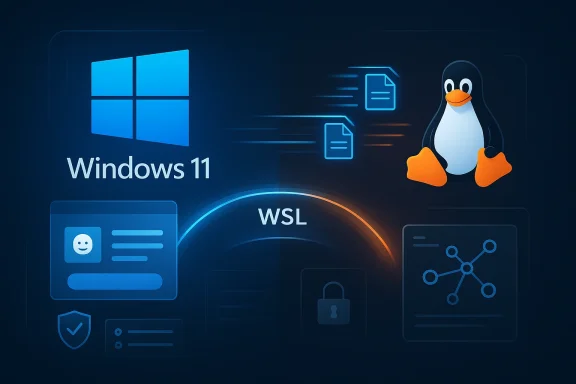
Microsoft’s latest WSL tease is small on detail but big on signal. Buried inside a broader Windows 11 announcement, the company pointed to a more streamlined first-time setup and onboarding experience, along with faster file performance, better networking, and stronger enterprise controls. That may sound incremental, but for Windows Subsystem for Linux users it suggests Microsoft still sees WSL as a strategic bridge between Windows and Linux rather than a niche power-user add-on. In practice, the changes point to a product that is becoming easier for newcomers, more predictable for IT, and more polished for serious development work.
WSL has always been one of the most unusual and useful parts of Windows. It began as a way to run Linux binaries more naturally on Windows, then evolved into a full Linux kernel-based compatibility layer through WSL 2, which Microsoft first announced in 2019. Over time, it gained support for GUI apps, GPU acceleration, systemd, and a growing number of developer-oriented features that made Windows a more credible daily driver for Linux workflows.
The biggest turning point came when Microsoft separated WSL from the Windows codebase and began shipping it as its own package. That move gave the team more room to iterate quickly, and it reduced the awkwardness of waiting on Windows release cycles for core subsystem improvements. Microsoft later said the standalone WSL package first shipped in preview in July 2021, reached general availability in November 2022, and became the default transition path for Windows 11 24H2 users moving from the inbox implementation to the new package. That shift matters because it changed WSL from a built-in feature into a living product with its own release rhythm.
The November 2024 WSL update made that direction even clearer. Microsoft introduced a tar-based distro architecture, better install options, clearer error messages, and a new getting-started experience aimed at new users. It also rolled out enterprise features like Intune device compliance integration and private-preview Entra ID integration, which signaled that WSL was no longer being positioned only as a developer convenience. It was becoming a managed endpoint component with security and governance implications.
Then, in May 2025, Microsoft took another major step by open sourcing WSL. That move was more than symbolic. It placed the core code on GitHub, invited community contributions, and reinforced the idea that WSL is not a side project but a platform layer Microsoft expects to evolve in public. In other words, the latest mention of onboarding improvements does not appear out of nowhere; it fits a two-year arc of packaging, openness, and enterprise hardening.
The current tease also lands in a broader Windows 11 moment where Microsoft keeps emphasizing developer productivity, setup simplification, and cross-platform workflows. That makes WSL’s role especially interesting. It is no longer just about running Bash on Windows. It is about making Windows a more credible host for Linux-first tooling, cloud-native development, and hybrid IT administration.
Microsoft has already done a lot to reduce friction. Today, users can install WSL with a single terminal command or through the Microsoft Store, and Microsoft’s docs now guide users through the Linux-side setup process in a fairly orderly way. But streamlined is not the same as intuitive. A better onboarding flow could make WSL feel more like a guided developer experience and less like a stack of tools you are expected to already understand.
A better onboarding flow could help with:
That could strengthen Windows as a development platform in a few ways:
That matters because WSL is not used like a novelty. It is used for builds, package management, Git operations, scripting, containers, and editing files that may live either on the Windows side or in the Linux filesystem. If file access is slow or inconsistent, the illusion of a seamless hybrid environment breaks down quickly.
The importance of this problem has grown as WSL has matured. Modern development stacks often involve:
It also reinforces an important distinction: WSL is not trying to be Linux in a vacuum. It is trying to be Linux inside Windows, with enough speed and coherence that users do not constantly think about the boundary. That’s the real prize.
Networking inside WSL has historically been one of the trickier parts of the experience because there are multiple layers involved: Windows networking, the WSL virtualized environment, firewall behavior, localhost forwarding, DNS resolution, and enterprise proxy considerations. When things work, they work beautifully. When they don’t, the symptoms can be opaque and frustrating.
Microsoft has already spent years addressing this. In recent WSL releases, it has introduced features such as mirrored networking, DNS tunneling, session 0 support, proxy support, and firewall support. Those additions show that the networking story has shifted from “good enough for hobby projects” to “reliable enough for serious environments.”
That is especially important in enterprise IT, where consistency is often more valuable than peak benchmark performance. A faster network path that is also easier to manage can save more time than a theoretically faster but less stable setup.
For years, IT teams often treated WSL as a tolerated developer exception. It was useful, but it lived in a grey zone. Microsoft is now trying to bring it into the same managed framework that governs other Windows platform components.
That matters because modern enterprise endpoints are no longer just Windows machines. They are often hybrid workstations where users expect to run Windows apps, Linux tools, cloud CLIs, and identity-aware services side by side. If WSL cannot be managed as part of that larger security model, organizations will keep treating it as a compliance blind spot.
A stronger governance model can provide:
For developers, the appeal is straightforward. They get access to Linux-native tooling, package ecosystems, and shell workflows without abandoning Windows. For Microsoft, the value is equally clear: it keeps high-value technical users on Windows while giving them a reason to view the platform as open, flexible, and modern.
That makes WSL especially useful in areas like:
That is why WSL matters beyond the enthusiast community. It is part of Microsoft’s effort to make Windows more relevant in modern development, not just more compatible with yesterday’s software.
The earliest WSL era was about proving that Linux tools could run inside Windows at all. The WSL 2 era was about making that experience much more compatible with real Linux expectations. The standalone package era was about speed of iteration. The current phase is about turning WSL into a stable platform that can be used confidently by individuals and organizations alike.
A few milestones stand out:
That history makes the current announcement feel less like marketing and more like the next logical improvement layer.
If Microsoft can make Windows a smoother place to run Linux tooling, then it reduces the appeal of a full platform switch for some users. That doesn’t mean Linux desktops lose relevance. It means Windows gets a more credible answer to the question, “Why can’t I do serious open-source development here?”
That creates pressure on alternative workflows such as:
That gives Microsoft a substantial advantage in environments where the desktop is not just a desktop. It is a managed, audited, and policy-controlled corporate asset.
For individual users, a better first-time experience could be the most meaningful change. Many people discover WSL because they want to tinker with Linux, follow tutorials, or run common developer tools without leaving Windows. If the install-to-usage path gets simpler, more of those users will stick around and actually learn the platform.
That creates several advantages:
The first concern is that onboarding polish could hide rather than solve complexity. If the first-run experience is better but the underlying model remains confusing, users may still hit friction later. A smoother welcome is not the same as a simpler system.
The open-source release also raises the ceiling for what happens next. If community contributors can help improve WSL directly, Microsoft may be able to move faster on smaller refinements while focusing its own effort on the architecture and enterprise integrations that matter most. That does not guarantee perfect execution, but it does increase the odds of continued momentum.
What to watch next:
Source: Windows Central Windows 11 to get streamlined WSL setup and networking upgrades
 Background
WSL has always been one of the most unusual and useful parts of Windows. It began as a way to run Linux binaries more naturally on Windows, then evolved into a full Linux kernel-based compatibility layer through WSL 2, which Microsoft first announced in 2019. Over time, it gained support for GUI apps, GPU acceleration, systemd, and a growing number of developer-oriented features that made Windows a more credible daily driver for Linux workflows.The biggest turning point came when Microsoft separated WSL from the Windows codebase and began shipping it as its own package. That move gave the team more room to iterate quickly, and it reduced the awkwardness of waiting on Windows release cycles for core subsystem improvements. Microsoft later said the standalone WSL package first shipped in preview in July 2021, reached general availability in November 2022, and became the default transition path for Windows 11 24H2 users moving from the inbox implementation to the new package. That shift matters because it changed WSL from a built-in feature into a living product with its own release rhythm.
The November 2024 WSL update made that direction even clearer. Microsoft introduced a tar-based distro architecture, better install options, clearer error messages, and a new getting-started experience aimed at new users. It also rolled out enterprise features like Intune device compliance integration and private-preview Entra ID integration, which signaled that WSL was no longer being positioned only as a developer convenience. It was becoming a managed endpoint component with security and governance implications.
Then, in May 2025, Microsoft took another major step by open sourcing WSL. That move was more than symbolic. It placed the core code on GitHub, invited community contributions, and reinforced the idea that WSL is not a side project but a platform layer Microsoft expects to evolve in public. In other words, the latest mention of onboarding improvements does not appear out of nowhere; it fits a two-year arc of packaging, openness, and enterprise hardening.
The current tease also lands in a broader Windows 11 moment where Microsoft keeps emphasizing developer productivity, setup simplification, and cross-platform workflows. That makes WSL’s role especially interesting. It is no longer just about running Bash on Windows. It is about making Windows a more credible host for Linux-first tooling, cloud-native development, and hybrid IT administration.
Why the New Onboarding Matters
The phrase “more streamlined first-time setup and onboarding” is the detail that will matter most to new users. WSL’s biggest challenge has never been capability; it has been first impressions. Once configured, it is extraordinarily useful. Before that point, it can still feel like a maze of distribution selection, kernel behavior, package updates, and shell basics.Microsoft has already done a lot to reduce friction. Today, users can install WSL with a single terminal command or through the Microsoft Store, and Microsoft’s docs now guide users through the Linux-side setup process in a fairly orderly way. But streamlined is not the same as intuitive. A better onboarding flow could make WSL feel more like a guided developer experience and less like a stack of tools you are expected to already understand.
Where the friction still lives
For many first-time users, the hard part is not installing WSL itself. It is understanding what happens after installation. They need a distro, a user account, a default shell, storage expectations, update behavior, and a sense of how Windows and Linux will coexist on the same machine. That is a lot of conceptual weight for someone who just wants to try Linux tools on Windows.A better onboarding flow could help with:
- Distro selection
- Initial user creation
- Storage and file-location guidance
- Feature discovery
- Common troubleshooting
Why that matters commercially
Better onboarding is not just a quality-of-life improvement. It expands the addressable audience. If WSL is easier to adopt, more developers, students, hobbyists, and sysadmins will try it instead of jumping straight to a VM or a dual-boot setup.That could strengthen Windows as a development platform in a few ways:
- It lowers the activation energy for Linux-on-Windows workflows.
- It keeps more users inside the Windows ecosystem instead of pushing them to separate hardware.
- It gives Microsoft a chance to introduce users to Terminal, Store-delivered WSL, and other adjacent tools.
- It makes Windows feel friendlier to cloud-native and open-source developers.
File Performance and the Everyday Experience
Microsoft also highlighted faster file performance between Linux and Windows, which may be the most practically valuable improvement of the group. File I/O is where WSL users most often feel the boundary between the two worlds. Simple tasks can become sluggish when a workflow crosses the Windows-Linux divide repeatedly.That matters because WSL is not used like a novelty. It is used for builds, package management, Git operations, scripting, containers, and editing files that may live either on the Windows side or in the Linux filesystem. If file access is slow or inconsistent, the illusion of a seamless hybrid environment breaks down quickly.
Why file performance is so sensitive
WSL’s design always had to balance convenience against fidelity. Native Linux tools expect Linux semantics, while Windows users expect familiar file access patterns. The result is a system with multiple paths, each with different tradeoffs. Performance can vary depending on where files are stored and how they are accessed.The importance of this problem has grown as WSL has matured. Modern development stacks often involve:
- Large repositories
- Frequent package installs
- Watcher-heavy build systems
- Cross-platform editors
- Container-based workflows
The broader significance
Microsoft’s mention of file performance also suggests the company is still optimizing the “handshake” between Linux and Windows. That is notable because the hybrid model is one of WSL’s central selling points. If the two file systems become more efficient to use together, it raises the ceiling on what users can do without resorting to a VM.It also reinforces an important distinction: WSL is not trying to be Linux in a vacuum. It is trying to be Linux inside Windows, with enough speed and coherence that users do not constantly think about the boundary. That’s the real prize.
Networking: The Quietly Critical Layer
The second technical improvement Microsoft called out was better network compatibility and throughput. That might sound less glamorous than onboarding or file performance, but it is a major deal for anyone running services, debugging distributed systems, or working with enterprise infrastructure.Networking inside WSL has historically been one of the trickier parts of the experience because there are multiple layers involved: Windows networking, the WSL virtualized environment, firewall behavior, localhost forwarding, DNS resolution, and enterprise proxy considerations. When things work, they work beautifully. When they don’t, the symptoms can be opaque and frustrating.
Why networking fixes matter so much
Developers often discover networking limitations only after they have already invested time in a workflow. A service binds to the wrong interface, a port forward behaves strangely, DNS resolution is inconsistent, or a corporate proxy becomes a hidden blocker. That makes networking a trust issue as much as a technical one.Microsoft has already spent years addressing this. In recent WSL releases, it has introduced features such as mirrored networking, DNS tunneling, session 0 support, proxy support, and firewall support. Those additions show that the networking story has shifted from “good enough for hobby projects” to “reliable enough for serious environments.”
What improved throughput could unlock
If Microsoft continues to refine network throughput, WSL becomes more attractive for:- Local microservices development
- API testing
- Internal enterprise toolchains
- Security tooling
- Container and orchestration workflows
- Remote-access scenarios
That is especially important in enterprise IT, where consistency is often more valuable than peak benchmark performance. A faster network path that is also easier to manage can save more time than a theoretically faster but less stable setup.
Enterprise Controls Are Becoming Part of the Core Story
The enterprise angle in Microsoft’s announcement is impossible to miss. Alongside performance and onboarding, the company highlighted stronger policy control, security, and governance. That is not decorative language. It reflects a real shift in how Microsoft wants organizations to think about WSL.For years, IT teams often treated WSL as a tolerated developer exception. It was useful, but it lived in a grey zone. Microsoft is now trying to bring it into the same managed framework that governs other Windows platform components.
Intune, Entra, and zero-trust alignment
Microsoft’s November 2024 update already introduced Intune device compliance integration for WSL and private-preview Entra ID integration. Intune lets administrators enforce distribution and version policies, while Entra integration is aimed at safer access to protected enterprise resources from inside WSL.That matters because modern enterprise endpoints are no longer just Windows machines. They are often hybrid workstations where users expect to run Windows apps, Linux tools, cloud CLIs, and identity-aware services side by side. If WSL cannot be managed as part of that larger security model, organizations will keep treating it as a compliance blind spot.
Why governance is a competitive advantage
Microsoft is effectively saying that WSL can be both flexible and controlled. That is important for regulated industries, larger engineering organizations, and government environments that want the benefits of Linux tooling without allowing unmanaged sprawl.A stronger governance model can provide:
- Better visibility into installed distros
- Version enforcement
- Conditional access alignment
- Compliance reporting
- Remediation workflows through managed tools
WSL as a Developer Platform, Not Just a Feature
What Microsoft is building now is clearly larger than a compatibility layer. WSL is increasingly presented as a developer platform in its own right. That framing matters because it changes how the product is evaluated. Users stop asking whether WSL “works” and start asking whether it improves their overall workflow.For developers, the appeal is straightforward. They get access to Linux-native tooling, package ecosystems, and shell workflows without abandoning Windows. For Microsoft, the value is equally clear: it keeps high-value technical users on Windows while giving them a reason to view the platform as open, flexible, and modern.
Why this remains strategically important
Windows has long had to balance legacy compatibility with modern developer expectations. WSL helps solve that tension by making Windows more appealing to people who would otherwise choose Linux-first setups. It is one of the few Microsoft technologies that genuinely lowers the friction between ecosystems instead of deepening the wall between them.That makes WSL especially useful in areas like:
- Cloud development
- Infrastructure scripting
- Security tooling
- AI and data workflows
- Cross-platform application testing
The impact on Windows itself
The broader effect is that Windows becomes less of a silo and more of an orchestration layer. That is a subtle but powerful shift. If Windows can host Linux tools, manage them, and integrate them into enterprise controls, then Windows stops being “the other platform” and starts becoming the platform where everything lands.That is why WSL matters beyond the enthusiast community. It is part of Microsoft’s effort to make Windows more relevant in modern development, not just more compatible with yesterday’s software.
Historical Context: Why These Upgrades Feel Familiar
One reason the latest WSL tease feels believable is that it fits a familiar Microsoft pattern. The company often starts with a rough but ambitious hybrid experience, then spends years removing friction, adding polish, and hardening the management story. WSL has followed that playbook almost perfectly.The earliest WSL era was about proving that Linux tools could run inside Windows at all. The WSL 2 era was about making that experience much more compatible with real Linux expectations. The standalone package era was about speed of iteration. The current phase is about turning WSL into a stable platform that can be used confidently by individuals and organizations alike.
A product that keeps growing up
The history matters because it shows Microsoft’s priorities changing in sequence, not randomly. First came functionality, then compatibility, then distribution flexibility, and now comes onboarding and governance. That progression suggests the company believes the fundamentals are strong enough to focus on the rough edges that determine daily satisfaction.A few milestones stand out:
- 2016: WSL first appeared with Windows 10 Anniversary Update.
- 2019: WSL 2 introduced a real Linux kernel model.
- 2021–2022: WSL became a standalone package.
- 2024: Microsoft focused on distro architecture and enterprise features.
- 2025: Microsoft open sourced WSL.
- 2026: Microsoft is now talking about smoother setup, performance, and governance.
Why continuity matters to users
Continuity builds trust. Users are more likely to invest in a workflow when they believe the platform will keep improving instead of being quietly abandoned. Microsoft has had to prove that WSL is not a temporary bridge to something else. So far, the company has done that by shipping, iterating, and opening the code.That history makes the current announcement feel less like marketing and more like the next logical improvement layer.
Competitive Implications for Microsoft and Rivals
WSL’s continued evolution has competitive implications that stretch beyond Linux-on-Windows enthusiasts. It affects Microsoft’s position against native Linux desktops, cloud-hosted development environments, and alternative workstation strategies that increasingly matter to enterprise teams.If Microsoft can make Windows a smoother place to run Linux tooling, then it reduces the appeal of a full platform switch for some users. That doesn’t mean Linux desktops lose relevance. It means Windows gets a more credible answer to the question, “Why can’t I do serious open-source development here?”
How rivals are affected
The most obvious competitor is the native Linux desktop, which still offers the cleanest Linux experience. But WSL’s value proposition is not to outperform Linux at being Linux. It is to make Windows “good enough” that users don’t have to choose between Windows compatibility and Linux tooling.That creates pressure on alternative workflows such as:
- Dual booting
- Separate Linux laptops
- Remote Linux dev boxes
- Full virtual machine setups
The enterprise angle
In enterprise IT, the competition is less about user preference and more about manageability. Microsoft’s edge is that it can bundle WSL into Windows policy, identity, security, and compliance frameworks. Rivals can offer Linux compatibility, but they often cannot integrate it as cleanly with the rest of the endpoint stack.That gives Microsoft a substantial advantage in environments where the desktop is not just a desktop. It is a managed, audited, and policy-controlled corporate asset.
- Better onboarding helps adoption.
- Better networking helps reliability.
- Better file performance helps productivity.
- Better governance helps approval.
Consumer Impact vs Enterprise Impact
The same WSL improvements will land differently depending on who is using them. Consumers and hobbyists mostly care about simplicity, speed, and discoverability. Enterprises care about policy, identity, visibility, and compliance. Microsoft is smart enough to speak to both audiences in the same breath.For individual users, a better first-time experience could be the most meaningful change. Many people discover WSL because they want to tinker with Linux, follow tutorials, or run common developer tools without leaving Windows. If the install-to-usage path gets simpler, more of those users will stick around and actually learn the platform.
Consumer benefits
For consumers, the key wins are:- Less setup confusion
- Faster access to Linux tools
- Better performance when crossing the Windows-Linux boundary
- More confidence trying WSL for the first time
- A clearer sense of what WSL can do
Enterprise benefits
For enterprises, the story is different. WSL improvements in policy control, security, and governance are about making the platform acceptable to IT departments, not just useful to developers. That includes knowing which distros are running, enforcing compliant versions, and integrating WSL activity into broader identity and access workflows.That creates several advantages:
- Easier approval by security teams
- Better auditing and compliance
- Reduced shadow IT
- More consistent developer workstations
- Fewer exceptions to manage manually
Strengths and Opportunities
Microsoft’s current WSL direction is strong because it combines user-facing polish with enterprise-grade structure. That is a rare and valuable combination, and it gives WSL room to grow in both individual and organizational settings. The opportunity is not just to make WSL better, but to make it indispensable.- Simpler onboarding could widen WSL’s audience beyond experienced Linux users.
- Faster file access can improve build times and reduce friction in daily development.
- Better networking makes WSL more viable for modern service-based workflows.
- Enterprise policy control helps WSL fit into managed device environments.
- Stronger security integration makes approval easier in regulated industries.
- Open source development can accelerate bug fixes and community-driven innovation.
- Windows integration gives Microsoft a unique advantage over standalone Linux environments.
Risks and Concerns
Even with all of its momentum, WSL still has some structural risks. Microsoft is trying to satisfy beginners, power users, and enterprise administrators at the same time, and those groups often want different things. That creates a balancing act that could slow or complicate future changes.The first concern is that onboarding polish could hide rather than solve complexity. If the first-run experience is better but the underlying model remains confusing, users may still hit friction later. A smoother welcome is not the same as a simpler system.
- Complexity can reappear later in storage, networking, and distro management.
- Enterprise controls could create friction for users who value flexibility.
- Performance gains may vary depending on workload and file placement.
- Too much abstraction could make troubleshooting harder for advanced users.
- Open source expectations may increase pressure for faster transparency and feature delivery.
- Feature fragmentation between preview and stable releases could confuse users.
- WSL dependence might lead some teams to assume it is a full Linux replacement when it is not.
Looking Ahead
The most likely near-term outcome is not a dramatic reinvention of WSL but a steady tightening of the experience around the edges. Microsoft appears to be investing in the parts that make a platform feel finished: first-run flow, networking consistency, file-system efficiency, and management tooling. Those are exactly the areas that separate something enthusiasts love from something enterprises standardize.The open-source release also raises the ceiling for what happens next. If community contributors can help improve WSL directly, Microsoft may be able to move faster on smaller refinements while focusing its own effort on the architecture and enterprise integrations that matter most. That does not guarantee perfect execution, but it does increase the odds of continued momentum.
What to watch next:
- Whether Microsoft reveals specific onboarding changes in an Insider build or preview release.
- Whether file-performance claims translate into measurable real-world improvements for builds and Git workflows.
- Whether networking changes further reduce the need for manual tuning.
- Whether enterprise policy support expands beyond current Intune and Entra capabilities.
- Whether Microsoft continues to deepen the connection between WSL, Windows Terminal, and Store-based installation.
- Whether the next WSL release leans more heavily into discoverability for first-time Linux users.
Source: Windows Central Windows 11 to get streamlined WSL setup and networking upgrades
