Windows 11 OOBE Changes Fuel Debate Over Tutorial Takedowns

  • Thread Author
A small YouTube creator says two Windows 11 tutorials from their channel were removed in quick succession under YouTube’s “harmful or dangerous” policy — a rationale that doesn’t map cleanly to step‑by‑step OS installation guides. The incident puts a spotlight on three converging trends: Microsoft’s recent hardening of Windows 11’s Out‑Of‑Box Experience (OOBE), the existence of widely used community tools (like Rufus and unattended installs) that restore local offline workflows, and platform moderation systems that increasingly rely on opaque automated classifiers. What started as two takedowns reported by CyberCPU Tech has become a larger conversation about false positives, creator recourse, and where technical how‑tos live on the open web.

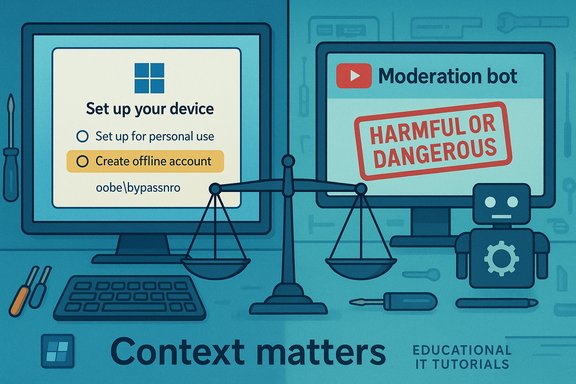
Windows 11 setup screen with a Rufus USB drive and a “Harmful or Dangerous” warning banner.Background / Overview​

Windows 11’s setup flow has gradually moved toward an “account‑first” model: the Out‑Of‑Box Experience now defaults to a Microsoft Account (MSA) and often requires an internet connection for consumer installs. That design choice, together with Microsoft’s push for TPM 2.0, Secure Boot, and CPU guardrails, has prompted a long‑standing ecosystem of community workarounds — everything from Shift+F10 command tricks and registry flags to preconfigured ISOs baked with a local account. Those workarounds are used by privacy‑minded users, refurbishers, and sysadmins who need deterministic, offline installs. Microsoft has explicitly begun closing several of those shortcuts in Insider builds, driving creators to document alternative techniques and tools that still work. YouTuber CyberCPU Tech reported two removals: one video explaining how to set up Windows 11 with a local account and another on installing Windows 11 on unsupported hardware. Both takedowns were accompanied by a notice invoking YouTube’s Harmful or Dangerous Content policy — specifically that the content “encourages or promotes behavior that encourages dangerous or illegal activities that risk serious physical harm or death.” Appeals were reportedly denied rapidly, sometimes within minutes, prompting suspicion that automated systems — rather than human reviewers — applied the strikes.

Why the community is alarmed​

The mismatch between policy wording and technical reality​

YouTube’s harmful/dangerous policy is explicitly aimed at step‑by‑step content that can lead to immediate physical injury — for example, instructions to build explosives, lethal self‑harm methods, or extremely dangerous stunts. That policy language does not naturally cover software installation guides, which may carry operational or security risks (data loss, unsupported systems, missing updates) but not imminent bodily harm. When a tutorial that explains how to create a local Windows account or install on older hardware is labeled as life‑threatening, creators and viewers see an obvious mismatch.

Rapid automated appeals and opaque reasons​

Creators reported appeal rejections that arrived on timescales inconsistent with meaningful human review — sometimes in under an hour, sometimes in minutes. That speed, paired with broad, templated takedown language, strengthens the hypothesis that an automated classifier flagged the videos and an automated pipeline rejected the appeals without escalation. The result is a chilling uncertainty: creators don’t know which specific words, metadata tags, or transcript snippets triggered the action, so it’s hard to remediate or adapt.

The technical context: what Microsoft changed — and why​

Microsoft’s Insider release notes and wide independent reporting confirm that the company has been removing or neutralizing several OOBE shortcuts that previously allowed local account creation during setup. Two high‑profile examples are the OOBE\bypassnro script/registry pattern and the one‑line URI trick (start ms‑cxh:localonly). Recent Insider builds explicitly state the company is “removing known mechanisms for creating a local account in the Windows Setup experience (OOBE)” because those shortcuts can skip critical setup screens and leave devices incompletely configured. That change has been reproduced by community testers and covered by multiple outlets. Why Microsoft tightened OOBE:
  • To ensure users complete security and recovery‑oriented setup steps.
  • To encourage device configurations that Microsoft can support and secure (TPM, Secure Boot).
  • To reduce the number of half‑configured devices that might present support or reliability issues.
Those design and support goals are legitimate, but they create friction for legitimate use cases: privacy‑first installs, refurbishing, lab images, and certain offline or enterprise scenarios that historically relied on lightweight local account creation.

Community tools that matter (what still works)​

When interactive shortcuts are neutralized, community tooling and deployment methods often provide the alternative routes that creators document:
  • Rufus — the popular USB creation tool has long offered options to skip Microsoft account requirements and ignore hardware checks when building installer media. Rufus’ features let power users produce media that either pre‑seeds a local account or disables TPM/secure‑boot checks for unsupported hardware installs. That behavior has been independently verified and reported.
  • Autounattend.xml / unattended installs — enterprise provisioning techniques remain robust and are the supported way to preconfigure accounts and settings at image time. These are legitimate deployment methods but require more expertise.
  • Community projects (FlyOOBE, tiny11 and similar) — small community projects package or orchestrate known techniques to produce install images that avoid interactive MSA gates. Using these tools carries long‑term maintenance/compatibility risks.
These solutions trade convenience for durability: preconfigured media and unattended installs are less likely to be misclassified as “bypasses” in a moderator’s eyes because they’re framed as deployment techniques rather than in‑OOBE exploit scripts. Still, their widespread documentation is exactly what creators publish and what some moderation systems appear to be flagging.

Where the moderation pipeline likely fails​

Automated moderation systems are optimized around scale and surface signals: keywords, short transcript windows, metadata tags, and behavioral signals. For technical content, this shallow approach produces several predictable failure modes:
  • Keyword traps: Terms like bypass, circumvent, exploit, and hack appear in both illicit and legitimate contexts. A classifier trained to find dangerous manuals can wrongly flag legitimate system administration content that uses the same words.
  • Context collapse: A short snippet of transcript (for example, “how to bypass verification”) looks identical in a bomb‑making manual and an OS setup tutorial when assessed without domain knowledge.
  • Appeal automation: Appeals that are auto‑rejected or processed with templated responses deny creators meaningful remediation and prevent quick human correction.
  • Inconsistent enforcement: Near‑identical videos staying up on some channels while others are taken down makes enforcement look arbitrary and increases creator mistrust.
The predictable result is a chilling effect: creators self‑censor, and useful technical knowledge fragments across smaller platforms and unmoderated spaces.

Is Microsoft behind the takedowns? (separating fact from speculation)​

Some creators have speculated that Microsoft may have directly requested removals because the videos target Microsoft’s product behavior. That theory found traction because vendor‑initiated takedowns are not unheard of in other contexts. However, there is no public, verifiable evidence that Microsoft issued takedown requests to YouTube in these incidents.
What can be established with confidence:
  • Microsoft has tightened OOBE and removed certain consumer‑level bypasses in Insider builds; that is documented by Microsoft and multiple outlets.
  • Multiple creators reported takedowns and unusually fast appeal denials consistent with automated moderation.
What remains speculative:
  • Any direct, documented takedown request from Microsoft to YouTube for specific videos in this case. There is no public subpoena, legal notice, or transparency report proving vendor‑led removals here. Claims of corporate pressure should be labeled as unproven until documentary evidence emerges.

The real safety and legal stakes​

It’s important to be precise about actual risks:
  • Installing Windows on unsupported hardware or skipping cloud‑linked setup steps generally carries operational and security risks: potential lack of future updates, driver problems, and unsupported configurations. These are real and meaningful, especially for production devices.
  • Those technical risks are not equivalent to the type of physical danger YouTube’s harmful/dangerous policy intends to curb (e.g., instructions for violent or life‑threatening acts). The policy language focuses on content that “risks serious physical harm or death,” which does not accurately describe a software install guide’s typical failure modes.
From a legal perspective, distribution of instructions that facilitate copyright circumvention, illegal access, or fraud would be a distinct category and might legitimately be removed. The videos in question — as publicly described — documented local account and hardware workaround techniques, not copyright infringement or credential theft. That technical distinction matters for both moderation and creator defense.

Practical advice for creators and channels​

Given the current environment, creators documenting technical how‑tos should adopt more defensive practices to protect content and audiences:
  • Reframe metadata and titles to avoid riskier trigger words. Use neutral, educational phrasing (for example: “How to create a local Windows account during setup — privacy and deployment options”) rather than “bypass” or “circumvent.”
  • Add explicit context and safety disclaimers at the start of videos and in descriptions: explain operational risks, warranty/support caveats, and recommend backups and VM testing.
  • Mirror critical step lists and unattended files on text‑first platforms (GitHub, blog posts, PDFs) so the knowledge survives a video takedown.
  • Maintain archived copies and diversify distribution: alternate video hosts, private community repositories, or email lists reduce single‑platform fragility.
  • Prefer hostable deployment methods (autounattend.xml, enterprise imaging) and explicitly state when techniques are intended for lab/educational use rather than production devices.
These steps improve resilience and reduce the chance that neutral, educational content looks like malicious instruction to an automated model.

What platforms and vendors should do​

This incident surfaces a set of concrete, actionable improvements:
  • Platforms should create a technical‑content appeals track where borderline educational videos are rapidly escalated to reviewers with domain expertise. Itemized takedown explanations — specifying the transcript snippet, timestamp, or metadata that triggered the decision — would enable meaningful remediation.
  • YouTube and peers must refine classifiers to separate high‑risk instructions (bomb‑making, lethal self‑harm) from legitimate system administration tutorials; domain‑aware training sets and subject matter review pools would lower false positives.
  • Vendors like Microsoft should publish clearer guidance for legitimate offline or enterprise provisioning scenarios. Providing sanctioned tooling or documented workflows for refurbishers and labs would reduce the demand for fragile community workarounds and help legitimize educational content.

Broader implications: the knowledge commons at risk​

When mainstream platforms over‑reach and remove useful technical tutorials, the public cost is real and measurable: fewer high‑quality, discoverable resources for admins, hobbyists, and refurbishers. That knowledge can then splinter into smaller, less‑curated corners of the web where malware, scams, and misinformation thrive — the very outcome platform moderation often aims to avoid.
This isn’t an argument against moderation. It is an argument for smarter moderation: one that differentiates between instructions that materially threaten life and limb, and those that document legitimate, lawful system administration or deployment techniques.

Conclusion​

The takedown reports from CyberCPU Tech are a warning bell: automated content moderation, tuned for scale and public safety, can misclassify legitimate technical education as dangerous when context is shallow or missing entirely. Microsoft’s tightening of Windows 11’s setup experience has raised real user‑choice and privacy concerns, which creators attempt to address with how‑tos and deployment guides. When those guides are swept up by platform classifiers and appeal pipelines, creators lose content, users lose trustworthy resources, and the commons of technical knowledge erodes.
Fixing this requires coordinated action: creators must use clearer framing and backups; platforms must introduce specialist review lanes and transparent reasons for takedowns; and vendors should publish supported offline/deployment workflows that reduce the demand for fragile workarounds. Until those changes happen, expect more friction at the uneasy intersection of product hardening, community ingenuity, and automated moderation.
Source: PC Gamer A YouTuber claims they've had two Windows 11 local account and hardware bypass videos taken down because of supposedly 'harmful or dangerous content'
 

YouTube’s moderation engines have quietly begun pulling down practical Windows 11 tutorials — including step‑by‑step guides on creating a local account during Out‑Of‑Box Experience (OOBE) and installing Windows 11 on older, unsupported hardware — and creators and observers say the removals expose a dangerous blind spot in automated content enforcement that conflates routine system administration with life‑threatening instruction.

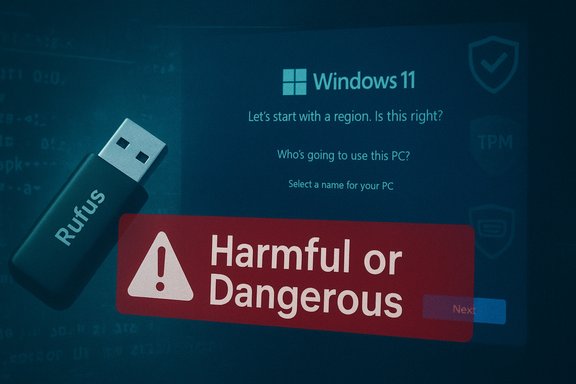
Left screen shows device setup options; right screen shows a moderation bot warning “Harmful or Dangerous.”Background / Overview​

Microsoft’s consumer installation flow for Windows 11 has steadily moved to an account‑first model: the OOBE now emphasizes an internet connection and a Microsoft Account (MSA) for Home users, and the company has explicitly begun removing previously available in‑OOBE shortcuts that let people create a purely local account during setup. That change is documented in the Windows Insider release notes for Dev channel Build 26220.6772, which include the terse line: “Local‑only commands removal: We are removing known mechanisms for creating a local account in the Windows Setup experience (OOBE).” The community developed several lightweight, repeatable techniques over the past few years to restore offline/local installs when users needed them: command‑prompt tricks invoked during OOBE (for example, oobe\bypassnro), a one‑line URI that launched the Cloud Experience Host (start ms‑cxh:localonly), preconfigured unattended installs (autounattend.xml), and third‑party media builders such as Rufus and scripts like MediaCreationTool.bat. Microsoft’s removal or neutralization of those specific in‑OOBE shortcuts has been reproduced by testers and written up by mainstream outlets. In parallel, multiple creators publishing tutorials about these routines — notably a mid‑sized channel run by “Rich” of CyberCPU Tech — have had videos removed by YouTube under the platform’s “Harmful or Dangerous Content” enforcement, a category intended to cover content that meaningfully encourages activities with a risk of serious physical harm or death. The mismatch between the policy’s intent and the content being removed (software install guides and account setup walkthroughs) has prompted widespread bewilderment among creators, security professionals, and repair communities.

What was removed and why it matters​

The takedowns as reported​

Creators reported two specific removals from the CyberCPU Tech channel: one video demonstrating how to complete Windows 11 setup using a local (offline) account, and another showing methods to install Windows 11 on unsupported hardware. Both takedowns were accompanied by YouTube notices quoting the platform’s harmful/dangerous policy language — specifically that the material “encourages or promotes behavior that encourages dangerous or illegal activities that risk serious physical harm or death.” Appeals, in at least some cases, were rejected extremely rapidly, timelines consistent with automated processing rather than considered human review. Why this is consequential:
  • These videos are practical system administration tutorials used by hobbyists, refurbishers, technicians, and privacy‑minded consumers.
  • A single strike on a channel carries real risk: repeated strikes can lead to demonetization, feature loss, or termination.
  • Broad, opaque enforcement damages discoverability for useful knowledge and drives people toward low‑quality or malicious sources.

The policy mismatch​

YouTube’s harmful/dangerous policy is built to remove content that instructs on activities with imminent risk of physical injury (for example, bomb construction, lethal stunts, or self‑harm). The operational risks of these Windows tutorials — data loss, lack of update support, driver instability — are not the kind of bodily harm the policy targets. YouTube’s own community guidelines distinguish between dangerous acts that can cause physical harm and content that may require safety‑oriented caveats; the removal language used against these videos sits uneasily with that distinction.

The technical truth: what Microsoft changed (and what still works)​

What Microsoft explicitly documented​

Microsoft’s Insider notes for Build 26220.6772 make two points: (1) a supported helper to allow naming the default user folder during OOBE, and (2) the removal of known mechanisms that previously allowed local account creation from inside OOBE. The company frames the change as a way to prevent partially configured devices that could exit OOBE without critical setup steps completed. That change is real, documented, and has been reproduced in community testing.

Mechanisms neutralized in preview builds​

  • oobe\bypassnro (the BYPASSNRO helper) — historically used to force the “I don’t have internet” branch and create an offline local account; reported to be ignored or to loop in affected preview images.
  • start ms‑cxh:localonly — the one‑line Cloud Experience Host trick invoked from Shift+F10 during OOBE, previously opening a local account dialog; now blocked or rendered ineffective in the preview builds.

Supported and robust alternatives​

  • Unattended installs via autounattend.xml still allow fully automated, preseeded installs that create local accounts; this is the supported method for provisioning without requiring interactive MSA sign‑in.
  • Enterprise imaging, Autopilot, and documented provisioning tools remain the right path for large‑scale or repeatable offline deployments.
  • Third‑party tools like Rufus and wrapper scripts (e.g., MediaCreationTool.bat) can generate installer media that relaxes checks or preseed accounts; these are not supported by Microsoft and carry update/support caveats.

Why creators published these guides in the first place​

Creators and maintainers of these tutorials have legitimate, diverse motivations:
  • Privacy: some users intentionally prefer local accounts to reduce cloud tie‑ins and telemetry.
  • Repair & refurbishment: small refurbishers and independent repair shops need repeatable, offline ways to reinstall Windows on many machines.
  • Hardware longevity: users with otherwise usable older machines (CPU or TPM edge cases) want to keep devices running rather than scrap them.
  • Testing and labs: engineers and hobbyists require flexible install options for experimentation.
The result was a pragmatic ecosystem of low‑friction fixes and repeatable scripts that enabled these legitimate workflows. When vendors close accessible control points without providing alternative, supported tooling for those users, the community fills the gap — and publishes how‑tos to share knowledge.

How automated moderation likely misfired​

Keyword and context traps​

Automated classifiers operate at massive scale and usually rely on surface signals:
  • Trigger words such as bypass, bypassing, exploit, unsupported, circumvent are red flags for models trained to identify illicit or dangerous content.
  • Short transcript snippets can be extracted by ASR (automatic speech recognition) and flagged without the broader contextual narrative that explains the tutorial’s legitimate intent.
When classification lacks domain nuance, a step‑by‑step registry edit or a “workaround” can be mistaken for instructions to evade safety systems or commit wrongdoing. That appears to be the proximate cause of these particular removals.

Appeal automation and the absence of human domain review​

Multiple creators reported ultra‑fast appeal denials and templated responses; such outcomes strongly suggest an automated appeals pipeline or a low‑priority human review loop. For technical content that sits near the policy boundary, platforms must provide a specialist escalation path — otherwise domain expertise is replaced by brittle heuristics.

The wider implications: rights, repair, and knowledge fragmentation​

Chilling effect on practical education​

When mainstream platforms remove educational technical content without meaningful explanation, creators adapt by self‑censoring or moving their content off the platform. The net effect:
  • Less discoverability for high‑quality guides.
  • Novices forced to search lesser‑moderated corners of the web where low‑quality or malicious instructions proliferate.
  • Knowledge fragmentation as archives and archives’ discoverability fall apart.

A perverse safety outcome​

Removing vetted, accurate tutorials can increase real security risk: users deprived of reliable how‑tos may adopt poorly‑informed procedures or download malicious tooling — outcomes contrary to the safety goals behind aggressive moderation. That paradox is a structural risk if automated moderation continues without domain safeguards.

Vendor stewardship and transparency​

Microsoft’s tightening of OOBE addresses its product goals: ensuring consistent device configuration, nudging users to modern security baselines (TPM 2.0, Secure Boot), and steering recovery toward cloud‑anchored flows. But when vendors change behavior that an ecosystem has depended on, they have a responsibility to provide clear, supported alternatives for legitimate use cases — refurbishers, labs, and privacy‑minded users. Failure to do so compounds the problem when platform moderation steps in.

Practical advice for creators, technicians, and platforms​

For creators publishing technical how‑tos​

  • Frame content clearly as educational with explicit safety and legal disclaimers.
  • Avoid alarmist keywords in titles and descriptions; prefer precise, neutral phrasing (e.g., “Install Windows 11 on older hardware — technical walkthrough” rather than “bypass Windows 11 protections”).
  • Mirror essential technical artifacts in durable text form (GitHub Gists, blog posts, archived documentation) so knowledge survives video takedowns.
  • Keep archived copies and provide code snippets in non‑video formats that are less likely to be mass‑moderated.

For technicians and end users​

  • Prefer supported methods for production machines: autounattend.xml, enterprise imaging, or vendor‑sanctioned provisioning.
  • If using community tools (Rufus, MediaCreationTool wrappers), test in a controlled environment and maintain backups.
  • Understand tradeoffs: unsupported installs may not receive updates or might be excluded from official servicing.

For platforms (YouTube and similar)​

  • Establish a specialist human review lane for borderline technical content where domain expertise is required.
  • Provide itemized takedown rationales that identify the exact transcript segment, metadata field, or other signal that triggered enforcement.
  • Reduce or eliminate fully automated appeal rejections for technical categories and ensure rapid human escalation where the content is instructional rather than malicious.

What can be verified — and what remains speculation​

Verified claims:
  • Microsoft’s Insider release notes for Build 26220.6772 explicitly state it is “removing known mechanisms for creating a local account in the Windows Setup experience (OOBE).” This is publicly documented and reproduced by independent testers.
  • Multiple creators — including CyberCPU Tech’s Rich — reported video removals and strikes tied to tutorials about local accounts and installing on unsupported hardware, and several mainstream outlets covered the takedowns. Appeals were reported to be rejected quickly.
  • YouTube’s Community Guidelines prohibit content that “encourages dangerous or illegal activities that risk serious physical harm or death”; that policy is the likely textual basis for the template notices creators received. However, the policy’s practical application here is what’s at issue.
Unverified / speculative claims:
  • There is no public, verifiable evidence that Microsoft directly requested YouTube remove specific creator videos. Creators have suggested vendor influence, but available public reporting supports automated misclassification by platform moderation as the simpler explanation. That allegation remains unproven until a takedown request or transparency report surfaces. The doubt should be flagged as speculation.

Critical analysis — strengths and risks of the current enforcement posture​

Notable strengths​

  • Automated moderation is indispensable at scale; it can quickly take down genuinely dangerous content that would otherwise spread fast and cause real harm.
  • Platforms are rightly cautious about allowing information that can directly cause physical injury or death.

Significant weaknesses and systemic risks​

  • Context blindness: classifiers trained on broad datasets lack the domain nuance to distinguish lawful technical administration from illicit instruction.
  • Opaque enforcement: templated takedown reasons and automated appeal denials deny creators the information needed to remediate or adapt.
  • Knowledge fragmentation risk: removing legitimate how‑tos pushes learners into lower‑quality channels, increasing the risk of insecure or malicious guidance — a safety paradox.
Taken together, the current posture is brittle: it defends against one category of real harm while creating another in the form of degraded technical literacy and riskier behavior among users who now lack reliable resources.

Longer‑term consequences and policy prescriptions​

Platforms, vendors, and the creator ecosystem need to converge on practical changes that preserve both safety and the public commons of technical knowledge:
  • Platforms should implement domain‑specific moderation signals and a fast path human review for technical tutorials that are likely benign. This will reduce false positives and the chilling effect on creators.
  • Vendors should publish sanctioned toolkits or clearly documented supported alternatives for legitimate offline workflows (for refurbishers, testers, and privacy‑minded consumers). This reduces reliance on fragile community tricks that will inevitably break or be misconstrued.
  • Creators should adopt redundant, durable publishing practices (textual archives, code repos) and adopt conservative metadata practices to reduce keyword‑triggering.
  • Independent oversight or transparency reporting for take‑down requests affecting technical education would help restore trust in enforcement outcomes.
These steps would protect public safety while preserving the web’s educational function and the right to repair, refurbish, and maintain older hardware.

Conclusion​

The recent removals of Windows 11 how‑tos from YouTube are a vivid case study in the limits of scale‑first moderation. Microsoft has chosen to harden the OOBE experience and remove in‑OOBE local‑account shortcuts, a decision that reshapes how millions of users install and configure Windows. At the same time, YouTube’s automated systems appear to have misclassified legitimate tutorials about those community workarounds as “harmful or dangerous,” treating procedural IT guidance the same way they would treat instructions that carry an imminent threat of bodily harm. The incident should be a prompt for platforms and vendors to act in concert: platforms must add specialist review capacity and clearer takedown rationales, and vendors must document supported offline workflows for legitimate users. Creators, meanwhile, will continue to adapt — mirroring content, adjusting language, and moving critical technical knowledge to more durable text archives.
For anyone relying on these tutorials in their repair shop, lab, or personal projects, the practical takeaway is simple: prefer supported unattended installs and enterprise provisioning for production systems; maintain local archives of essential guides; and treat platform video as one discovery channel among several, not the sole source of immutable truth. The stakes are not academic: the resilience of small technicians, refurbishers, and privacy‑minded users depends on reliable access to practical technical education — and that commons is worth defending.

Source: Techweez Too Dangerous to Know? YouTube Takes Aim at Windows 11 Bypass Guides
 

Back
Top