

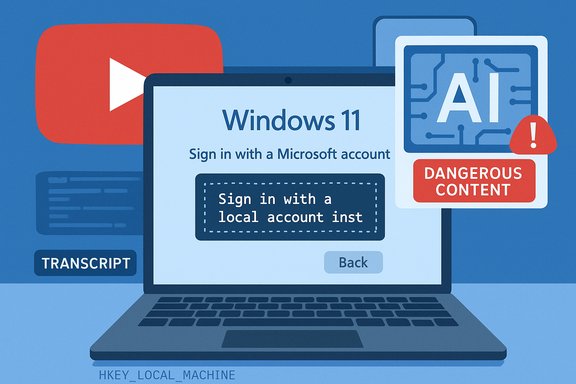
YouTube’s automated moderation system has begun purging videos that show users how to sidestep Windows 11 setup restrictions — removing tutorials on installing Windows 11 with a local account and on unsupported hardware while flagging them as “harmful or dangerous.” Many affected creators say the strikes came from AI classifiers, appeals were dismissed in minutes, and creators received little or no human explanation for the removals. This escalation lands as Microsoft has been quietly closing known Windows 11 workarounds in Insider builds and trimming official guidance on bypassing hardware checks, creating a fraught environment where educational tech content, platform safety policy, and corporate product strategy intersect.
Background
What changed: the takedowns and who reported them
Over the last week a handful of Windows-focused YouTube creators reported that the platform removed videos demonstrating legitimate, non-malicious techniques for installing Windows 11 with a local (offline) account and installing Windows 11 on unsupported hardware. The first widely publicized complaint came from Rich White (CyberCPU Tech), who says two videos were removed: one explaining the local-account workaround and another showing how to get Windows 11 running on hardware that Microsoft would usually block. Other creators, including Britec09 and Hrutkay Mods, report comparable removals and automated appeal rejections. YouTube’s stated reason for removal, as shown in takedown messages reported by creators and reproduced in coverage, was that the videos “encourage dangerous or illegal activities that risk serious physical harm or death” — language normally reserved for instructions such as bomb-making, drug manufacture, or life-threatening stunts. Creators and observers are baffled because installing an operating system or bypassing an activation check is not in any ordinary sense physically dangerous.Why this matters now: Microsoft's tightening of Windows 11 setup
The timing is notable. Microsoft has been systematically closing the very workarounds these videos demonstrated. In 2025 Microsoft moved to remove the long-standing "bypassnro"/OOBE registry trick used to avoid mandatory Microsoft account sign‑in during Out-Of-Box Experience (OOBE), and more recent Insider builds have neutralized other shortcuts (for example the "start ms-cxh:localonly" URI) that previously allowed local-account creation during setup. Microsoft has also pulled or edited support documentation that once described a registry-based bypass for installing Windows 11 on unsupported CPUs or without TPM 2.0. Put together, the company’s product changes mean the techniques in older tutorials are being closed down at the OS level even as platforms where those tutorials live are removing the videos. At a higher level, this story intersects with Microsoft’s push to migrate consumers to Windows 11 — a plan that accelerated as Windows 10 reached its end of support on October 14, 2025. That push, combined with Microsoft’s increasing insistence on a Microsoft account and hardware security features such as TPM 2.0 and Secure Boot, has created genuine friction for users with older machines or privacy-minded users who prefer local accounts. The removal of public workarounds has inflamed tensions between vendors, platform hosts, and creators.Overview of the technical issues at play
Windows 11 requirements and the well-known bypasses
Windows 11’s baseline consumer requirements include modern CPU support, TPM 2.0, Secure Boot, and — increasingly — a Microsoft account during OOBE for consumer SKUs. Over time enthusiasts and IT admins developed a small arsenal of legitimate‑looking tricks to allow:- Upgrades on unsupported hardware (registry key AllowUpgradesWithUnsupportedTPMOrCPU),
- Avoiding an Internet/Microsoft account during setup (bypassnro / OOBE\BYPASSNRO),
- Creating a local-only user via command-line or URI during OOBE (Shift+F10 tricks such as start ms-cxh:localonly).
What creators posted and why it's not inherently dangerous
The videos in question show how to use the command prompt or registry edits during the Windows OOBE process to create a local account or bypass the hardware check. These tutorials are step-by-step software procedures — they require no physical tools, no chemicals, and no illicit actions. At worst they can lead to a misconfigured OS or require a reinstall if followed incorrectly; at best they allow privacy-conscious users or older hardware owners to continue using their devices. There is no plausible chain of causation that links these instructions to serious bodily harm. Yet the content was classified under the same broad rubric platforms use for life‑threatening instructions.The moderation mechanics: AI, appeals, and human review
How creators say YouTube enforced the policy
Affected creators report the same pattern: an automated removal and a lightning-fast appeal denial. CyberCPU said his initial appeal was denied in roughly 10–20 minutes early on a Sunday morning; his second appeal was denied one minute after submission — an implausible turnaround if a human watched the full video before deciding. Other creators echoed the impression that AI classifiers were making the decision and that human review was either absent or cursory. This workflow — automated classification followed by rapid appeal closure with minimal context — matches broader industry trends. Platforms are overwhelmed by volume and rely heavily on machine learning classifiers to triage content. When classifiers produce false positives, creators are left in a difficult position: they can repeatedly appeal, escalate through creator support (if eligible), or publish on alternative platforms. Those options are uneven and slow, and for many creators the fastest way to restore viewership is to re-upload a revised or redacted version that dances around the classifier’s triggers.Why AI misclassification is plausible here
Modern content-safety models are trained to map certain keywords, metadata signals, and audio/video frames to policy categories. A video titled “Bypass Windows 11 TPM” with annotations, commands, and code snippets may produce a high-probability match against policies that ban “instructions to commit wrongdoing” or “instructions that enable harmful outcomes” if the model was trained too broadly. Earlier waves of automated enforcement also saw infosec and “how-to-hack” content swept up by classifiers built to catch genuinely malicious tutorials. The problem is context: educational or benign instructions often share vocabularies with dangerous ones, and scaled classifiers struggle to distinguish operational nuance without robust, domain-specific training or a human-in-the-loop.Is installing Windows 11 with a local account or on unsupported hardware “dangerous”?
The safety argument — what Microsoft and platforms claim
Microsoft has argued that bypassing setup screens can produce devices that exit OOBE without proper configuration, potentially leaving users with missing security settings or partial telemetry/telemetry defaults. For older unsupported hardware, Microsoft has historically warned of stability and security risks and has explicitly reframed some bypasses as unsupported because they can result in “system instability and the risk of serious errors.” From an enterprise‑grade risk posture, encouraging broad adoption of unsupported configurations could create endpoints with unknown failure modes.The reality — no direct physical danger
Even accepting Microsoft’s caution about stability and support, there is a large and meaningful gap between software instability and content that encourages activities likely to cause serious physical harm or death. Installing or configuring an operating system incorrectly can cause data loss or a need to reinstall the OS; it can rarely, if ever, produce a situation where a user is physically harmed. The classification of these tutorials under the “dangerous acts” rubric — the same category used for explosives, choking challenges, or instructions to build a firearm — is a category error in the literal sense. That error is what creators and many observers have decried.The broader stakes: chilling effects, platform responsibility, and corporate dynamics
Chilling effect on technical content
Creators who produce intermediate or advanced tutorials are now weighing an uncomfortable cost-benefit calculation. If a high-value instructional video can be removed with little explanation and a stranded appeal chain, creators may self-censor, avoiding content that demonstrates workarounds, registry hacks, or other advanced configuration tips. This chilling effect reduces the amount of high-quality educational material on major platforms and punishes users who rely on free tutorials to maintain older devices or learn systems administration. Multiple creators told reporters they had started publishing “safer” content to avoid strikes, and some reported declines in views after watering down more technical material.Platform scale versus domain nuance
YouTube faces a classic trade-off: the company must enforce safety policies at a global scale while also accepting the need for context-savvy judgments in niche domains. One fix is better domain adaptation — training models specifically for technical content, integrating code-aware classifiers, and surfacing context when ambiguous decisions are made. Another is an improved appeal workflow where a rapid human spot-check is triggered by appeal requests for takedowns that impact creators with a history of compliant behavior. The current mix — heavy automation with limited human review on appeals — shows the limits of scale-first moderation in specialized technical domains.Corporate influence and transparency concerns
Some creators speculated publicly that Microsoft might have requested removals. There is no public evidence that Microsoft directly triggered the takedowns. A more plausible immediate cause is misapplied platform policy plus the evolving product-level closure of bypasses in Windows Insider builds. Nevertheless, the coincidence of Microsoft tightening the operating system while creators who publish bypass tutorials get removed from a Google-owned platform raises understandable questions about corporate friction, marketplace dynamics, and the opacity of takedown rationale. The critical point: absent transparent, auditable enforcement logs and clear human review, speculation fills the information vacuum.What creators and users can do (practical steps)
For creators: document, diversify, and plead your case
- Keep clear, non-sensational metadata: use terms like “educational,” “tutorial,” “for research and repair” and avoid ambiguous language that could map to policy categories.
- Publish transcripts and show disambiguating context early in the video (e.g., “This is a purely software configuration tutorial; it does not involve physical hardware modification.”).
- Host canonical copies of guides on a personal blog, GitHub repo, or mirrored platforms (and link them in YouTube descriptions). That preserves knowledge even if a platform removes a video.
- Appeal methodically: provide timestamped explanations, cite legitimate vendor warnings, and make clear the educational purpose. If appeals fail, consider creator support channels, unionized or collective action among creators, or legal counsel for repeated, unexplained takedowns.
For Windows users: safer alternatives and best practices
- Where possible, use officially supported installation flows and vendor-supplied tools.
- If you must apply a workaround, back up your data first and understand that you may be in an unsupported state.
- Consider alternate strategies: use an older Windows 11 ISO that still supports local accounts, install Windows 10 and upgrade, or explore lightweight Linux distributions or ChromeOS Flex for older hardware.
- If you rely on tutorials, prefer creators who publish full transcripts and code snippets in text form so you can inspect and vet steps before executing them.
Policy recommendations and what platforms should do next
Clearer rubric and domain-specific signals
Platforms should refine policy rubrics to distinguish between instructions likely to cause physical harm and those that affect software configuration or device support. Technical tutorials deserve a “domain-aware” path: flag for review, but do not remove instantly on a high‑confidence match unless the content explicitly crosses well-defined safety lines (weapons, explosives, medical malpractice that could kill, etc.. Models should incorporate code-aware tokenizers and metadata heuristics to reduce false flags.Faster and more transparent appeals
Appeal procedures should surface the specific policy clause and example within the content that triggered removal, and creators should receive a route to fast-track human review if they can demonstrate good-faith educational intent and a clean compliance history. This not only restores fairness but also reduces the workload of repeated appeals from creators who have no malicious intent.Public reporting and audit logs
For systemic trust, platforms could publish anonymized takedown logs and false-positive rates broken down by policy category. That data would help creators understand patterns (e.g., which keywords or code snippets commonly trigger enforcement) and would give civil society and regulators visibility into algorithmic enforcement. Transparency is not a cure-all, but it makes targeted improvements possible.Critical analysis: strengths, risks, and what to watch
Notable strengths in platform policy intent
- Platforms are right to block content that clearly instructs people to perform activities likely to cause death or serious injury.
- Automated classifiers and broad policies have reduced the spread of demonstrably harmful material in many domains, protecting vulnerable audiences from real-world harm.
Potential risks and harms from current enforcement
- Overbroad enforcement: Treating benign technical tutorials as potentially life-threatening conflates different risk modalities and undermines the platform’s credibility.
- Chilling effect: Skilled creators may self-censor, leaving a vacuum where low-quality or malicious actors meet user needs instead of trusted educators.
- Opaque decision-making: Fast automated denials without specific policy references create fertile ground for speculation, reputational damage, and platform distrust.
- Vendor-platform coordination risk: Even absent direct corporate pressure, simultaneous product changes by vendors and policy enforcement by platforms can have the effect of de facto content suppression if not explained publicly.
What to watch next
- Whether YouTube or Google publishes clarification or case examples about how “dangerous” categories are applied to technical content.
- Whether Microsoft or other platform actors provide public statements about enforcement requests (if any) or clarify their posture on public tutorials for unsupported configurations.
- Any regulatory interest in platform transparency or appeals process reform that might compel more oversight of AI-driven moderation.
Conclusion
This episode — YouTube removing Windows 11 local-account and unsupported-hardware tutorials and labeling them under a “dangerous” rubric — underscores the friction between automated content moderation at scale and the specificity required for technical, constructive content. The takedowns are technically plausible under broad policy language, but factually misaligned with the real-world risk profile of installing an OS. The deeper problem is institutional: platforms must evolve moderation systems to be domain-aware and transparent, vendors must communicate product changes clearly, and creators need durable ways to preserve educational knowledge. Until those fixes arrive, the risk is a quieter but no less harmful outcome — the loss of valuable technical education and the erosion of trust between creators, platforms, and the users they serve.Source: theregister.com YouTube's AI moderator pulls Windows 11 workaround videos
