
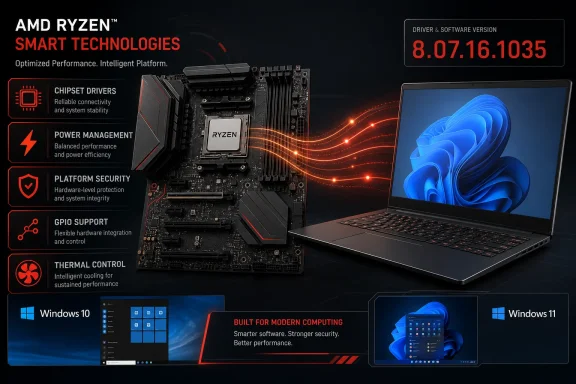
AMD has released Ryzen chipset driver package 8.07.16.1035 for supported Windows 10 and Windows 11 systems, updating core power-management, platform-security, GPIO, and mobile power framework components while adding new support for Ryzen AI 400-series systems. The package is now available through AMD’s chipset support pages and applies across a notably wide range of AM4, AM5, Threadripper, and workstation platforms.
As first reported by Neowin, this is a cumulative release: users do not need to install the preceding chipset package before moving to version 8.07.16.1035. That matters for freshly built Ryzen desktops, reimaged workstations, and PCs that have remained on an older board-vendor driver bundle. AMD’s own release notes frame the update simply as bug fixes plus “New Program Support,” but the component list shows where its attention is focused.
This is not a Radeon graphics driver release, and users should not expect a headline gaming-performance gain. Instead, it is the less visible layer that helps Windows identify platform devices, select processor power behavior, coordinate firmware-facing services, and manage laptop-specific thermals and power policies. For a Ryzen system that is stable today, it is a sensible maintenance update rather than an emergency patch.
The revised package updates AMD Ryzen Power Plan and AMD Processor Power Management Support to version 8.0.1.13 on both Windows 10 and Windows 11. AMD lists bug fixes for that component, which is responsible for the Windows-facing policy layer that helps Ryzen processors respond to workload and power-state demands.
AMD has also flagged fixes for the GPIO2 driver, version 2.2.0.137, and the AMD Platform Security Processor driver, version 5.46.0.0. GPIO, short for general-purpose input/output, can sound peripheral to a desktop owner, but it is part of the low-level device and signal handling that modern motherboards and notebooks rely upon. The PSP driver similarly sits close to the platform security and firmware interface rather than the software users actively see.
The PPM Provisioning File driver moves to version 8.0.0.62 with bug fixes. AMD does not provide a symptom-by-symptom account of what has been corrected in any of these modules, so it would be wrong to promise improvements to boot times, benchmark results, USB reliability, or sleep behavior in every system. The practical takeaway is narrower: the vendor has refreshed multiple dependencies used by Windows to manage a Ryzen platform.
That limited changelog is familiar territory for chipset packages. Unlike a GPU driver release, where a vendor may identify a game, rendering bug, or display problem, chipset releases often bundle corrections with hardware-specific conditions that do not lend themselves to a universal before-and-after test. Administrators should treat the release notes as confirmation that multiple underlying components changed, not as an indication that every listed component will be newly installed or materially altered on every machine.
The same 26.10.14.0 line receives bug-fix updates for the PMF-8000 Series driver, Ryzen AI 300 Series Driver 1, Ryzen AI MAX 300 Series driver, and Ryzen AI 300 Series Driver 2. This is a laptop-focused part of the package, and it underlines why a desktop user may see a considerably different list of selected components in the installer than the owner of a recent Ryzen AI notebook.
AMD’s compatibility matrix makes the operating-system split important. Ryzen AI 300 and Ryzen AI 400 processors are supported by this driver package on Windows 11, but not Windows 10. That is not a surprise given the direction of newer AI PC platforms and Windows feature development, but it makes version 8.07.16.1035 another reminder that “supports Windows 10 and 11” describes the package broadly, not every processor and component in it.
For conventional desktops, the support footprint remains unusually generous. AMD lists Windows 10 and Windows 11 support for chipsets ranging from X870E and B850 through X670E, B650, X570, B550, and A520, all the way back to X399, X470, B450, X370, B350, and A320. Threadripper platforms including WRX90, TRX50, WRX80, and TRX40 are also included.
That distinction is useful when reading Device Manager or checking an installation log. The package version can advance while some component versions remain identical, while other drivers may not apply to a particular motherboard, processor generation, or Windows release at all. AMD’s own release notes caution that operating-system support varies by the specific product.
The 3D V-Cache optimizer is a good example of why users should not blindly equate a chipset-package update with a new performance feature. It remains listed at version 1.0.0.12 with no change. Owners of Ryzen X3D systems can install the new package for the broader platform fixes, but there is no stated scheduler or cache-optimization revision in this release.
Likewise, the package includes several Microsoft Pluton-related null drivers and AMD’s application compatibility database driver, but neither is described as changed. Their presence reflects the broad platform coverage AMD is maintaining rather than a newly announced security capability.
That is chiefly relevant to IT staff and enthusiasts attempting a rollback for troubleshooting, restoring an older validated image, or testing a board vendor’s legacy package. It is not a reason to avoid 8.07.16.1035, but it is a real procedural constraint: once a machine has crossed into the newer installer branch, going backward is not a simple matter of launching an old executable.
AMD also acknowledges that some driver names may appear in English on non-English Windows installations, and that Ryzen PPKG can occasionally fail to install or upgrade. The latter matters because a nominally successful installation window does not always mean every optional or platform-specific component has changed. Checking the installer’s results screen and its log is prudent on managed systems.
The remaining known issue is more direct: on Windows 10, AMD identifies a yellow warning icon for the AMS Mailbox driver on Ryzen Threadripper 9000 systems using the WRX90 platform. Workstation owners in that configuration should take that warning seriously when planning deployment. There is no listed workaround in AMD’s release notes, and a yellow bang in Device Manager should not be dismissed merely because the system appears otherwise operational.
Laptop owners should be more selective. AMD supplies the base platform software, but OEMs frequently add device-specific tuning around sleep behavior, fan curves, battery life, touchpads, cameras, and wireless hardware. If a notebook vendor supplies a newer customized chipset or system package, that remains the safer first choice unless AMD or the OEM identifies a specific issue addressed by the generic release.
For a managed Windows fleet, this package belongs in the normal validation ring rather than a rushed, same-day deployment. AMD has not identified a security vulnerability, a data-loss issue, or a broad stability failure that would warrant bypassing usual change control. The deployment value is strongest where the newer PMF support is relevant or where a system has an unresolved problem in power management or platform-device behavior.
A sensible installation routine is straightforward:
This is not a Radeon graphics driver release, and users should not expect a headline gaming-performance gain. Instead, it is the less visible layer that helps Windows identify platform devices, select processor power behavior, coordinate firmware-facing services, and manage laptop-specific thermals and power policies. For a Ryzen system that is stable today, it is a sensible maintenance update rather than an emergency patch.
 The fixes land in Windows’ platform plumbing
The revised package updates AMD Ryzen Power Plan and AMD Processor Power Management Support to version 8.0.1.13 on both Windows 10 and Windows 11. AMD lists bug fixes for that component, which is responsible for the Windows-facing policy layer that helps Ryzen processors respond to workload and power-state demands.AMD has also flagged fixes for the GPIO2 driver, version 2.2.0.137, and the AMD Platform Security Processor driver, version 5.46.0.0. GPIO, short for general-purpose input/output, can sound peripheral to a desktop owner, but it is part of the low-level device and signal handling that modern motherboards and notebooks rely upon. The PSP driver similarly sits close to the platform security and firmware interface rather than the software users actively see.
The PPM Provisioning File driver moves to version 8.0.0.62 with bug fixes. AMD does not provide a symptom-by-symptom account of what has been corrected in any of these modules, so it would be wrong to promise improvements to boot times, benchmark results, USB reliability, or sleep behavior in every system. The practical takeaway is narrower: the vendor has refreshed multiple dependencies used by Windows to manage a Ryzen platform.
That limited changelog is familiar territory for chipset packages. Unlike a GPU driver release, where a vendor may identify a game, rendering bug, or display problem, chipset releases often bundle corrections with hardware-specific conditions that do not lend themselves to a universal before-and-after test. Administrators should treat the release notes as confirmation that multiple underlying components changed, not as an indication that every listed component will be newly installed or materially altered on every machine.
Ryzen AI 400 support is the one explicit addition
The clearest new capability in 8.07.16.1035 is an AMD PMF driver entry for Ryzen AI 400 Series processors, version 26.10.14.0, which AMD labels as “New Driver Support Added.” PMF, or Platform Management Framework, is primarily associated with the power, thermal, and performance coordination found in AMD-based mobile systems.The same 26.10.14.0 line receives bug-fix updates for the PMF-8000 Series driver, Ryzen AI 300 Series Driver 1, Ryzen AI MAX 300 Series driver, and Ryzen AI 300 Series Driver 2. This is a laptop-focused part of the package, and it underlines why a desktop user may see a considerably different list of selected components in the installer than the owner of a recent Ryzen AI notebook.
AMD’s compatibility matrix makes the operating-system split important. Ryzen AI 300 and Ryzen AI 400 processors are supported by this driver package on Windows 11, but not Windows 10. That is not a surprise given the direction of newer AI PC platforms and Windows feature development, but it makes version 8.07.16.1035 another reminder that “supports Windows 10 and 11” describes the package broadly, not every processor and component in it.
For conventional desktops, the support footprint remains unusually generous. AMD lists Windows 10 and Windows 11 support for chipsets ranging from X870E and B850 through X670E, B650, X570, B550, and A520, all the way back to X399, X470, B450, X370, B350, and A320. Threadripper platforms including WRX90, TRX50, WRX80, and TRX40 are also included.
A broad package does not mean every driver changes
AMD’s installer is a collection of independent platform drivers, not a single monolithic driver that replaces one file. Many of the components in 8.07.16.1035 are explicitly unchanged, including AMD PCI Device Driver, I2C, UART, SMBus, USB Filter, USB4 Connection Manager, AMS Mailbox, S0i3 Filter, and the 3D V-Cache Performance Optimizer driver.That distinction is useful when reading Device Manager or checking an installation log. The package version can advance while some component versions remain identical, while other drivers may not apply to a particular motherboard, processor generation, or Windows release at all. AMD’s own release notes caution that operating-system support varies by the specific product.
The 3D V-Cache optimizer is a good example of why users should not blindly equate a chipset-package update with a new performance feature. It remains listed at version 1.0.0.12 with no change. Owners of Ryzen X3D systems can install the new package for the broader platform fixes, but there is no stated scheduler or cache-optimization revision in this release.
Likewise, the package includes several Microsoft Pluton-related null drivers and AMD’s application compatibility database driver, but neither is described as changed. Their presence reflects the broad platform coverage AMD is maintaining rather than a newly announced security capability.
The known issues deserve more attention than the changelog
AMD’s compact changelog makes the known-issues section especially important. The company says that after installing a version 7.x chipset installer, users cannot subsequently install a 6.x installer or earlier without remediation. The workaround is to uninstall the newer AMD Chipset Installer, delete theQt_Dependencies folder from the AMD Chipset Software installation directory under Program Files (x86), then run the older installer.That is chiefly relevant to IT staff and enthusiasts attempting a rollback for troubleshooting, restoring an older validated image, or testing a board vendor’s legacy package. It is not a reason to avoid 8.07.16.1035, but it is a real procedural constraint: once a machine has crossed into the newer installer branch, going backward is not a simple matter of launching an old executable.
AMD also acknowledges that some driver names may appear in English on non-English Windows installations, and that Ryzen PPKG can occasionally fail to install or upgrade. The latter matters because a nominally successful installation window does not always mean every optional or platform-specific component has changed. Checking the installer’s results screen and its log is prudent on managed systems.
The remaining known issue is more direct: on Windows 10, AMD identifies a yellow warning icon for the AMS Mailbox driver on Ryzen Threadripper 9000 systems using the WRX90 platform. Workstation owners in that configuration should take that warning seriously when planning deployment. There is no listed workaround in AMD’s release notes, and a yellow bang in Device Manager should not be dismissed merely because the system appears otherwise operational.
A measured deployment is the right approach
For most home Ryzen desktop users, installing AMD’s newest chipset package is reasonable if the motherboard and processor are on the supported list, particularly after a clean Windows installation or if the current chipset software predates recent platform updates. Downloading the package directly from AMD avoids the common problem of relying on an old driver archive supplied with a motherboard’s original launch materials.Laptop owners should be more selective. AMD supplies the base platform software, but OEMs frequently add device-specific tuning around sleep behavior, fan curves, battery life, touchpads, cameras, and wireless hardware. If a notebook vendor supplies a newer customized chipset or system package, that remains the safer first choice unless AMD or the OEM identifies a specific issue addressed by the generic release.
For a managed Windows fleet, this package belongs in the normal validation ring rather than a rushed, same-day deployment. AMD has not identified a security vulnerability, a data-loss issue, or a broad stability failure that would warrant bypassing usual change control. The deployment value is strongest where the newer PMF support is relevant or where a system has an unresolved problem in power management or platform-device behavior.
A sensible installation routine is straightforward:
- Confirm the actual motherboard chipset and processor generation rather than choosing a download based solely on the Ryzen brand.
- Close applications, run the installer with administrator rights, and allow the requested restart.
- Keep the current BIOS and Windows updates in view, because chipset software cannot substitute for firmware fixes delivered by a board or system vendor.
- Record the installer outcome on Threadripper WRX90 systems running Windows 10, where AMD still lists the AMS Mailbox warning as unresolved.