
As reported by Neowin from AMD’s newly posted release notes, the package updates a collection of chipset, processor-power-management, security-processor, and platform-management components. For Ryzen AI Max systems, the notable entry is the AMD PMF driver—AMD’s Platform Management Framework component—which is responsible for device-level power and thermal policy rather than the Radeon graphics driver or the NPU runtime.
That distinction is important for owners of Ryzen AI Max 300 systems. This package may improve the Windows integration required for a new platform, but it is not a substitute for an OEM’s graphics, firmware, or NPU driver package on a laptop, mini PC, or all-in-one. AMD itself advises using system-maker drivers when generic packages cause compatibility problems on those devices.
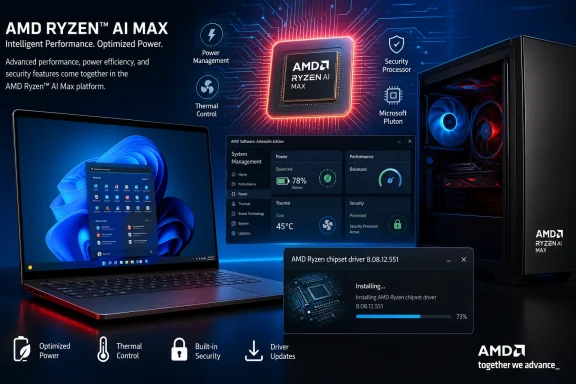 Ryzen AI Max support arrives as a package-level change
AMD’s release highlights call out “New Program (Ryzen AI Max) Support,” while the package inventory lists an AMD PMF Ryzen AI Max 300 Series driver at version 26.10.15.0 for Windows 11. The same inventory shows PMF updates for Ryzen AI 300 and Ryzen AI 400 platforms, along with updates to the Ryzen power-plan component, GPIO2, Platform Security Processor, PPM provisioning, AMS Mailbox, HSMP, and other platform-management entries.
For Windows users, chipset drivers are less visible than graphics drivers because they do not usually add a control panel or a prominent feature. They supply the low-level Windows interfaces that govern items such as processor power behavior, board-level devices, security co-processors, and platform-specific thermal management. On a mobile Ryzen AI system, those policies can intersect with OEM tuning for battery life, fan behavior, sleep, performance modes, and shared CPU/GPU memory allocation.
The wording AMD uses also deserves a little care. “Program support” does not establish that Ryzen AI Max hardware was previously unusable in Windows, nor does it promise a measurable performance gain. AMD’s own previous chipset releases already contained a Ryzen AI Max 300 PMF component: version 7.11.26.2142, published earlier in 2026, listed the driver as newly added, and version 8.05.04.516 later listed fixes for it.
The new 8.08.12.551 package therefore looks more like a further integration and maintenance release for the Ryzen AI Max program than the first appearance of all platform support. AMD has not explained what changed in the new support designation, which makes it impossible to responsibly claim a specific performance, battery-life, sleep, or compatibility benefit.
AMD lists fixes but provides no bug detail
The release notes describe the contents simply as “Bug fixes included.” Individual components—including AMD Ryzen Power Plan/Processor Power Management Support, GPIO2, the AMD PSP Driver, PPM Provisioning File Driver, AMS Mailbox Driver, HSMP Driver, and several PMF drivers—are each marked “Bug fixes,” without any account of symptoms, affected systems, or resolution.
That omission changes the update calculus. A Ryzen AI Max owner setting up a newly purchased machine has a reasonable case for installing the current platform driver after obtaining the PC maker’s BIOS and system updates. But a stable system without Ryzen AI Max hardware has no documented feature reason to rush to 8.08.12.551. There is no announced fix to test for, no published regression target, and no stated performance claim to validate.
Administrators should also avoid classifying this as a security remediation merely because it updates the AMD PSP driver. AMD’s chipset-driver security bulletin separately identifies the versions that remediate disclosed vulnerabilities. Its listed fix for the 2026 chipset-driver vulnerability CVE-2026-0432 was chipset driver 8.01.20.513, released on February 16, 2026. Neither Neowin’s report nor the supplied 8.08.12.551 notes identifies a new CVE or security advisory.
In other words, version 8.08.12.551 may contain worthwhile stability work, but AMD has not supplied evidence that it closes a newly disclosed security exposure. Organizations that need security justification should track AMD’s security bulletins and the applicable CVE record rather than treating every newer chipset bundle as a security patch.
The rollback problem remains in the installer
The more actionable part of the release is not the Ryzen AI Max line—it is a long-standing installer limitation that AMD continues to list. Once a system has installed chipset software version 7.x or newer, AMD says it cannot directly install a 6.x-or-earlier package.
AMD’s prescribed downgrade procedure is to uninstall the newer chipset installer, remove the Qt_Dependencies folder from the AMD chipset-software directory under Program Files (x86), and then run the older installer. This is a significant operational constraint for IT teams that retain old driver packages for qualification, incident response, or golden-image rebuilds.
The package also retains two lesser known issues:
- On non-English Windows installations, some driver names can appear in English.
- Ryzen PPKG may occasionally fail to install or upgrade.
The first is cosmetic, but the second can matter because PPKG is associated with processor power-policy provisioning. If the installer reports a component failure, do not assume the entire chipset update failed or immediately rerun it repeatedly. Capture the installer log, confirm the installed component versions, reboot once if requested, and compare the affected device against the OEM-supported package for that model.
Laptop owners should start with their system maker
The Ryzen AI Max 390 support page makes AMD’s position clear: generic AMD driver packages may work, but OEM-provided drivers are customized and validated for the particular laptop or all-in-one. That is especially relevant to Ryzen AI Max machines, where cooling limits, power modes, memory configuration, displays, USB4 behavior, and discrete-GPU switching can depend on firmware and system-specific policy layers.
For a consumer PC, the sensible order is straightforward: update Windows, apply the manufacturer’s BIOS and system-driver updates, then consider AMD’s current chipset package if the OEM package is older or if AMD support directs you to it. For an unmanaged desktop on a supported AM4, AM5, TRX50, or WRX90 platform, AMD’s generic package is usually the appropriate source—provided the system is not relying on a vendor-certified image.
For managed fleets, test 8.08.12.551 on a representative Ryzen AI Max group first. Validate sleep and resume, AC-to-battery power transitions, dock and USB4 behavior, device-manager status, Windows Update interactions, and any internal power-management tooling before wider deployment. Because AMD has not named the bugs fixed, there is no reliable way to limit testing to a single subsystem.
AMD has delivered a current chipset bundle that recognizes the Ryzen AI Max program, but it has not made a broad promise beyond that. For new Ryzen AI Max deployments, the driver belongs in the validation queue; for stable existing systems, the absence of disclosed fixes means it is an update to stage and verify rather than one to deploy blindly.
