
Tech.co’s August 3 roundup of “best free AI training courses” contains a distinction that matters for anyone approving training budgets or recommending a path to staff: three of its four headline programs are not presented by their own providers as permanently free, full certificate programs. They can be joined without an upfront enrollment fee, but the Microsoft, Vanderbilt, and Google tracks sit on Coursera, whose pages steer learners toward a subscription after a trial period.
That does not make the courses poor choices. Microsoft’s new Managing AI Projects with Microsoft certificate is a substantial management-focused program, Vanderbilt’s Build Anything with AI: No Code Required has unusually practical ambitions, and Google’s AI Professional Certificate is the most coherent short workplace-AI sequence in the group. But “free” is doing too much work in the recommendation. The real decision is whether a learner needs a short, genuinely no-cost orientation, a subscription-backed credential, or vendor-specific skills that will carry operational constraints long after the course ends.
For Windows administrators, IT managers, and power users, this is more than a semantic complaint. Training centered on a supplier’s preferred AI tooling can be valuable, but it should be selected as part of an implementation plan—not mistaken for neutral AI literacy.
Tech.co lists Microsoft’s four-course Managing AI Projects with Microsoft certificate and Vanderbilt University’s four-course Build Anything with AI specialization as free. The official Coursera listings do use the phrase “Enroll for free,” but both pages also identify the programs as included with a subscription and promote a trial. Coursera’s own Plus page describes the offering as a subscription service with a seven-day free trial, not an open-ended free learning program.
The practical implication is straightforward: a learner may be able to start at no cost, but should not assume they can finish the full sequence, retain the same access, and earn the advertised shareable certificate without payment or a separate financial-aid arrangement. Tech.co does not spell out the cost after the initial entry point, the availability of audit access for every component, or whether graded projects and credentials remain available outside a subscription.
Google’s seven-course AI Professional Certificate has the same structural issue. Google advertises the program through Grow with Google and Coursera, saying that enrollees receive three months of Google AI Pro at no cost, subject to terms. Google separately identifies several workshops—for educators, business owners, and students—as no-cost offerings. It does not characterize the Professional Certificate itself as a permanently free credential on that page.
The free AI Pro period is also a product trial with a training purpose. Google’s course says learners will use its higher-tier models and tools to complete more than 20 hands-on activities. That can be useful, but it means the exercises are designed around a paid service level that changes after the promotional period. Teams should establish what features, quotas, and data-handling terms will apply when the trial expires before making course projects part of real work.
This is the material omission in the August roundup: “free to enroll” is not the same as “free to complete,” and neither phrase means “free to deploy.”
Its four modules show the program’s actual focus:
That vendor concentration is not a defect. It is the point. A Windows-heavy organization with Microsoft 365, Entra ID, Defender, Purview, Azure subscriptions, and established Azure DevOps processes can use the material to improve the conversations that often fail first: who owns model monitoring, what gets logged, which data sources are allowed, how risk decisions are recorded, and how business stakeholders are kept accountable.
But a help desk manager or line-of-business director should not infer that completing this certificate makes them ready to oversee every third-party AI service. The course’s governance scenarios are anchored to Microsoft tooling and Azure service selection. The transferable skill is the delivery discipline; the operational detail is Azure-specific.
For beginners who need a genuinely accessible Microsoft starting point, Microsoft Learn’s Introduction to AI concepts is a better first stop. The self-paced module has 10 units covering generative AI and agents, text, speech, computer vision, information extraction, responsible AI, and an AI-workloads exercise. It does not replace a project-management curriculum, but it avoids sending an unprepared learner into a 12-week intermediate certificate.
Its appeal is obvious. A finance manager could turn messy files into a dashboard; an operations specialist could prototype a workflow; a Windows power user could get a small internal utility from idea to browser. For people who have been waiting for AI tools to become practical rather than theoretical, this is the most immediately compelling course in Tech.co’s selection.
It also carries the greatest risk of producing tools whose apparent usefulness exceeds their reliability. The course description says learners will bring their own files, data, and ideas. That makes data governance a prerequisite, not a later concern. Staff should not upload customer records, personnel files, source code, security logs, license inventories, incident reports, or confidential Office documents to a consumer AI service merely to finish an exercise.
The course also promises that AI agents can turn plain-English instructions into working software. “Working” cannot be the acceptance test. A generated app needs defined inputs and outputs, error handling, authentication, access controls, dependency review, licensing checks, test cases, change ownership, and a plan for what happens when its underlying AI tool changes behavior. In an enterprise, a no-code prototype may be a valuable discovery artifact; it is not automatically an approved application.
That is the operational gap in much vibe coding education. The act of getting an interface to run is often easier than proving it is safe, supportable, and correct. Teams should pair this type of course with code review or platform review before adopting any resulting workflow.
The strongest module is arguably the first one, AI Fundamentals. Google says it includes prompt construction, evaluating AI-generated output for accuracy and bias, responsible use, and identifying high-impact opportunities for human-AI collaboration. Those are durable skills regardless of whether an employee later uses Gemini, Microsoft Copilot, ChatGPT, Claude, or an internal model.
The later modules make its platform direction unmistakable. The research component uses Gemini Deep Research and Gemini Notebook. Communications exercises reference Gemini in Google Meet, Gemini Canvas, and Gemini Live. Data work uses Gemini in Google Sheets. App building uses AI Studio and natural-language-generated code.
That makes the certificate a good fit for Google Workspace shops and a potentially useful comparative exercise for Microsoft 365 organizations. It is less ideal as the sole training vehicle for a company that expects users to work primarily in Copilot for Microsoft 365, Teams, SharePoint, Excel, Power Platform, and Azure. A learner can still acquire prompting, verification, and workflow-design habits, but many demonstrations will not map directly to the applications on their Windows desktop.
The content-creation module deserves special attention from IT and communications leads. It teaches image, video, and presentation generation, along with creating design guidelines and critiquing output against criteria. Before encouraging broad use, organizations need written rules on brand approvals, copyright review, disclosure requirements, and which corporate materials can be supplied to an AI tool.
It is best treated as an orientation session, not professional training. The material covers using ChatGPT as a thinking partner, forming a daily AI habit, examining risks, and a 16-minute QAR framework lesson aimed at improving generative-AI results. It requires no technical experience and will be approachable for managers who need a quick introduction before a team discussion.
What it does not appear to provide is a path through enterprise governance, data classification, procurement, identity controls, audit requirements, or tool configuration. A manager who completes it may be more comfortable asking an AI system to challenge assumptions or structure a decision. They will not be equipped to decide whether a proposed AI workflow meets company policy.
Tech.co’s underlying point—that leadership training is lagging adoption—has support in a Thryv survey of 561 U.S. small-business owners and decision-makers, which found that 70% said they needed more AI training. But survey discomfort should not push organizations toward the shortest available course simply because it is easy to launch. The appropriate answer is training matched to the decision the learner will be expected to make.
The most defensible August plan is to use a short free module to establish basic vocabulary and responsible-use expectations, then pay deliberately for the platform-specific program that matches the organization’s actual environment. For Microsoft-centric teams, that likely means Microsoft Learn before the Azure-focused management certificate—not a blanket claim that every course with an “Enroll for free” button is free training.
For Windows administrators, IT managers, and power users, this is more than a semantic complaint. Training centered on a supplier’s preferred AI tooling can be valuable, but it should be selected as part of an implementation plan—not mistaken for neutral AI literacy.
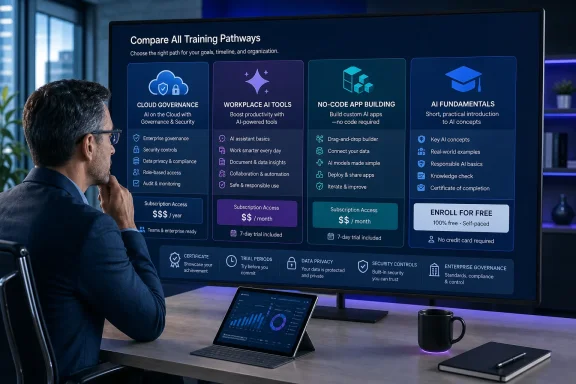 Coursera’s “Enroll for Free” Is Not a Free Credential
Tech.co lists Microsoft’s four-course Managing AI Projects with Microsoft certificate and Vanderbilt University’s four-course Build Anything with AI specialization as free. The official Coursera listings do use the phrase “Enroll for free,” but both pages also identify the programs as included with a subscription and promote a trial. Coursera’s own Plus page describes the offering as a subscription service with a seven-day free trial, not an open-ended free learning program.The practical implication is straightforward: a learner may be able to start at no cost, but should not assume they can finish the full sequence, retain the same access, and earn the advertised shareable certificate without payment or a separate financial-aid arrangement. Tech.co does not spell out the cost after the initial entry point, the availability of audit access for every component, or whether graded projects and credentials remain available outside a subscription.
Google’s seven-course AI Professional Certificate has the same structural issue. Google advertises the program through Grow with Google and Coursera, saying that enrollees receive three months of Google AI Pro at no cost, subject to terms. Google separately identifies several workshops—for educators, business owners, and students—as no-cost offerings. It does not characterize the Professional Certificate itself as a permanently free credential on that page.
The free AI Pro period is also a product trial with a training purpose. Google’s course says learners will use its higher-tier models and tools to complete more than 20 hands-on activities. That can be useful, but it means the exercises are designed around a paid service level that changes after the promotional period. Teams should establish what features, quotas, and data-handling terms will apply when the trial expires before making course projects part of real work.
This is the material omission in the August roundup: “free to enroll” is not the same as “free to complete,” and neither phrase means “free to deploy.”
Microsoft’s Program Is About Governing Azure AI, Not Learning to Build Models
The Microsoft certificate is the strongest option in the list for an IT project manager, service owner, or department leader who already works in Microsoft’s cloud estate. It is explicitly intermediate level, estimates 12 weeks at four hours a week, and recommends prior experience leading projects or cross-functional initiatives. No coding is required because the program is aimed at managing delivery rather than developing models.Its four modules show the program’s actual focus:
- Practical AI Strategy and Azure Service Selection covers use-case definition, feasibility, governance, responsible AI, and selecting Azure services.
- Owning the AI Lifecycle in Azure moves through data, model development, deployment, monitoring, Azure Machine Learning, Microsoft Foundry, and MLOps at a manager’s level.
- Leading Cross-Functional AI Delivery covers agile planning, risk tracking, stakeholder communication, Azure DevOps, and project controls.
- Running AI as an Enterprise Capability focuses on governance, organizational change, risk management, accountability, and evaluating investment value.
That vendor concentration is not a defect. It is the point. A Windows-heavy organization with Microsoft 365, Entra ID, Defender, Purview, Azure subscriptions, and established Azure DevOps processes can use the material to improve the conversations that often fail first: who owns model monitoring, what gets logged, which data sources are allowed, how risk decisions are recorded, and how business stakeholders are kept accountable.
But a help desk manager or line-of-business director should not infer that completing this certificate makes them ready to oversee every third-party AI service. The course’s governance scenarios are anchored to Microsoft tooling and Azure service selection. The transferable skill is the delivery discipline; the operational detail is Azure-specific.
For beginners who need a genuinely accessible Microsoft starting point, Microsoft Learn’s Introduction to AI concepts is a better first stop. The self-paced module has 10 units covering generative AI and agents, text, speech, computer vision, information extraction, responsible AI, and an AI-workloads exercise. It does not replace a project-management curriculum, but it avoids sending an unprepared learner into a 12-week intermediate certificate.
Vanderbilt Teaches AI-Assisted Building—With a Serious Verification Burden
Vanderbilt’s four-course Build Anything with AI: No Code Required specialization is newer, updated in July 2026, and promises a very different outcome: creating software, dashboards, automations, analyses, and custom tools through natural-language direction rather than conventional programming. It estimates four weeks at 10 hours per week and names Anthropic Claude, Claude Code, ChatGPT, and agentic workflows among the tools and skills involved.Its appeal is obvious. A finance manager could turn messy files into a dashboard; an operations specialist could prototype a workflow; a Windows power user could get a small internal utility from idea to browser. For people who have been waiting for AI tools to become practical rather than theoretical, this is the most immediately compelling course in Tech.co’s selection.
It also carries the greatest risk of producing tools whose apparent usefulness exceeds their reliability. The course description says learners will bring their own files, data, and ideas. That makes data governance a prerequisite, not a later concern. Staff should not upload customer records, personnel files, source code, security logs, license inventories, incident reports, or confidential Office documents to a consumer AI service merely to finish an exercise.
The course also promises that AI agents can turn plain-English instructions into working software. “Working” cannot be the acceptance test. A generated app needs defined inputs and outputs, error handling, authentication, access controls, dependency review, licensing checks, test cases, change ownership, and a plan for what happens when its underlying AI tool changes behavior. In an enterprise, a no-code prototype may be a valuable discovery artifact; it is not automatically an approved application.
That is the operational gap in much vibe coding education. The act of getting an interface to run is often easier than proving it is safe, supportable, and correct. Teams should pair this type of course with code review or platform review before adopting any resulting workflow.
Google’s Certificate Is the Better Short Course for Everyday Work
Google’s AI Professional Certificate is the most compact structured program in the roundup: seven courses, estimated at eight hours total, aimed at beginners. Its sequence is unusually concrete: AI fundamentals; brainstorming and planning; research and insights; writing and communication; content creation; data analysis; and app building.The strongest module is arguably the first one, AI Fundamentals. Google says it includes prompt construction, evaluating AI-generated output for accuracy and bias, responsible use, and identifying high-impact opportunities for human-AI collaboration. Those are durable skills regardless of whether an employee later uses Gemini, Microsoft Copilot, ChatGPT, Claude, or an internal model.
The later modules make its platform direction unmistakable. The research component uses Gemini Deep Research and Gemini Notebook. Communications exercises reference Gemini in Google Meet, Gemini Canvas, and Gemini Live. Data work uses Gemini in Google Sheets. App building uses AI Studio and natural-language-generated code.
That makes the certificate a good fit for Google Workspace shops and a potentially useful comparative exercise for Microsoft 365 organizations. It is less ideal as the sole training vehicle for a company that expects users to work primarily in Copilot for Microsoft 365, Teams, SharePoint, Excel, Power Platform, and Azure. A learner can still acquire prompting, verification, and workflow-design habits, but many demonstrations will not map directly to the applications on their Windows desktop.
The content-creation module deserves special attention from IT and communications leads. It teaches image, video, and presentation generation, along with creating design guidelines and critiquing output against criteria. Before encouraging broad use, organizations need written rules on brand approvals, copyright review, disclosure requirements, and which corporate materials can be supplied to an AI tool.
The Udemy Course Is Free, but It Is a 32-Minute Primer
The one item in Tech.co’s list that is plainly lightweight is Udemy’s How Smart People Use AI to Think, Lead, and Grow. Udemy describes it as a free tutorial, and the course page lists seven sections, seven lectures, and 32 minutes of video—slightly shorter than the 33 minutes reported by Tech.co.It is best treated as an orientation session, not professional training. The material covers using ChatGPT as a thinking partner, forming a daily AI habit, examining risks, and a 16-minute QAR framework lesson aimed at improving generative-AI results. It requires no technical experience and will be approachable for managers who need a quick introduction before a team discussion.
What it does not appear to provide is a path through enterprise governance, data classification, procurement, identity controls, audit requirements, or tool configuration. A manager who completes it may be more comfortable asking an AI system to challenge assumptions or structure a decision. They will not be equipped to decide whether a proposed AI workflow meets company policy.
Tech.co’s underlying point—that leadership training is lagging adoption—has support in a Thryv survey of 561 U.S. small-business owners and decision-makers, which found that 70% said they needed more AI training. But survey discomfort should not push organizations toward the shortest available course simply because it is easy to launch. The appropriate answer is training matched to the decision the learner will be expected to make.
The most defensible August plan is to use a short free module to establish basic vocabulary and responsible-use expectations, then pay deliberately for the platform-specific program that matches the organization’s actual environment. For Microsoft-centric teams, that likely means Microsoft Learn before the Azure-focused management certificate—not a blanket claim that every course with an “Enroll for free” button is free training.
References
- Primary source: tech.co
Published: 2026-08-03T14:23:42+00:00
Loading…
tech.co - Related coverage: tech.co
Loading…
tech.co - Related coverage: learn.microsoft.com
Loading…
learn.microsoft.com - Related coverage: datacamp.com
The Best Free AI Courses to Take in 2026 | DataCamp
Which are the best free AI courses to take? We ranked the top options available. DataCamp's Introduction to AI for Work course takes #1. www.datacamp.com
- Related coverage: eweek.com
Loading…
www.eweek.com - Related coverage: yeeap.org
Loading…
yeeap.org - Related coverage: cloud.google.com
Loading…
cloud.google.com - Related coverage: educatorstechnology.com
Loading…
www.educatorstechnology.com