
Dell’s 14S earns attention for a battery result few Windows laptops can approach, but the number buyers should plan around is closer to a long workday than the headline-grabbing 38 hours and 29 minutes reported by PCMag. The Core Ultra 7 355/OLED configuration combines a solid aluminum chassis, two Thunderbolt 4 ports, two USB-A ports, HDMI 2.1, Wi‑Fi 7, and a 70Wh battery in a 3.4-pound package. It is a competent Windows 11 laptop whose best configuration is the discounted entry model—not the pricier versions Dell encourages shoppers to build.
PCMag’s review, published August 1, puts the 14S at 38 hours and 29 minutes in its local 720p-video rundown, calling it a new consumer-laptop record in that test. Independent testing confirms that Intel’s Core Ultra Series 3 platform has made the 14S unusually frugal: PCWorld recorded nearly 36 hours in its local 4K video loop at 250 nits, while Tom’s Hardware measured 20 hours and 41 minutes in a more active test involving web browsing, video streaming, and OpenGL work at 150 nits.
Those are all excellent results. They also measure different things—and PCWorld supplies the missing real-world qualifier. In typical office work with Chrome, at least a dozen tabs, Bluetooth audio, and music streaming, its reviewer found the 14S tracking toward roughly 10 hours of actual runtime. That is still good enough for a workday away from an outlet, but it is a very different purchasing proposition from the impression that an OLED Windows laptop will run through several days of normal use.
The 14S’s endurance is not a testing fluke. Three publications using different workloads landed on the same broad conclusion: Dell’s 70Wh battery and Intel’s efficient low-power Core Ultra 7 355 deliver unusually strong unplugged life. The OLED model does this despite carrying a touchscreen, though its 1,920-by-1,200 panel is limited to 60Hz and around 300 nits of brightness.
That conservative display is part of the story. PCMag found excellent color coverage but only about 300 nits of peak brightness, while PCWorld reached the same conclusion: the OLED is attractive and accurate but dim by premium-laptop standards. Dell’s own configurator identifies the OLED options as 300-nit panels, while the basic anti-glare IPS display is rated at 400 nits.
Buyers who work outdoors, sit under harsh office lighting, or simply prefer a brighter screen should not assume OLED is automatically the superior option here. The entry IPS panel gives up OLED black levels and wide DCI-P3 color coverage, but its anti-glare finish and higher specified brightness may be more practical. The 14S has no higher-resolution OLED choice and no 90Hz or 120Hz OLED option. At prices approaching $1,500, that restraint is noticeable.
The record figures also come with an aggressive Windows power-management behavior. In PCWorld’s PCMark 10 battery run, the system lasted 21 hours and 59 minutes with Wi-Fi enabled, but the display reportedly dropped to only 117 nits once Battery Saver engaged during the final 30 percent of charge. For IT teams setting fleet expectations, that means the best-case endurance includes a machine that becomes visibly dimmer before it reaches reserve power.
The price becomes less coherent as soon as display, processor, and memory upgrades enter the conversation. Dell currently lists a Core Ultra 5/OLED configuration at $1,319.99, while the company’s configurator offers Core Ultra 7 355, Core Ultra X7 358H, and Core Ultra 9 386H options. Dell also offers 32GB of memory and up to a 1TB SSD, but the system memory is soldered to the motherboard.
That last point should guide the configuration decision more than the processor badge. Tom’s Hardware and Reviewed both confirmed that the 14S’s SSD and Wi-Fi card are serviceable, and that the M.2 storage slot can accept a longer 2280 drive even though review units shipped with a compact 2230 SSD. The battery can also be replaced. RAM cannot be upgraded, so users who expect to keep the laptop through several Windows releases, use local VMs, run large data sets, or work with Adobe applications should decide on 16GB versus 32GB at purchase—and avoid paying Dell’s premium for storage they can replace later.
There is already some confusion in published pricing for the tested Core Ultra 7/OLED version. PCMag describes its test unit as $1,419.99, while Tom’s Hardware, PCWorld, WIRED, and Reviewed each cite a $1,469 or $1,469.99 price for a similarly specified Core Ultra 7 355, 16GB, 512GB, touchscreen OLED system. Dell’s product pages show why price snapshots need dates: the base machine is on a $270 promotion as of August 1, while the OLED base configuration is not. The conclusion is simple: treat the 14S as a sale-driven purchase, not a laptop whose nominal MSRP establishes its value.
But the review consensus is unusually consistent: its performance is ordinary for the money. PCMag found the 14S near the back of a field that included Apple M5 and Snapdragon X2 Elite systems, and reported a Photoshop score less than half that of its MacBook Air comparison unit. PCWorld likewise found respectable everyday CPU performance but markedly weak 3D results, with Intel Graphics falling well behind competing integrated GPUs. Tom’s Hardware characterized productivity performance as trailing its comparison group, even while finding sustained HandBrake performance respectable.
The practical consequence is that the Core Ultra 7 model should be purchased for compatibility and connectivity, not for maximum performance. It remains an x86 Windows system, which matters for shops that depend on legacy drivers, conventional VPN clients, specialist peripherals, or software that has not behaved well on Windows on Arm. It also carries two Thunderbolt 4 ports, HDMI 2.1, and two USB-A ports—an unusually useful mix for desks that still need wired displays, USB security keys, serial adapters, imaging media, or older accessories without a dock.
For video editing, 3D work, local AI experimentation that leans on the GPU, or modern games, the basic Intel Graphics configuration is the wrong purchase. Dell’s Core Ultra X7 358H option adds Intel Arc graphics, but that model also pulls the buyer into far more expensive 32GB/1TB configurations. At that point, the 14S is competing against Dell’s own XPS 14 and against thinner, faster systems with higher-resolution, brighter, or faster-refreshing displays.
The omissions are equally clear. The 14S webcam is a basic 2MP unit and lacks a physical privacy shutter. The OLED screen is reflective. The laptop weighs 3.40 pounds with the touchscreen, which is not burdensome but trails several 13- and 14-inch rivals under three pounds. It has stereo 2W speakers rather than the more ambitious audio hardware used in premium models.
The performance ceiling is also deliberately constrained on the configuration most reviewers received. Tom’s Hardware found the Core Ultra 7 355 system reached 106 degrees Fahrenheit between the G and H keys and 108 degrees on the hottest point of its underside during a Cinebench stress test; it also notes that the 14S has one system fan where the XPS 14 uses two. Those readings are not alarming for a thin laptop, but they reinforce Dell’s intent: this is a tuned-for-efficiency mainstream notebook, not an XPS replacement at a bargain price.
The Dell 14S is therefore easy to recommend under specific conditions: buy the $999 Core Ultra 5/16GB/512GB IPS model if the sale price holds, you need traditional Windows and x86 compatibility, and battery life plus ports matter more than a glamorous display or peak benchmark scores. Spend carefully on memory if 16GB will not be enough. Once the configuration rises above roughly $1,300, the 14S’s modest 60Hz 1200p screen, weak base graphics, and heavier chassis stop looking like sensible compromises and start looking like features Dell’s rivals have already priced into better laptops.
Those are all excellent results. They also measure different things—and PCWorld supplies the missing real-world qualifier. In typical office work with Chrome, at least a dozen tabs, Bluetooth audio, and music streaming, its reviewer found the 14S tracking toward roughly 10 hours of actual runtime. That is still good enough for a workday away from an outlet, but it is a very different purchasing proposition from the impression that an OLED Windows laptop will run through several days of normal use.
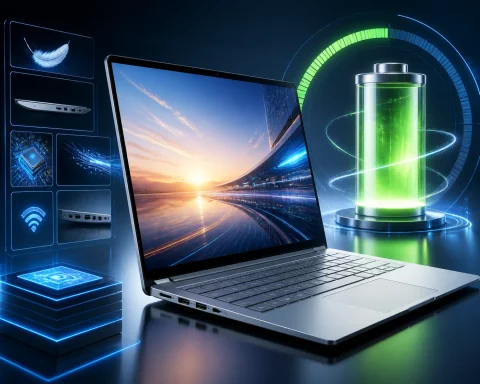 The 38-hour result is real, but it is a video-playback result
The 14S’s endurance is not a testing fluke. Three publications using different workloads landed on the same broad conclusion: Dell’s 70Wh battery and Intel’s efficient low-power Core Ultra 7 355 deliver unusually strong unplugged life. The OLED model does this despite carrying a touchscreen, though its 1,920-by-1,200 panel is limited to 60Hz and around 300 nits of brightness.That conservative display is part of the story. PCMag found excellent color coverage but only about 300 nits of peak brightness, while PCWorld reached the same conclusion: the OLED is attractive and accurate but dim by premium-laptop standards. Dell’s own configurator identifies the OLED options as 300-nit panels, while the basic anti-glare IPS display is rated at 400 nits.
Buyers who work outdoors, sit under harsh office lighting, or simply prefer a brighter screen should not assume OLED is automatically the superior option here. The entry IPS panel gives up OLED black levels and wide DCI-P3 color coverage, but its anti-glare finish and higher specified brightness may be more practical. The 14S has no higher-resolution OLED choice and no 90Hz or 120Hz OLED option. At prices approaching $1,500, that restraint is noticeable.
The record figures also come with an aggressive Windows power-management behavior. In PCWorld’s PCMark 10 battery run, the system lasted 21 hours and 59 minutes with Wi-Fi enabled, but the display reportedly dropped to only 117 nits once Battery Saver engaged during the final 30 percent of charge. For IT teams setting fleet expectations, that means the best-case endurance includes a machine that becomes visibly dimmer before it reaches reserve power.
Dell’s price ladder is the problem, not the base specification
Dell’s official U.S. store currently lists the base 14S—Core Ultra 5 322, 16GB of LPDDR5X memory, 512GB SSD, and non-touch 1,920-by-1,200 IPS display—at $999.99, reduced from an “estimated value” of $1,269.99. At $999, the machine makes sense: 16GB is the correct starting point for a Windows 11 productivity system in 2026, the port selection is better than many thin competitors offer, and the CPU is ample for browser-heavy office work.The price becomes less coherent as soon as display, processor, and memory upgrades enter the conversation. Dell currently lists a Core Ultra 5/OLED configuration at $1,319.99, while the company’s configurator offers Core Ultra 7 355, Core Ultra X7 358H, and Core Ultra 9 386H options. Dell also offers 32GB of memory and up to a 1TB SSD, but the system memory is soldered to the motherboard.
That last point should guide the configuration decision more than the processor badge. Tom’s Hardware and Reviewed both confirmed that the 14S’s SSD and Wi-Fi card are serviceable, and that the M.2 storage slot can accept a longer 2280 drive even though review units shipped with a compact 2230 SSD. The battery can also be replaced. RAM cannot be upgraded, so users who expect to keep the laptop through several Windows releases, use local VMs, run large data sets, or work with Adobe applications should decide on 16GB versus 32GB at purchase—and avoid paying Dell’s premium for storage they can replace later.
There is already some confusion in published pricing for the tested Core Ultra 7/OLED version. PCMag describes its test unit as $1,419.99, while Tom’s Hardware, PCWorld, WIRED, and Reviewed each cite a $1,469 or $1,469.99 price for a similarly specified Core Ultra 7 355, 16GB, 512GB, touchscreen OLED system. Dell’s product pages show why price snapshots need dates: the base machine is on a $270 promotion as of August 1, while the OLED base configuration is not. The conclusion is simple: treat the 14S as a sale-driven purchase, not a laptop whose nominal MSRP establishes its value.
Core Ultra 7 is fine for Office, weak for expensive configurations
The Core Ultra 7 355 in the review unit is an eight-core chip with four performance cores and four low-power efficient cores, paired in most configurations with basic Intel integrated graphics. It is more than capable of Microsoft 365, Teams, web applications, coding, light photo work, and remote-management tasks. The machine also meets Copilot+ PC requirements; Dell specifies a 49-TOPS NPU for the Ultra 7 model.But the review consensus is unusually consistent: its performance is ordinary for the money. PCMag found the 14S near the back of a field that included Apple M5 and Snapdragon X2 Elite systems, and reported a Photoshop score less than half that of its MacBook Air comparison unit. PCWorld likewise found respectable everyday CPU performance but markedly weak 3D results, with Intel Graphics falling well behind competing integrated GPUs. Tom’s Hardware characterized productivity performance as trailing its comparison group, even while finding sustained HandBrake performance respectable.
The practical consequence is that the Core Ultra 7 model should be purchased for compatibility and connectivity, not for maximum performance. It remains an x86 Windows system, which matters for shops that depend on legacy drivers, conventional VPN clients, specialist peripherals, or software that has not behaved well on Windows on Arm. It also carries two Thunderbolt 4 ports, HDMI 2.1, and two USB-A ports—an unusually useful mix for desks that still need wired displays, USB security keys, serial adapters, imaging media, or older accessories without a dock.
For video editing, 3D work, local AI experimentation that leans on the GPU, or modern games, the basic Intel Graphics configuration is the wrong purchase. Dell’s Core Ultra X7 358H option adds Intel Arc graphics, but that model also pulls the buyer into far more expensive 32GB/1TB configurations. At that point, the 14S is competing against Dell’s own XPS 14 and against thinner, faster systems with higher-resolution, brighter, or faster-refreshing displays.
The XPS comparison exposes what Dell left out
Dell has positioned the 14S as a more conventional alternative to the revived XPS 14. That creates some genuine benefits: the 14S has USB-A, HDMI, a standard mechanical-click touchpad, and a keyboard that reviewers generally found comfortable. Its three-piece aluminum chassis is rigid, the 180-degree hinge is useful in shared-work settings, and the IR webcam supports Windows Hello facial recognition.The omissions are equally clear. The 14S webcam is a basic 2MP unit and lacks a physical privacy shutter. The OLED screen is reflective. The laptop weighs 3.40 pounds with the touchscreen, which is not burdensome but trails several 13- and 14-inch rivals under three pounds. It has stereo 2W speakers rather than the more ambitious audio hardware used in premium models.
The performance ceiling is also deliberately constrained on the configuration most reviewers received. Tom’s Hardware found the Core Ultra 7 355 system reached 106 degrees Fahrenheit between the G and H keys and 108 degrees on the hottest point of its underside during a Cinebench stress test; it also notes that the 14S has one system fan where the XPS 14 uses two. Those readings are not alarming for a thin laptop, but they reinforce Dell’s intent: this is a tuned-for-efficiency mainstream notebook, not an XPS replacement at a bargain price.
The Dell 14S is therefore easy to recommend under specific conditions: buy the $999 Core Ultra 5/16GB/512GB IPS model if the sale price holds, you need traditional Windows and x86 compatibility, and battery life plus ports matter more than a glamorous display or peak benchmark scores. Spend carefully on memory if 16GB will not be enough. Once the configuration rises above roughly $1,300, the 14S’s modest 60Hz 1200p screen, weak base graphics, and heavier chassis stop looking like sensible compromises and start looking like features Dell’s rivals have already priced into better laptops.
References
- Primary source: PCMag Australia
Published: 2026-08-01T00:01:14+00:00
Dell 14S Review: Marathon Battery Life, Middling Value - Review 2026 - PCMag Australia
With exceptional battery life, a sturdy metal chassis, and comfortable ergonomics, the Dell 14S is a solid everyday laptop. Just avoid Dell's pricier configurations, which push it into premium territory where better ultraportables await.au.pcmag.com - Related coverage: tomshardware.com
Dell 14S review: High-class design and 20+ hour battery life | Tom's Hardware
An XPS 14-litewww.tomshardware.com - Related coverage: notebookcheck.net
Dell XPS 14 Core Ultra 7 355 review: Still great, but not nearly as special - Notebookcheck Review
Users who don't need the much-improved graphics horsepower of the Core Ultra X7 will find the less expensive Core Ultra 7 option much more attractive especially if upgrading from an older XPS 13 or XPS 14 model. www.notebookcheck.net
- Related coverage: wired.com
Dell 14S Review: Higher Price, Better Quality | WIRED
The Dell 14S tests the limits of a budget laptop, but it has the quality to back up its cost.www.wired.com - Related coverage: pcworld.com
Dell 14S review: 36 hours of battery life, with compromises | PCWorld
The Dell 14S isn’t a very exciting laptop, and it leaves a lot of performance on the table by opting for Intel Graphics in most configurations, but it’s a well-built machine with a quality display and exceptional battery life.www.pcworld.com
- Related coverage: reviewed.com
Dell 14S (DS14260) laptop review - Reviewed
The Dell 14S DS14260 offers a sleek design, a vivid OLED display, and a practical port selection.www.reviewed.com - Related coverage: wired.com
Dell XPS 14 Review (2026): This Laptop Marks an Incredible Comeback | WIRED
Sporting a refined design and incredible integrated GPU performance, the Dell XPS 14 is the return to form I hoped it would be.www.wired.com - Related coverage: lappylab.com
Dell XPS 14 (2026) Review (2026) — $1,889.99 | LappyLab
Dell's iconic XPS is back and better than ever. Intel Panther Lake, stunning 2.8K OLED option, 14-inch screen in a 13-inch body, and up to 25 hours battery. Almost perfect — if not for the keyboard.www.lappylab.com - Related coverage: newsminimalist.com
- Related coverage: tomshardware.com
Dell XPS 14 (2026) review: Two steps forward | Tom's Hardware
Three cheers for a physical function row!www.tomshardware.com - Related coverage: pcgamer.com
Dell XPS 14 laptop with a Panther Lake chip manages a staggering 43-hour+ battery life result, thrashing the latest MacBook Air | PC Gamer
MacBook in the mud.www.pcgamer.com - Related coverage: t3.com
"The XPS is back in a big way": How Dell came back from the brink in 5-star laptop return | T3
Dell's XPS 14 could be 2026's sleekest laptop already – and it almost never happenedwww.t3.com