
TweakTown reported on August 10 that YouTube creators Zortos and dpadGuy published the walkthrough, using Steam’s embedded browser and an Install-to-Play game session to place and launch a modified file. The published demonstration reportedly brings up a usable Windows taskbar and desktop-style shell, with the creators showing third-party applications including LM Studio running in the session.
NVIDIA has not announced a desktop mode, endorsed the technique, or said whether it considers the route a security flaw. Its current GeForce NOW terms leave little ambiguity about the permitted use, however: the company licenses the service as a virtual PC for entertainment with video games, prohibits unauthorized access to areas and software not intended for users, and reserves the right to suspend or terminate access when it believes an account is violating those rules.
That makes this a real and potentially consequential bypass of a product boundary, but not a new cloud-PC offering.
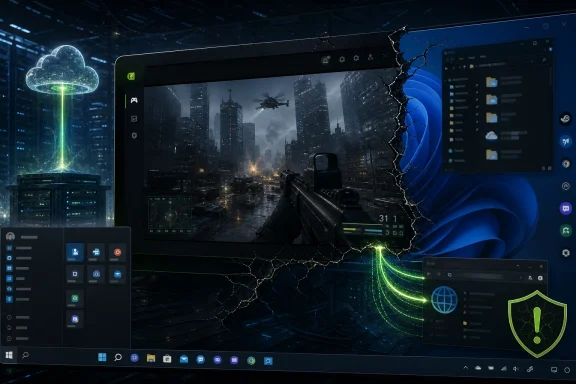 The taskbar is evidence of access, not a supported Windows workspace
The tutorial’s visual payoff — a Windows taskbar, desktop, wallpaper controls, and launchable apps — can make GeForce NOW look like a cut-price virtual desktop service. It is not one. NVIDIA deliberately presents a constrained environment designed to launch supported games from linked storefronts, rather than the normal Windows shell that appears to exist in the underlying machine image.
TweakTown’s account says the method pivots through Steam’s browser inside a session for Trove, then uses the browser’s handling of local paths and downloads to place a replacement or launcher file where the game can invoke it. The full procedure should not be treated as a dependable setup guide: it relies on behavior NVIDIA can change server-side without an app update, and publicizing the exact sequence tends to shorten the life of that sequence.
What can be independently checked is the service architecture that makes the claim plausible. NVIDIA itself describes GeForce NOW as renting users a virtual PC for gaming. The company’s recently expanded Install-to-Play feature lets Performance and Ultimate members download eligible Steam titles into cloud storage during a session, rather than limiting everyone to NVIDIA’s pre-prepared “Ready-to-Play” catalog.
That feature creates a larger writable surface than the old streaming model. It does not grant permission to treat that storage as a general-purpose Windows application directory, nor does it mean a user has administrative rights, a persistent profile, or control over the VM image. A taskbar is a user-interface component; it should not be confused with unrestricted control of the operating system.
Zortos, identifying himself in a Reddit discussion as the person behind the method, said the desktop and wallpaper are generated by the group’s script and described the work as a terms-of-service violation rather than a security breach. That distinction is his characterization, not NVIDIA’s. NVIDIA has not publicly classified the behavior, disclosed whether it is monitoring use, or said whether it plans to patch the path.
Install-to-Play appears to be the enabling condition
TweakTown reported that the technique works on paid GeForce NOW memberships but not the free tier. NVIDIA’s own product material supports the broader part of that claim: Install-to-Play is advertised as exclusive to Performance and Ultimate members, and those tiers receive 100GB of single-session cloud storage for downloads.
That is a more meaningful detail than it first appears. Earlier GeForce NOW limitations mostly centered on what games NVIDIA had staged and validated for streaming. Install-to-Play widened the available catalog by allowing premium users to download many additional Steam games that publishers have opted into cloud streaming. NVIDIA says the feature covers more than 2,000 additional titles.
The modders’ technique appears to use that flexibility against the intended containment model. An installable game supplies an accessible directory, a launch target, and a working Steam context. If a browser exposed inside that context can reach local storage or trigger file operations in a way NVIDIA did not anticipate, the game-install mechanism becomes a bridge to the Windows session rather than a simple way to fetch an approved game.
This is why the story is more significant than a cosmetic taskbar tweak. A shell-level escape changes the types of activity NVIDIA has to defend against: unapproved software downloads, abuse of expensive GPU resources, attempts to access other local tools, and workloads that have nothing to do with interactive game streaming.
There is no public evidence that the walkthrough provides access to other customers’ sessions, NVIDIA’s broader network, host administration, or privileged Windows controls. Nothing in the reported material establishes that. The demonstrated capability is still enough to violate the product boundary NVIDIA designed: a customer can reportedly run software that the service did not intend to expose.
Persistent game storage does not solve the workstation problem
TweakTown’s report correctly flags the session-reset problem, but NVIDIA’s current storage policy makes the picture more complicated than “everything is wiped every few hours.” GeForce NOW now offers a paid persistent cloud-storage add-on for Install-to-Play games, alongside the 100GB of single-session storage included with premium memberships.
NVIDIA says that persistent storage can retain downloaded games and game-save data between sessions. It sells 200GB, 500GB, and 1TB tiers specifically so users do not need to redownload supported Steam games each time they connect. That is a deliberate gaming feature, and it is materially different from a persistent Windows desktop.
The company does not say that persistent storage preserves arbitrary executable files, desktop modifications, custom taskbar state, user-installed utilities, browser downloads, or configuration changes made through an unsupported workaround. It also does not promise that a particular session image, Steam path, installed game, or browser behavior will remain stable. Anyone assuming the storage add-on turns this technique into a durable cloud workstation is reading much more into the feature than NVIDIA has offered.
Even on a technical level, it is an awkward substitute for a remote PC. GeForce NOW sessions are time-limited, the service is optimized for low-latency interactive streaming rather than office or development workflows, and the customer does not control the image lifecycle. NVIDIA also applies a 100-hour monthly playtime allowance to current Performance and Ultimate memberships, with additional hours sold separately and some legacy Founders arrangements treated differently.
The practical cost is therefore larger than the subscription price. Reapplying a fragile workaround, re-establishing an application environment, dealing with session endings, and risking account action are poor trade-offs for users who genuinely need a Windows desktop. Azure Virtual Desktop, Windows 365, Amazon WorkSpaces, Shadow, and a self-hosted remote PC all exist precisely because they provide administrative control, persistence, and an explicit right to use the machine for more than playing supported games.
NVIDIA’s terms already cover the behavior
NVIDIA’s GeForce NOW terms prohibit users from loading content to the service for purposes beyond those described in the agreement. They also prohibit users from exploiting GeForce NOW or NVIDIA servers for unauthorized use, trying to access areas or download software not intended for users, and using unauthorized third-party sites through the service.
The wording matters because it eliminates a common defense of these workarounds: that a customer is merely using a Windows machine NVIDIA has already assigned to them. NVIDIA’s contract says otherwise. The company rents access to a virtual PC, but it narrows that access to gaming and reserves discretion to suspend or terminate accounts over suspected noncompliance.
There is also a security and privacy issue that has received less attention than the novelty of running apps on an RTX-backed cloud instance. Any method that asks users to fetch a third-party file or visit a site through a workaround depends on code and infrastructure outside NVIDIA’s supported chain. The service’s sandboxing normally limits exactly that kind of trust decision. Users who bypass it would be handing credentials, downloads, and session access to an unsupported process in a remote environment they cannot inspect or repair.
For Windows enthusiasts, the finding is interesting as a demonstration of how much conventional Windows functionality remains reachable under GeForce NOW’s curated front end. For IT administrators, it is a reminder that a locked-down experience is only as strong as the least-restricted tool shipped inside it. A browser embedded for account, storefront, or support tasks can become a local-file and process-launching problem if its controls do not match the constraints around it.
NVIDIA now has a straightforward choice: close the route, formally limit the relevant Steam browser behavior, or explain why it considers the exposure acceptable. Until it does, users should assume the method is temporary, unsupported, and capable of putting a paid GeForce NOW account at risk — while the taskbar remains proof of a boundary NVIDIA never intended customers to cross.