
GMKtec’s NucBox K13 delivers unusually strong everyday Windows performance, fast storage, three-display output, and 5GbE networking from a 0.6-liter mini PC—but the test record shows its real trade-off is permanence: its 16GB of memory is both soldered down and the maximum supported by the specific Intel Core Ultra 7 256V processor.
PCWorld’s August review, based on testing by PC-WELT’s Christoph Hoffmann, found the K13 quick in office workloads, media tasks, and light gaming while drawing modest power. Independent testing from Notebookcheck and Wccftech supports the broader conclusion that Lunar Lake gives this small machine excellent efficiency. The important qualification is that the NucBox is designed around responsive, bursty desktop work, not sustained multicore rendering or a future RAM upgrade.
At a time when many mini PCs pair 32GB or 64GB of socketed DDR5 memory with AMD’s higher-thread-count mobile chips, that limitation determines who should buy the K13. It is a capable compact Windows desktop, a quiet-ish media endpoint at light load, or a compact workstation for a 5GbE network. It is a poor fit for virtual-machine labs, memory-heavy creative work, or buyers who expect a mini PC to be refreshable beyond SSD replacements.
The K13’s Core Ultra 7 256V is an eight-core, eight-thread Lunar Lake part: four Lion Cove performance cores and four low-power Skymont efficiency cores, with no Hyper-Threading. Intel specifies a 4.8GHz maximum turbo clock, 17W processor base power, and 37W maximum turbo power. The CPU is manufactured on TSMC’s N3B process, a point Intel itself confirms in the processor’s specification record.
PCWorld recorded a PCMark 10 score of 7,695, putting the K13 in the range expected from a very responsive general-purpose Windows machine. That is meaningful for the workloads that dominate a compact desktop’s life: Microsoft 365, browser-heavy work, Teams calls, 4K streaming, code editing, remote administration, and photo management. The 1TB PCIe 4.0 SSD in the review unit also reached roughly 7.1GB/s reads and 6.4GB/s writes in CrystalDiskMark, so Windows startup and application loading should not be a weak point.
The Core Ultra 7 name, however, can mislead shoppers comparing spec sheets. PCWorld’s 3DMark CPU Profile result was 4,698 points under full-thread load, below the 6,691 points it recorded for GMKtec’s Ryzen-based NucBox K16 and well behind Ryzen AI 9 systems. TechRadar’s testing arrived at the same practical answer: the K13 is a credible all-round desktop but loses ground where a larger CPU with more threads can hold high multicore throughput.
That behavior is by design. Lunar Lake prioritizes low power and strong single-thread response over a large thread count. A buyer moving from an older four- or six-core mini PC will likely feel the K13 as a major upgrade; someone choosing between it and a 32GB Ryzen 7 or Ryzen AI mini PC for Docker containers, local databases, compiles, or video exports should weigh the eight-thread ceiling far more heavily than its “Ultra 7” badge.
That means GMKtec did not merely save space by omitting SODIMM slots. Even if the case had room for them, this processor SKU cannot be turned into a 32GB configuration later. The limitation comes with Lunar Lake’s on-package LPDDR5X approach, which helps power efficiency and bandwidth but removes the traditional modular-memory path familiar to mini-PC owners.
For a standard Windows 11 desktop, 16GB remains workable. It is sufficient for Office, browsing, endpoint-management consoles, remote desktop sessions, moderate image work, and light development. It also meets Microsoft’s 16GB memory requirement for many Copilot+ PC experiences, while the chip’s 47-TOPS NPU clears the 40-TOPS NPU threshold used for that class of Windows AI features.
But “sufficient” is not the same as spacious. A Windows 11 system running several Chromium-based browser profiles, Teams or Slack, PowerShell or Windows Terminal sessions, a local development environment, and a virtual machine can consume 16GB quickly. Because the RAM cannot be upgraded, the NucBox K13 should be purchased only when its expected workload is comfortably within that limit today.
Storage is the counterpoint. Both PCWorld and Notebookcheck report two internal M.2 slots, allowing the owner to replace or add NVMe storage. GMKtec advertises up to 16TB total capacity across the two slots. Notebookcheck confirmed that the underside is readily removable with a Philips screwdriver and that the Wi-Fi module is replaceable, so the K13 is serviceable in the areas GMKtec can still make modular. It is expandable for storage, fixed for memory.
Intel breaks the figure down as 47 TOPS for the Intel AI Boost NPU and up to 64 TOPS for the Arc 140V GPU, with the remainder attributed to CPU capability. PCWorld made the distinction directly in its review, and it is one buyers should retain when comparing “AI PC” claims. An application must support the relevant NPU, GPU, or CPU path for any portion of that combined number to matter.
For Windows-specific AI features, the relevant hardware number is the NPU’s 47 TOPS, not the 115-TOPS headline. That is enough for the Copilot+ class requirement, and Intel lists support for Windows Studio Effects on the processor’s NPU. For locally accelerated image generation, video effects, or AI inference, real results will depend on the application’s runtime and model precision rather than a single synthetic TOPS figure.
Wccftech’s testing found the K13 competitive in AI-oriented workloads and recorded a strong result in UL Procyon AI text generation. Its own reporting, however, also illustrates why specifications require care: one chart labels the K13 as using a Core Ultra 7 258V and cites 120 TOPS, while the reviewed system and GMKtec’s K13 specification identify the Core Ultra 7 256V. Intel’s primary processor record is clear: the 256V has a 47-TOPS NPU and 115 TOPS overall. Buyers should use those figures, not the stray chart label.
That does not make it a substitute for a discrete GPU or a high-wattage AMD mini PC. Notebookcheck found the K13’s graphics performance slightly below expectations for an Arc 140V system and identified limited Turbo Boost performance. In its power testing, consumption briefly reached 40W at the start of Prime95 stress before settling near 34W. That is the compact chassis enforcing its limits rather than a defect: GMKtec is choosing efficiency and manageable thermals over indefinitely high clocks.
The cooling story is more mixed than PCWorld’s description of an unobtrusive fan might suggest. Hoffmann found the K13 quiet in office work and streaming, with fan noise becoming audible under extended load; the review saw no thermal throttling and measured low surface and SSD temperatures. Notebookcheck agreed it was quiet when lightly loaded, but measured more than 40 dB(A) under demanding workloads and called out a high-pitched fan character.
Both can be true. For a desk PC handling typical Windows work, the K13 should generally fade into the background. Under gaming, compilation, long exports, or synthetic load, it becomes clearly audible. Anyone planning to run it behind a monitor in a silent room should treat its light-load behavior as the relevant measure; anyone planning sustained heavy tasks should expect fan noise.
PCWorld says the USB4 ports support 40Gbps transfers, DisplayPort output, and up to 100W USB Power Delivery input. Together with HDMI 2.1, that enables up to three external displays. Notebookcheck independently confirms the basic rear-port arrangement and that the system can run from generic USB-C power adapters despite shipping with a compact 100W barrel-plug supply.
The 5GbE port is the standout inclusion. It makes the K13 a credible desktop companion for fast NAS storage, a local backup target, or a workstation attached to multigig switching—provided the rest of the network supports those speeds. The wireless adapter is Wi-Fi 6E rather than Wi-Fi 7, and Notebookcheck’s Wi-Fi tests were respectable but not class-leading. That is a sensible compromise for a machine whose wired networking is more distinctive than its wireless specifications.
GMKtec’s NucBox K13 therefore succeeds as a compact, power-conscious Windows desktop with unusually capable I/O and storage expansion. The decision point is straightforward: buy it for responsive daily work, fast networking, integrated graphics, and local AI compatibility; skip it if your workload needs more than 16GB of RAM or depends on sustained multicore CPU performance.
At a time when many mini PCs pair 32GB or 64GB of socketed DDR5 memory with AMD’s higher-thread-count mobile chips, that limitation determines who should buy the K13. It is a capable compact Windows desktop, a quiet-ish media endpoint at light load, or a compact workstation for a 5GbE network. It is a poor fit for virtual-machine labs, memory-heavy creative work, or buyers who expect a mini PC to be refreshable beyond SSD replacements.
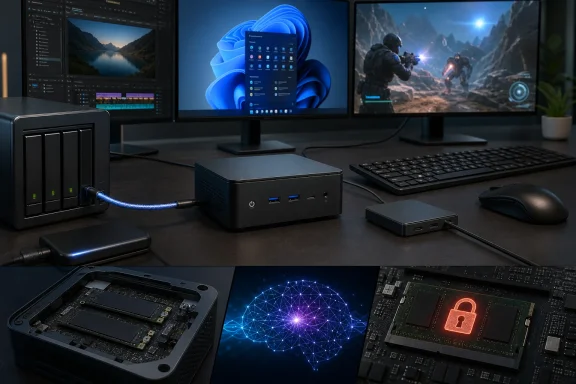 The Core Ultra 7 256V makes the K13 efficient, not a multicore brute
The K13’s Core Ultra 7 256V is an eight-core, eight-thread Lunar Lake part: four Lion Cove performance cores and four low-power Skymont efficiency cores, with no Hyper-Threading. Intel specifies a 4.8GHz maximum turbo clock, 17W processor base power, and 37W maximum turbo power. The CPU is manufactured on TSMC’s N3B process, a point Intel itself confirms in the processor’s specification record.PCWorld recorded a PCMark 10 score of 7,695, putting the K13 in the range expected from a very responsive general-purpose Windows machine. That is meaningful for the workloads that dominate a compact desktop’s life: Microsoft 365, browser-heavy work, Teams calls, 4K streaming, code editing, remote administration, and photo management. The 1TB PCIe 4.0 SSD in the review unit also reached roughly 7.1GB/s reads and 6.4GB/s writes in CrystalDiskMark, so Windows startup and application loading should not be a weak point.
The Core Ultra 7 name, however, can mislead shoppers comparing spec sheets. PCWorld’s 3DMark CPU Profile result was 4,698 points under full-thread load, below the 6,691 points it recorded for GMKtec’s Ryzen-based NucBox K16 and well behind Ryzen AI 9 systems. TechRadar’s testing arrived at the same practical answer: the K13 is a credible all-round desktop but loses ground where a larger CPU with more threads can hold high multicore throughput.
That behavior is by design. Lunar Lake prioritizes low power and strong single-thread response over a large thread count. A buyer moving from an older four- or six-core mini PC will likely feel the K13 as a major upgrade; someone choosing between it and a 32GB Ryzen 7 or Ryzen AI mini PC for Docker containers, local databases, compiles, or video exports should weigh the eight-thread ceiling far more heavily than its “Ultra 7” badge.
The 16GB memory ceiling is a platform decision, not merely a chassis compromise
PCWorld correctly notes that the K13 has 16GB of LPDDR5X-8533 memory soldered to the board, with no upgrade path. But Intel’s own record adds a significant detail: 16GB is also the Core Ultra 7 256V’s maximum supported memory capacity.That means GMKtec did not merely save space by omitting SODIMM slots. Even if the case had room for them, this processor SKU cannot be turned into a 32GB configuration later. The limitation comes with Lunar Lake’s on-package LPDDR5X approach, which helps power efficiency and bandwidth but removes the traditional modular-memory path familiar to mini-PC owners.
For a standard Windows 11 desktop, 16GB remains workable. It is sufficient for Office, browsing, endpoint-management consoles, remote desktop sessions, moderate image work, and light development. It also meets Microsoft’s 16GB memory requirement for many Copilot+ PC experiences, while the chip’s 47-TOPS NPU clears the 40-TOPS NPU threshold used for that class of Windows AI features.
But “sufficient” is not the same as spacious. A Windows 11 system running several Chromium-based browser profiles, Teams or Slack, PowerShell or Windows Terminal sessions, a local development environment, and a virtual machine can consume 16GB quickly. Because the RAM cannot be upgraded, the NucBox K13 should be purchased only when its expected workload is comfortably within that limit today.
Storage is the counterpoint. Both PCWorld and Notebookcheck report two internal M.2 slots, allowing the owner to replace or add NVMe storage. GMKtec advertises up to 16TB total capacity across the two slots. Notebookcheck confirmed that the underside is readily removable with a Philips screwdriver and that the Wi-Fi module is replaceable, so the K13 is serviceable in the areas GMKtec can still make modular. It is expandable for storage, fixed for memory.
Intel’s 115-TOPS claim needs to be read correctly
The K13 is marketed as an AI mini PC because the Core Ultra 7 256V lists up to 115 TOPS of aggregate AI performance. That number is real in Intel’s specification sheet, but it is not the performance of its NPU alone.Intel breaks the figure down as 47 TOPS for the Intel AI Boost NPU and up to 64 TOPS for the Arc 140V GPU, with the remainder attributed to CPU capability. PCWorld made the distinction directly in its review, and it is one buyers should retain when comparing “AI PC” claims. An application must support the relevant NPU, GPU, or CPU path for any portion of that combined number to matter.
For Windows-specific AI features, the relevant hardware number is the NPU’s 47 TOPS, not the 115-TOPS headline. That is enough for the Copilot+ class requirement, and Intel lists support for Windows Studio Effects on the processor’s NPU. For locally accelerated image generation, video effects, or AI inference, real results will depend on the application’s runtime and model precision rather than a single synthetic TOPS figure.
Wccftech’s testing found the K13 competitive in AI-oriented workloads and recorded a strong result in UL Procyon AI text generation. Its own reporting, however, also illustrates why specifications require care: one chart labels the K13 as using a Core Ultra 7 258V and cites 120 TOPS, while the reviewed system and GMKtec’s K13 specification identify the Core Ultra 7 256V. Intel’s primary processor record is clear: the 256V has a 47-TOPS NPU and 115 TOPS overall. Buyers should use those figures, not the stray chart label.
Arc 140V graphics make light gaming plausible, but cooling limits the ceiling
The Arc 140V integrated GPU is the K13’s strongest conventional component. It has eight Xe cores and a maximum dynamic frequency of 1.95GHz. PCWorld’s testing describes it as one of the strongest integrated GPUs in its class, while Notebookcheck recorded a 3DMark Time Spy score of 3,249 and found the machine capable of meaningful 1080p gaming at appropriate settings.That does not make it a substitute for a discrete GPU or a high-wattage AMD mini PC. Notebookcheck found the K13’s graphics performance slightly below expectations for an Arc 140V system and identified limited Turbo Boost performance. In its power testing, consumption briefly reached 40W at the start of Prime95 stress before settling near 34W. That is the compact chassis enforcing its limits rather than a defect: GMKtec is choosing efficiency and manageable thermals over indefinitely high clocks.
The cooling story is more mixed than PCWorld’s description of an unobtrusive fan might suggest. Hoffmann found the K13 quiet in office work and streaming, with fan noise becoming audible under extended load; the review saw no thermal throttling and measured low surface and SSD temperatures. Notebookcheck agreed it was quiet when lightly loaded, but measured more than 40 dB(A) under demanding workloads and called out a high-pitched fan character.
Both can be true. For a desk PC handling typical Windows work, the K13 should generally fade into the background. Under gaming, compilation, long exports, or synthetic load, it becomes clearly audible. Anyone planning to run it behind a monitor in a silent room should treat its light-load behavior as the relevant measure; anyone planning sustained heavy tasks should expect fan noise.
Ports give the K13 a stronger business case than its size suggests
The K13’s port selection is unusually useful for a compact Windows workstation. The front has two 10Gbps USB-A ports and a 3.5mm audio jack. The rear adds two USB4 ports, HDMI 2.1, a USB-A 2.0 port, a Kensington lock slot, and a 5GbE RJ45 connection.PCWorld says the USB4 ports support 40Gbps transfers, DisplayPort output, and up to 100W USB Power Delivery input. Together with HDMI 2.1, that enables up to three external displays. Notebookcheck independently confirms the basic rear-port arrangement and that the system can run from generic USB-C power adapters despite shipping with a compact 100W barrel-plug supply.
The 5GbE port is the standout inclusion. It makes the K13 a credible desktop companion for fast NAS storage, a local backup target, or a workstation attached to multigig switching—provided the rest of the network supports those speeds. The wireless adapter is Wi-Fi 6E rather than Wi-Fi 7, and Notebookcheck’s Wi-Fi tests were respectable but not class-leading. That is a sensible compromise for a machine whose wired networking is more distinctive than its wireless specifications.
GMKtec’s NucBox K13 therefore succeeds as a compact, power-conscious Windows desktop with unusually capable I/O and storage expansion. The decision point is straightforward: buy it for responsive daily work, fast networking, integrated graphics, and local AI compatibility; skip it if your workload needs more than 16GB of RAM or depends on sustained multicore CPU performance.
References
- Primary source: PCWorld
Published: 2026-08-03T00:00:00+00:00
Loading…
www.pcworld.com - Related coverage: techradar.com
Loading…
www.techradar.com - Related coverage: pcwelt.de
Loading…
www.pcwelt.de - Related coverage: gmktec.ru
Loading…
gmktec.ru - Related coverage: gmktec.cn
Loading…
www.gmktec.cn - Related coverage: clubic.com
Loading…
www.clubic.com - Related coverage: notebookcheck.net
Loading…
www.notebookcheck.net - Related coverage: frandroid.com
Loading…
www.frandroid.com - Related coverage: wccftech.com
Loading…
wccftech.com - Related coverage: wccftech.com
Loading…
wccftech.com - Related coverage: gmktec.fr
Loading…
gmktec.fr - Related coverage: techradar.com
Chuwi AuBox X 256V mini PC review | TechRadar
A Core Ultra mini PC with faster memorywww.techradar.com - Related coverage: learn.microsoft.com
Loading…
learn.microsoft.com - Related coverage: learn.microsoft.com
Loading…
learn.microsoft.com