
Neowin first highlighted the driver’s game-performance claims, and Intel’s own release notes confirm the numbers and test configurations behind them. The important distinction is that the largest published gains — up to 11% in Assassin’s Creed Valhalla and 13% in Farming Simulator 2022 — were measured on a Lenovo IdeaPad Pro 5 16PH11 with a Core Ultra X9 388H, not on a desktop Arc card. Owners of Arc B570 or B580 cards should therefore treat this as a conventional game-driver update with one documented desktop result, rather than evidence of a broad performance leap across Intel’s discrete GPU line.
The package supports Arc A-series and B-series GPUs, along with Intel Core Ultra systems that use integrated Arc graphics. It is available for Windows 10 22H2 and Windows 11 versions from 21H2 through 25H2, making it broadly deployable on supported consumer hardware. But Intel also makes clear that this is its generic driver package, which has consequences for laptops and prebuilt PCs.
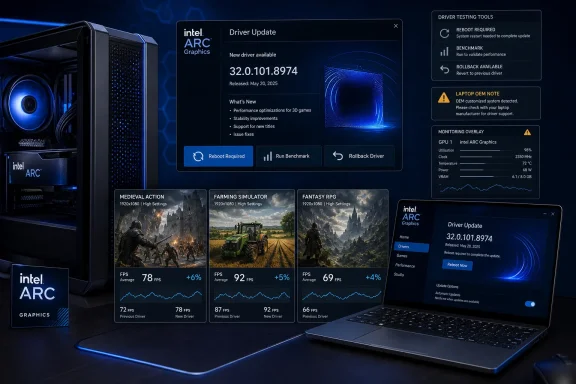 The performance numbers apply to two very different systems
Intel compared version 32.0.101.8974 with the preceding 32.0.101.8864 driver, using game-specific benchmarks taken on August 13. For Core Ultra Series 3 integrated graphics, Intel reports these results at 1080p:
- Assassin’s Creed Valhalla gained up to 7% average FPS at Medium settings and up to 11% at High settings.
- Farming Simulator 2022 gained up to 13% average FPS at Medium settings and up to 9% at High settings.
Those figures came from a Core Ultra X9 388H system with 32GB of LPDDR5-9600 memory and Windows 11 Pro build 26200.8457. That matters because integrated graphics performance depends heavily on system memory bandwidth, laptop power limits, cooling policy, firmware, and whether the OEM exposes aggressive performance modes. A Core Ultra Series 3 result cannot be assumed to translate directly to earlier Meteor Lake, Lunar Lake, or Arrow Lake machines, even though all are supported by the driver.
For discrete graphics, Intel’s release notes identify one benchmark: up to 5% higher average FPS in Kingdom Come: Deliverance II at 1080p Ultra on an Arc B580 Limited Edition. That test used a Core Ultra 9 285K desktop, 32GB of DDR5-6400 memory, and Windows 11 Pro build 26100.7840.
The driver’s published gains are real vendor claims with defined baselines, not a blanket promise for every Arc GPU or every game. Intel does not publish minimum frame-time data, 1% lows, or a broader game suite for this release. A five- or ten-percent average-FPS increase can be welcome, but it does not tell buyers whether stutter, shader compilation behavior, frame pacing, or crashes have improved on their own configuration.
The release notes contain more than the performance headline
Version 32.0.101.8974 also fixes a set of game-specific issues across several Intel platforms. Intel lists corrections for blurry objects in Grand Theft Auto V Enhanced when Post FX is set to Very High or Ultra, reflection-quality problems in Forza Horizon 6, water flickering in Jurassic World Evolution 3, and a crash in Minecraft Java when CapFrameX or RivaTuner Statistics Server is in use.
The scope of those fixes is uneven. The GTA V Enhanced, Forza Horizon 6, and Minecraft Java fixes cover Arc B-series and A-series products, plus Core Ultra Series 1, Series 2, and Series 3 integrated graphics. The Jurassic World Evolution 3 water-flicker fix is listed for B-series cards and Core Ultra Series 3, but not Arc A-series or earlier Core Ultra generations. Intel also lists an Endless Space 2 ship-design-interface corruption fix only for Arc B-series GPUs.
That granular breakdown is useful because Intel’s download page presents one installer for a large collection of hardware. The package covers older Alchemist products such as Arc A380, A580, A750, and A770; Battlemage Arc B570 and B580 cards; mobile Arc parts; and multiple generations of Core Ultra processors. The release notes, however, show that support is not the same as identical optimization or bug-fix coverage.
The update also fixes a handful of Intel Graphics Software issues, including an intermittent crash when resetting all settings in Windows 10, a potential crash when rearranging metrics for the first time, and an overlay that could disappear after reconnecting a display or resuming from sleep. Intel’s tuning controls remain labelled beta, and the company still documents potential metric-page glitches and multi-GPU tuning behavior.
Monitoring overlays remain a practical concern
Users who rely on performance monitoring should read the known-issues section before updating. Intel says multiple games can crash when XeSS Multi-Frame Generation is used alongside CapFrameX or RivaTuner Statistics Server. That warning applies to Arc A-series, Arc B-series, and Core Ultra integrated Arc configurations covered in the release notes.
This is more consequential than it initially appears. RivaTuner Statistics Server is commonly installed with MSI Afterburner or used independently for frame limiting and on-screen statistics, while CapFrameX is widely used to capture benchmark data. Anyone testing Intel’s claimed performance improvements with those tools enabled could encounter an application crash unrelated to the game’s normal behavior.
For that reason, the cleanest way to test 32.0.101.8974 is to record a repeatable baseline on 32.0.101.8864, update, reboot, and rerun the same game scene without CapFrameX, RivaTuner Statistics Server, or XeSS Multi-Frame Generation active. After confirming ordinary gameplay stability, users can reintroduce their preferred overlay or limiter to see whether the documented conflict affects their setup.
Intel also lists separate known problems: intermittent object corruption in Marathon with anisotropic filtering enabled; flickering in Payday 2 when played in borderless mode; and crashes in Arena Breakout Infinite when Terrain Surface Subdivision is enabled on Arc A- and B-series hardware. On Core Ultra Series 1 devices, Intel continues to list first-launch crashes in NBA 2K26 and 007 First Light. These are not new failures caused by the update according to Intel’s wording, but they remain unresolved limitations in the current driver.
Laptop owners should not treat the generic package as a permanent OEM replacement
Intel’s installer includes unusually direct advice for notebook and prebuilt-PC owners: the generic package can overwrite a manufacturer-customized graphics driver. Those OEM packages may contain platform-specific fixes, power-management behavior, display configuration support, or validation work that Intel’s universal driver does not include.
Intel frames the generic driver as a way to test new game enhancements or determine whether an issue is fixed, then advises users to return to their manufacturer’s driver after testing until the OEM validates and publishes its own build. Corporate customers are told to use the OEM driver and route support through the company that supplied the system.
That guidance is especially relevant for Core Ultra laptops, which are the systems receiving the largest stated game gains in this release. A laptop owner may see an attractive 11% or 13% claim, install Intel’s package, and lose a vendor-specific adjustment that affects sleep behavior, external displays, panel refresh-rate handling, or power profiles. Intel’s warning does not mean the generic driver will break every system; it means the performance benefit must be weighed against the support model of the machine.
Desktop Arc card owners have fewer OEM integration concerns, though board-partner support and custom system configurations can still complicate troubleshooting. In either case, create a restore point or keep the existing driver installer available before changing a working gaming machine.
What to do with 32.0.101.8974
For Arc B580 owners playing Kingdom Come: Deliverance II, the update has a clear reason to install: Intel claims a measurable average-frame-rate gain and lists no game-specific known issue for that title. Core Ultra Series 3 users who play Assassin’s Creed Valhalla or Farming Simulator 2022 also have the strongest case, provided their laptop vendor does not already offer a newer validated package.
For everyone else, this is a targeted maintenance release, not an urgent across-the-board upgrade. The WHQL certification confirms the driver has passed Microsoft’s Windows Hardware Quality Labs process, but Intel’s own release notes still list game bugs, telemetry conflicts, and application crashes. Certification should not be read as a guarantee that every game, overlay, benchmark, or OEM laptop configuration will behave identically.
Intel’s next driver will need to show whether the optimizations behind the Series 3 integrated-graphics gains spread to older Core Ultra chips and more Arc B-series games. For now, 32.0.101.8974 delivers documented improvements in three titles, fixes several visible game issues, and leaves enough unresolved overlay and title-specific problems that careful users should update with a rollback path ready.