
Intel’s Wi‑Fi package version 24.60.0 is now available for supported Windows 10 and Windows 11 systems, delivering driver version 24.60.0.3 for Intel Wi‑Fi 7, Wi‑Fi 6E, Wi‑Fi 6, and selected 9000-series adapters. The release is a maintenance update: Intel lists improved wireless stability and functionality plus regional regulatory-compliance work, but does not identify a specific disconnect bug, throughput regression, roaming issue, security vulnerability, or affected configuration.
That makes this an update worth deploying selectively—particularly where managed devices have recurring wireless reliability symptoms—but not a release that justifies a fleet-wide emergency change window on its changelog alone. Intel’s own documentation also carries an important qualification omitted from broad “new driver available” headlines: some adapters included in the package may retain the same driver as the prior release, so the package version by itself does not prove that every machine received a newer Wi‑Fi binary.
Neowin first highlighted the package’s quality-and-stability focus. Intel’s official download listing and August 2026 release notes confirm the 24.60.0 package, the 24.60.0.3 driver version, its supported adapter list, and the two concise change-log entries.
Intel’s published release notes name two changes for both 64-bit Windows 10 and Windows 11:
There is no CVE identifier in Intel’s 24.60.0 Wi‑Fi release notes and no stated security fix. Administrators should therefore treat this as a quality update, not a security remediation with a known deadline. The distinction is practical: a security advisory often establishes urgency and a defined exposure; this release supplies neither.
The regulatory item is similarly broad. Wireless drivers embed country-specific rules governing permitted channels, transmit behavior, and—in newer hardware—the use of the 6 GHz band. Intel does not name the jurisdictions affected in 24.60.0. Organizations operating across regions should test devices in their actual deployment locations rather than infer that the update changes every country profile or unlocks new spectrum.
Microsoft has publicly committed in 2026 to improve Windows reliability across the operating system, drivers, applications, updates, Bluetooth, USB, cameras, audio, and wake behavior. Its Windows Insider Blog describes improved driver quality as part of that broader reliability work. Microsoft also introduced the Driver Quality Initiative, or DQI, at WinHEC 2026 as an effort involving PC makers, silicon vendors, and other hardware partners.
But readers should be precise about the branding. “Windows K2” has become a widely used label in reporting about Microsoft’s broader quality push; Intel’s 24.60.0 release notes do not use that name. Intel calls the work alignment with Microsoft’s Windows ecosystem quality initiative. The difference may sound semantic, but it is the difference between a vendor-confirmed program reference and a media shorthand attached to a larger Microsoft effort.
The practical conclusion is more modest than the marketing implication: 24.60.0 shows Intel is continuing to ship maintenance releases under the quality program, but the release notes do not establish a new validation standard, a measurable reliability target, a new telemetry requirement, or a guarantee that an existing Wi‑Fi problem has been corrected.
For Wi‑Fi 7 systems, Intel reiterates that 6 GHz use depends on Windows support and that Wi‑Fi 7 features begin with Windows 11 24H2. The driver alone cannot provide Wi‑Fi 7 capabilities to a Windows 10 deployment, nor can it override the regulatory rules imposed by Windows and the local region.
The support list also explains why the update may matter to more than recent laptop buyers. Wireless-AC 9260 and 9560 adapters remain common in enterprise notebooks that are otherwise still in active service. An IT team may reasonably trial 24.60.0 on those machines if it is chasing connection stability, but Intel has not broken out adapter-specific fixes. A successful pilot on an AX211 laptop does not establish the same outcome on a 9260-based fleet.
More importantly, Intel explicitly warns that “certain Intel Wireless Adapters may not have been updated and are the same as the previous package.” If a device already has the same installed driver version, Intel says there is no need to install the package. That caveat is consequential in managed environments: deploying a large installer where no driver changes creates reboot risk, support noise, and unnecessary variance without delivering a new driver.
Intel offers the 45.2 MB package as a standard executable and points users to Intel Driver & Support Assistant for automatic detection. For organizations, the more disciplined path is to inventory adapter hardware IDs and installed driver versions, identify actual candidates for 24.60.0.3, and use normal pilot rings before broad deployment.
For a laptop that is stable and receives current OEM updates, the manufacturer’s driver channel remains the lower-risk choice. The generic Intel package is most useful when an OEM has not published a current release, when an administrator needs a tested Intel version to resolve a real issue, or when the organization has independently validated the package across its device models.
Do not use a clean driver removal as the first step simply because 24.60.0 exists. Intel’s own support material notes that switching between OEM and generic drivers can itself be associated with connectivity problems, and removal can temporarily leave Windows without a usable wireless adapter. Download the replacement first, retain a wired or alternate network path, and reserve clean installation for troubleshooting or a planned remediation process.
Intel 24.60.0 is a sensible pilot candidate for affected Wi‑Fi 7, Wi‑Fi 6E, Wi‑Fi 6, and 9000-series systems. For everyone else, the concrete action is simpler: verify the adapter model and current driver version first. If the machine is not receiving 24.60.0.3—or is an AX200 or older legacy adapter—the headline package is not the update that applies to it.
Neowin first highlighted the package’s quality-and-stability focus. Intel’s official download listing and August 2026 release notes confirm the 24.60.0 package, the 24.60.0.3 driver version, its supported adapter list, and the two concise change-log entries.
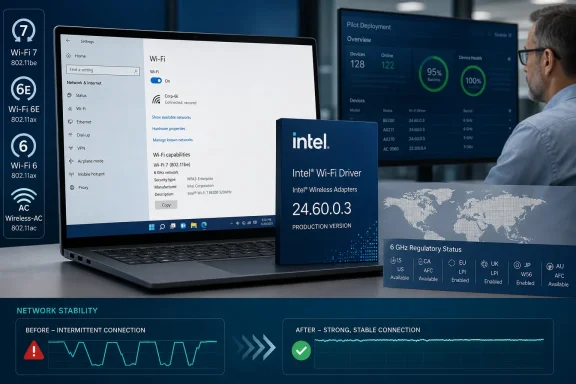 Intel confirms stability work, but does not disclose the underlying fixes
Intel’s published release notes name two changes for both 64-bit Windows 10 and Windows 11:- Improved wireless stability and functionality.
- Enhanced regional regulatory compliance.
There is no CVE identifier in Intel’s 24.60.0 Wi‑Fi release notes and no stated security fix. Administrators should therefore treat this as a quality update, not a security remediation with a known deadline. The distinction is practical: a security advisory often establishes urgency and a defined exposure; this release supplies neither.
The regulatory item is similarly broad. Wireless drivers embed country-specific rules governing permitted channels, transmit behavior, and—in newer hardware—the use of the 6 GHz band. Intel does not name the jurisdictions affected in 24.60.0. Organizations operating across regions should test devices in their actual deployment locations rather than infer that the update changes every country profile or unlocks new spectrum.
The Windows quality initiative is real; “K2” is not Intel’s name for it
Intel says that, starting with the previous 24.50.0 Wi‑Fi package, its wireless drivers incorporate enhancements aligned with Microsoft’s “Windows ecosystem quality initiative” to optimize performance and user experience. That language remains in the 24.60.0 download documentation.Microsoft has publicly committed in 2026 to improve Windows reliability across the operating system, drivers, applications, updates, Bluetooth, USB, cameras, audio, and wake behavior. Its Windows Insider Blog describes improved driver quality as part of that broader reliability work. Microsoft also introduced the Driver Quality Initiative, or DQI, at WinHEC 2026 as an effort involving PC makers, silicon vendors, and other hardware partners.
But readers should be precise about the branding. “Windows K2” has become a widely used label in reporting about Microsoft’s broader quality push; Intel’s 24.60.0 release notes do not use that name. Intel calls the work alignment with Microsoft’s Windows ecosystem quality initiative. The difference may sound semantic, but it is the difference between a vendor-confirmed program reference and a media shorthand attached to a larger Microsoft effort.
The practical conclusion is more modest than the marketing implication: 24.60.0 shows Intel is continuing to ship maintenance releases under the quality program, but the release notes do not establish a new validation standard, a measurable reliability target, a new telemetry requirement, or a guarantee that an existing Wi‑Fi problem has been corrected.
Supported adapters span Wi‑Fi 7 back to Wireless-AC 9260
The 24.60.0 installer supports the following adapters on 64-bit Windows 10 and Windows 11:- Intel Wi‑Fi 7 BE213, BE211, BE202, BE201, and BE200.
- Intel Wi‑Fi 6E AX411, AX211, and AX210, including the AX210 IoT Industrial and IoT Embedded kits.
- Intel Wi‑Fi 6 AX231, AX203, AX201, and AX101.
- Intel Wireless-AC 9560, 9461, 9462, and 9260, plus the Dual Band Wireless-AC 9260 IoT Kit.
For Wi‑Fi 7 systems, Intel reiterates that 6 GHz use depends on Windows support and that Wi‑Fi 7 features begin with Windows 11 24H2. The driver alone cannot provide Wi‑Fi 7 capabilities to a Windows 10 deployment, nor can it override the regulatory rules imposed by Windows and the local region.
The support list also explains why the update may matter to more than recent laptop buyers. Wireless-AC 9260 and 9560 adapters remain common in enterprise notebooks that are otherwise still in active service. An IT team may reasonably trial 24.60.0 on those machines if it is chasing connection stability, but Intel has not broken out adapter-specific fixes. A successful pilot on an AX211 laptop does not establish the same outcome on a 9260-based fleet.
Package version and installed driver version need separate checks
Intel’s naming is easy to misread. The downloadable package is version 24.60.0; the stated driver version is 24.60.0.3. In Device Manager, administrators should check the adapter’s Driver tab rather than rely only on the package name recorded by a deployment tool.More importantly, Intel explicitly warns that “certain Intel Wireless Adapters may not have been updated and are the same as the previous package.” If a device already has the same installed driver version, Intel says there is no need to install the package. That caveat is consequential in managed environments: deploying a large installer where no driver changes creates reboot risk, support noise, and unnecessary variance without delivering a new driver.
Intel offers the 45.2 MB package as a standard executable and points users to Intel Driver & Support Assistant for automatic detection. For organizations, the more disciplined path is to inventory adapter hardware IDs and installed driver versions, identify actual candidates for 24.60.0.3, and use normal pilot rings before broad deployment.
OEM systems should not automatically bypass their manufacturer’s driver channel
Intel’s download is a generic driver package. Intel itself advises that computer manufacturers can customize wireless drivers and software for a particular system, potentially changing features or improving compatibility. Dell, HP, Lenovo, Microsoft, ASUS, and other OEMs may also align driver versions with BIOS, power-management, docking, Bluetooth, cellular, or support-validation packages.For a laptop that is stable and receives current OEM updates, the manufacturer’s driver channel remains the lower-risk choice. The generic Intel package is most useful when an OEM has not published a current release, when an administrator needs a tested Intel version to resolve a real issue, or when the organization has independently validated the package across its device models.
Do not use a clean driver removal as the first step simply because 24.60.0 exists. Intel’s own support material notes that switching between OEM and generic drivers can itself be associated with connectivity problems, and removal can temporarily leave Windows without a usable wireless adapter. Download the replacement first, retain a wired or alternate network path, and reserve clean installation for troubleshooting or a planned remediation process.
Intel 24.60.0 is a sensible pilot candidate for affected Wi‑Fi 7, Wi‑Fi 6E, Wi‑Fi 6, and 9000-series systems. For everyone else, the concrete action is simpler: verify the adapter model and current driver version first. If the machine is not receiving 24.60.0.3—or is an AX200 or older legacy adapter—the headline package is not the update that applies to it.
References
- Primary source: Neowin
Published: 2026-08-04T05:54:01+00:00
Loading…
www.neowin.net - Related coverage: learn.microsoft.com
- Related coverage: learn.microsoft.com
Loading…
learn.microsoft.com - Related coverage: intel.com
Loading…
www.intel.com - Related coverage: downloadmirror.intel.com
- Related coverage: intel.com
Intel® Wireless Wi-Fi Drivers for Windows® 10 and Windows 11*
This download installs the Windows® 10 and Windows 11* Wi-Fi package drivers 23.90.0 for the Intel® Wi-Fi 7/Wi-Fi 6E/Wi-Fi 6 and Intel® 9000 series Wireless Adapters www.intel.com
- Related coverage: community.intel.com
- Related coverage: neowin.net
Loading…
www.neowin.net - Related coverage: downloadmirror.intel.com
Loading…
downloadmirror.intel.com - Related coverage: pcgamer.com
Microsoft says it's going to 'fundamentally raise the bar' on driver quality, reliability and security across Windows | PC Gamer
Start your engines.www.pcgamer.com - Related coverage: station-drivers.com
Loading…
www.station-drivers.com - Related coverage: treexy.com
Loading…
treexy.com - Related coverage: elevenforum.com
Loading…
www.elevenforum.com - Related coverage: treexy.com
Loading…
treexy.com - Related coverage: rog-forum.asus.com
Loading…
rog-forum.asus.com - Related coverage: station-drivers.com
Loading…
station-drivers.com - Related coverage: setdrivers.ru
Loading…
setdrivers.ru - Related coverage: community.intel.com
Loading…
community.intel.com