
Microsoft Support lists security fixes, a TPM reporting correction, continued Secure Boot certificate targeting, and component updates for Copilot+ PCs. But the release notes also contain a material documentation conflict over the servicing stack update identity. That inconsistency does not prevent ordinary Windows Update deployment, yet it is precisely the kind of mismatch that administrators should not copy into offline servicing runbooks.
 Windows 11 26H1 remains a narrow deployment target
KB5121000 applies to “Windows 11 version 26H1, all editions,” but that label can be misleading in an estate report. Microsoft’s Windows release-health documentation describes 26H1 as a release designed around next-generation silicon and preinstalled on select new devices beginning in early 2026. It is not the successor that administrators should expect to appear as an upgrade offer on established 24H2 or 25H2 fleets.
That changes the immediate deployment question. Organizations managing conventional Windows 11 hardware should not go looking for KB5121000 as a substitute for their August 2026 cumulative update; their applicable packages are the builds Microsoft published for 24H2 and 25H2. Conversely, shops that have begun receiving 26H1 devices should inventory them distinctly rather than assuming the same update rings, media, and validation evidence used for older Windows 11 releases will fully map across.
The Microsoft Update Catalog reinforces that split. It lists separate KB5121000 packages for x64 and Arm64 hardware, but classifies the x64 entry as a Windows Insider Pre-Release security update while the Arm64 entry is listed under Windows 11 security updates. That does not mean x64 systems cannot receive the update, but it is another reason to validate the precise device and servicing channel before manually importing packages into an enterprise workflow.
Secure Boot certificate targeting is the practical security change
The most consequential item in Microsoft’s notes is continued rollout support for replacement Secure Boot certificates. KB5121000 adds what Microsoft calls additional “high confidence device targeting data,” intended to expand the set of machines eligible to receive the new certificates through Windows Update.
This is part of the larger certificate transition Microsoft began ahead of the expiration of Secure Boot certificates originally issued in 2011. Microsoft has said that a device that does not receive the replacement certificates can still boot and continue receiving standard Windows updates for now. The longer-term issue is that it may be unable to receive future security updates related to Windows boot manager and Secure Boot.
For a managed 26H1 deployment, this makes update deferral more consequential than the brief KB summary suggests. The package is not simply applying a current month’s vulnerability fixes; it also improves Microsoft’s ability to decide which devices can safely participate in an update sequence that reaches into UEFI Secure Boot trust data.
Administrators should keep BitLocker recovery procedures current for newly deployed 26H1 hardware. Microsoft’s consumer and business guidance acknowledges that, in a small number of certificate-transition cases, a machine may fail to start or request BitLocker recovery. That does not establish a known issue with KB5121000 itself—Microsoft’s KB currently lists none—but it does establish a reason to verify recovery-key escrow and firmware support before treating the Secure Boot certificate work as invisible background maintenance.
TPM reporting is fixed, but not TPM behavior
KB5121000 also corrects TPM maintenance reporting so that the endorsement key, or EK, certificate status is reported accurately. This is a reporting and observability fix, not an announced change to the TPM’s certificate, cryptographic material, or attestation policy.
That distinction matters for endpoint administrators because inaccurate EK certificate reporting can lead to false remediation work. A device-management or compliance team that sees an erroneous status may spend time investigating TPM initialization, firmware, enrollment, or identity-attestation paths when the underlying problem is the Windows maintenance report. After deploying KB5121000, it is sensible to recheck dashboards or scripts that flagged EK certificate state on 26H1 devices—but a changed result should not automatically be interpreted as a hardware repair or configuration change.
Microsoft also bundles AI component version 1.2605.856.0 for Image Search, Content Extraction, Semantic Analysis, and Settings Model. The company’s AI component release information shows that version had already appeared in June component releases, so this is best understood as package alignment for the 26H1 cumulative update, rather than evidence of a newly introduced model capability.
The KB is explicit that these AI component updates apply only to Windows Copilot+ PCs and will not install on ordinary Windows PCs or Windows Server. An administrator should therefore avoid using the presence or absence of those components as a general-purpose success criterion for KB5121000 across an entire device estate.
Microsoft’s servicing stack references do not agree
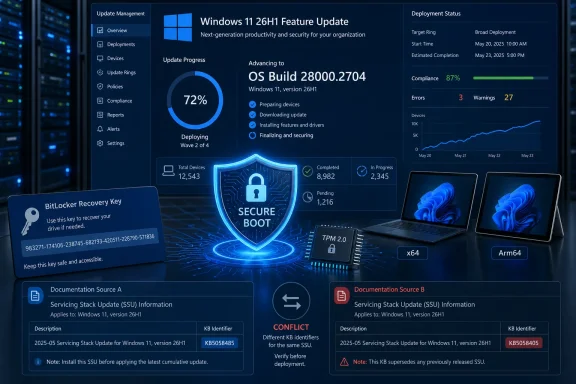
The release notes need correction. In its “Components updates” section, the KB says it includes servicing stack update KB5121292 at Build 28000.2602. Later, in the file-information section, the same page identifies the servicing stack update as KB5101747 at Build 28000.2602.
The earlier July 28 preview update for Windows 11 26H1, KB5101681, identifies KB5101747 as Build 28000.2602. Meanwhile, Microsoft’s July 14 26H1 security update identifies KB5121292 as a different servicing stack update at Build 28000.2524. The record therefore indicates that the August KB’s component summary has carried forward the wrong KB number, even though the build number in that line is 28000.2602.
This is not a reason to pause the normal Windows Update rollout. Microsoft combines the servicing stack update with the cumulative update, and Windows Update handles that dependency without an administrator choosing an SSU by its KB number. It is, however, a reason not to manually request or deploy “KB5121292 Build 28000.2602,” because that identifier-and-build pairing is not supported by Microsoft’s own prior 26H1 documentation.
The safer operational rule is straightforward:
- Deploy KB5121000 through Windows Update, Windows Update for Business, WSUS, or the Microsoft Update Catalog package that matches the target architecture.
- For offline image servicing, use the package Microsoft provides for KB5121000 and allow DISM to discover prerequisite MSU files from the designated package folder.
- Do not add the conflicting SSU identifier from the August release-note summary to an automation baseline until Microsoft corrects the page or publishes a matching package record.
Image servicing has a boot-file requirement
The deployment guidance carries a more direct failure mode for teams maintaining installation media. Microsoft says that when applying Dynamic Updates to an existing Windows image, boot.stl must be included in the installation media. If it is missing, devices can fail to boot from that media and return error 0xc0430001.
The file is used during Secure Boot validation and must match both the Windows version and the architecture of the image being updated. Microsoft recommends its Update WinPE script for updating an existing image; the manual alternative is to copy boot.stl from Windows\Boot\EFI on the updated device into the corresponding folder on the deployment media.
That requirement belongs in the same change-control ticket as the update itself. A successful installation of KB5121000 on a running reference PC does not prove that refreshed bootable media will work. Teams servicing WinPE, recovery, or setup media should test the media on the intended 26H1 architecture, particularly where Secure Boot enforcement and BitLocker are active.
Microsoft reports no known issues with KB5121000 as of August 12. Still, the documentation conflict around the servicing stack means the cleanest deployment path is the most automated one: use the approved cumulative package, validate the resulting Build 28000.2704, and preserve the exact Microsoft package metadata used in the rollout.