

Microsoft’s release notes make clear that KB5121003 applies to both Windows 11 25H2 and 24H2, correcting a potentially costly shorthand in early summaries that treated this as a 24H2-only release. Windows Central also identifies the August rollout as the point at which July’s preview features begin reaching production devices on 24H2 and 25H2. For administrators, the relevant build number is therefore determined by the installed feature version, even though both branches share the same KB number.
The update also incorporates prior fixes from the July 14 Patch Tuesday release, the July 18 out-of-band update, and the July 28 optional preview. That means organizations that skipped the preview do not need to deploy it separately; the August cumulative package rolls its security and quality content forward.
Secure Boot certificate delivery remains deliberately selective
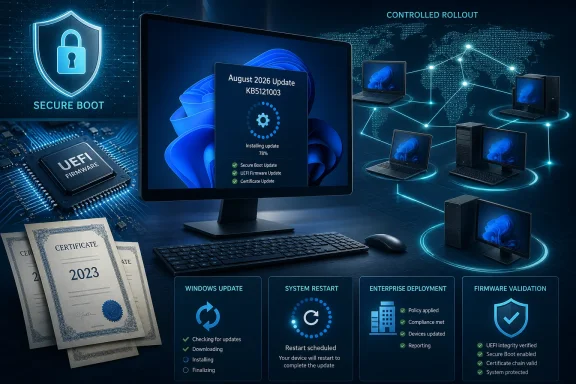
KB5121003 adds what Microsoft calls “additional high confidence device targeting data” to increase coverage for automatic Secure Boot certificate updates. That language is important. Microsoft is not saying every otherwise-supported Windows 11 PC will receive the 2023 certificates with this month’s cumulative update. It is saying the update improves the company’s ability to identify machines it considers safe candidates for the firmware-level change.
The distinction is more than rollout terminology. Secure Boot certificates are stored in UEFI firmware trust databases, not simply replaced like a Windows system file. A bad firmware interaction can result in validation failures, BitLocker recovery prompts, startup hangs, or, in worst cases, a device that does not boot. Microsoft’s own Secure Boot guidance tells IT departments to inventory affected machines, update OEM firmware first where possible, and pilot the change across different models and firmware revisions before broad deployment.
Microsoft has stressed that PCs still carrying the old 2011 certificates will continue to start and install ordinary Windows updates. That should not be read as an all-clear. The company’s technical guidance says devices without the newer certificates can lose the ability to receive future Secure Boot protections for early-boot components, including protections involving the Windows boot manager and other pre-OS software.
The calendar is already forcing the issue. Microsoft Corporation KEK CA 2011 expired on June 24, 2026, and Microsoft UEFI CA 2011 expired on June 27, 2026. The Microsoft Windows Production PCA 2011 certificate, used to sign the Windows boot loader, expires on October 19, 2026. Microsoft’s multi-month deployment strategy is therefore an effort to replace the chain of trust without forcing a single, high-risk firmware update across the installed base.
What KB5121003 changes is the scope of that controlled rollout. Microsoft’s Windows release-health messaging says the “high confidence” designation depends on devices demonstrating sufficient successful update signals. In practical terms, two fully patched PCs running the same Windows build may not receive the new Secure Boot certificates at the same time.
For home users, that means installing KB5121003 is sensible, but the absence of an immediate Secure Boot status change does not necessarily mean the cumulative update failed. For managed estates, it means compliance reporting must distinguish between “August cumulative update installed” and “UEFI certificate remediation completed.” They are related, but they are not the same state.
One additional restart is part of the certificate transition
Microsoft has separately warned that a limited number of consumer and business PCs may experience one additional restart during installation of recent Windows updates. The company attributes that restart to the Secure Boot certificate update process, rather than the normal reboot required after a monthly cumulative update.
That is a small operational detail with a larger consequence. Organizations that allow the August update to install during a short maintenance window should plan for the possibility that some devices will reboot an extra time as the certificate update is applied. Endpoint teams that assess compliance solely by whether the operating-system update completed may also miss the second stage of the work.
The new certificates matter outside conventional Windows-only deployments as well. Microsoft’s Secure Boot certificate transition separates trust for third-party boot loaders from trust for third-party option ROMs, giving OEMs and administrators finer control over what firmware will validate. That can affect systems with Linux dual-boot configurations, custom EFI applications, add-in hardware with option ROMs, recovery media, and older firmware that has not kept pace with the 2023 certificate set.
Microsoft’s release notes still list no known issues for KB5121003. That is the vendor’s current assessment of the Windows package, not a guarantee that every firmware combination has been validated. The Secure Boot rollout itself is explicitly phased because compatibility is being evaluated device by device.
The user-visible changes arrived through July’s preview package
The August security release is also the production vehicle for the quality changes first published in KB5101684 on July 28. Microsoft’s August notes do not repeat the long list of user-interface and feature changes; they simply state that the prior preview’s improvements are included. Windows Central reports that the rollout covers refinements in File Explorer, Windows Search, Windows Update, touchpad settings, widgets, power behavior, and Windows Hello Enhanced Sign-in Security support for external fingerprint readers.
The key qualifier is rollout timing. Many of those changes use Controlled Feature Rollout, Microsoft’s staged delivery system. Installing build 26100.9168 or 26200.9168 establishes eligibility for the feature set, but it does not guarantee every interface change will appear on every device immediately.
The visible additions are therefore secondary to this month’s patching decision. A user may install KB5121003, restart, and see few or no obvious changes, while the update has still brought the PC current on security fixes and expanded its eligibility for Secure Boot remediation. Treating the absence of a new Start menu or File Explorer behavior as a failed update would be a mistake.
KB5121003 also updates four AI components—Image Search, Content Extraction, Semantic Analysis, and Settings Model—to version 1.2605.856.0. These components apply only to Windows Copilot+ PCs and will not install on conventional Windows PCs or Windows Server. The bundle therefore does not turn ordinary x64 or Arm Windows 11 hardware into an AI-featured Copilot+ system, despite the AI component version appearing in the release documentation.
Offline deployment documentation has a real defect
The release has a problem that matters specifically to administrators who patch outside Windows Update: Microsoft’s KB5121003 support page says the standalone packages are available from the Update Catalog, but the published DISM and PowerShell examples contain literal “Download link will be available soon” placeholders instead of completed file names and paths.
The defect appears in both the Arm64 and x64 instructions. The manually sequenced instructions also contain a malformed x64 package reference, written as “windows11.0-kbKB5121003,” rather than a clean KB5121003 filename. In other words, the support article advertises a manual installation path but, as published, does not provide copy-and-paste-ready commands.
Administrators should not paste those placeholder commands into deployment scripts. Use Windows Update for Business or WSUS where policy permits, or obtain the architecture-matched package directly through the Microsoft Update Catalog and validate filenames, prerequisites, and package order before adding them to a task sequence or image-servicing workflow.
The documentation does preserve one critical instruction for image engineers: if KB5121003’s Dynamic Update is applied to existing Windows installation media, the matching boot.stl file must be included under the corresponding Windows\Boot\EFI path. Microsoft says omitting it can prevent booting from the installation media and produce error 0xc0430001. Because boot.stl participates in Secure Boot validation, it must match the Windows version and architecture of the image being updated.
That warning is easy to overlook because it sits below the ordinary end-user installation material, but it is the most direct deployment risk identified in the release notes. A successfully patched reference image is of little use if its refreshed installation media cannot boot in the field.
October is now the 24H2 Home and Pro deadline
Microsoft again used the August release notes to flag that Windows 11 24H2 Home and Pro editions reach end of updates on October 13, 2026. Enterprise and Education editions of 24H2 remain supported until October 12, 2027.
That creates two parallel tasks for IT teams running 24H2 Home or Pro: install August’s security update now, then plan a move to a supported Windows 11 release before October. Security updates stop after that date, along with fixes for known problems, time-zone updates, technical support, and future monthly protection.
KB5121003 is routine Patch Tuesday maintenance for most Windows 11 devices. For machines still awaiting their Secure Boot certificate refresh, however, it is another controlled step toward retaining protection below the operating system—provided the device qualifies, its firmware cooperates, and administrators do not mistake a completed cumulative update for completed certificate remediation.
References
- The August 2026 Windows security update is now available Microsoft - Message Center · 2026-08-11 10:00 PT