
Notebookcheck first drew attention to the mismatch between Microsoft’s consumer-facing description of Copilot+ AI and the company’s detailed component release ledger. Microsoft’s public explainer names four headline components: Image Creation, Image Processing, Image Transform, and Phi Silica. Its release-information page, however, records nine component families, adding Execution Provider, Content Extraction, Image Search, Semantic Analysis, and Settings Model.
The practical finding is less dramatic than “Windows has nine secret AIs,” but more useful for people maintaining these PCs: Windows is moving toward independently serviced local models, yet modularity does not currently equal user control. Microsoft has made one model package removable, while the other components remain part of the managed Windows AI stack.
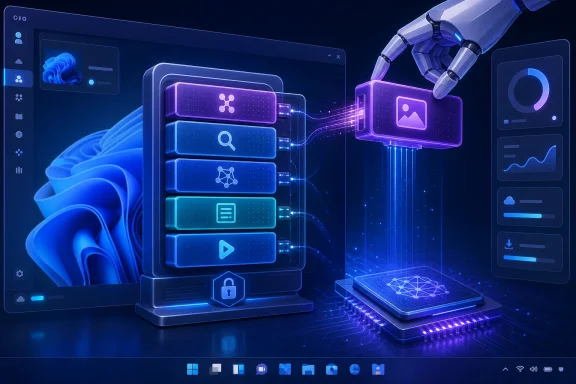 Microsoft’s two lists describe different layers of the same stack
Microsoft’s Copilot+ AI-components page is written as a capability overview. It describes the local image-generation pipeline, image understanding and editing, and Phi Silica, Microsoft’s small language model designed to run on a Copilot+ PC’s neural processing unit, or NPU.
The release-information page serves a different audience: Windows servicing, support, and IT administration. It lists components that receive discrete versioned updates and KB articles. That is where the additional five names appear.
Those extra entries are not necessarily five consumer features with their own Start-menu shortcuts. Several are platform-level capabilities. Execution Providers are hardware-specific runtimes used to run models on different NPU and acceleration stacks, including AMD, Intel, Nvidia, and Qualcomm implementations. Settings Model is tied to AI-assisted Settings experiences. Content Extraction, Image Search, and Semantic Analysis are model capabilities that support finding and interpreting local material.
Microsoft does not make the relationship between those components and every specific Windows feature especially transparent. The company’s own documentation confirms that AI components are independently serviced through Windows Update and can evolve separately from normal Windows feature updates, but it does not publish a complete dependency map showing which built-in app or feature calls which component on a particular PC.
That omission matters to administrators. A component called “Semantic Analysis” is a lot harder to assess than a branded feature such as Recall, Click to Do, or Image Creator. The release ledger proves it exists and receives updates; it does not give IT staff a supported way to decide whether a particular workflow requires it, or to remove it selectively.
KB5101684 created the removal option—and reveals the packaging change
Microsoft documented the removal change in the July 28, 2026 preview cumulative update for Windows 11 24H2 and 25H2, KB5101684. The relevant release note is a single sentence: supported Copilot+ PCs can remove the “Image Generation AI component” where it is installed.
That wording creates a naming discrepancy. Microsoft’s component page and release-information ledger call the package Image Creation. The cumulative-update note calls it Image Generation. The descriptions line up: both refer to the local on-device model and runtime used for generative image creation. Microsoft has not published a separate explanation for the change in terminology, so administrators searching inventories or support documents should treat both labels as referring to the same component unless Microsoft later distinguishes them.
The timing is revealing. Microsoft’s AI component ledger first shows Image Creation on July 28, with three entries published that day for different hardware configurations. In contrast, Phi Silica, Image Processing, Execution Provider, and the search and semantic components have a longer history of recurring updates. Image Creation’s appearance as its own named, versioned component coincides with Microsoft allowing its removal.
That does not prove the local image model did not exist before July 28. It shows something more specific: Microsoft did not publicly document it as a separately serviced component until that date. Packaging it independently is what makes a supported uninstall path possible without trying to tear apart the rest of Windows’ AI platform.
The same KB5101684 release bundled updates for Image Search, Content Extraction, Semantic Analysis, and Settings Model, all to version 1.2607.840.0. So the update that introduced one uninstall option also delivered four AI-component updates. That is a clear illustration of how Windows servicing now works on Copilot+ hardware: local AI models and related capabilities are increasingly updated as a layer within cumulative Windows releases, even when the user has no direct interaction with the underlying package.
Microsoft says those AI component updates apply only to Copilot+ PCs and will not install on ordinary Windows PCs or Windows Server. A conventional Windows 11 24H2 or 25H2 installation without qualifying Copilot+ hardware therefore does not gain this component inventory merely by installing the cumulative update.
August’s security update makes the change broadly relevant for 24H2 and 25H2
Notebookcheck reports that the August 11 cumulative update, KB5121003, carries forward the July preview changes for Windows 11 24H2 and 25H2, making the Image Generation removal option broadly available to eligible devices. That is consistent with Microsoft’s normal servicing model: the following month’s mandatory cumulative update absorbs the preceding optional preview’s non-security changes.
There is an important version boundary. The July preview applied to 24H2 and 25H2. Windows 11 26H1 follows a different update branch for new devices with select newer silicon, and Microsoft’s 26H1 release notes do not document the same Image Generation removal feature. A Copilot+ PC’s branding alone is not enough; the installed Windows version and its servicing branch determine whether the option is present.
For a help desk or endpoint-management team, the immediate check is straightforward:
- Confirm that the device is a Copilot+ PC rather than merely a Windows 11 device with an “AI PC” marketing label.
- Confirm it runs Windows 11 24H2 or 25H2 and has received the August 2026 cumulative update or the July preview update.
- Look for Image Creation or Image Generation among the installed AI-component controls rather than assuming a missing option indicates a failed update.
- Record the component’s state before broad deployment, because Microsoft has not documented whether a later AI component update can reinstall a package that an end user removed.
That last point is the unresolved operational question. Microsoft’s public material says AI components are serviced independently through Windows Update. It says Image Generation can be removed. It does not say whether removal persists through a feature update, repair installation, Reset this PC, or a future monthly update that contains a newer Image Creation package.
Until Microsoft documents that lifecycle, an organization should not treat a manual removal as a durable configuration baseline. It is a supported user action, not yet a documented servicing policy.
Removal is narrower than Windows’ broader AI controls
The new option should also not be confused with removing Copilot, Recall, Click to Do, or every AI-assisted feature inside Windows apps. These are distinct products, features, packages, and policy surfaces.
The Copilot consumer app can be uninstalled from Installed apps like other packaged applications. Recall can be turned off or removed through Windows Features on supported systems, and Microsoft says removing Recall deletes locally stored snapshots. Click to Do can be disabled, but Microsoft’s documentation treats it as a feature that can be switched off rather than a separately removable model package.
Windows also has per-app controls under Privacy & security for text and image generation. Those settings are useful because they show recent application use of local AI models and can block apps individually. They are permission controls, however, not package removal. Blocking an application from invoking a local model does not remove the model files or servicing channel from the operating system.
For managed devices, Microsoft has separate Group Policy and mobile-device-management controls covering selected AI experiences. The policy catalog is uneven. Some controls are available on Pro, while others are reserved for Enterprise and Education editions. Microsoft’s policy-based inbox-app removal documentation also includes a dedicated event for an attempted removal of an AI-component package that is not removable. That is the company’s clearest acknowledgement that the new Image Generation option should not be generalized to the rest of the AI stack.
The constraint is deliberate: components such as Phi Silica, image processing, search, semantic analysis, and execution runtimes can underpin more than one Windows experience. Microsoft is keeping them serviced as foundational OS capabilities, even where the visible feature that uses them can be disabled.
The real change is a precedent, not an AI-free Windows option
Microsoft has made a meaningful but limited concession: one local generative-image package can now be removed from eligible Copilot+ PCs. It is the first clear example of a separately documented Windows AI component receiving a user-facing uninstall path, and it establishes that at least some local models can be treated as optional payloads rather than permanent system furniture.
But the release records also undercut the idea that this is a broad “remove Windows AI” switch. Microsoft lists nine component families in active servicing, continues to ship updates for several of them within normal cumulative updates, and has not published supported removal methods for the others. Image Creation is removable because it is now modular; the rest remain managed platform components.
For Windows 11 24H2 Home and Pro users, the timing is short-lived in another sense. Those editions reach end of support on October 13, 2026. Any organization standardizing an AI configuration on 24H2 now will need to validate it again after moving to Windows 11 25H2, whose Home and Pro support period runs through October 12, 2027.