
The immediate operational point is straightforward: do not treat every post-update game crash as a graphics-driver failure, and do not automatically remove the cumulative update from every affected machine. KB5121003 is August’s security package, issued amid a Patch Tuesday that addressed 421 Microsoft CVEs, including 236 affecting Windows, according to The Register. The patch should remain deployed wherever the game failure is not demonstrated and where the affected device has a meaningful security exposure.
Microsoft’s public messaging is also split across two places. As The Register first reported, Microsoft has acknowledged the reports on its Windows Release Health site and says it is determining whether Microsoft is responsible. Yet the KB5121003 support page still says Microsoft is not aware of any known issues with the update. That is more than a documentation oddity: it means administrators relying solely on the KB article will miss an active compatibility investigation.
 What KB5121003 is breaking — and what Microsoft has not established
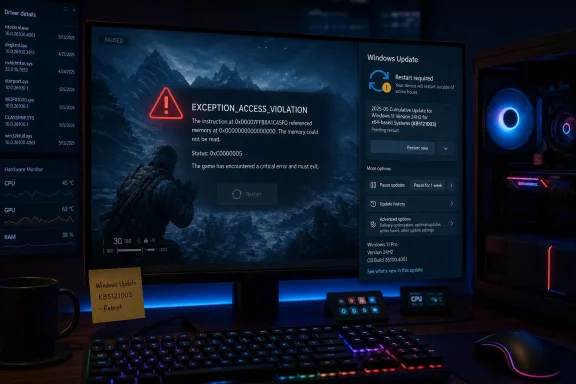
The reported symptoms are broader than a game simply closing to desktop. Microsoft’s investigation describes games becoming unresponsive, ending unexpectedly, displaying an EXCEPTION_ACCESS_VIOLATION error, or triggering an unplanned restart. Neowin separately reported the same symptom set after Microsoft opened its investigation late on August 19.
Those reports establish a pattern, not a universal Windows 11 failure. The affected titles named by Microsoft are a useful starting point, but they are not a complete compatibility list, and there is no published count of impacted machines, hardware configurations, or game installations. Microsoft has not issued a compatibility hold, Known Issue Rollback, out-of-band update, or a timeline for a fix as of August 20.
That limits what IT departments can responsibly promise. A device on build 26100.9168 or 26200.9168 that can play its normal workload without trouble does not need remediation merely because it has KB5121003 installed. Conversely, a reproducible game crash occurring only after that build was installed is now a valid incident to log against the August cumulative update rather than an unsupported user anecdote.
The distinction matters for organizations that use games, graphics-heavy simulators, visualization tools, or anti-cheat-protected software as part of training, events, testing, or development. Microsoft’s initial list is game-centric, but the suspected failure path reaches into kernel-mode software. The same category includes components that can be installed well outside the conventional “gaming PC” image.
The inpoutx64.sys link is credible, but not a Microsoft diagnosis
The most specific technical lead concerns inpoutx64.sys, a third-party kernel-level driver used for low-level port access and, in some cases, bundled by hardware-control or peripheral utilities. Windows Latest reported on August 16 that Embark Studios, the developer behind ARC Raiders and The Finals, linked its crash workaround to that driver after KB5121003 was installed. Reports from affected users have also associated the driver with tools such as Razer utilities and other motherboard, RGB, or legacy hardware software.
Embark’s observation is useful because it narrows the scope from “Windows breaks games” to a potential compatibility conflict involving a kernel driver. It does not prove that KB5121003 changed kernel handle validation, that the driver itself is defective, or that Microsoft’s update is the sole cause. That theory originated in user analysis and remains unconfirmed by Microsoft, as The Register notes.
Still, the pattern fits a familiar Windows servicing problem. A security update can tighten validation or eliminate behavior that older kernel components relied upon without changing a user-facing feature at all. Software that operated successfully under a permissive condition may then fail when the operating system rejects a handle, request, or access path it previously tolerated. The application seen by the user may be a game, but the failed dependency may be a driver loaded long before the game starts.
This is why deleting C:\Windows\System32\drivers\inpoutx64.sys should not be treated as generic advice. Removing a driver file and deleting its service may restore one game while silently disabling whichever utility installed it. On a managed PC, that can mean losing peripheral controls, device-monitoring functions, or vendor-specific hardware behavior—and leaving the original installer ready to put the component back during its next update.
The better first step is inventory, not deletion. Confirm whether the affected endpoint actually has inpoutx64.sys installed and identify the owning package or application before making any change. If the driver is present, check for an update from the hardware or utility vendor, document the dependency, and test removal or disabling only in a controlled way. If the driver is absent, the device belongs in a different branch of the investigation rather than being forced through a workaround designed for another configuration.
Why uninstalling the August update is a last resort
Users have reported that uninstalling KB5121003 restores stability in affected games, and Windows Latest has documented those reports. That is meaningful troubleshooting evidence, but it is not a cost-free fix. Removing a cumulative update also removes the security corrections delivered with it, and the August package is unusually consequential given the breadth of this month’s Microsoft vulnerability fixes.
For an individual home gaming PC, a short rollback may be an understandable emergency measure if the game is unusable and no safer driver-level mitigation exists. It should be paired with a plan to reinstall the update once Microsoft or the relevant software vendor publishes a fix. Leaving the device indefinitely on the pre-August security baseline is a poor trade for a game compatibility issue.
For administrators, blanket rollback is harder to justify. A more defensible response is to isolate the affected device group, pause further deployment to similar systems if the organization’s update policy allows it, and preserve the evidence needed to determine whether the driver link holds. Capture the installed build number, the exact game or application version, crash timestamps, loaded driver versions, Event Viewer entries, and whether the issue stops after the related utility or driver is updated, disabled, or removed.
Microsoft is asking affected users to submit reports through Feedback Hub. That may sound perfunctory, but the absence of a documented compatibility hold means that detailed telemetry is presently the main way Microsoft can distinguish a narrow third-party-driver conflict from a regression in the cumulative update itself. A report that includes reproducible launch steps and the relevant driver name is more useful than one that merely says a game crashed after Patch Tuesday.
The documentation gap is the immediate problem for IT
Microsoft’s Release Health acknowledgment and KB article now tell different stories. The Release Health entry, according to The Register, says the company is investigating reports involving named games and potentially unexpected device restarts. The support page for KB5121003 still carries “no known issues.” Until Microsoft synchronizes those records or releases a mitigation, patch-management teams need to treat Release Health—not just the individual KB page—as the source to monitor for operational status.
This is also a reminder that monthly cumulative updates now regularly include changes with security and platform consequences beyond the visible release-note bullets. KB5121003’s public support page emphasizes security improvements and Secure Boot certificate deployment, but it does not identify the behavior that may be colliding with inpoutx64.sys or any other third-party kernel component. Microsoft may ultimately determine that the underlying issue belongs with a third-party driver; its current statement explicitly leaves that possibility open.
Affected users should avoid randomly deleting driver files or rolling back the August patch as their first move. Establish the installed build, determine whether inpoutx64.sys is actually present, identify the software that installed it, and submit a reproducible Feedback Hub report if the crash persists. For now, the concrete risk is confined to a reported compatibility issue on some Windows 11 24H2 and 25H2 systems—not evidence that KB5121003 breaks gaming generally—but the missing mitigation means those affected systems need deliberate handling rather than routine help-desk triage.