
Microsoft’s July 2026 Windows roundup looks like a feature digest, but the operational story is more immediate: administrators are dealing with a security update that briefly bypassed some Dell PCs, a separate out-of-band fix, staged Windows 11 features that are not yet universal, and October support deadlines that now need to be in change calendars.
The underlying Windows IT Pro Blog post groups those developments with new identity, server, Windows 365, and accessibility announcements. Microsoft’s own release records show they do not share one deployment mechanism or timetable. Treating them as one “July update” would be a mistake: some are installed through the July 14 security release, some require the July 28 preview, some are service-side changes, and several are only readiness notices for future enforcement.
There is also a documentation discrepancy worth calling out. Microsoft’s support page headline for July’s Windows 11 security update, KB5101650, lists Windows 11 25H2 build 26200.8870 alongside 24H2 build 26100.8875. The Microsoft Update Catalog and Windows release-information page identify the 25H2 build as 26200.8875. Administrators inventorying patch levels should use the catalog and release-information record rather than the erroneous build number in the support-page heading.
KB5101650, released July 14 for Windows 11 versions 24H2 and 25H2, is the month’s cumulative security update. It carries the normal security payload, but it also introduced a security-hardening change that can break applications using unregistered third-party TDI network transports. That is a niche dependency, but it is the sort of compatibility break that will not surface in a standard desktop pilot unless the pilot includes legacy line-of-business networking software.
Microsoft also updated RDP file protections in the same release. The trusted RDP-publisher policy now accepts SHA-2 certificate thumbprints, while SHA-1 remains only as a backward-compatible option scheduled for removal. Shops that sign
The more visible July complication involved a limited set of Dell devices using an Intel Innovation Platform Framework Processor Participant driver. Microsoft said the incompatibility originated with the June 23 preview update, KB5095093, and could lead to poor performance, unexpected shutdowns, excess heat, or battery drain. Microsoft temporarily withheld KB5101650 from those systems, then released the cumulative out-of-band update KB5121767 on July 18 to resolve the issue.
That sequence changes the patching advice. Dell systems covered by the safeguard should not be manually forced onto KB5101650 simply because the July roundup says to install the security update. They should be assessed for KB5121767 or a later cumulative release, which includes the previous fixes plus the compatibility correction. Microsoft’s release-health page still separately lists a WSUS synchronization degradation that began around July 13, tied to publishing-metadata buildup. For organizations seeing slow syncs or timeouts, that is a service-side problem to track—not evidence that their WSUS maintenance plan suddenly failed.
The user-facing Windows 11 additions are also split between release channels. The redesigned Start menu, accessibility changes, quieter Widgets defaults, and improved reliability for certain network-share connections are described as gradual rollouts through the July security update. The July 28 optional preview, KB5101684, carries the next wave: human-readable file-size units in File Explorer Details view, Voice Isolation and Korean support for Voice Access, and Windows Hello Enhanced Sign-in Security support for compatible external fingerprint readers.
In practical terms, a device having the KB installed does not guarantee that every advertised experience is enabled. Microsoft explicitly stages many of them. Enterprises that need predictable Start-menu layout behavior or want to deploy ESS-capable fingerprint readers should validate the feature on representative hardware and editions before writing a company-wide support standard around it.
This is not a recommendation to “consider passkeys someday.” It is a migration timetable for any tenant still depending on voice or SMS as the last usable MFA path for a population such as contractors, frontline users, or shared-device workers. Windows Hello for Business and FIDO2 passkeys already satisfy the phishing-resistant objective, but the September registration prompt will make gaps in enrollment, recovery, and help-desk processes visible quickly.
The new Windows single sign-on policy is narrower. Microsoft documents it as an administrator control for automatically accepting SSO permissions on managed Windows 11 24H2 and 25H2 enterprise devices using Microsoft Entra ID accounts, beginning with KB5101650. It does not suppress prompts for personal Microsoft accounts or unmanaged devices. That distinction should prevent a common misconfiguration: deploying the policy expecting it to change all account-consent behavior, then discovering that BYOD and consumer-account scenarios remain unchanged by design.
Microsoft’s proposed KMS hardening needs a longer runway. The company is moving toward KMS Hardware-Secured activation, which uses TPM-backed attestation to establish that a volume-activation host is running on trusted, untampered hardware. Windows Server 2025 is scheduled to begin showing readiness messages in August 2026 through
Microsoft says TPM attestation becomes mandatory with the next Windows Server LTSC release, but it has not identified that release’s date in this guidance. The company has announced the enforcement direction without publishing a full final compatibility matrix for existing KMS-host designs. That leaves administrators with a clear task now: check readiness in August, document physical and virtual TPM availability, and identify legacy KMS hosts that cannot meet the hardware-backed model before a server-refresh project becomes an activation incident.
“Without rebooting” does not mean “without maintenance windows.” Hotpatch has baseline cumulative updates on a quarterly cadence, and those baseline months still require a restart. It also requires Windows Server 2025, Azure Arc onboarding, Azure Update Manager configuration, and hardware capable of virtualization-based security, including UEFI and Secure Boot. Older Windows Server estates do not gain this capability merely by connecting them to Arc.
RDP Multipath similarly has a useful but bounded purpose. Microsoft has made redundant TCP transport paths generally available for Azure Virtual Desktop and Windows 365, allowing a session to keep standby TCP paths and switch when its active route degrades. The feature can reduce session drops in restrictive network environments where UDP is unavailable, but it is not a generic upgrade to every Remote Desktop client.
For the latest redundant TCP benefits, Microsoft requires Windows App version 2.0.1069.0 or later on a local Windows device. Microsoft also advises planning for up to five outbound transport paths per active user session: as many as three UDP paths and two TCP paths. That port and NAT scaling detail deserves attention in larger Windows 365 and AVD deployments; added resilience consumes more concurrent network state.
Microsoft is also preparing to make Windows settings backup a default resilience feature for eligible devices in Windows 11 version 26H2. Devices with the relevant policy left as Not Configured will have backup enabled automatically at general availability, while administrators that explicitly enabled or disabled the policy retain their selected state. Restore remains an explicit administrator configuration, which is the important limitation: this is a settings and Microsoft Store app recovery aid, not a turnkey bare-metal restoration plan.
Independent reporting by Axios, CSO Online, Ars Technica, and Infosecurity Magazine confirms that Microsoft is pairing Project Perception with its MAI-Cyber-1-Flash model and the previously announced MDASH scanning harness. The company’s cost and benchmark claims are Microsoft’s claims, not independently established production results. What is independently clear is the product direction: Microsoft is moving its security tooling from detection and recommendation toward agent-directed investigation and remediation workflows.
The July announcement does not settle the governance questions administrators need answered before granting an agent production access. Microsoft has not used the Windows roundup to detail default data-retention behavior, tenant boundaries for source-code analysis, pricing, permission models, or the exact approval checkpoints before a recommended remediation changes an environment. Security teams should treat the preview as an evaluation for workflow quality and access control, not as permission to automate patch deployment from an AI finding.
Windows 10 Enterprise LTSB 2016 also reaches end of support on October 13. Extended Security Updates are available for purchase, but the program requires more than a procurement decision: Microsoft specifies a May 2026 servicing stack update and security update or later, plus ESU MAK-key activation. That makes ESU a short-term bridge for fixed-function systems, not an excuse to defer compatibility testing indefinitely.
Windows Server 2022 moves from mainstream to extended support on the same date. It continues receiving no-cost monthly security updates until October 14, 2031, but feature work and normal design-change support end in October. Organizations using Server 2022 as a KMS host, remote-desktop platform, or application baseline should separate “still patched” from “still strategically current”—especially as Microsoft’s new KMS trust model and Arc-enabled hotpatching are centered on Windows Server 2025.
By August, the practical priority is to reconcile Windows 11 patch inventory against KB5101650 and KB5121767, inspect WSUS synchronization health, begin KMS readiness checks when they appear, and turn the October 13 lifecycle dates into assigned migration work. The feature announcements can wait for pilots; the servicing deadlines cannot.
There is also a documentation discrepancy worth calling out. Microsoft’s support page headline for July’s Windows 11 security update, KB5101650, lists Windows 11 25H2 build 26200.8870 alongside 24H2 build 26100.8875. The Microsoft Update Catalog and Windows release-information page identify the 25H2 build as 26200.8875. Administrators inventorying patch levels should use the catalog and release-information record rather than the erroneous build number in the support-page heading.
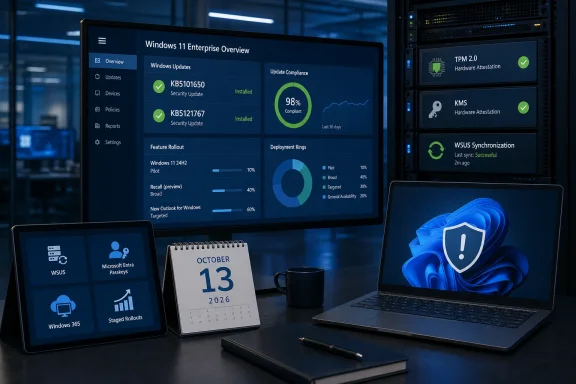 KB5101650 Was Not the Whole July Story
KB5101650, released July 14 for Windows 11 versions 24H2 and 25H2, is the month’s cumulative security update. It carries the normal security payload, but it also introduced a security-hardening change that can break applications using unregistered third-party TDI network transports. That is a niche dependency, but it is the sort of compatibility break that will not surface in a standard desktop pilot unless the pilot includes legacy line-of-business networking software.Microsoft also updated RDP file protections in the same release. The trusted RDP-publisher policy now accepts SHA-2 certificate thumbprints, while SHA-1 remains only as a backward-compatible option scheduled for removal. Shops that sign
.rdp files should use this window to inventory certificate-pinning policy and migrate to SHA-256 or stronger thumbprints; leaving an old SHA-1 configuration in place turns an announced future removal into an avoidable remote-access outage.The more visible July complication involved a limited set of Dell devices using an Intel Innovation Platform Framework Processor Participant driver. Microsoft said the incompatibility originated with the June 23 preview update, KB5095093, and could lead to poor performance, unexpected shutdowns, excess heat, or battery drain. Microsoft temporarily withheld KB5101650 from those systems, then released the cumulative out-of-band update KB5121767 on July 18 to resolve the issue.
That sequence changes the patching advice. Dell systems covered by the safeguard should not be manually forced onto KB5101650 simply because the July roundup says to install the security update. They should be assessed for KB5121767 or a later cumulative release, which includes the previous fixes plus the compatibility correction. Microsoft’s release-health page still separately lists a WSUS synchronization degradation that began around July 13, tied to publishing-metadata buildup. For organizations seeing slow syncs or timeouts, that is a service-side problem to track—not evidence that their WSUS maintenance plan suddenly failed.
The user-facing Windows 11 additions are also split between release channels. The redesigned Start menu, accessibility changes, quieter Widgets defaults, and improved reliability for certain network-share connections are described as gradual rollouts through the July security update. The July 28 optional preview, KB5101684, carries the next wave: human-readable file-size units in File Explorer Details view, Voice Isolation and Korean support for Voice Access, and Windows Hello Enhanced Sign-in Security support for compatible external fingerprint readers.
In practical terms, a device having the KB installed does not guarantee that every advertised experience is enabled. Microsoft explicitly stages many of them. Enterprises that need predictable Start-menu layout behavior or want to deploy ESS-capable fingerprint readers should validate the feature on representative hardware and editions before writing a company-wide support standard around it.
Identity Changes Have Dates, but KMS Enforcement Does Not
Microsoft Entra ID’s passkey transition is more consequential than the short July summary suggests. Starting September 1, 2026, tenants with users enabled for Microsoft-provided SMS or voice authentication will automatically enable those users for passkeys and prompt them to register during MFA sign-in. On February 1, 2027, Microsoft says its native SMS and voice delivery will be retired, with organizations that still need those methods expected to configure a customer-managed telecommunications provider.This is not a recommendation to “consider passkeys someday.” It is a migration timetable for any tenant still depending on voice or SMS as the last usable MFA path for a population such as contractors, frontline users, or shared-device workers. Windows Hello for Business and FIDO2 passkeys already satisfy the phishing-resistant objective, but the September registration prompt will make gaps in enrollment, recovery, and help-desk processes visible quickly.
The new Windows single sign-on policy is narrower. Microsoft documents it as an administrator control for automatically accepting SSO permissions on managed Windows 11 24H2 and 25H2 enterprise devices using Microsoft Entra ID accounts, beginning with KB5101650. It does not suppress prompts for personal Microsoft accounts or unmanaged devices. That distinction should prevent a common misconfiguration: deploying the policy expecting it to change all account-consent behavior, then discovering that BYOD and consumer-account scenarios remain unchanged by design.
Microsoft’s proposed KMS hardening needs a longer runway. The company is moving toward KMS Hardware-Secured activation, which uses TPM-backed attestation to establish that a volume-activation host is running on trusted, untampered hardware. Windows Server 2025 is scheduled to begin showing readiness messages in August 2026 through
slmgr /dlv and Key Management Service event logs.Microsoft says TPM attestation becomes mandatory with the next Windows Server LTSC release, but it has not identified that release’s date in this guidance. The company has announced the enforcement direction without publishing a full final compatibility matrix for existing KMS-host designs. That leaves administrators with a clear task now: check readiness in August, document physical and virtual TPM availability, and identify legacy KMS hosts that cannot meet the hardware-backed model before a server-refresh project becomes an activation incident.
Windows Server, Windows 365, and Backup Features Come With Conditions
Arc-enabled hotpatching for Windows Server 2025 is now available at no additional charge, a material reversal from the $1.50-per-core monthly subscription Microsoft introduced in 2025. It lets eligible Standard and Datacenter servers receive certain security updates without rebooting, including machines outside Azure.“Without rebooting” does not mean “without maintenance windows.” Hotpatch has baseline cumulative updates on a quarterly cadence, and those baseline months still require a restart. It also requires Windows Server 2025, Azure Arc onboarding, Azure Update Manager configuration, and hardware capable of virtualization-based security, including UEFI and Secure Boot. Older Windows Server estates do not gain this capability merely by connecting them to Arc.
RDP Multipath similarly has a useful but bounded purpose. Microsoft has made redundant TCP transport paths generally available for Azure Virtual Desktop and Windows 365, allowing a session to keep standby TCP paths and switch when its active route degrades. The feature can reduce session drops in restrictive network environments where UDP is unavailable, but it is not a generic upgrade to every Remote Desktop client.
For the latest redundant TCP benefits, Microsoft requires Windows App version 2.0.1069.0 or later on a local Windows device. Microsoft also advises planning for up to five outbound transport paths per active user session: as many as three UDP paths and two TCP paths. That port and NAT scaling detail deserves attention in larger Windows 365 and AVD deployments; added resilience consumes more concurrent network state.
Microsoft is also preparing to make Windows settings backup a default resilience feature for eligible devices in Windows 11 version 26H2. Devices with the relevant policy left as Not Configured will have backup enabled automatically at general availability, while administrators that explicitly enabled or disabled the policy retain their selected state. Restore remains an explicit administrator configuration, which is the important limitation: this is a settings and Microsoft Store app recovery aid, not a turnkey bare-metal restoration plan.
Project Perception Requires Governance Before Automation
Microsoft’s Project Perception entered public preview on August 3, one day before this roundup was published. The platform combines specialized red-, blue-, and green-team agents intended to find vulnerabilities, assess risk, investigate threats, and develop remediations. Microsoft describes it as a continuous security system with people retaining control over critical decisions.Independent reporting by Axios, CSO Online, Ars Technica, and Infosecurity Magazine confirms that Microsoft is pairing Project Perception with its MAI-Cyber-1-Flash model and the previously announced MDASH scanning harness. The company’s cost and benchmark claims are Microsoft’s claims, not independently established production results. What is independently clear is the product direction: Microsoft is moving its security tooling from detection and recommendation toward agent-directed investigation and remediation workflows.
The July announcement does not settle the governance questions administrators need answered before granting an agent production access. Microsoft has not used the Windows roundup to detail default data-retention behavior, tenant boundaries for source-code analysis, pricing, permission models, or the exact approval checkpoints before a recommended remediation changes an environment. Security teams should treat the preview as an evaluation for workflow quality and access control, not as permission to automate patch deployment from an AI finding.
October 13 Is the Planning Deadline
The lifecycle reminders are the least optional part of July’s news. Windows 11 24H2 Home and Pro editions reach end of updates on October 13, 2026. Enterprise and Education editions remain supported through October 12, 2027, while Windows 11 25H2 remains supported longer. Microsoft says unmanaged 24H2 Home and Pro devices are eligible to receive 25H2 automatically, but managed fleets should not rely on automatic offers as a migration strategy.Windows 10 Enterprise LTSB 2016 also reaches end of support on October 13. Extended Security Updates are available for purchase, but the program requires more than a procurement decision: Microsoft specifies a May 2026 servicing stack update and security update or later, plus ESU MAK-key activation. That makes ESU a short-term bridge for fixed-function systems, not an excuse to defer compatibility testing indefinitely.
Windows Server 2022 moves from mainstream to extended support on the same date. It continues receiving no-cost monthly security updates until October 14, 2031, but feature work and normal design-change support end in October. Organizations using Server 2022 as a KMS host, remote-desktop platform, or application baseline should separate “still patched” from “still strategically current”—especially as Microsoft’s new KMS trust model and Arc-enabled hotpatching are centered on Windows Server 2025.
By August, the practical priority is to reconcile Windows 11 patch inventory against KB5101650 and KB5121767, inspect WSUS synchronization health, begin KMS readiness checks when they appear, and turn the October 13 lifecycle dates into assigned migration work. The feature announcements can wait for pilots; the servicing deadlines cannot.
References
- Primary source: Windows IT Pro Blog
Published: Mon, 03 Aug 2026 21:00:00 GMT
- Related coverage: learn.microsoft.com
Windows Server 2022 - Microsoft Lifecycle | Microsoft Learn
Windows Server 2022 follows the Fixed Lifecycle Policy.learn.microsoft.com - Related coverage: learn.microsoft.com
Ending Support in 2026 - Microsoft Lifecycle | Microsoft Learn
Find out which products will retire, reach end of support or move from mainstream support to extended support in 2026.learn.microsoft.com - Related coverage: support.microsoft.com
July 28, 2026—KB5101684 (OS Builds 26200.8973 and 26100.8973) Preview | Microsoft Support
July 28, 2026—KB5101684 (OS Builds 26200.8973 and 26100.8973) Previewsupport.microsoft.com - Related coverage: techcommunity.microsoft.com
- Related coverage: mgee.gov.zm
Loading…
www.mgee.gov.zm - Related coverage: microsoft.com
Tired of all the restarts? Get hotpatching for Windows Server | Microsoft Windows Server Blog
Hotpatching for Windows Server 2025, made available in preview in 2024, will become generally available as a subscription service on July 1st, 2025.www.microsoft.com - Related coverage: microsoft.com
Announcements | Microsoft Windows Server Blog
Read about Windows Server Announcements from Microsoft's team of experts at Microsoft Windows Server Blog.www.microsoft.com - Related coverage: lenovo.com
- Related coverage: agn.gob.do
- Related coverage: pcgamer.com
Microsoft reportedly using TPM chips to weed out Windows piracy | PC Gamer
Spare a thought for the system administrators.www.pcgamer.com - Related coverage: support.microsoft.com
July 14, 2026—KB5101650 (OS Builds 26200.8870 and 26100.8875) | Microsoft Support
July 14, 2026—KB5101650 (OS Builds 26200.8870 and 26100.8875)support.microsoft.com - Related coverage: catalog.update.microsoft.com
- Related coverage: catalog.update.microsoft.com
- Related coverage: windowscentral.com
Microsoft blocks Windows 11 KB5101650 update for Dell PCs due to "unexpected shutdowns, poor performance, increased heat, and battery drain" | Windows Central
Microsoft has blocked the KB5101650 update after Dell informed the company that a recent change is causing some of its PCs to suffer from major instability issues.www.windowscentral.com - Related coverage: windowscentral.com
Windows 11’s massive July 2026 update fixes 570 vulnerabilities and shows how AI is quietly reshaping Patch Tuesday itself | Windows Central
Microsoft says AI is reshaping Windows security, and the July 2026 Patch Tuesday update is the first major sign of what's coming.www.windowscentral.com - Related coverage: patchtuesday.com
- Related coverage: elevenforum.com
KB5101650 Windows 11 Cumulative Update build 26100.8875 (24H2) and 26200.8875 (25H2) - July 14 | Windows 11 Forum
UPDATE 7/28: https://www.elevenforum.com/t/kb5101684-windows-11-cumulative-update-preview-build-26100-8973-24h2-and-26200-8973-25h2-july-28.48397/...www.elevenforum.com - Related coverage: pcgamer.com
Latest Microsoft Patch Tuesday updates stamp out a record 622 security vulnerabilities, as the company's AI-enhanced bug hunt looks to bear fruit | PC Gamer
Squish, squish, squish.www.pcgamer.com