
The August 27 support article gives users and administrators a clear deployment mechanism—Windows Update—but remarkably little change detail. Microsoft says the component receives “improvements,” without identifying a fixed bug, altered model behavior, performance target, security issue, affected Windows feature, or application compatibility change. For a component that sits beneath local image-analysis APIs, that omission means KB5124888 should be treated as a servicing update, not as evidence of a new user-facing Copilot+ feature.
Microsoft’s own Windows AI documentation provides the useful context missing from the KB. Image Processing underpins local capabilities including image scaling, descriptions, segmentation, foreground extraction, and object extraction. Those building blocks are used by Windows features and apps rather than appearing as a standalone program that users can launch or configure.
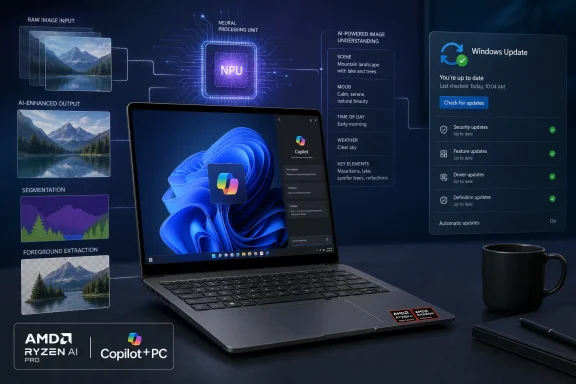 KB5124888 targets AMD Copilot+ systems on 26H1
The scope is narrow in two ways. KB5124888 applies only to systems with AMD hardware that qualify as Copilot+ PCs, and only to Windows 11 version 26H1. A conventional Ryzen desktop or laptop running Windows 11 does not become eligible merely because it has an AMD processor; the device needs the Copilot+ class NPU hardware and the Windows version Microsoft specifies.
That distinction is important for support teams fielding reports of a “missing” update. An AMD Copilot+ PC still will not receive KB5124888 if it remains on Windows 11 24H2 or 25H2, because Microsoft’s published applicability for this package is 26H1. Intel-powered Copilot+ PCs have their own Image Processing packages, and Qualcomm systems use a separate component track.
Microsoft’s Copilot+ PC developer guidance describes these machines as devices with an NPU capable of more than 40 trillion operations per second. The NPU is intended to run compatible AI inference locally, reducing the need to send an image to a cloud service and avoiding dependence on a network connection. That is the architectural promise behind the component, but the KB does not claim a measurable privacy, speed, battery-life, or quality improvement from this particular release.
For administrators, that means the relevant inventory question is not simply “Which AMD PCs do we own?” It is: which endpoints are AMD-based Copilot+ PCs on 26H1, fully current on cumulative updates, and permitted to receive Windows Update-delivered AI components?
The version number is familiar, but the servicing trail is not
KB5124888 assigns version 1.2607.840.0 to the AMD Image Processing component. Microsoft’s AI component history had already recorded that same version for AMD-powered systems on July 28, 2026, under KB5121643. The public history also shows Intel-powered Copilot+ PCs receiving version 1.2607.840.0 through KB5121641 in July.
Yet KB5124888 says it replaces KB5103209, the June 2026 AMD Image Processing update carrying version 1.2605.856.0 for 26H1. The support article does not explain why the July AMD entry is absent from its stated replacement chain, why an August KB carries the identical component version documented in July, or whether KB5124888 is a republished, reoffered, or otherwise revised delivery package.
That is more than trivia for IT staff trying to reconcile update histories. A KB number, release date, and component version are separate identifiers, and Microsoft’s documentation here does not make their relationship transparent. The most defensible reading is that KB5124888 is the currently documented August servicing vehicle for AMD 26H1 systems, while the version alone cannot establish that the underlying image model has changed since the July release.
In practical terms, an administrator should not use 1.2607.840.0 as proof that every device has received the same KB or followed the same update path. Check the endpoint’s actual Windows Update history. Microsoft says a successfully installed device should show the August entry with KB5124888, rather than relying solely on an NPU driver version, a Windows build number, or a component version surfaced elsewhere.
What this component actually enables
Microsoft’s Windows AI API documentation links the Image Processing layer to several local imaging functions:
- Image Super Resolution can enlarge and sharpen images, with the documented API limiting scaling to eight times the original dimensions.
- Image Description can create brief, detailed, diagram-oriented, and accessibility-oriented text descriptions from an image.
- Image Foreground Extractor and Image Object Extractor can generate masks for subjects or selected objects, enabling background removal and cutout workflows.
- Other imaging functions can support object removal and downstream editing when paired with related Windows AI components.
The key word is enables. KB5124888 does not install a new image editor, add a Start menu shortcut, or promise that every program on the machine will suddenly gain background removal or visual analysis. Software must be designed to call the Windows AI imaging APIs, and some functions require an application to package the appropriate permissions and target a sufficiently recent Windows version.
That dependency model also explains why component updates can be meaningful without producing obvious release notes. A Windows feature or third-party app may use a model and runtime supplied through Windows Update; Microsoft can revise that underlying dependency independently of the app’s own release cadence. But it also raises the standard for documentation: when a model update is opaque, customers cannot distinguish a routine optimization from a compatibility correction or a behavioral change that deserves regression testing.
Microsoft has not published benchmarks, known issues, quality comparisons, or a list of affected inbox apps for KB5124888. There is therefore no supported basis to tell users that image descriptions will become more accurate, object extraction will improve, or image scaling will produce different results after installation.
What managed-device teams should do
For organizations that allow Windows Update AI component delivery, KB5124888 is a low-touch update: Microsoft says it downloads and installs automatically after the required 26H1 cumulative update is present. The update is not presented as a security fix, and the article contains no CVE, vulnerability disclosure, or urgent mitigation instruction.
A sensible operational response is proportionate:
- Confirm that AMD Copilot+ PCs intended to use Windows AI imaging features are on Windows 11 26H1 and current on cumulative servicing.
- Verify the installed record under Settings > Windows Update > Update history, where Microsoft says the August Image Processing entry should appear.
- Include the component in pilot-ring validation if the organization deploys applications using Windows AI imaging APIs, particularly applications that depend on foreground masks, image descriptions, or super-resolution output.
- Do not force broad functional testing across unrelated AMD PCs, because the update does not apply to non-Copilot+ hardware and Microsoft has not described a system-wide graphics or photo-stack change.
- Capture before-and-after test output if image-processing results matter to an internal workflow, since Microsoft has not supplied expected behavior changes or a rollback procedure in the KB.
Developers have a more specific reason to pay attention. Microsoft’s documentation says the Windows AI imaging APIs require a Copilot+ PC with an NPU, and packaged applications using the APIs need the systemAIModels capability. If a line-of-business application uses the shared Image Processing component, its output may depend on Windows-delivered model assets that sit outside the application’s own installer.
That does not make KB5124888 a breaking-change notice. Microsoft has published no indication that it is one. It does mean application teams should include component versions and Windows Update state in diagnostics for imaging bugs rather than assuming the executable and GPU driver are the complete environment.
An automatic update with no published feature claim
KB5124888 advances—or reaffirms—the AMD Image Processing component on Windows 11 26H1 at version 1.2607.840.0, replacing Microsoft’s documented June baseline. It gives affected Copilot+ PCs the component through the normal Windows Update channel, with no user action beyond remaining current on 26H1 servicing.
The unresolved point is Microsoft’s incomplete release accounting: the same AMD component version appeared in the company’s July AI update history, but KB5124888’s replacement information skips that July record and offers no explanation. Until Microsoft publishes a changelog or corrects the lineage, the responsible conclusion is straightforward: install it through normal servicing on eligible AMD Copilot+ PCs, verify the KB entry where needed, and do not promise users a visible imaging upgrade that Microsoft has not documented.
