
Ultrabookreview’s August 14 review found a solid aluminum 1.38 kg convertible with a 70 Wh battery, 5 MP IR camera, Wi-Fi 7, microSD, HDMI, and two USB-C ports. The site’s test unit also produced respectable battery figures and manageable fan noise in Lenovo’s lower-power modes. But its central conclusion—that the Ryzen AI 7 445 is a poor fit at a high price—now has independent support from Notebookcheck, whose review of the related 16-inch Yoga 7 2-in-1 found the same AMD chip lagging Lenovo’s Intel alternatives and judged its configured price difficult to defend.
The key point is not that the Yoga 7a is unusable. It is a good general-purpose laptop for Office, browser-heavy work, streaming, note-taking with a pen, and occasional light creative work. The problem is that Lenovo has put a six-core, Radeon 840M-equipped Ryzen AI 7 445 into a familiar Yoga 7 chassis while prior-generation Ryzen AI 7 350 machines—and newer Intel Yoga 7i variants—can offer materially stronger graphics or CPU headroom for buyers who pay close to premium pricing.
 Ryzen AI 7 445 is a lower-tier design wearing an AI 7 badge
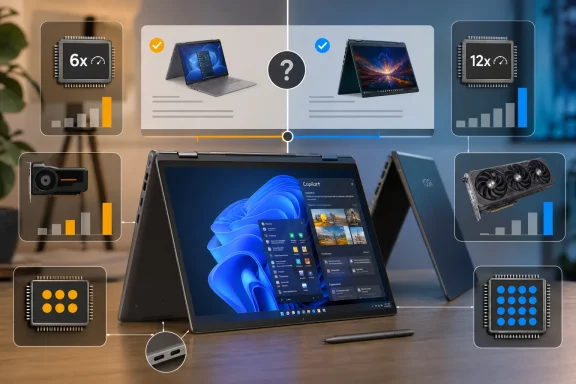
AMD’s own specifications describe the Ryzen AI 7 445 as a six-core, 12-thread part with two Zen 5 cores and four smaller Zen 5c cores. It has a Radeon 840M integrated GPU with four graphics cores, a 28 W default TDP, and an NPU rated for up to 50 TOPS. It meets Microsoft’s hardware threshold for Copilot+ PCs when paired with sufficient memory and storage, so Windows 11 AI features are not the issue.
What changes the purchase calculation is the product stack around it. AMD’s Ryzen AI 7 450 has eight CPU cores and Radeon 860M graphics with eight graphics cores; the older Ryzen AI 7 350 also paired more CPU resources with Radeon 860M graphics. The 445 is therefore not the natural successor to those higher-performing Ryzen 7 laptop configurations, despite its “AI 7” label.
Ultrabookreview measured roughly 10,000 points in Cinebench R23’s multithreaded test from its 14-inch Yoga 7a at Lenovo’s 28 W Performance setting. It also found the 840M suitable for older games at modest settings rather than modern gaming or GPU-assisted creative work. Notebookcheck reached a similar verdict from its testing of the 16-inch AMD model: the Ryzen AI 7 445 was a modest performer that could fall behind Lenovo systems based on Intel’s recent Core Ultra processors.
Those results matter more than the “AI” designation. A 50-TOPS NPU can accelerate supported local inference tasks and unlock Copilot+ PC capabilities, but it does not turn a four-core integrated GPU into an appropriate choice for 3D work, demanding Adobe workloads, local-model experimentation that spills beyond the NPU, or regular gaming. For Windows users, the practical distinction is straightforward: this is a productivity system with AI-PC eligibility, not a performance ultraportable.
There is also an error worth correcting in Ultrabookreview’s otherwise detailed spec discussion. The review describes the Ryzen AI 7 445 as having 24 MB of cache. AMD and Lenovo’s own product specifications list 6 MB of L2 cache and 8 MB of L3 cache, for 14 MB total cache. That does not invalidate the site’s benchmark results, but buyers comparing AMD’s parts should use the official 14 MB figure; 24 MB is the cache specification associated with the higher Ryzen AI 7 450.
Lenovo leaves USB4 capability on the table
The Yoga 7a’s port selection is better than many thin convertibles: one USB-A port, HDMI 2.1, microSD, a headphone jack, and USB-C charging from either side. That is more practical for office and classroom use than an all-USB-C design requiring adapters.
But the two USB-C ports are limited to USB 10Gbps, according to Lenovo’s PSREF specification for the 14-inch Yoga 7 2-in-1 14AGP11. One supports DisplayPort 1.4a and the other DisplayPort 2.1 UHBR10, with charging supported through both. This confirms Ultrabookreview’s warning that the AMD Yoga lacks USB4 and Thunderbolt connectivity, even though AMD lists two native USB4 connections as available on the Ryzen AI 7 445 platform.
That difference is a Lenovo platform decision, not a processor limitation. It matters to buyers who already use USB4 storage, higher-end docks, or eGPU-oriented setups. The Yoga can still drive external displays—Lenovo rates the 14-inch model for its internal panel plus up to three external displays through HDMI and USB-C—but a 10Gbps USB-C port is a poorer long-term expansion point than USB4.
For a mainstream convertible, that compromise is reasonable only at a mainstream price. Buyers should not pay a premium on the assumption that “Ryzen AI 400” means feature parity with more capable AMD designs.
The 14-inch OLED is available in two meaningfully different forms
The review unit used the entry 1,920 × 1,200, 60 Hz touch OLED. Ultrabookreview measured about 384 nits at peak brightness and criticized its glossy finish and limited outdoor usability. That assessment is consistent with Lenovo’s official specification, which rates the WUXGA panel at 400 nits typical SDR brightness and 600 nits HDR peak brightness.
Lenovo also offers a 2.8K, 120 Hz OLED configuration rated at 500 nits typical SDR brightness and 1,100 nits HDR peak brightness. Both panels offer touch, 100 percent DCI-P3 coverage, a 16:10 aspect ratio, and glossy glass surfaces. The higher-resolution option also carries a better HDR certification and factory calibration option.
This is a configuration split buyers should treat as substantial, not cosmetic. The base WUXGA OLED is adequate for indoor productivity and media, and its lower pixel count should slightly reduce graphics load and improve runtime. Yet the 2.8K 120 Hz panel is the configuration that better matches the expectations created by the Yoga name and a premium-looking aluminum convertible.
The review’s OLED cautions are also fair. Glossy OLED is difficult in direct sunlight, and people sensitive to pulse-width modulation should test the device in person or buy from a retailer with a straightforward return policy. The review detected PWM behavior, but sensitivity varies by person and brightness setting.
Upgradability favors storage, not memory
Lenovo’s official 14-inch documentation confirms the design’s biggest service tradeoff. The Yoga 7a can be sold with 16 GB, 24 GB, or 32 GB of LPDDR5X-8000 memory, but that memory is soldered and cannot be upgraded. The SSD uses a single PCIe 4.0 M.2 2242 slot, supporting up to 2 TB in Lenovo’s tested configurations.
That means RAM capacity should be selected for the laptop’s expected working life. Sixteen gigabytes remains workable for Office, web applications, videoconferencing, and ordinary Windows 11 use, but 24 GB or 32 GB is the sensible choice for developers running local containers or virtual machines, frequent photo editing, large spreadsheets, or long-term ownership. The small 2242 SSD format is replaceable, but it offers fewer retail upgrade choices than the far more common 2280 standard.
Ultrabookreview reports that opening the bottom panel requires Torx screws and some force around a central clamp, but it found no hidden screws beneath rubber feet. That is better than a sealed appliance, although it does not erase the memory limitation.
The Yoga 7a succeeds when it is discounted
The Yoga 7a’s chassis still makes sense for a certain buyer: someone who genuinely uses tent mode for video, stand mode for presentations, and pen input for marking documents or handwritten notes. Lenovo lists pen availability as configuration- and region-dependent, so shoppers should verify the exact bundle rather than assume a pen is included.
The 360-degree format has familiar compromises. At roughly 1.38 kg before accessories, the 14-inch model is portable but not an effortless tablet replacement. Its bottom-edge exhaust and conventional laptop layout also make it less comfortable to hold than a purpose-built tablet such as a Surface Pro. Reports of hinge failures cited in the review are anecdotal and cannot establish a defect rate, but anyone who expects daily tablet-mode use should give the hinges and warranty terms more weight than a clamshell buyer would.
Ultrabookreview’s reported 8-to-10-hour light-work estimate and 12-to-14-hour video-playback result are reasonable outcomes for a 70 Wh OLED laptop. Lenovo’s own maximum claims are higher—up to 15 hours in MobileMark 30 and 26 hours of local 1080p video for the WUXGA OLED—but those are controlled benchmarks rather than a promise of mixed-use Windows runtime.
The buying advice is therefore narrower than Lenovo’s broad configuration list suggests. Choose the 2026 Yoga 7a 14 for its convertible design, OLED touch display, camera, ports, and Copilot+ eligibility—and only when its price reflects its midrange processor and 10Gbps USB-C ceiling. If a previous Yoga with Ryzen AI 7 350, a Yoga 7a with Ryzen AI 7 450, or a comparably priced Intel Yoga 7i is available, the newer model number alone is not a reason to choose the Ryzen AI 7 445.
