
TechRepublic’s August 4 comparison of five Microsoft 365 backup products gets the central buying decision right: Exchange Online, OneDrive, SharePoint, Teams, and Entra ID do not all have the same recovery requirements. But its “best overall” ranking obscures a more consequential finding from the vendors’ current documentation: the native Microsoft 365 Backup service has gained file-level OneDrive and SharePoint recovery in public preview, while its consumption pricing can rise with deleted and versioned content that administrators may not include in a simple storage estimate.
That changes how IT teams should read the shortlist. Afi.ai, Veeam Data Cloud, AvePoint Cloud Backup, Keepit, and Microsoft 365 Backup are all credible products, but they are not five interchangeable ways to save copies of the same data. They divide along three practical lines: which Microsoft workloads are protected, whether recovery data stays within Microsoft’s infrastructure, and whether cost is tied to user count or to the amount of content retained.
For a Windows administrator or Microsoft 365 tenant owner, the recommendation should begin with the recovery scenario—not a composite score. A 75-seat firm that wants to restore a deleted mailbox and a handful of files has a different problem from an enterprise that needs to recover Entra ID configuration, Power Platform assets, or an entire tenant’s collaboration data after a compromised administrator account.
TechRepublic describes granular OneDrive and SharePoint recovery as “coming soon” for Microsoft 365 Backup. Microsoft’s current product documentation says the granular folder and file restore option entered public preview in December 2025. That is not the same as general availability, and preview features deserve testing before they become the basis of an incident-response plan. But it is more capability than the comparison’s limitation suggests.
Microsoft 365 Backup still has a sharply defined scope. It protects Exchange Online, OneDrive, and SharePoint; it is not a full Microsoft cloud backup suite for Teams configuration, Entra ID objects, Power Platform, Dynamics 365, Azure, Salesforce, or Google Workspace. Teams users should be especially cautious here, because Teams content is scattered across Exchange, SharePoint, OneDrive, and Teams-specific services. Recovering the files behind a channel is not necessarily the same thing as recovering the channel’s conversations, membership, tabs, apps, or policy state.
Microsoft’s service retains backup data for one year and provides ten-minute recovery points for recent data. Its architecture keeps backups inside the Microsoft 365 trust boundary and uses append-only storage. That design is valuable for organizations that prioritize geographic residency, tight integration with the Microsoft 365 admin center, and high-speed recovery of many mailboxes, OneDrive accounts, or SharePoint sites.
It is also a different risk decision from a service such as Keepit, which operates a purpose-built backup cloud outside Microsoft’s production environment, or Afi.ai and Veeam, which maintain recovery copies separate from the customer’s Microsoft 365 tenant. Microsoft’s append-only design helps defend retained recovery points from alteration through ordinary client processes, but it does not give an organization provider separation. Whether that matters depends on whether the organization’s risk model includes a Microsoft-wide outage, a tenant-administration failure, or a requirement for an independently operated copy.
Microsoft counts live protected content, mailbox archive data where applicable, and certain deleted and versioned material held for recovery. In particular, deleted SharePoint and OneDrive data in the second-stage recycle bin, plus deleted and versioned Exchange mailbox items, can contribute to protected backup storage. A tenant with high document churn, heavy mailbox retention, or frequent large-file revisions can therefore cost more than a snapshot of its “live” usage report suggests.
A 1 TB protected estate, before accounting for churn and retained deleted content, works out to roughly $153.60 per month at the published list rate. That may be compelling for a small tenant with modest data volumes, especially when it eliminates a separate backup console and recurring per-user subscription. It can become less attractive for a storage-heavy organization that requires years of retention rather than Microsoft’s one-year window.
This is the part of the buying decision where the comparison’s headline prices are least useful. Per-user products shift much of the uncertainty away from storage growth, while consumption pricing makes the monthly bill track actual protected data and its history. Neither model wins by default. An organization should calculate both using its real storage reports, online archive sizes, recycle-bin holdings, and a realistic estimate of monthly change.
That does not make the $42 figure false in every purchasing scenario. Veeam also publishes a $3.50-per-user monthly Foundation tier for 10 to 50 users, which equals $42 annually, and a $3.15 tier for 51 to 250 users. The problem is the word starting: the lower price is available at scale, while the comparison table presents $42 as the starting point and leaves the volume structure to the fine print.
Veeam’s larger distinction is operational rather than financial. Foundation covers Exchange Online, SharePoint Online, OneDrive, and Teams, with granular and bulk restore functions. Advanced adds Entra ID resilience, while Premium adds its fastest disaster-recovery tier. Veeam includes managed backup infrastructure, unlimited backup storage, and 24/7 production support in the license, reducing the need to build and operate separate repositories.
However, Veeam states that its Microsoft 365 plans are priced per Microsoft 365 user and that all Microsoft 365 users must be protected. That is a major licensing contrast with Afi.ai’s model, which permits customers to protect a subset of active users. A company that needs backup for every knowledge worker may prefer Veeam’s managed design and support model; a company that needs to cover selected executives, regulated departments, or a small subset of accounts should verify the user-count rules before comparing the apparent annual rate.
That last condition is operationally useful during offboarding. Microsoft 365 administrators often need to remove an employee’s active license while retaining historical mail and files for legal, compliance, HR, or knowledge-transfer reasons. Afi.ai’s archived-user approach can avoid paying an ongoing active-user backup charge for an account no longer in production.
Afi.ai is therefore a strong fit for small and midsize tenants that need predictable per-user billing, long retention, and recovery coverage across Microsoft 365 collaboration workloads. It is less of a universal answer for organizations that must also protect Entra ID, Dynamics 365, Azure, Power Platform, or third-party SaaS data from the same console. Its separate Data Platform is relevant for infrastructure and cloud-workload protection, so buyers should not assume that the base SaaS Backup subscription covers those systems.
The “best overall” label is defensible only if the organization values selective licensing and long retention more heavily than independent-cloud architecture, Microsoft-native recovery speed, broader SaaS coverage, or a fully managed enterprise support model. Those are legitimate priorities, but they are not interchangeable features.
The tradeoff is commercial clarity. AvePoint does not publish a standard public starting price for Cloud Backup, so a customer cannot use the comparison table to determine whether it will cost more or less than Afi.ai, Veeam, or Microsoft’s native service. A quote should specify protected workloads, retention assumptions, storage location, support entitlements, restore features, and whether Backup Express or other faster-recovery options carry additional costs.
Keepit’s value proposition is narrower and more architectural. It operates its own independent cloud infrastructure rather than storing the backup copy in the same public-cloud environment that hosts production data. It sells unlimited always-hot storage and retention policies of up to 99 years, with immutable and air-gapped recovery data.
For organizations facing vendor-concentration or sovereignty concerns, that independent-cloud design can be more important than another minute shaved from the recovery point objective. Keepit’s pricing is quote-based, however, and its support coverage varies by package. The product should be evaluated as a resilience architecture rather than assumed to be a low-cost replacement for a basic Exchange and OneDrive backup service.
Before signing a multi-year agreement, administrators should run a controlled recovery test that includes an Exchange item, a OneDrive file, a SharePoint document library, a Teams-related workload if it is in scope, and an alternate-location restore. Organizations using Entra ID, Power Platform, Dynamics 365, or Azure should include at least one configuration or application-level recovery test rather than treating “Microsoft 365 backup” as a guarantee of coverage.
Microsoft 365 Backup now deserves a closer look than the original comparison gives it, particularly for organizations that want ten-minute recovery points, native administration, and large-scale restore performance for Exchange, OneDrive, and SharePoint. But its one-year retention and storage-based billing remain fixed constraints. The right choice is the service that proves it can recover the data your tenant actually uses—and whose licensing model still makes sense after deleted files, archived users, and the next three years of data growth are included in the calculation.
For a Windows administrator or Microsoft 365 tenant owner, the recommendation should begin with the recovery scenario—not a composite score. A 75-seat firm that wants to restore a deleted mailbox and a handful of files has a different problem from an enterprise that needs to recover Entra ID configuration, Power Platform assets, or an entire tenant’s collaboration data after a compromised administrator account.
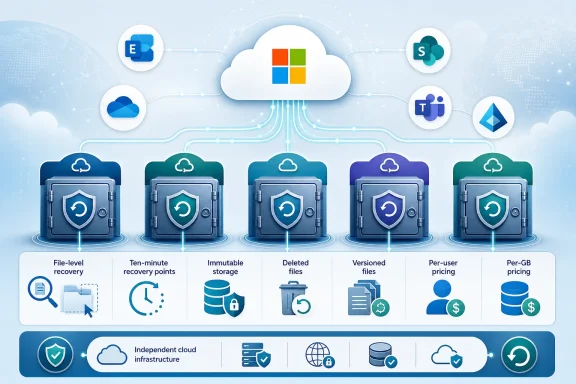 Microsoft 365 Backup’s file-recovery limitation has changed
TechRepublic describes granular OneDrive and SharePoint recovery as “coming soon” for Microsoft 365 Backup. Microsoft’s current product documentation says the granular folder and file restore option entered public preview in December 2025. That is not the same as general availability, and preview features deserve testing before they become the basis of an incident-response plan. But it is more capability than the comparison’s limitation suggests.Microsoft 365 Backup still has a sharply defined scope. It protects Exchange Online, OneDrive, and SharePoint; it is not a full Microsoft cloud backup suite for Teams configuration, Entra ID objects, Power Platform, Dynamics 365, Azure, Salesforce, or Google Workspace. Teams users should be especially cautious here, because Teams content is scattered across Exchange, SharePoint, OneDrive, and Teams-specific services. Recovering the files behind a channel is not necessarily the same thing as recovering the channel’s conversations, membership, tabs, apps, or policy state.
Microsoft’s service retains backup data for one year and provides ten-minute recovery points for recent data. Its architecture keeps backups inside the Microsoft 365 trust boundary and uses append-only storage. That design is valuable for organizations that prioritize geographic residency, tight integration with the Microsoft 365 admin center, and high-speed recovery of many mailboxes, OneDrive accounts, or SharePoint sites.
It is also a different risk decision from a service such as Keepit, which operates a purpose-built backup cloud outside Microsoft’s production environment, or Afi.ai and Veeam, which maintain recovery copies separate from the customer’s Microsoft 365 tenant. Microsoft’s append-only design helps defend retained recovery points from alteration through ordinary client processes, but it does not give an organization provider separation. Whether that matters depends on whether the organization’s risk model includes a Microsoft-wide outage, a tenant-administration failure, or a requirement for an independently operated copy.
Consumption pricing is transparent, but it is not simply “15 cents per GB”
Microsoft lists Microsoft 365 Backup at $0.15 per GB per month and does not charge separately for restores. That is refreshingly easy to state, but an accurate budget requires more than multiplying current SharePoint and OneDrive usage by $0.15.Microsoft counts live protected content, mailbox archive data where applicable, and certain deleted and versioned material held for recovery. In particular, deleted SharePoint and OneDrive data in the second-stage recycle bin, plus deleted and versioned Exchange mailbox items, can contribute to protected backup storage. A tenant with high document churn, heavy mailbox retention, or frequent large-file revisions can therefore cost more than a snapshot of its “live” usage report suggests.
A 1 TB protected estate, before accounting for churn and retained deleted content, works out to roughly $153.60 per month at the published list rate. That may be compelling for a small tenant with modest data volumes, especially when it eliminates a separate backup console and recurring per-user subscription. It can become less attractive for a storage-heavy organization that requires years of retention rather than Microsoft’s one-year window.
This is the part of the buying decision where the comparison’s headline prices are least useful. Per-user products shift much of the uncertainty away from storage growth, while consumption pricing makes the monthly bill track actual protected data and its history. Neither model wins by default. An organization should calculate both using its real storage reports, online archive sizes, recycle-bin holdings, and a realistic estimate of monthly change.
Veeam’s published pricing is lower than the comparison’s table, with an important catch
TechRepublic lists Veeam Data Cloud for Microsoft 365 Foundation at $42 per user per year. Veeam’s current purchasing page publishes Foundation pricing starting at $2.63 per user per month when billed annually, or $31.56 per user per year, but only at the 251-user-and-above volume tier.That does not make the $42 figure false in every purchasing scenario. Veeam also publishes a $3.50-per-user monthly Foundation tier for 10 to 50 users, which equals $42 annually, and a $3.15 tier for 51 to 250 users. The problem is the word starting: the lower price is available at scale, while the comparison table presents $42 as the starting point and leaves the volume structure to the fine print.
Veeam’s larger distinction is operational rather than financial. Foundation covers Exchange Online, SharePoint Online, OneDrive, and Teams, with granular and bulk restore functions. Advanced adds Entra ID resilience, while Premium adds its fastest disaster-recovery tier. Veeam includes managed backup infrastructure, unlimited backup storage, and 24/7 production support in the license, reducing the need to build and operate separate repositories.
However, Veeam states that its Microsoft 365 plans are priced per Microsoft 365 user and that all Microsoft 365 users must be protected. That is a major licensing contrast with Afi.ai’s model, which permits customers to protect a subset of active users. A company that needs backup for every knowledge worker may prefer Veeam’s managed design and support model; a company that needs to cover selected executives, regulated departments, or a small subset of accounts should verify the user-count rules before comparing the apparent annual rate.
Afi.ai is the clearest value choice for selective protection
Afi.ai’s $3-per-user monthly rate, billed annually at $36 per user, is published with a five-user minimum. It includes automated backups up to three times per day, anti-ransomware protection, role-based access controls, and free archiving for deleted accounts. The company says archived users do not require a separate license and can remain recoverable indefinitely.That last condition is operationally useful during offboarding. Microsoft 365 administrators often need to remove an employee’s active license while retaining historical mail and files for legal, compliance, HR, or knowledge-transfer reasons. Afi.ai’s archived-user approach can avoid paying an ongoing active-user backup charge for an account no longer in production.
Afi.ai is therefore a strong fit for small and midsize tenants that need predictable per-user billing, long retention, and recovery coverage across Microsoft 365 collaboration workloads. It is less of a universal answer for organizations that must also protect Entra ID, Dynamics 365, Azure, Power Platform, or third-party SaaS data from the same console. Its separate Data Platform is relevant for infrastructure and cloud-workload protection, so buyers should not assume that the base SaaS Backup subscription covers those systems.
The “best overall” label is defensible only if the organization values selective licensing and long retention more heavily than independent-cloud architecture, Microsoft-native recovery speed, broader SaaS coverage, or a fully managed enterprise support model. Those are legitimate priorities, but they are not interchangeable features.
AvePoint and Keepit solve the cases that basic Microsoft 365 backup leaves open
AvePoint Cloud Backup is the broadest product in TechRepublic’s group. Its current product pages list Microsoft 365, Entra ID, Power Platform, Dataverse, Dynamics 365, Azure, Google Workspace, Salesforce, and other SaaS coverage. It also advertises immutable and logically air-gapped copies, unlimited storage and retention, exports, and cross-tenant restoration.The tradeoff is commercial clarity. AvePoint does not publish a standard public starting price for Cloud Backup, so a customer cannot use the comparison table to determine whether it will cost more or less than Afi.ai, Veeam, or Microsoft’s native service. A quote should specify protected workloads, retention assumptions, storage location, support entitlements, restore features, and whether Backup Express or other faster-recovery options carry additional costs.
Keepit’s value proposition is narrower and more architectural. It operates its own independent cloud infrastructure rather than storing the backup copy in the same public-cloud environment that hosts production data. It sells unlimited always-hot storage and retention policies of up to 99 years, with immutable and air-gapped recovery data.
For organizations facing vendor-concentration or sovereignty concerns, that independent-cloud design can be more important than another minute shaved from the recovery point objective. Keepit’s pricing is quote-based, however, and its support coverage varies by package. The product should be evaluated as a resilience architecture rather than assumed to be a low-cost replacement for a basic Exchange and OneDrive backup service.
Test the recovery path, not the dashboard
The five services in TechRepublic’s comparison should be treated as a shortlist, not a final ranking. Every vendor claims granular recovery, immutability, ransomware protection, and easy administration in some form. The detail that decides a real incident is whether the product restores the specific object that broke—complete with its permissions, metadata, versions, ownership, and destination options—within the required timeframe.Before signing a multi-year agreement, administrators should run a controlled recovery test that includes an Exchange item, a OneDrive file, a SharePoint document library, a Teams-related workload if it is in scope, and an alternate-location restore. Organizations using Entra ID, Power Platform, Dynamics 365, or Azure should include at least one configuration or application-level recovery test rather than treating “Microsoft 365 backup” as a guarantee of coverage.
Microsoft 365 Backup now deserves a closer look than the original comparison gives it, particularly for organizations that want ten-minute recovery points, native administration, and large-scale restore performance for Exchange, OneDrive, and SharePoint. But its one-year retention and storage-based billing remain fixed constraints. The right choice is the service that proves it can recover the data your tenant actually uses—and whose licensing model still makes sense after deleted files, archived users, and the next three years of data growth are included in the calculation.
References
- Primary source: TechRepublic
Published: 2026-08-04T08:33:54+00:00
Loading…
www.techrepublic.com - Related coverage: learn.microsoft.com
Loading…
learn.microsoft.com - Related coverage: learn.microsoft.com
Overview of Microsoft 365 Backup | Microsoft Learn
Learn about the backup and recovery capabilities for OneDrive, SharePoint, and Exchange Online using Microsoft 365 Backup.learn.microsoft.com - Related coverage: veeam.com
Loading…
www.veeam.com - Related coverage: veeam.com
Loading…
www.veeam.com - Related coverage: cdn.avepoint.com
Loading…
cdn.avepoint.com - Related coverage: avepoint.com
Loading…
www.avepoint.com - Related coverage: avepoint.com
Loading…
www.avepoint.com - Related coverage: keepit.com
Loading…
www.keepit.com - Related coverage: cdn.avepoint.com
Loading…
cdn.avepoint.com - Related coverage: support.afi.ai
Loading…
support.afi.ai - Related coverage: afi.ai
Loading…
www.afi.ai - Related coverage: microsoft.com
Loading…
www.microsoft.com - Related coverage: microsoft.com
Loading…
www.microsoft.com - Related coverage: download.microsoft.com
(MOS03)MOSAAgrAmend(Office365DataProcessAgrWithModelClauses)(WW)(ENG)(Jan2012)
PDF documentdownload.microsoft.com
- Related coverage: druva.com
Loading…
www.druva.com - Related coverage: garajcloud.com
Loading…
garajcloud.com - Related coverage: techradar.com
The four shifts reshaping Microsoft 365 security and resilience | TechRadar
Why organizations are rethinking security and resilience in Microsoft 365www.techradar.com