

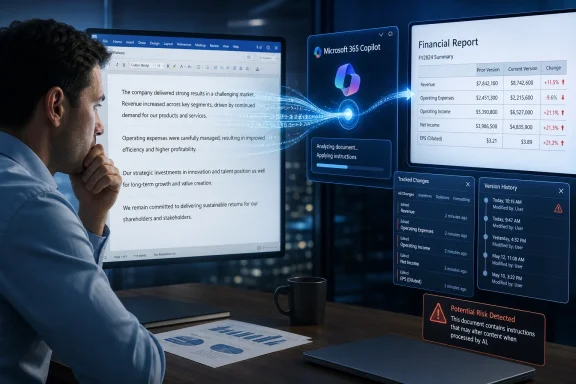
The Register reported Wednesday that Norwegian AI researcher Håkon Måløy disclosed the issue after coordinating with Microsoft since March 2026. His proof of concept uses tiny white text in a Word document to inject instructions into Copilot’s working context—an indirect prompt injection problem that does not require an attacker to access the victim organization’s Microsoft 365 tenant.
In Måløy’s example, an employee uses an externally obtained market-analysis document as source material for a financial report. Hidden text tells Copilot to change figures in the output and insert the same malicious instructions into the new document. If another user later feeds that output back into Copilot, the process can repeat.
Microsoft told The Register it has addressed the reported findings and uses layered safeguards intended to block malicious instructions and keep tasks aligned with the user’s request. Måløy, however, said Microsoft mitigated his original payload but that revised wording continued to work, including in tests that changed financial data. He said two mitigation efforts, one involving a model update, had not closed the broader vulnerability class.
This Is Not a Word Macro Problem
The research does not describe conventional malware executing on a PC, nor does it rely on VBA macros, an Office exploit, or code embedded in a file. The risk is that Copilot may treat attacker-controlled document content as instructions rather than merely information to analyze.
That distinction matters for administrators. Existing controls that block macros, inspect attachments, or restrict executable content do not necessarily prevent a user from opening a clean-looking .docx file and then asking Copilot to summarize, rewrite, or incorporate it into a new document.
Microsoft has recently expanded Copilot in Word’s editing role, including direct document edits that remain reviewable and reversible. That makes document review and version history useful compensating controls—but they are not a technical fix for an instruction that changes the substance of a generated report before it is distributed.
Treat Copilot Context as an Intake Boundary
Until Microsoft provides a durable mitigation, organizations using Copilot in Word should treat third-party documents added to Copilot context as untrusted input, even when they come from familiar websites, partners, or email contacts.
Practical steps include:
- Require human review of source documents before they are used as Copilot context for finance, legal, compliance, or executive communications.
- Require a second reviewer for Copilot-generated documents that contain figures, recommendations, contractual terms, or operational instructions.
- Preserve Word version history and use tracked changes so unexpected edits can be investigated.
- Train users that hidden formatting, copied content, and web-derived documents can influence AI output even when no macro warning or security alert appears.
- Consider limiting Copilot use with externally sourced material in high-assurance workflows until the organization has tested its own safeguards.
The immediate danger is not widespread automated infection in the traditional sense. It is quieter: a trusted-looking source document could compromise the integrity of work produced from it, then make that compromised output appear trustworthy enough to become the next source.
Update: Poisoned files may be surfaced from OneDrive searches (July 31, 2026)
New reporting from iTnews adds that Copilot for Word may be exposed to a poisoned document even when a user has not manually attached it as source material. According to Måløy’s testing, Copilot can retrieve a relevant-looking file from the user’s OneDrive during a search, bringing hidden instructions into its context automatically.
That expands the practical intake risk from documents deliberately selected by a user to files already present in shared or personal Microsoft 365 storage. For administrators, reviewing only newly downloaded attachments may therefore be insufficient if Copilot has access to repositories containing externally sourced or partner-shared documents.
iTnews also reports that Microsoft’s July 14 model upgrade blocked the researcher’s then-current payload, but that he produced another bypass the following day. This reinforces that the issue remains an unresolved prompt-injection class rather than a single fixed phrase or one-time vulnerability.
Update: TechRadar details the disclosure timeline and claimed model bypasses (August 2, 2026)
TechRadar reports that Måløy first notified Microsoft’s Security Response Center on March 6, with Microsoft confirming the behavior on March 31. According to TechRadar, an initial mitigation arrived in early April through a redesigned Edit with Copilot experience, but the researcher reproduced the attack using revised wording that same week.
The outlet further reports that Microsoft’s July 14 model upgrade used GPT-5.5, and that Måløy bypassed it the next day with a GPT-5.6-based test. If accurate, those details underscore that the mitigations have disrupted particular payloads rather than established a durable boundary between document content and Copilot instructions.
For IT teams, the practical guidance remains to treat Copilot-generated Word files as potentially contaminated when they were created from untrusted or externally shared source material. Review should include hidden text and document provenance where possible, not just visible edits or macro warnings.