
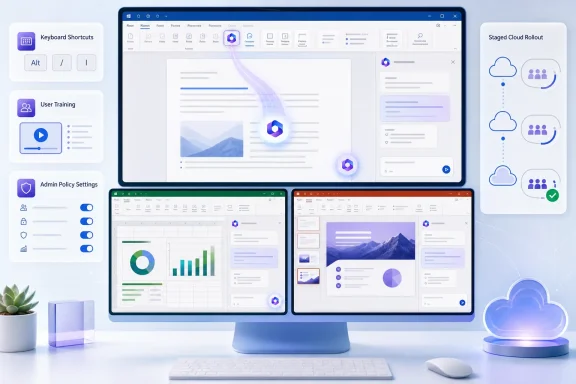
For users, this is an interface relocation rather than an expansion of Copilot’s capabilities: selecting the new button opens the Word, Excel, or PowerPoint Agent in the right-side chat pane. For IT teams, however, it is a change worth treating as a small deployment event. It alters user training, keyboard workflows, screenshots in internal documentation, and—most importantly—the assumptions administrators may have made about whether their existing Copilot pinning setting controls the new in-document button.
Microsoft’s own support documentation confirms the practical reality: the ribbon is no longer the default home for Copilot in these three apps. The company says the canvas button is rolling out to users with access to Copilot, while Outlook is explicitly excluded and retains its existing entry points.
 The roadmap’s August update is not a new August rollout
The newly modified Roadmap 533043 record can make this look like a fresh release on August 19. The underlying rollout is older.
Microsoft’s Message Center announcement, MC1189000, was published on November 22, 2025 and later updated in May 2026. It said the initial general-availability rollout began in December 2025, first reaching a small percentage of licensed users, before Microsoft extended the expected completion date to the end of May 2026. Microsoft Support now describes the worldwide rollout as having begun in April 2026 and completing by June 2026.
Those dates are not neatly aligned, but they tell a consistent story: the roadmap’s “Launched” status means the feature has entered production, not that every eligible installation received it in December. The August 19 modification should be read as a metadata or roadmap-record update, not evidence that the floating button first began arriving this week.
That distinction matters for help desks. A user noticing the button today is not necessarily on a new build or a special preview ring; they may simply be seeing a staged service-side experience that has now reached their account, app channel, or platform.
Microsoft has also said that government cloud customers are on a later schedule. Its current support page says GCC, GCC High, and Department of Defense customers will begin seeing the change in October 2026. The public roadmap entry submitted here is limited to Worldwide standard multi-tenant tenants, so it should not be used as a rollout promise for those regulated environments.
Copilot now has one persistent canvas button and contextual prompts
The most visible part of the redesign is the Dynamic Action Button, or DAB. It sits above the document rather than inside the ribbon, opening the app-specific Copilot chat experience from the lower-right corner of the working canvas.
Microsoft’s earlier Message Center text said the redesign would reduce Copilot access points to a permanent button plus a contextual entry point that can appear when users select text or take a relevant action. Hovering the floating button can also surface suggested actions intended to prompt Copilot use within the file.
This is a deliberate shift in how Microsoft wants Copilot to be discovered. The ribbon framed the feature as an application command users had to seek out. The DAB remains in view while users write, analyze, or build slides, placing the prompt surface near the work itself.
Microsoft says the functional capabilities behind the chat pane have not changed. In Word, that includes document questions, drafting, summaries, and rewriting. In Excel, it includes data questions and visualization requests; higher-end features such as Agent Mode remain a separate capability for appropriately licensed users. In PowerPoint, the chat pane can help users summarize, revise slide text, prepare for audience questions, or generate images.
The consequence is straightforward: moving the icon does not grant Copilot to accounts that did not already have it. If a user lacks the applicable Copilot entitlement or the feature is unavailable in their tenant, the DAB should not appear simply because the application has received the new interface.
Users can return the button to the ribbon
The canvas move is not completely irreversible. Microsoft’s current support instructions say a user can right-click the Dynamic Action Button and choose Move to ribbon. The same menu can be used to dock the button at the side of the content area, reducing its visual footprint while keeping a smaller entry point accessible.
That is the most useful practical answer for organizations hearing immediate complaints about a floating AI control covering a worksheet, slide, or document edge: users do not necessarily have to accept the default location. But the choice appears to be user-level, so administrators should not assume it will standardize the interface across a department.
The relocation also changes the keyboard route. Microsoft says Alt+C on Windows desktop and web focuses the DAB; if the chat pane is already open, it moves focus to the prompt box. On Mac desktop and web, the equivalent is Command+Control+I. The cross-platform fallback is F6, which focuses the button and lets users move through suggested prompts with the Up Arrow.
That replaces the older Office-style Alt+H, then F, then X sequence that opened the Copilot pane. Microsoft says the newer dedicated shortcuts are still rolling out across apps and languages, making F6 the safer instruction for cross-platform training material during the transition.
Accessibility is more than a side note here. A ribbon command was part of Office’s established keyboard-navigation model. The new canvas control is outside that familiar route, so teams supporting keyboard-only users or screen-reader users should update their quick-reference documents rather than merely circulate a screenshot of the icon.
Microsoft’s admin guidance is inconsistent on whether pinning controls this change
The biggest unresolved point is administration.
The May version of MC1189000 said administrators could still disable Copilot through the Pin Microsoft 365 Copilot Chat setting in the Microsoft 365 admin center. Yet Microsoft’s current Dynamic Action Button support page says no administrator action is required and that the redesign makes no change to policy behavior, configuration, or Copilot availability.
Microsoft Learn adds a more consequential limitation: its “Pin Microsoft 365 Copilot Chat” documentation says that setting concerns Copilot Chat in the navigation bar of Microsoft 365 apps, with Teams and Outlook given as examples. It further says the pinning setting no longer applies to the standalone Microsoft 365 Copilot app and describes the “do not pin” option as preventing the default pin in Teams and Outlook—not as suppressing the Word, Excel, and PowerPoint canvas button.
In other words, the earlier Message Center claim and the current configuration documentation do not establish that changing the Copilot Chat pin setting will remove the DAB from Word, Excel, or PowerPoint. Microsoft’s later support page does say enterprise administrators can configure whether Copilot Chat is pinned in Microsoft 365 apps, but it does not spell out a control that governs the new canvas control itself.
Administrators should therefore test policy behavior in a pilot account before telling users that an existing pinning policy will remove the button. The available public documentation supports a narrower conclusion: the DAB is an entry-point change for users already eligible for Copilot, while pinning settings govern where Copilot Chat is surfaced in other Microsoft 365 navigation experiences.
For personal Microsoft accounts, Microsoft documents a separate route: clearing the Enable Copilot checkbox in an app’s settings hides Copilot entry points. That is not an enterprise deployment control and should not be mistaken for an organization-wide management mechanism.
What organizations should update now
The rollout does not require a configuration change, but it does justify a short operational check:
- Update Word, Excel, and PowerPoint training materials that tell employees to open Copilot from the ribbon.
- Replace obsolete keyboard instructions with
Alt+Cfor Windows where available andF6as the reliable cross-platform fallback. - Tell users who dislike the floating control that they can dock it or move it back to the ribbon themselves.
- Validate the effect of any Copilot Chat pinning policy in a test tenant before treating it as a DAB suppression control.
- Keep GCC, GCC High, and DoD users on a separate communication schedule, because Microsoft lists their rollout as beginning in October 2026.
The immediate outcome is modest but visible: Copilot is becoming a persistent part of the document canvas in Word, Excel, and PowerPoint. Organizations that have already invested in Copilot training will need to revise their instructions; organizations that have not will still need to explain why a new AI button has appeared inside employees’ files—and what, if anything, their existing policy controls can do about it.
