
The immediate risk is simple: organizations that leave an active Organization Relationship, Availability Address Space, or Sharing Policy in place may lose the partner-facing scheduling and calendar-sharing functions those settings provide as EWS is disabled tenant by tenant. Microsoft’s Message Center notice says the final EWS shutdown is scheduled for April 1, 2027, but the relevant disruption window begins much sooner, when EWS starts being disabled in October.
This applies to Exchange Online-to-Exchange Online and supported cross-cloud sharing arrangements. It does not cover ordinary internal calendar sharing within one tenant, and Microsoft explicitly excludes hybrid and on-premises Exchange scenarios from this CTAP migration path. Those environments have separate guidance, including the Dedicated Hybrid App model for Exchange hybrid deployments.
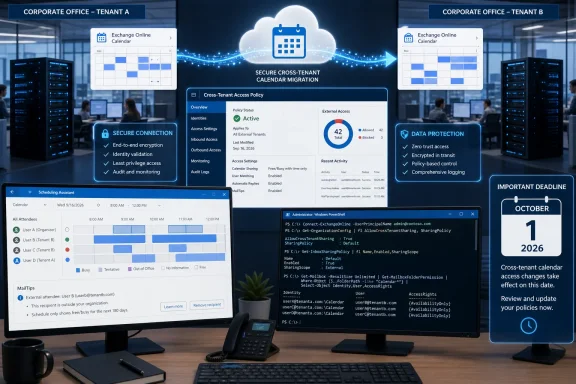 The legacy configuration may be invisible until someone needs a meeting
The systems being replaced are familiar to long-running Microsoft 365 tenants, particularly organizations that work closely with a subsidiary, parent company, acquisition target, managed-services customer, or strategic partner. An Exchange Online Organization Relationship can expose a partner’s free/busy status and selected MailTips. An Availability Address Space using OrgWideFBToken can enable availability lookups between cloud tenants. Sharing Policies control the calendar invitations and published-calendar permissions users can grant to external domains.
Microsoft’s older Exchange documentation shows why these settings became common: organization relationships were built to make a separate business appear more schedulable in Outlook, with availability-only or limited-detail access. MailTips could also reveal useful delivery warnings, automatic replies, mailbox-full notices, and—where configured—recipient-specific information across the relationship.
In many environments, those choices were made during a merger, a restructuring, or an earlier Microsoft 365 migration and were never revisited. The configuration can remain operational for years without appearing in a routine external-sharing review. The person who set it up may no longer be with the company, while users continue to depend on Outlook Scheduling Assistant returning usable availability for a partner tenant.
Microsoft’s published migration guide gives administrators a direct way to find the affected configurations. The first audit should inspect Organization Relationships, Availability Address Spaces, and Sharing Policies in Exchange Online PowerShell:
Get-OrganizationRelationship | Format-List Name,DomainNames,Enabled,FreeBusyAccessEnabled,FreeBusyAccessLevel,FreeBusyAccessScope,MailTipsAccessEnabled,MailTipsAccessLevel,MailTipsAccessScope

Get-AvailabilityAddressSpace | Format-List ForestName,AccessMethod

Get-SharingPolicy | Format-List Name,Enabled,Domains,Default
The output needs interpretation, not just collection. An enabled Organization Relationship matters only if it exposes Free/Busy or MailTips to another Microsoft 365 tenant. Availability Address Spaces are in scope when their access method is OrgWideFBToken and the other organization is also hosted in Microsoft 365. A Sharing Policy requires closer examination: it must be enabled, assigned to mailboxes, and include a calendar-sharing permission for another Microsoft 365 organization.
CTAP moves the control plane into Entra
Microsoft describes CTAP as the new standard for these Exchange collaboration scenarios, but the significant operational change is where the relationship is identified and constrained. Legacy Exchange settings tend to use partner domains and Exchange-specific properties. CTAP builds on Microsoft Entra cross-tenant access settings and identifies a partner through its Entra tenant ID.
That means domain inventory alone is no longer sufficient. Administrators need a verified tenant ID for every partner organization, plus a person on the other side who can make a corresponding change. Microsoft says its Microsoft 365 CTAP configuration is an inbound policy: each tenant decides what calendar, availability, and MailTips information external users may retrieve from it. Bidirectional sharing therefore requires complementary policies in both tenants.
This is a material departure from treating cross-organization scheduling as a unilateral Exchange task. A company can configure its own tenant perfectly and still have one-way availability if its partner has not allowed the matching inbound capability. For IT teams supporting acquisitions or a portfolio of subsidiaries, that creates a coordination dependency that should be assigned to an owner now rather than discovered after EWS starts failing.
The newer model also makes the policy choices more explicit. Microsoft maps old free/busy permissions to separate CTAP capabilities for time-only availability and limited details containing time, subject, and location. MailTips are similarly divided between a limited option and an all-information option. Calendar sharing has separate capabilities for time only, detailed availability, and reviewer-level full calendar details.
That granularity is useful, but it also means migrations should not default to “allow all users.” CTAP can scope information to an internal security group, preserving the kind of boundary that an older Organization Relationship’s FreeBusyAccessScope or MailTipsAccessScope may already have enforced. A broad migration can therefore quietly expose more staff calendars or MailTip information than the old design did.
Testing requires turning off the old path
Microsoft’s migration instructions contain the most important practical warning in this transition: legacy Exchange configurations take precedence over CTAP. Creating the new policy and then asking a user to check a partner calendar does not prove the policy works if the old Organization Relationship, Availability Address Space, or Sharing Policy is still active.
To validate CTAP, Microsoft tells administrators to disable the legacy Organization Relationship or Sharing Policy, then coordinate with the external organization to test free/busy, calendar access, and MailTips. Availability Address Spaces are more awkward: Microsoft says they cannot be temporarily disabled. They must be backed up and removed for testing, then restored from the backup if rollback is necessary.
That turns the work into a change-controlled service migration, not an administrative cleanup. The test plan should include both directions of the relationship, the exact Outlook or Outlook on the web workflow users depend on, the level of detail expected, MailTips where they matter, and the intended scope of users visible to the partner. It should also include a rollback plan for every affected partner tenant.
For calendar publishing, there is another distinction worth preserving. A Sharing Policy can include domain-specific sharing and anonymous internet publishing. Microsoft’s CTAP guidance covers both, but anonymous calendar capabilities live only in the default CTAP policy; they cannot be configured for an individual partner tenant. Teams that have allowed published calendar URLs should inventory that separately rather than assuming it behaves like a partner-specific Organization Relationship.
The rollout has begun, but not every tenant can move today
Microsoft says rollout began worldwide in August 2026 and is expected to complete by September 1. GCC is scheduled to complete by mid-September, while GCC High and DoD are expected to receive the feature from early September through the end of that month. The migration guide warns that CTAP may not yet have reached every tenant, so an administrator who cannot find the necessary controls should check the Microsoft 365 Message Center rather than assume the organization is out of scope.
There is a second readiness issue: Microsoft’s documented implementation currently uses the Microsoft Graph PowerShell SDK Beta and Graph beta cmdlets. The guide also lists general CTAP documentation and Graph cmdlet documentation as “coming soon,” even though the migration procedure itself is already published. That does not invalidate the migration path, but it is a sign that administrators should treat this as an actively rolling-out service capability and record the exact commands and policy state used during deployment.
Microsoft has offered a temporary route for organizations that cannot complete the work before EWS disablement begins: retain EWS access through the EWS configuration process while the CTAP migration is completed. That is a continuity measure, not a replacement plan. Microsoft’s EWS retirement documentation still sets April 2027 as the date when EWS is fully disabled, and every exception window ends there.
What to schedule before October 1
The useful first deliverable is an evidence-based inventory: which external Microsoft 365 tenants receive availability, calendar, or MailTip data; which legacy mechanism enables it; what level of detail is exposed; and which mailboxes or security groups are included. The next deliverable is a partner-by-partner test schedule with tenant IDs, named administrators, and an agreed validation window.
Administrators should avoid deleting legacy Exchange configurations at the start. Microsoft’s own sequence is to inventory, build CTAP equivalents, disable or remove the old path temporarily to prove CTAP functions, then clean up obsolete settings after validation. Availability Address Space users should export the configuration before removal because it is the one legacy mechanism without a simple disable switch.
For organizations that have depended on cross-tenant scheduling for years, the deadline is not April 1, 2027. It is the first point after October 1, 2026 when EWS disablement reaches their tenant and a partner can no longer see the availability or calendar data that users assumed would always be there.
